

Last Updated: 21 Oct 2026
Picking an email tool for your nonprofit should not take a week. But most lists online are old, copied, or built to sell you one tool. Deals change fast. Mailchimp and MailerLite both made their free plans much smaller this year, and many posts still show the old numbers.
This guide fixes that. I compare 10 Best Email Marketing Platforms for Nonprofits: the nonprofit discount, the real price, and how well each tool helps you get more gifts and more clicks. Every price and offer was checked in October 2026.
Here is what you get that most posts skip:
- The real nonprofit deal for every tool, with the rules and the catch
- Plain words. If I use a tech word, I explain it in ( )
- Pros, cons, and who should skip each tool. No tool gets a free pass
- A top 2 pick at the end, so you can decide fast
We judge every tool with the Mailotrix testing process. You can read it in full below.
How Mailotrix Tests Email Marketing Platforms for Nonprofits
Our team, led by Vinayak Sharma, checks each platform to find the best fit for nonprofits.
- Check pricing: We look for free plans, low-cost options, and hidden fees.
- Test features: We check email automation, signup forms, and tools for managing donors.
- Read user reviews: We look for common problems and feedback from nonprofit users.
- Compare platforms: We compare features, prices, and ease of use.
- Give honest scores: We share the good and bad points of every platform.
- Check real results: We look at how well each platform helps nonprofits reach donors, raise funds, and keep supporters engaged.
Our goal is to help nonprofits choose the right email marketing platform for their needs and budget.
Short on time? Here are our top picks:
- Best overall: GetResponse. 50% off, and the most tools in one place
- Best value for automation: Moosend. 25% off that stacks with its yearly deal
- Best for very small teams: MailerLite. 30% off with no end date, and easy to learn
Quick Look at All 10 Tools
| Tool | Nonprofit deal | Starts at (per month) | Free plan | Best for |
|---|---|---|---|---|
| GetResponse | 50% off for 24 months | $19 for 1,000 contacts | Free trial only | One tool that does it all |
| Moosend | 25% off, stacks with the yearly deal | $9 for 500 contacts | 30-day free trial | Automation on a small budget |
| MailerLite | 30% off, no end date | $12 for 500 subscribers | Yes, 250 subscribers | Very small teams |
| Brevo | 20% off | $9 | Yes, 300 emails per day | Big lists that send rarely |
| Mailchimp | 15% off | About $13 for 500 contacts | Yes, 250 contacts | Teams that already use it |
| Constant Contact | 20% to 30% off if you pay ahead | About $12 for 500 contacts | No | Phone help |
| AWeber | 3 months free, then 25% off | About $15 | 14-day free trial | US 501(c)(3) groups |
| ActiveCampaign | 20% off | About $15 for the smallest plan | 14-day free trial | Deep automation |
| Mailjet | 20% off monthly plans only | About $15 | Yes, 6,000 emails per month | Sending lots of emails free |
| Campaign Monitor | 15% off (ask sales) | $13 for 500 contacts | No | Clean, pretty emails |
1. GetResponse — Best All-Around Pick
GetResponse is a great choice if you want one tool that does a lot. You can send newsletters, build sign-up forms to find new supporters, make landing pages for gifts, and even host live online talks (called webinars).
Nonprofits use GetResponse to send email campaigns, keep their lists neat, and talk to many supporters at once. For example, the Autism Partnership Foundation uses GetResponse to reach a list of more than 500,000 people.
The strong automation tools come with the Marketer plan. That plan costs $59 per month for up to 1,000 contacts if you pay month by month. That is not cheap. The Starter plan costs $19 per month for 1,000 contacts, but it has fewer tools.
Here is the good news. If your group is a real NGO (a group that works for good and is not run by the government), you can get 50% off a plan. You email your papers, like a 501(c)(3) letter (a tax-free charity paper in the US), to GetResponse. The deal is open to almost all nonprofits and lasts 24 months. A nonprofit account can have up to 100,000 contacts. With 50% off, the Marketer plan would cost about $30 per month for 1,000 contacts. That is my math from the list price.
There is one rule. You must put the GetResponse logo on your website within 4 weeks, with a link to getresponse.com. You could put it in a partners section. If GetResponse cannot find the logo, they take your discount away from your next bill. So keep it on your site the whole time. This deal also cannot be mixed with other deals, like the discount for paying a year ahead.
Key features
- Email newsletters with ready-made designs
- Sign-up forms and popups to grow your list
- Landing pages
- Automation (emails that send on their own)
- A website builder
- Webinars (live online talks) for events and fundraising
- AI help to write emails
- Reports that show who opened and clicked
Pros
- The biggest nonprofit discount of the group: 50% off
- Lots of tools in one place
- Room for up to 100,000 contacts on a nonprofit account
- Works for both small and very large lists
Cons
- The best tools need the Marketer plan
- The price climbs as your list grows (Marketer is $114 per month at 10,000 contacts before the discount)
- You must keep the GetResponse logo on your site
- The discount lasts 24 months, then you pay the full price
Pick it if you want one tool for emails, web pages, and events, and someone on your team has time to learn it.
Skip it if you have a tiny list, almost no budget, and want a free plan forever. Also skip it if you do not want another company’s logo on your website.
Ready to try GetResponse? Get the 50% nonprofit deal here.
2. Moosend — Best Value for Nonprofit Automation
Moosend is a great choice if you want smart, automatic emails without a big bill. You can send unlimited emails on every plan, so you never pay extra for sending more. You only pay for how many people are on your list.
Nonprofits can use Moosend to welcome new supporters, thank people after a gift, and remind friends about an event. All of these use automation (emails that send on their own when something happens). Moosend comes with 18 ready-made automation plans, called recipes, so you do not start from zero.
The plan costs $9 per month for 500 contacts (people on your list). At 1,000 contacts it costs $16, and at 5,000 it costs $48. Paying a year ahead saves 20%.
Here is the best part. Verified nonprofits get an extra 25% off, and it stacks with the yearly discount. So a nonprofit with 5,000 contacts that pays yearly would pay about $29 per month instead of $48. At 1,000 contacts, the price drops to about $10 per month. That is my math from the list prices. To qualify, send proof of your nonprofit status, like a 501(c)(3) letter (a tax-free charity paper in the US) or the same kind of paper from your country. Get your discount confirmed before you pay.
Moosend has no forever-free plan. You get a 30-day free trial instead, so you can test the tools first.
Key features
- Drag-and-drop email editor with more than 130 ready-made designs
- Automation builder with 18 ready-made recipes
- Landing pages and sign-up forms
- AI help to write your emails
- Unlimited emails on every plan
- Reports that show opens and clicks
Pros
- A nonprofit deal that stacks with the yearly discount, for up to about 40% off
- Low starting price of $9 per month
- Unlimited emails
- You are not billed for people who unsubscribed
- Real automation that is easy to set up
Cons
- No forever-free plan (30-day trial only)
- The best price needs a yearly payment
- The form builder has fewer style choices
- Prices for very big lists are less clear
Pick it if you want real automation, like welcome and thank-you emails, for the lowest cost, and you can pay for a year at a time.
Skip it if you need a free plan forever, or you want webinars and a website builder in the same tool.
Ready to try Moosend? Start the 30-day free trial and ask for your 25% nonprofit discount.
3. MailerLite — Best for Very Small Teams
MailerLite is a great choice if you want something easy and cheap. Its editor is simple to use, so a volunteer can make a nice newsletter without much training. You can also make sign-up forms, a landing page, and a small website.
Nonprofits use MailerLite to send newsletters, welcome new supporters, and keep in touch with members. It is a good fit for small teams that do not have a marketing person.
MailerLite gives registered nonprofits 30% off any paid plan. The best part is that the deal has no end date. It stays on your account as long as you are still a registered nonprofit. To get it, sign up and choose “Nonprofit” as your industry. Then send proof of your status to the support team, like a 501(c)(3) paper or another official government paper. You must use the account only for your nonprofit work. If you pay a year ahead, the 30% replaces the usual 10% yearly discount. They do not stack. MailerLite also picks some nonprofits to use the tool free for 2 years, and you can apply for that.
MailerLite changed its plans in June 2026. The free plan now covers 250 subscribers and 2,500 emails per month. The paid plans are now called Comfort and Power. Comfort starts at $12 per month for 500 subscribers, and Power starts at $25. With 30% off, Comfort would be about $8 per month at that size.
Key features
- Easy drag-and-drop email editor (you move parts around with your mouse)
- Sign-up forms
- Landing pages and a small website
- Automation (the free plan has 3)
- AI help to write emails on paid plans
- Reports
Pros
- Very low starting price
- A 30% discount that does not run out
- Easy for beginners and volunteers
- You are billed for active subscribers, not for people who unsubscribed
Cons
- The free plan got much smaller in 2026
- Its automation is simpler than GetResponse, so fancy flows can feel tight
- Some features only come with the Power plan
Pick it if you have a small team, a small budget, and mostly send newsletters and thank-you emails.
Skip it if you want advanced flows, like sending different emails based on how big a gift was, or you want webinars in the same tool.
Ready to try MailerLite? Start free, then ask support for your 30% nonprofit discount.
4. Brevo — Best for Big Lists That Send Rarely
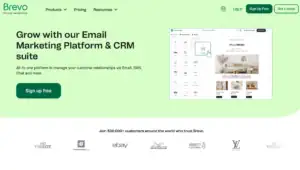
Brevo is a smart choice if you have a big list but only send emails now and then. Most tools charge by how many people are on your list. Brevo charges by how many emails you send. That can save money for groups that send a monthly newsletter to a lot of people.
Besides email, Brevo can also send text messages and WhatsApp messages. It also has simple tools to keep notes on each supporter (this is called a CRM).
The free plan lets you send up to 300 emails per day. It puts a “Sent with Brevo” sticker on your emails, and only one person can use the account. Paid plans start at $9 per month, and removing the Brevo sticker costs extra.
Brevo gives verified nonprofits 20% off monthly and yearly paid plans. To get it, open a support ticket from your account, say you are a nonprofit, and send proof like a nonprofit certificate or tax ID. Some older posts say 15%. Brevo’s own pages now say 20%.
Key features
- Email campaigns
- Text messages and WhatsApp
- Simple automation
- Sign-up forms and landing pages
- Basic CRM (notes on each supporter)
Pros
- A free plan that lets you store a very large list
- You pay for emails sent, not list size
- Email, text, and WhatsApp in one place
- 20% nonprofit discount
Cons
- The free plan stops at 300 emails per day (a list of 3,000 people would take 10 days to get one email)
- The Brevo sticker shows on free emails
- Costs can rise fast if you send often
Pick it if you have a big list and send once or twice a month, or you want to reach people by text too.
Skip it if you send many emails to a big list every week, or you need several people to use the free account.
Ready to try Brevo? Start on the free plan and ask for your 20% nonprofit discount.
5. Mailchimp — Best If You Already Use It
Mailchimp is the name most people know. It has ready-made designs, automation, and many other tools that connect with it. If your team already knows Mailchimp, there is a good reason to stay.
Mailchimp gives verified nonprofits 15% off its paid marketing plans. That is the smallest discount in this list. You must ask for it before you pay, because they cannot go back and change old bills. In the US you will need your 501(c)(3) letter. Mailchimp has also offered an extra 10% off if you turn on two-step sign-in (a second safety check when you log in).
The free plan is now very small: 250 contacts and 500 emails per month. Automation is no longer free. Paid plans start at about $13 per month for 500 contacts. The price grows fast as your list grows. At 5,000 contacts, the Standard plan is about $100 per month, or about $85 after the nonprofit discount. Mailchimp also counts people who unsubscribed unless you archive them, so clean your list often.
Key features
- Ready-made email designs
- Automation on paid plans
- Tests of two versions of an email (A/B tests) on Standard
- Many other tools connect with it
- Reports
Pros
- Well known, with lots of help guides online
- Easy to use
- Works with many other tools
Cons
- Lowest nonprofit discount of the group
- The free plan is tiny now
- Price rises fast as your list grows
- You may pay for people who unsubscribed
Pick it if your team already uses it, or you need it to connect with other tools you use.
Skip it if your budget is tight, or your list is large and growing.
Ready to try Mailchimp? Ask for your 15% nonprofit discount before you pay.
6. Constant Contact — Best If You Want Phone Help
Constant Contact is an easy tool that is known for good help. Its support includes phone help on every plan, which is rare. If your team is not good with computers, that can matter a lot.
The nonprofit deal is 20% off if you prepay for 6 months (pay for many months at once), or 30% off if you prepay for 12 months. If you pay month by month, there is no discount. Send your nonprofit papers and wait for them to say yes before you buy a prepay plan. If you buy first, the discount may not be set up right.
There is no free plan. At 500 contacts, the plans start at about $12 per month for Lite, $35 for Standard, and $80 for Premium. The Lite plan is missing some tools, like testing two versions of an email and splitting your list into groups. Prices go up as your list grows.
Key features
- Email designs and a simple editor
- Automation on higher plans
- Sign-up forms
- Reports
- Phone, chat, and email help
Pros
- Real people you can call
- Easy to learn
- 30% off with a 12-month prepay
Cons
- No free plan
- No discount if you pay monthly
- You pay a lot at once
- Lite is missing key tools
Pick it if you want phone help and can pay for 6 or 12 months at once.
Skip it if you cannot pay ahead, or you want to start with a free plan.
- Constant Contact Alternatives
- Constant Contact Pricing
- Constant Contact Review
- Brevo vs Constant Contact
Ready to try Constant Contact? Call or email them to confirm your nonprofit discount first.
7. AWeber — Best for US Charities That Want a Free Start
AWeber is a good choice if you want a steady, trusted name. It has been around since 1998. It helps you send newsletters, set up emails that send on their own (called autoresponders), build landing pages, and send web push messages (small alerts that pop up on a visitor’s screen).
The nonprofit deal is simple. You get 3 months free on the Lite or Plus plan, and then 25% off after that. But you must be a 501(c)(3) (a tax-free charity in the US). Fill out the online order form and email your 501(c)(3) paper to help@aweber.com. The paid Lite plan starts at about $15 per month, and there is a 14-day free trial.
Key features
- Email newsletters and autoresponders
- Landing pages and sign-up forms
- Web push messages
- Tests of two versions of an email
- Many other tools connect with it
Pros
- 3 free months, then 25% off
- A long record and a trusted name
- Simple to learn
Cons
- The deal is only for US 501(c)(3) groups
- A person who joins more than one of your lists can be counted more than once, which can raise your bill
- The price grows as your list grows
Pick it if you are a US 501(c)(3) and want 3 free months to try a simple, steady tool.
Skip it if you are outside the US, or you need very deep automation.
Ready to try AWeber? Start the trial and send your 501(c)(3) paper for 3 free months.
8. ActiveCampaign — Best for Deep Automation and Supporter Tracking
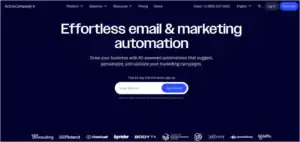
ActiveCampaign is a strong choice if you want your emails to act smart. It can send different emails to different people based on what they do, like opening an email, giving a gift, or visiting a page. From the Plus plan up, it also has a CRM (a tool that keeps notes on each supporter), so your team can see who gave, who volunteered, and who needs a thank-you call.
Nonprofits get 20% off. Ask the sales team and share your nonprofit papers. The Plus plan, the first plan with CRM tools, starts at about $50 to $60 per month for 1,000 contacts. The price climbs fast as your list grows. You can try it free for 14 days with no credit card.
Key features
- Automation builder with if-then paths
- CRM on the Plus plan and up
- Landing pages and sign-up forms
- Text messages as an add-on on higher plans
- Tests of two versions of an email
- Reports
Pros
- Very deep automation
- A CRM to track supporters in the same place
- 20% nonprofit discount
Cons
- Costs go up fast as your list grows
- Takes more time to learn
- CRM tools need the Plus plan or higher
- The smallest plan can add ActiveCampaign branding to your emails
Pick it if you have a staff member who likes learning tools, and you want to send different emails based on what supporters do.
Skip it if your team is all volunteers, your list is small, or your budget is tight.
- ActiveCampaign Pricing
- ActiveCampaign Review
- ActiveCampaign Alternatives
- ActiveCampaign vs GetResponse
- Brevo vs ActiveCampaign
- ActiveCampaign vs Mailchimp
9. Mailjet — Best Free Plan for Sending Lots of Emails
Mailjet is a smart pick if you send many emails but have little money. The free plan lets you send 6,000 emails per month, with a cap of 200 per day, and more than one person can work on the same email together. Paid plans start at about $15 per month. They remove the Mailjet logo and the daily cap. The Premium plan, at about $25 per month, adds automation and tests of two versions of an email.
Nonprofits get 20% off. You must be an officially registered nonprofit. Here is the catch: the deal only works on regular monthly plans. It does not cover yearly plans, in-app purchases, or add-ons that charge by use, like bulk email checks. Ask Mailjet to apply it before you pay.
Key features
- Drag-and-drop email editor
- Team editing, even on the free plan
- 6,000 free emails per month
- Receipt and sign-up emails that send right after someone acts
Pros
- The biggest free email count in this list
- Team editing on the free plan
- Low paid prices
Cons
- The free plan stops at 200 emails per day
- The Mailjet logo shows on free emails
- Automation needs the Premium plan
- The nonprofit deal covers monthly plans only
Pick it if a small team writes emails together, you send a lot, and you have no budget.
Skip it if you want automation on a low plan, or you want to pay yearly and still get the nonprofit discount.
10. Campaign Monitor — Best for Clean, Pretty Emails
Campaign Monitor is a good pick if you care about how your emails look. It is built around easy, clean email design. Nonprofits get 15% off, and you ask the sales team for it. Your yearly bill drops another 10% if you pay a year ahead.
At 500 contacts, the Lite plan costs $13 per month and has a cap of 2,500 emails. The Essentials plan costs $31 per month and has unlimited emails. The Premier plan costs $171 per month. There is no free plan.
Key features
- Clean, easy email designs
- Automation on higher plans
- Sign-up forms
- Reports
Pros
- Easy to build good-looking emails
- Unlimited emails on Essentials
- 15% nonprofit discount
Cons
- The smallest discount of the group, tied with Mailchimp
- No free plan
- The price climbs as your list grows
- No built-in donation tool
Pick it if the look of your emails matters most and your list is small to mid-size.
Skip it if your budget is tight, or you want a free plan.
Ready to try Campaign Monitor? Ask sales for your 15% nonprofit discount.
A Word on HubSpot
HubSpot gives nonprofits 40% off, but only on its Professional and Enterprise plans. The cheap Starter plans are left out. The marketing plan on Professional costs hundreds of dollars per month and has a large setup fee. The nonprofit program is also only for groups in North America, Australia, and New Zealand. For most small and mid-size nonprofits, that is too much money and too much work.
How to Choose in 30 Seconds
| If this sounds like you | Pick |
|---|---|
| You want one tool for everything | GetResponse |
| You want smart automation for the lowest price | Moosend |
| You are a small team with a small budget | MailerLite |
| You have a big list and send rarely | Brevo |
| You need deep automation and supporter tracking | ActiveCampaign |
| You send lots of emails and want a big free plan | Mailjet |
| You are a US 501(c)(3) and want 3 free months | AWeber |
| Your team already knows it | Mailchimp |
| You want phone help and can pay ahead | Constant Contact |
| The look of your emails matters most | Campaign Monitor |
How to Claim Your Nonprofit Discount in 4 Steps
- Get your papers ready. Most tools want a nonprofit certificate, a tax ID, or a 501(c)(3) letter (a tax-free charity paper in the US). Outside the US, an official paper from your government works with many tools.
- Sign up first. Open a free trial or free account. Many tools add the discount after you have an account.
- Ask before you pay. Mailchimp and Constant Contact cannot change old bills. Constant Contact also wants you to wait for their yes before you buy a prepay plan.
- Follow the rules. GetResponse needs its logo on your website. MailerLite needs the account used only for your nonprofit work.
Final Verdict: My Top 2 Picks for Nonprofits
A nonprofit needs to send newsletters, ask for gifts, thank people on its own, split its list into groups, and see what worked. After checking all 10 tools, two stand out.
Best overall: GetResponse. It does the most jobs in one place: email, automation, landing pages, forms, and webinars. The 50% discount is the biggest one I found, and it works for lists up to 100,000 people. If your team can add the logo to your site and use the Marketer plan, this one tool can do almost all of your email work.
Best value: Moosend. It gives you real automation for the lowest price in this list. The 25% nonprofit deal stacks with the yearly discount, so a nonprofit with 1,000 contacts can pay about $10 per month. You also get unlimited emails, landing pages, sign-up forms, and ready-made welcome and thank-you automations.
Also great for tiny teams: MailerLite. It is the easiest to learn, it has a free plan, and its 30% discount never ends.
If you can only pick one of our top 2, ask yourself one question. Do you need many tools in one place, like webinars and a website builder? Pick GetResponse. Do you mainly want automatic emails at the lowest price? Pick Moosend.
Ready to start? Claim the GetResponse 50% nonprofit deal, or start the Moosend 30-day free trial.
One last tip. Do not pay before your nonprofit discount is confirmed. Deals and prices change, so read each company’s nonprofit page before you sign up.
How Mailotrix Tests Email Marketing Tools
Our Tool Testing Lab has 3 people, led by Team Lead Vinayak Sharma. The Research Specialist checks prices and updates, and reads hundreds of user reviews to see what people like and dislike. The Technical Analyst signs up and tests the tools by hand. The Content Editor turns the notes into plain, fair reviews with clear pros and cons.
Every tool goes through the same 6 steps:
- Sign up like a real user. We open real accounts, often on paid plans, so we can try the paid tools and see how easy the dashboard is to use.
- Test the core features. We check automation (emails that send on their own), how many emails reach the inbox on Gmail, Yahoo, and Outlook, how easy the tool is to learn, how well it connects to other tools, and how fast and helpful the support is.
- Check what real users say. We compare our notes with hundreds of reviews to spot bugs, hidden limits, and things people love.
- Compare side by side. We put each tool next to rivals in the same price range to see who it fits best.
- Score it honestly. We share the bad news too. We never hide a flaw to earn a commission.
- Use it in real campaigns. We use tools in live client campaigns to see the real effect on opens, clicks, sales, and ROI (how much money you get back for the money you spend).
Want every detail? Read How Mailotrix Tests Email Marketing Tools.
Quick Answers
What is the best email marketing platform for nonprofits? GetResponse is the best all-around pick because it has the most tools and a 50% discount. Moosend is the best value if you mainly want automation.
Is there a free email tool for nonprofits? Yes. MailerLite (250 subscribers), Brevo (300 emails per day), and Mailjet (6,000 emails per month) have free plans. Mailchimp has a very small one. Free plans are small, so most growing nonprofits move to a paid plan with a discount.
Which tool gives nonprofits the biggest discount? GetResponse gives 50% off for 24 months. Moosend gives 25% that stacks with its yearly discount, so the total can reach about 40%. MailerLite gives 30% with no end date.
Can nonprofits outside the US get these deals? Often yes, but the rules differ. MailerLite takes any official government paper. Brevo takes a certificate or tax ID. Moosend takes a 501(c)(3) letter or the same kind of paper from your country. AWeber needs a US 501(c)(3), and HubSpot is only for groups in North America, Australia, and New Zealand. Always check before you pay.
Do I have to pay a year ahead? For Constant Contact, yes. You must prepay 6 or 12 months to get the discount. For Moosend, a yearly plan gives the best price. The others let you pay month by month.
How often do these prices change? Often. This guide was checked in October 2026. Read each company’s page before you pay.
