
Last Updated: 12 May 2026
Mailchimp used to be the most generous free email tool in the world. In 2022, you could have 2,000 subscribers completely for free. No credit card. No time limit. Just free.
In 2026? You get 250 contacts.
That’s a 87% reduction in four years. And the cuts didn’t stop at the free plan — prices went up across every paid tier too, multiple times since Intuit bought the company in 2021.
Most Mailchimp pricing guides just list the numbers off the pricing page. This one tells you the full truth — what you actually pay, what you don’t get, what costs sneak up on you, and whether any of it is actually worth it compared to what’s available for less money.
Let’s get into it 👇
Mailchimp Pricing at a Glance
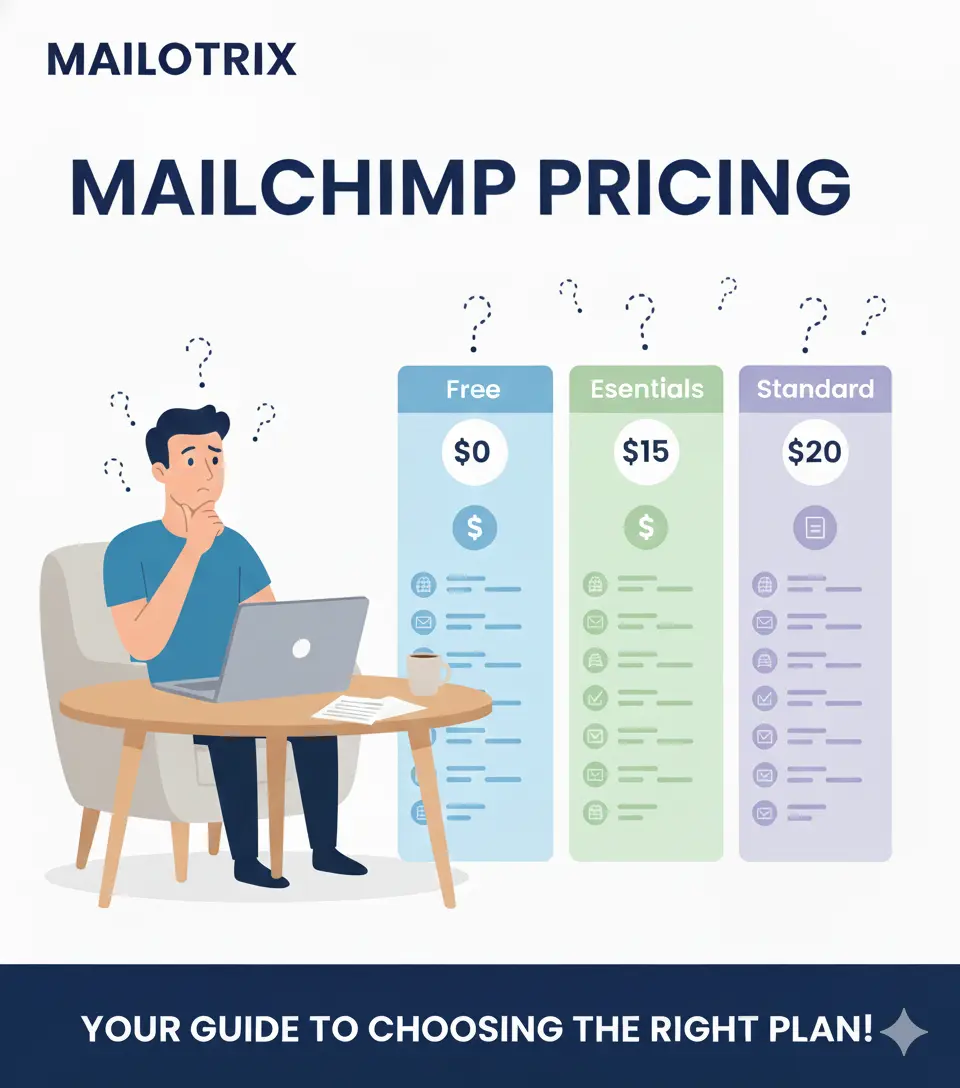
Mailchimp has four main plans. Here’s the simple view before we go deep:
| Plan | Starting Price | Contacts | Emails per Month |
|---|---|---|---|
| Free | $0 | 250 | 500 (max 250/day) |
| Essentials | $13/month | 500–50,000 | 10x your contact count |
| Standard | $20/month | 500–100,000 | 12x your contact count |
| Premium | $350/month | 10,000–200,000 | 15x your contact count |
The most important thing to know upfront: Mailchimp charges you based on how many contacts are in your account — including people who already unsubscribed. We’ll cover this in full detail later. It’s the thing that trips up more Mailchimp users than anything else.
The Free Plan: What’s Left of It in 2026
The Free Plan History — A Story of Cuts
Let’s start with the honest history because it matters:
| Year | Free Plan Contacts | Free Plan Sends |
|---|---|---|
| 2022 | 2,000 contacts | 12,000/month |
| 2023 | 500 contacts | 1,000/month |
| Early 2026 | 250 contacts | 500/month |
That’s an 87% reduction in contacts in four years. The platform that once let you build a real audience for free now gives you barely enough contacts to email your personal network.
What the Free Plan Includes in 2026
- Up to 250 contacts
- 500 email sends per month — with a daily limit of 250 sends
- Basic email templates
- Single-step automations — but only very basic ones
- Sign-up forms
- Mailchimp branding on every email — cannot be removed
- Landing pages — basic version only
- Website builder — basic version
What the Free Plan Does NOT Include
- ❌ Multi-step automations (removed entirely from free plan in February 2026)
- ❌ Email scheduling — you can only send immediately
- ❌ A/B testing
- ❌ Custom-coded email templates
- ❌ Dynamic content
- ❌ Advanced segmentation
- ❌ Send time optimization
- ❌ Transactional emails
- ❌ SMS marketing
- ❌ Live chat support
- ❌ Customer support after 30 days — after your first month, you’re on your own
Is the Free Plan Useful?
Barely. At 250 contacts with only 500 sends per month, you cannot even send two emails to your full list in one month. There’s no scheduling, no multi-step automation, and every email has Mailchimp branding that makes your emails look unprofessional.
The free plan is now only useful for one thing — looking around the interface to see if you like Mailchimp before paying for it.
“The free option is very limited — almost useless.” (Capterra)
“At 250 contacts with no automation, you can’t even send two emails per month to your full list. Any real business will outgrow this in weeks.” (Retainful)
“Free plan history: 2,000 contacts (2022) → 500 contacts (2023) → 250 contacts + all automation removed (February 2026).” (Retainful)
Essentials Plan: The Entry-Level Paid Option
What the Essentials Plan Is
Essentials is Mailchimp’s cheapest paid plan. It gives you the basics — templates, A/B testing, and proper support. But it’s still missing the features most growing businesses actually need.
What Essentials Includes:
- Up to 50,000 contacts (starts at 500)
- 10x your contact count in monthly email sends — so 500 contacts = 5,000 sends/month
- All email templates — 100+ designs
- A/B testing for subject lines and content
- Remove Mailchimp branding from emails
- Basic single-step automations only
- Landing pages
- Sign-up forms and pop-ups
- 24/7 live chat and email support
- Up to 3 audiences (separate contact lists)
- Up to 3 users
- Scheduling emails in advance
What Essentials Does NOT Include:
- ❌ Multi-step automations — you cannot build a real welcome sequence or customer journey on this plan
- ❌ Advanced segmentation
- ❌ Dynamic content — show different content to different subscribers
- ❌ Send time optimization — AI picking the best send time per subscriber
- ❌ Predictive segmentation
- ❌ Retargeting ads
- ❌ Comparative reports
- ❌ Phone support
Essentials Pricing by Contact Count:
| Contacts | Monthly Price | Annual Price (per month) |
|---|---|---|
| 500 | $13/month | $11/month |
| 1,000 | $20/month | $17/month |
| 1,500 | $23/month | $20/month |
| 2,500 | $35/month | $30/month |
| 5,000 | $75/month | $64/month |
| 10,000 | $110/month | $94/month |
| 15,000 | $135/month | $115/month |
| 20,000 | $175/month | $149/month |
| 25,000 | $230/month | $196/month |
| 50,000 | $350/month | $298/month |
The Essentials Problem
The Essentials plan is frustrating because it sits in an awkward middle ground. It’s too expensive to be a casual starting point — but it doesn’t include multi-step automations, which means you can’t even set up a proper welcome email sequence for new subscribers.
If you’re paying for Essentials, you’re probably going to realize pretty quickly that you need Standard to actually do anything meaningful with automation. The $7/month difference at the 500-contact level doesn’t sound like much — but by the time you scale to 5,000 contacts, Essentials costs $75/month and Standard costs $100/month. That gap adds up.
“The lowest level marketing plan (Essential) comes with just the basics. Disappointingly, you don’t get access to multi-step automations, so overall it’s a pretty basic plan.” (EmailTooltester)
“If you need multi-step automations, you’ll need to opt for the Standard plan.” (EmailTooltester)
Standard Plan: Where the Real Features Start
What the Standard Plan Is
Standard is Mailchimp’s most popular paid plan — and the one where email marketing actually starts to make sense. This is the plan where you unlock real automation, segmentation, and data-driven features.
What Standard Includes (Everything in Essentials Plus):
- Up to 100,000 contacts
- 12x your contact count in monthly email sends
- Multi-step automation with branching logic — up to 200 journey points
- Predictive segmentation — AI identifies who’s likely to buy, who’s likely to churn
- Dynamic content — show different sections of the same email to different people
- Send time optimization — AI picks the best send time for each subscriber
- Deliver by time zone — sends at the right local time for each subscriber
- Behavioral targeting — trigger emails based on website visits and purchase behavior
- Retargeting ads — Facebook and Instagram ad management alongside email
- AI Creative Assistant — generates email designs from your website’s branding
- Personalized onboarding — a specialist helps you get set up for the first 90 days
- Up to 5 audiences
- Up to 5 users
- Advanced analytics and comparative reports
What Standard Does NOT Include:
- ❌ Multivariate testing — test more than 2 versions at once (that’s Premium only)
- ❌ Advanced segmentation with unlimited conditions (Premium only)
- ❌ Phone support
- ❌ Unlimited users
- ❌ Advanced roles and permissions
Standard Pricing by Contact Count:
| Contacts | Monthly Price | Annual Price (per month) |
|---|---|---|
| 500 | $20/month | $17/month |
| 1,000 | $35/month | $30/month |
| 1,500 | $45/month | $38/month |
| 2,500 | $60/month | $51/month |
| 5,000 | $100/month | $85/month |
| 10,000 | $135/month | $115/month |
| 15,000 | $175/month | $149/month |
| 20,000 | $220/month | $187/month |
| 25,000 | $270/month | $230/month |
| 50,000 | $400/month | $340/month |
Should You Choose Standard Over Essentials?
For most businesses that take email marketing seriously — yes. The multi-step automation and predictive segmentation alone make Standard worth the extra cost. If you plan to build real email flows — welcome sequences, product follow-ups, re-engagement campaigns — you need Standard. Essentials simply can’t do it.
“Standard is the best choice for marketers who want to accelerate business growth. Its powerful tools and features provide data-backed insights and personalized recommendations.” (Mailchimp)
“The Standard plan starts to make sense for businesses serious about email marketing automation and personalization.” (GetAIPerks)
Premium Plan: Is It Ever Worth $350/Month?
What the Premium Plan Is
Premium is Mailchimp’s enterprise-level plan. It starts at $350/month for 10,000 contacts — which is more than most small businesses spend on email marketing in a whole year.
What Premium Includes (Everything in Standard Plus):
- Up to 200,000 contacts (custom pricing via sales above that)
- 15x your contact count in monthly email sends
- Advanced segmentation with unlimited conditions — build extremely specific audiences
- Multivariate testing — test up to 8 versions of an email simultaneously
- Unlimited users with custom roles and permissions
- Phone support — the only plan with a phone number
- Priority support — faster response times with specialized agents
- Customer Success Manager (for accounts spending $299+/month)
- Advanced analytics — deeper reporting than Standard
- 15% discount for 12 months on 10,000+ contacts
Premium Pricing by Contact Count:
| Contacts | Monthly Price | Annual Price (per month) |
|---|---|---|
| 10,000 | $350/month | $298/month |
| 15,000 | $410/month | $349/month |
| 20,000 | $490/month | $417/month |
| 25,000 | $560/month | $476/month |
| 50,000 | $810/month | $689/month |
| 100,000 | $1,300/month | $1,105/month |
Is Premium Ever Worth It?
The honest answer: rarely. Unless you specifically need:
- Unlimited users with custom permission levels
- Multivariate testing across 8+ email variations
- Phone support with a dedicated account manager
- Lists larger than 100,000 contacts
For most businesses, the Standard plan covers what they actually need. Premium is priced for large marketing teams at enterprise companies — not for growing small businesses.
“Mailchimp’s Premium plan is really expensive — and dare we say, overpriced. Unless your strategy involves complex segmentation, an advanced reporting system, or multivariate testing, it’s not worth it.” (EmailTooltester)
Pay As You Go: The Credit-Based Option
What Pay As You Go Is
Instead of a monthly subscription, Pay As You Go lets you buy email credits in advance and use them whenever you send. You only spend credits when you actually send emails.
How It Works:
- Each email sent to one contact uses one credit
- Credits expire after 12 months (they used to never expire — this changed in 2025)
- Feature set matches the Essentials plan
Pay As You Go Credit Pricing:
| Credits | Price | Cost Per Email |
|---|---|---|
| 5,000 | $150 | $0.030 |
| 10,000 | $200 | $0.020 |
| 25,000 | $450 | $0.018 |
| 50,000 | $750 | $0.015 |
| 100,000 | $1,250 | $0.013 |
Who Is Pay As You Go Good For?
Pay As You Go only makes sense if you send emails very infrequently — maybe once every few months. If you send more than one campaign per month, a regular monthly plan is almost always cheaper.
For example: if you have 1,000 contacts and send one email per month, that’s 1,000 credits used. At $0.020 per credit, that’s $20/month — the same as the Standard plan. But with Pay As You Go you get Essentials features, not Standard. So the monthly plan is better value for regular senders.
Full Pricing Tables by Contact Count
Here’s the complete side-by-side view across all paid plans:
Monthly Billing:
| Contacts | Essentials | Standard | Premium |
|---|---|---|---|
| 500 | $13/month | $20/month | — |
| 1,000 | $20/month | $35/month | — |
| 2,500 | $35/month | $60/month | — |
| 5,000 | $75/month | $100/month | — |
| 10,000 | $110/month | $135/month | $350/month |
| 25,000 | $230/month | $270/month | $560/month |
| 50,000 | $350/month | $400/month | $810/month |
| 100,000 | — | $800/month | $1,300/month |
Annual Billing (roughly 15% discount):
| Contacts | Essentials | Standard | Premium |
|---|---|---|---|
| 500 | $11/month | $17/month | — |
| 1,000 | $17/month | $30/month | — |
| 2,500 | $30/month | $51/month | — |
| 5,000 | $64/month | $85/month | — |
| 10,000 | $94/month | $115/month | $298/month |
| 25,000 | $196/month | $230/month | $476/month |
| 50,000 | $298/month | $340/month | $689/month |
What’s Included on Each Plan (and What’s Not)
Always Included — All Plans:
- Email templates (free plan gets basic; paid plans get 100+)
- Sign-up forms and landing pages
- Basic reporting — open rates, click rates, unsubscribes
- Mailchimp website builder
Only on Essentials and Above:
- Remove Mailchimp branding from emails
- A/B testing
- 24/7 live chat and email support
- Email scheduling
- Up to 3 audiences and 3 users
Only on Standard and Above:
- Multi-step automation with branching logic (up to 200 journey points)
- Predictive segmentation powered by AI
- Dynamic content — different content for different subscribers
- Send time optimization
- Deliver by time zone
- Behavioral targeting from website tracking
- Retargeting ads on Facebook and Instagram
- AI Creative Assistant
- Comparative reports
- Up to 5 audiences and 5 users
- Personalized onboarding (90 days)
Only on Premium:
- Advanced segmentation with unlimited conditions
- Multivariate testing — test 8+ email versions at once
- Unlimited users with custom roles and permissions
- Phone support
- Priority support with specialized agents
- Customer Success Manager
- 15% discount for 12 months on 10,000+ contacts
Never Included on Any Plan:
- SMS marketing — separate paid add-on
- Transactional emails — separate paid add-on
- Custom domain for your Mailchimp website — $9/month extra
Feature Comparison: Free vs Essentials vs Standard vs Premium
Here’s the plain-English breakdown of which plan handles each feature:
Automation
Free: Only basic single-step automations — and even those are very limited in 2026. Essentials: Basic single-step automations only. No multi-step customer journeys. Standard: Full multi-step automation with branching logic, up to 200 journey points. Premium: Same as Standard but with unlimited users managing the workflows.
Segmentation
Free: Very basic filtering only. Essentials: Basic segments by engagement and demographics. Standard: Predictive segments — AI-powered, behavioral, and purchase-based. Premium: Advanced segmentation with unlimited conditions.
Analytics
Free: Basic open and click rate stats only. Essentials: Standard campaign reports. Standard: Comparative reports, revenue attribution, advanced analytics. Premium: Everything in Standard plus deeper reporting tools.
Support
Free: Email support for 30 days only. Nothing after that. Essentials: 24/7 live chat and email support. Standard: 24/7 live chat and email support. Premium: 24/7 live chat, email, and phone support. Priority access.
Users
Free: 1 user. Essentials: 3 users. Standard: 5 users. Premium: Unlimited users with custom roles.
Billing Options: Monthly vs Annual — How Much Do You Save?
Monthly Billing
Pay month to month with no commitment. Cancel at any time and access continues until the end of the current billing period. No refunds for unused time.
Annual Billing
Mailchimp offers approximately 15% off when you pay annually. The discount varies slightly by plan and tier but is consistently around 15%.
Important note: The 15% annual discount is more accessible for Premium plan users with 10,000+ contacts — Mailchimp specifically promotes this as a feature of the Premium plan. For Essentials and Standard, the annual discount exists but is not as prominently marketed.
Annual savings example:
| Plan | Monthly | Annual (per month) | Annual saving |
|---|---|---|---|
| Essentials (500 contacts) | $13 | $11 | $24/year |
| Essentials (5,000 contacts) | $75 | $64 | $132/year |
| Standard (500 contacts) | $20 | $17 | $36/year |
| Standard (5,000 contacts) | $100 | $85 | $180/year |
| Premium (10,000 contacts) | $350 | $298 | $624/year |
14-Day Free Trial
Essentials and Standard both offer a 14-day free trial with no credit card required. During the trial, you can send up to 10,000 emails and test the plan’s full feature set.
Premium offers a different deal — a 15% discount for 12 months on 10,000+ contacts rather than a free trial.
After the trial ends, you’re automatically moved to the free plan unless you enter payment details.
Discounts: Nonprofit and Other Offers
Nonprofit Discount — 15% Off
Mailchimp offers a 15% discount for verified nonprofits and charities.
To get the discount:
- Sign up for a free Mailchimp account
- Contact the Mailchimp Billing team with your username and a link to your organization’s website
- Mailchimp verifies your nonprofit status and applies the discount
Important things to know about Mailchimp’s nonprofit discount:
- It’s only 15% — compared to MailerLite’s 30% nonprofit discount, this is noticeably less generous
- It does not apply to add-on features like SMS or transactional email
- It is not automatically applied — you have to contact billing and request it
- The discount can be combined with annual billing for additional savings
The Honest Assessment
Mailchimp’s 15% nonprofit discount is the lowest nonprofit discount among major email marketing platforms. MailerLite offers 30%. Brevo has a nonprofit program too. If you’re a nonprofit on a tight budget, Mailchimp is not the most generous option available.
“Mailchimp offers a 15% discount to nonprofits and charities — the lowest in the industry.” (Groupmail)
Hidden Costs: What You Pay Extra For
This is the section that will save you the most money. These are real costs that catch Mailchimp users off guard every single month.
SMS Marketing — Paid Add-On
SMS is not included in any Mailchimp marketing plan. It’s a completely separate add-on that you purchase on top of your existing monthly plan.
SMS credit pricing (available in select countries):
| SMS Credits | Monthly Price |
|---|---|
| 1,000 credits | $20/month |
| 5,000 credits | $45/month |
| 10,000 credits | $75/month |
| 25,000 credits | $150/month |
| 50,000 credits | $250/month |
Real-world example: a business with 5,000 contacts on the Standard plan ($100/month) that also wants to send SMS to their list would pay $100 + $45 = $145/month minimum. Compare this to Brevo where SMS is included in the base plan.
Transactional Emails — Paid Add-On
Transactional emails — order confirmations, password resets, shipping notifications — are not included in any Mailchimp marketing plan. They’re available as a paid add-on called Mailchimp Transactional Email (formerly Mandrill).
Transactional email pricing:
| Emails per Month | Price |
|---|---|
| 500,000 | Custom pricing only |
| Add-on to Standard or Premium | Starting at ~$20/month per 25,000 emails |
If you run an e-commerce store or any website that sends automated system emails, you need to budget for this on top of your marketing plan.
Custom Domain for Mailchimp Website — $9/month
If you want to connect a custom domain to a Mailchimp-hosted website (so it shows yourbrand.com instead of a Mailchimp URL), that costs an additional $9/month on top of your marketing plan. This is called the Websites Core plan and is completely separate from your email marketing subscription.
Overage Fees
If your contact count goes over your plan’s contact limit during a billing cycle, Mailchimp doesn’t cut you off — they charge you for the overage automatically.
For example: on the Essentials plan, exceeding your contact limit by 250 contacts can add an extra $6.50 or more to your bill. These overage charges keep accumulating if not caught.
“Overage fees can accumulate if not monitored. For instance, in the Essentials plan, exceeding the contact limit by 250 contacts may incur an additional $6.50.” (Sender)
“Hidden fees in the names of overages and pricing add-ons usually kick in when you surpass the limits on your plan.” (Sender)
The Unsubscribed Contact Trap — The Biggest Mailchimp Pricing Problem
This deserves its own section because it’s the most financially damaging thing about Mailchimp’s pricing — and most users don’t find out about it until they’ve been overpaying for months.
What Mailchimp Counts as a Billable Contact
According to Mailchimp’s own documentation:
“Subscribed, unsubscribed, and non-subscribed contacts are all included in your contact count.”
That means:
- Someone who unsubscribed from your list 2 years ago? Still counts.
- Someone who never confirmed their email? Still counts.
- The same email address in two different Mailchimp audiences? Counts twice.
- A contact who bounced and can never receive email from you? Still counts until manually cleaned.
What This Means for Your Bill
For a business that’s been on Mailchimp for a few years, it’s very common for 20–40% of the contacts in the account to be people who can never receive another email from you. You’re paying for ghost contacts every single month.
Real example:
- You have 4,000 active subscribers
- You have 800 people who unsubscribed in the last year
- You have 200 contacts that hard bounced
Mailchimp charges you for 5,000 contacts — but only 4,000 of them will ever hear from you again. You’re paying the 5,000-contact tier ($75/month on Essentials) when you should be on the 3,500-contact tier.
The Fix — and Why It’s Annoying
To stop paying for dead contacts, you have to manually archive them inside Mailchimp. Archived contacts don’t count toward billing. But Mailchimp does not do this automatically — you have to do it yourself.
Most users don’t know this. They see their subscriber count on the dashboard, assume that’s what they’re being billed for, and never realize they’re paying for hundreds or thousands of people who already left.
“Yes — by default, unsubscribed contacts remain in your audience count. You need to manually archive or delete them to reduce your contact count.” (SearchEngineInsight)
“Unsubscribed or non-engaged contacts may still count toward your contact total, which can raise your costs.” (Mailsoftly)
“For businesses that have been on Mailchimp for a while, 20–40% of the contact list is often dead weight inflating the monthly bill.” (Retainful)
“I would import new subscribers, having archived enough to be under the limit, but then face top-up charges for reasons I never fully understood.” (Capterra)
How to Clean Your List Regularly
To avoid overpaying:
- Go to your Mailchimp audience
- Filter by status — find all unsubscribed contacts
- Select all and click Archive
- Do the same for hard bounced contacts
- Repeat this monthly before your billing date
This should be something Mailchimp does automatically. It doesn’t. Budget the time to do it yourself every month — or accept that you’ll overpay.
Mailchimp vs Competitors: How the Pricing Actually Compares
Here’s what you’d pay on Mailchimp vs the tools that do a similar job for less money:
At 500 Contacts:
| Tool | Plan | Price | Automation Included? |
|---|---|---|---|
| Mailchimp | Essentials | $13/month | Basic only — no multi-step |
| Mailchimp | Standard | $20/month | Yes — full multi-step |
| MailerLite | Growing Business | $10/month | Yes |
| Brevo | Business | $18/month | Yes — email + SMS |
| Moosend | Pro | $9/month | Yes |
At 5,000 Contacts:
| Tool | Plan | Price | Automation Included? |
|---|---|---|---|
| Mailchimp | Essentials | $75/month | No multi-step |
| Mailchimp | Standard | $100/month | Yes |
| MailerLite | Growing Business | $39/month | Yes |
| Brevo | Business | $25/month | Yes — email + SMS |
| Moosend | Pro | $48/month | Yes |
At 10,000 Contacts:
| Tool | Plan | Price | Automation Included? |
|---|---|---|---|
| Mailchimp | Essentials | $110/month | No multi-step |
| Mailchimp | Standard | $135/month | Yes |
| MailerLite | Growing Business | $73/month | Yes |
| Brevo | Business | $35/month | Yes — email + SMS |
| Moosend | Pro | $88/month | Yes |
The pattern is clear. At every list size, Mailchimp costs significantly more than MailerLite, Brevo, and Moosend — and that’s before you factor in the unsubscribed contacts that inflate your Mailchimp bill further.
What Happens When You Go Over Your Contact Limit?
On Paid Plans
Mailchimp does not cut off your sending when you go over your contact limit. Instead, they automatically charge you an overage fee for the extra contacts.
The overage charge kicks in immediately when your contact count goes above your plan’s limit. You’ll see it as an additional charge on your current billing cycle.
If the increase looks permanent, Mailchimp recommends upgrading your pricing tier to avoid repeated overage charges.
Notifications
Mailchimp will send you a notification when your contact count is close to your limit. But the charge happens automatically even if you don’t act on it.
On the Free Plan
If you go over 250 contacts on the free plan — your account gets locked. You can’t send campaigns or run automations until either you upgrade to a paid plan or manually remove contacts to get back under the limit.
Is Mailchimp Worth the Price?
Let me give you the honest answer by situation.
Mailchimp is worth it if:
- You run a larger e-commerce store connected to Shopify or WooCommerce and need deep purchase tracking inside your email reports
- You need to manage Facebook and Instagram ads alongside email campaigns in one dashboard
- You specifically need multivariate testing across 8+ email versions (Premium only)
- You have a dedicated marketing team that can handle the complexity and the cost
- You have 300+ app integrations in your tool stack and need everything to connect
Mailchimp is NOT worth it if:
- You’re a small business or creator on a budget — MailerLite, Moosend, or Brevo give you comparable or better features for much less
- You want the free plan to actually be useful — 250 contacts with no automation is essentially nothing
- You want automation included at the entry level — Essentials doesn’t have multi-step automation
- You’re frustrated by paying for contacts who already left your list — Mailchimp’s billing model is genuinely unfair here
- You need consistent, reliable customer support at all price levels — the free plan has zero support after 30 days
“Mailchimp remains one of the most recognized email marketing platforms in the world — but recognition doesn’t guarantee fit — especially for organizations whose priority is simple, reliable member communication.” (Groupmail)
“It may be surprising, but Mailchimp is actually one of the most expensive newsletter tools for small-to-medium businesses.” (EmailTooltester)
Final Verdict: Which Mailchimp Plan Should You Choose?emnvbhnvbvnbnnb
Choose the Free Plan if:
You just want to look around the interface before deciding. That’s genuinely all it’s useful for now. 250 contacts with 500 monthly sends and no real automation is not a workable email marketing setup for any actual business.
Choose Essentials if:
- You need templates, branding removal, and 24/7 support
- Your email strategy is simple — one campaign per week or less, no complex sequences
- You’re on a tight budget but need to move off the free plan
- You can live without multi-step automation for now
Do not choose Essentials if you need welcome sequences, customer journeys, or any automation more complex than a single triggered email.
Choose Standard if:
- You want multi-step automation with real branching logic
- You want predictive segmentation to find your best customers automatically
- You need dynamic content — showing different sections to different people in the same email
- You want AI-powered send time optimization
- You run an e-commerce business and want behavioral targeting based on purchases
Standard is the plan where Mailchimp becomes genuinely powerful. If you’re going to pay for Mailchimp, this is where it starts to make sense.
Choose Premium if:
- You have a large team that needs unlimited users with custom access levels
- You need multivariate testing across 8+ variables
- You specifically need phone support and a dedicated account manager
- Your list is over 100,000 contacts and still growing
Consider leaving Mailchimp entirely if:
- You’re paying for the Essentials or Standard plan and mostly use it for basic newsletters — MailerLite gives you the same features for less than half the price
- You have a large contact list with many unsubscribes sitting in your account inflating your bill
- You need SMS or transactional email included without paying separately
- You want unlimited contacts without paying based on list size — Brevo’s email-volume pricing is significantly cheaper at scale
Have questions about Mailchimp pricing or whether it’s worth switching to something else? Drop them in the comments below and I’ll help you work out the numbers for your specific situation.
