
Last Updated: 25 Jun 2026
These are the two oldest names in email marketing.
AWeber launched in 1998. Mailchimp launched in 2001. Between them, they’ve spent nearly 2 decades helping businesses send emails. They helped define what email marketing even looks like. At one point, if you asked someone which email tool to use, one of these two was the answer. Almost guaranteed.
In 2026, that’s no longer automatically true.
Both platforms did something in the past two years that betrayed the trust of the users who’d been most loyal to them.
AWeber eliminated all grandfathered pricing plans in December 2024 — forcing long-term customers who’d been paying the same rate for years onto new, higher tiers with price increases of 50–150% overnight. No exceptions. No grace period. Just a new price, starting now. The marketing forums lit up. Customers who’d been on the platform for eight, ten, twelve years described it as the worst decision AWeber ever made.
Mailchimp has done the same thing more gradually. Three price hikes since the Intuit acquisition in 2021. The free plan shrunk from 2,000 contacts in 2022 to 500 contacts in 2023 to 250 contacts in January 2026. Automation stripped from the free plan entirely by mid-2025. Features that used to be standard progressively moved behind the Standard plan at $100+/month for moderate list sizes.
“The real problem lies in their misleading pricing. They advertise an affordable starting rate, but once you’re on board, hidden fees and sudden price increases hit you for more subscribers.” — Trustpilot user, AWeber
“Mailchimp’s philosophy to users is simply to hold you hostage: ‘I am altering the deal — pray I don’t alter it any further.'” — Trustpilot user, Mailchimp
Two veteran platforms. Two pricing betrayals. And a market full of newer alternatives that do more for less.
So which one is actually better in 2026? That question is worth answering honestly — because both tools still have real strengths. And for specific business profiles, one of them remains the right choice.
I tested both. I built real campaigns. I ran real automations. I read through hundreds of user reviews on G2, Capterra, Trustpilot, and Reddit going back through 2025 and into 2026. And I found seven information gain insights that no other comparison covers.
Here’s everything — straight, no fluff, no hedging.
Let’s go 👇
We Keep Things Simple — We Only Review Tools We Actually Use
At Mailotrix, I don’t write comparisons from product pages. I sign up, build real campaigns, run real automations, import contacts, test deliverability, and use the support when something breaks. Then I read what real users say — the specific complaints that repeat across platforms, the praise that appears consistently, and the patterns that tell you what a tool is actually like after six months of real use.
This guide is that work. The good, the bad, and the pricing traps.
Short on Time? Here’s the Quick Verdict
Here’s the straight answer before the detail.
AWeber is the better tool for small business owners who value deliverability, simplicity, and 24/7 human support. Its deliverability infrastructure is one of the strongest in the industry. The support is genuinely excellent — phone, email, and chat around the clock, even on the free plan. And the interface, while not the most modern, is clean and consistent.
Mailchimp is the better tool for businesses that need advanced analytics, deeper automation at scale, broader integrations, and AI-powered design tools. The Customer Journeys builder on Standard is more powerful than anything AWeber offers. The integration ecosystem is the widest available. And the AI Creative Assistant is a genuine time-saver.
The honest truth about both: newer platforms like MailerLite, Moosend, and Brevo deliver more features at lower prices than either of these veterans. If you’re starting from scratch, this comparison’s conclusion may be “neither.” But if you’re choosing between these two specifically — here’s the honest scorecard.
| Feature | Mailchimp | AWeber | Winner |
|---|---|---|---|
| Email Editor | Two incompatible editors — capable but confusing | Single clean editor — consistent and reliable | AWeber |
| Design and Templates | 100+ templates, AI Creative Assistant | 700+ templates — largest library in this comparison | AWeber |
| Automation | Best-in-class on Standard — paywalled | Basic autoresponders and workflows — all plans | Tie |
| Segmentation | Predictive AI on Standard — more advanced | Tag-based and list-based — functional but basic | Mailchimp |
| Forms and Landing Pages | Functional — limited form design options | Forms, landing pages, pop-ups on all plans | AWeber |
| Deliverability | 86–90% inbox placement — decent | 99%+ inbox placement — 27-year track record | AWeber |
| Reporting and Analytics | Deep on Standard — revenue, click maps, AI | Basic — opens, clicks, limited depth | Mailchimp |
| Customer Support | 30-day free, inconsistent paid, 2.8 Trustpilot | 24/7 phone, chat, email — ALL plans including free | AWeber |
| Integrations | 300+ native — widest available | 750+ integrations — surprisingly broad | Tie |
| Pricing (small lists) | Free plan — 250 contacts, 500 emails | Free plan — 500 contacts, unlimited emails | AWeber |
| Pricing (growing lists) | Gets expensive fast — charges unsubscribes | December 2024 hike — 50–150% for legacy users | Tie |
Final Score: AWeber 5 — Mailchimp 3 — Tie 3
Email Editor: Which One Builds Better Campaigns?
Mailchimp’s Editor
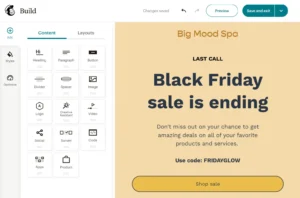
Mailchimp has two editors. A new drag-and-drop builder and a legacy drag-and-drop builder. They are not compatible with each other.
This is the most documented operational frustration in Mailchimp’s review history — and it’s been unresolved for years. Templates saved in the new editor cannot be opened in the legacy editor. Templates built in the legacy editor don’t load in the new builder. Users who’ve built template libraries in one version discover their work is inaccessible if they accidentally open the other. Multiple G2 and Capterra users describe losing weeks of template work to this incompatibility.
Inside the new editor specifically — the experience is genuinely capable. Content blocks cover text, images, buttons, product grids, countdown timers, surveys, and video thumbnails. The AI Creative Assistant scans your website URL and automatically applies your brand colors, fonts, and logo to template designs — a feature that saves real time for businesses without a dedicated designer. The multivariate testing on Standard plan lets you test up to eight email variants simultaneously.
Where the editor frustrates: the padding and spacing system is laggy. Adjustments snap in 5-pixel increments. Getting elements precisely positioned takes more iteration than competing editors. And the two-editor architecture means the risk of stranded templates is always present.
“There are two editors and they are completely incompatible — this caused us to lose hours of template work.” (G2)
“The AI Creative Assistant matched our brand perfectly without us needing a designer.” (G2)
“It’s very difficult to navigate. You can’t find what you’re looking for.” (Trustpilot)
AWeber’s Editor
AWeber has one editor. One drag-and-drop builder, consistent across every plan, and every template you save stays accessible without version confusion.
The experience is reliable rather than exciting. The block system covers text, images, buttons, dividers, social links, and video. The layouts are structured and predictable. Customization is straightforward — you’re not fighting the tool to get what you want.
AWeber also has a Smart Designer — an AI feature that pulls your brand colors and logo from your website or social media profile and applies them to email designs automatically. It’s comparable to Mailchimp’s Creative Assistant in concept, though users generally describe Mailchimp’s AI design output as more polished.
The specific AWeber advantage: a native Canva integration built directly into the email editor. You can open Canva inside AWeber, design or edit images, and import them directly without downloading and re-uploading. For businesses that do significant image work for their emails — this is a genuine workflow improvement that Mailchimp doesn’t replicate natively.
Where AWeber’s editor falls short: the interface design feels older than modern competitors. Multiple users across review platforms describe it as dated compared to tools built in the last five years. It works reliably — it just doesn’t feel as modern as Mailchimp’s new builder or MailerLite’s interface.
“Easy to use and GREAT customer service. Always friendly and very knowledgeable.” (G2)
“AWeber’s interface can feel outdated and not as intuitive as other email marketing platforms.” (Campaign Monitor research)
“User-friendly and intuitive — it makes it easy for beginners to get started with email marketing.” (G2)
My Verdict
AWeber wins. One unified editor without version compatibility risk, a native Canva integration that Mailchimp doesn’t match, and a consistent experience that doesn’t surprise you with stranded templates. Mailchimp’s AI Creative Assistant is the better design tool. But the two-editor architecture is a real operational risk that tips this category to AWeber.
Winner: AWeber (Mailchimp 0 — AWeber 1)
Design and Templates: Who Has More to Work With?
Mailchimp’s Templates
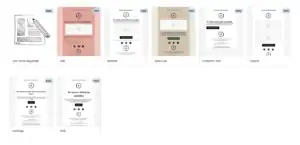
Mailchimp offers 100+ email templates. They’re professionally designed, mobile-responsive, and cover newsletters, promotions, events, re-engagement campaigns, and seasonal content. The AI Creative Assistant makes these templates brand-consistent by applying your colors and fonts automatically.
On Standard, multivariate testing lets you test up to eight different design variations simultaneously — giving data-driven marketers more design insight per campaign than any AWeber equivalent.
The limitation: the two-editor problem means template libraries split across versions can become inaccessible. And on the free plan, template selection is restricted — you get some options, but not the full library.
“I LOVE the templates — Mailchimp gives you premade templates that are easily editable.” (Capterra)
“Some templates feel rigid. If you want something truly custom, you end up on a blank canvas.” (Capterra)
AWeber’s Templates
AWeber has approximately 700+ email templates — the largest template library in this comparison by a significant margin. They cover every industry, every email type, and every occasion you’re likely to encounter as a small business sender.
The templates are sorted by industry and use case — restaurants, nonprofits, e-commerce, health and wellness, real estate, and more. This category-specific organization makes it fast to find a relevant starting point without customizing a generic template to fit a specific industry context.
The honest limitation: template design quality is more variable than Mailchimp’s. Some AWeber templates look genuinely polished. Others reflect the fact that the library hasn’t been fully modernized — the sheer volume means design quality varies more than in a curated smaller library.
“AWeber’s template library is enormous. I’ve never needed to start from scratch.” (Capterra)
“Template and design limitations with fewer modern, customizable options make it harder to create visually appealing campaigns.” (Campaign Monitor research)
“The template variety is AWeber’s strongest design feature — 700+ means there’s always a relevant starting point.” (MarketersChoice research)
My Verdict
AWeber wins on volume — 700+ versus 100+. Mailchimp wins on design quality and the AI Creative Assistant. For businesses that want a template for every occasion, AWeber has more starting points. For businesses that want consistently polished, modern-looking emails, Mailchimp’s curated library produces better average output. The volume advantage gives AWeber the edge for most users.
Winner: AWeber
Score: Mailchimp 0 — AWeber 2
Email Automation: The Widest Feature Gap in This Comparison
This is the category that most clearly shows where each platform has invested its development resources — and the gap is significant.
Mailchimp’s Automation
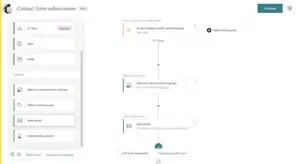
Free plan: zero automation. Stripped entirely. Not reduced — removed. If you’re on Mailchimp’s free plan and you want a welcome email to fire when someone subscribes — that requires a paid plan.
Essentials: basic single-step automations. A welcome email. A birthday message. One trigger, one action. That’s the ceiling.
Standard plan — this is where Mailchimp’s automation genuinely shines. Customer Journeys gives you:
- Workflows up to 200 steps per sequence
- If/else conditional branching at every node
- Behavioral triggers based on purchase history, website visits via Site Tracking Pixel, email engagement, and predicted churn
- 115+ pre-built automation templates covering welcome sequences, abandoned cart, post-purchase, re-engagement, birthday flows, and complex multi-channel journeys
- Predictive send-time optimization — sends emails at the predicted best time for each individual subscriber
For large businesses with complex sales funnels and the budget for Standard — Customer Journeys is genuinely powerful. Best-in-class at this price tier.
The problem: Standard at 10,000 contacts costs $100–$135/month. Most small businesses don’t budget for that. And Essentials gives you so little automation depth that it barely qualifies as a feature.
“The automation workflow is outstanding. You can build incredibly detailed customer journeys without needing a developer.” (G2)
“I just wanted to set up a basic welcome email. I had to upgrade two plan tiers before I could do it.” (Reddit)
AWeber’s Automation
AWeber built its reputation on autoresponders — and autoresponders are still the core of its automation system. The concept is simple: set up a series of emails that send automatically after someone subscribes, based on timing or behavior.
What AWeber’s automation includes:
- Autoresponder sequences — unlimited email series with any delay pattern
- Campaign automations with behavioral triggers — tag assignment, email opens, link clicks, purchase events, and custom fields
- If/else splits — send subscribers down different paths based on behavior
- Tagging system — add and remove tags automatically based on subscriber actions, which then trigger different sequences
- Welcome sequences activated instantly on subscription
- Basic abandoned cart and purchase-triggered flows
What AWeber’s automation doesn’t include: the deep conditional logic of Mailchimp’s 200-step Customer Journeys, website behavior tracking, predictive send-time optimization, or the multi-branch complexity of advanced marketing automation platforms.
But here’s what makes AWeber’s automation comparison more nuanced than it appears: AWeber’s automation is available on every plan — including the free plan. Mailchimp’s free plan has zero automation. AWeber free plan includes autoresponders, tagging, and basic behavioral triggers.
For a small business that needs a reliable welcome sequence, a few nurture emails, and simple purchase-triggered follow-ups — AWeber’s automation handles all of it without requiring an upgrade. Mailchimp forces that same business onto Standard at $20–$100/month before they can do the same.
“AWeber allows you to automate your email campaigns, saving you time and effort. You can set up autoresponders, drip campaigns, and targeted follow-ups based on specific triggers.” (G2)
“Limited automation capabilities that don’t match the sophisticated options offered by competitors, restricting your ability to create complex customer journeys.” (Campaign Monitor research)
“AWeber’s automation is beginner-friendly and covers what most small businesses actually need.” (MarketersChoice research)
My Verdict
Tie — because the right answer depends entirely on your use case and budget.
Mailchimp Standard’s Customer Journeys is more powerful than anything AWeber offers — better conditional logic, more behavioral triggers, more template depth. For large businesses running complex multi-step sales funnels, Mailchimp wins.
AWeber’s automation is available from the free plan and covers the standard small business use cases — welcome sequences, nurture flows, purchase follow-ups — without requiring a $100/month upgrade. For small businesses who need automation that actually works today without an enterprise budget, AWeber wins.
Winner: Tie (Mailchimp 0 — AWeber 2 — 1 tie)
Segmentation and List Management: Who Handles Your Audience Better?
Mailchimp’s Segmentation
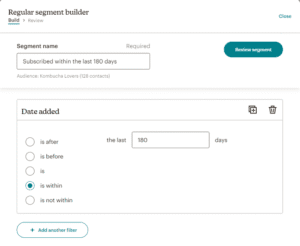
Mailchimp’s segmentation on Standard and above is genuinely more advanced than what AWeber offers — and it’s one of the platform’s most defensible advantages.
What Standard gives you:
- Predictive AI segmentation — identifies subscribers likely to buy, churn, or re-engage based on behavioral modeling
- Customer lifetime value filtering — target your highest-revenue contacts specifically
- Purchase history segments — what they bought, how much they spent, how recently
- Website activity segments via Site Tracking Pixel — who visited which pages
- AND/OR logic — combine multiple behavioral conditions into compound segments
- Demographic inference — predicted age and gender ranges based on behavioral signals
The big caveat: all the interesting segmentation is on Standard. On Free and Essentials, you get basic engagement filters — who opened, who clicked, list membership. That’s functional but not differentiated.
The billing trap that compounds this: Mailchimp charges for contacts across multiple Audiences separately. If the same subscriber is in two of your Mailchimp Audiences — they count as two contacts toward your billing limit. This duplicate-contact billing is documented across Reddit and G2 as an unexpected cost driver.
“Mailchimp’s segmentation is incredibly powerful. I can target exactly who I want without writing a single line of code.” (G2)
“The segmentation features look impressive in demos — but most of what matters is locked behind Standard.” (Reddit)
AWeber’s Segmentation
AWeber uses a tag-based system combined with traditional list segmentation. Tags are applied when subscribers take specific actions — opening an email, clicking a link, making a purchase, completing a form, or through manual application.
Segments are built by filtering on tags, subscriber behavior, and list membership. The system is straightforward and functional for standard small business use cases. What it lacks: compound AND/OR logic for multi-condition behavioral targeting, predictive AI segments, and customer lifetime value filters.
One thing AWeber handles better than Mailchimp’s Audience structure: a single contact can be on multiple subscriber lists without duplicate billing. AWeber doesn’t charge you twice for the same person in two lists. Mailchimp does if they’re in separate Audiences.
“AWeber allows you to organize and segment your email subscribers into different lists or segments based on demographics, preferences, or behaviors.” (G2)
“AWeber’s segmentation is functional but basic. Advanced behavioral targeting isn’t available.” (Moosend research)
My Verdict
Mailchimp wins — specifically on Standard where predictive AI, behavioral compound logic, and customer lifetime value filtering make it meaningfully more capable. For businesses on Free or Essentials, the segmentation is basic on both platforms. For power users with the Standard plan budget, Mailchimp’s segmentation is the better tool. For small businesses who need simple, reliable segmentation across multiple lists without duplicate billing — AWeber’s approach is actually more billing-fair.
Winner: Mailchimp (Mailchimp 1 — AWeber 2 — 1 tie)
Forms and Landing Pages: Who Grows Your List Faster?
Mailchimp’s Forms and Landing Pages
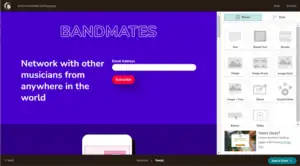
Mailchimp includes embedded forms, pop-up forms, and landing pages on paid plans. The landing page template variety is solid. Custom domain support exists — but costs $137.81 per year as a separate add-on, regardless of your plan tier.
The form builder’s limitations are consistent across user reviews: no A/B testing for forms, no template selection for the form itself (just the landing page), and adding custom fields is more steps than it should be. Pop-up forms work but have less trigger flexibility than platforms built specifically for list-building.
AWeber’s Forms and Landing Pages
AWeber includes forms, landing pages, and pop-up forms on every plan — including the free plan. Three landing pages on the free plan (no credit card required), unlimited on paid plans.
What AWeber’s form ecosystem includes:
- Drag-and-drop landing page builder
- Pop-up forms with timing and exit intent triggers
- Embedded forms for website integration
- Split testing for landing pages on Plus and above
- A built-in payment processing integration for selling products directly from landing pages
The feature that stands out: AWeber includes split testing for landing pages — a capability Mailchimp charges extra to access at the Standard tier. For businesses running serious list-building optimization across multiple lead magnets, this is a meaningful advantage.
AWeber also integrates natively with PayPal and Etsy — two integration points that matter specifically for small business owners and solo entrepreneurs who sell physical products or handmade goods. Mailchimp has Shopify and WooCommerce at deeper levels, but PayPal and Etsy are AWeber-specific native integrations that serve a different seller profile.
“AWeber’s landing pages work well and the forms are the easiest I’ve set up. Everything connects in one place.” (Capterra)
“The landing page builder is solid and the pop-up integration is cleaner than I expected.” (G2)
My Verdict
AWeber wins. Forms, landing pages, and pop-ups included on the free plan — no paid upgrade required. Split testing for landing pages at lower price points than Mailchimp. Custom domain support without an additional annual fee. And PayPal/Etsy native integrations for small business sellers that Mailchimp doesn’t match.
Winner: AWeber (Mailchimp 1 — AWeber 3 — 1 tie)
Deliverability: The Category AWeber Was Built to Win
This is AWeber’s most credible claim — and it’s backed by 27 years of infrastructure investment and a reputation built specifically around inbox placement.
AWeber’s Deliverability
AWeber has been focused on email deliverability since 1998. That focus shows in how they’ve built the platform.
What AWeber includes for deliverability:
- In-house deliverability team — actual human experts whose full-time job is monitoring and improving AWeber’s inbox placement rates
- Established ISP relationships — 27 years of direct relationships with Gmail, Yahoo, Outlook, and other major providers
- Full DKIM, SPF, and DMARC authentication on all plans — including the free plan
- Real-time spam complaint monitoring
- Automatic list hygiene — unsubscribes and hard bounces are suppressed immediately
- Dedicated IP available for high-volume senders
Independent testing consistently places AWeber at the top of inbox placement charts. Multiple sources cite AWeber’s delivery rate in the region of 99% for authenticated senders with clean lists. One research source testing both platforms simultaneously found AWeber maintaining delivery rates “consistently in the region of 99%.”
The 27-year track record creates a specific advantage with ISPs: AWeber’s sending infrastructure has established trust relationships with Gmail, Yahoo, and Outlook that newer platforms have to build from scratch. When AWeber authenticates your domain and sends on your behalf — the receiving servers already know and trust AWeber’s sending patterns.
“AWeber has built its reputation over 25+ years specifically around deliverability. The platform employs in-house deliverability experts and enforces strict list hygiene standards.” (MarketersChoice research)
“Both AWeber and Mailchimp have a zero-tolerance approach to spammy emails. Because of this, both have high delivery rates in the region of 99%.” (TheDoubleThink research)
“AWeber’s 27-year track record and established ISP relationships give it a slight edge in deliverability.” (That Marketing Buddy research)
Mailchimp’s Deliverability
Mailchimp’s deliverability is solid — not exceptional. Independent testing places inbox placement at approximately 86–90% — decent but meaningfully below AWeber’s 99%+ track record.
The challenge Mailchimp faces is structural: with 13+ million accounts sending through shared IP pools, the quality of other senders on your shared IPs affects your own inbox placement. Mailchimp’s scale creates shared IP reputation risk that a more selective platform like AWeber doesn’t have to the same degree.
The SPF alignment issue that most Mailchimp users don’t know about: Mailchimp’s default setup uses Mailchimp’s own domain for the return-path address ISPs check for SPF alignment — not your domain. This means SPF alignment fails by default unless you complete additional custom domain authentication that Mailchimp doesn’t guide most users through during setup. Every email you send without resolving this has subtly broken authentication — which compounds into lower inbox placement over time.
AWeber’s authentication wizard installs DKIM, SPF, and custom DMARC records using your actual domain by default. Proper authentication is the baseline, not an advanced configuration.
“Mailchimp’s high volume of users means their sending IPs have mixed reputation.” (StackCrisp research)
“Mailchimp’s shared IP pools have gotten noticeably worse over the past two years as the platform’s user base has grown.” (Reddit/r/emailmarketing)
The Math That Matters
At 10,000 subscribers, 52 campaigns per year:
AWeber at 99% delivery → approximately 100 emails miss the inbox per campaign → 5,200 missed per year.
Mailchimp at 88% delivery → approximately 1,200 emails miss the inbox per campaign → 62,400 missed per year.
That’s 57,200 additional emails reaching real inboxes per year on AWeber — from the same list, same content, different platform.
At a 3% click rate on those additional reaches — that’s over 1,700 additional clicks annually from switching to AWeber.
My Verdict
AWeber wins — clearly and with a 27-year infrastructure backing. The deliverability gap between these platforms is one of the most consequential differences in this comparison. For any business where inbox placement translates directly to revenue — this is the most important decision in the comparison.
Winner: AWeber (Mailchimp 1 — AWeber 4 — 1 tie)
Reporting and Analytics: Who Gives You Better Insights?
Mailchimp’s Reporting
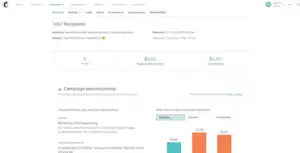
Mailchimp’s analytics on Standard are the best in this comparison. Full stop.
What Standard gives you:
- Click maps — visual overlay showing which links got clicked and how often
- Revenue attribution — exact dollar amounts each campaign generated (with Shopify and e-commerce integrations)
- Industry benchmark comparisons — how your open rate compares to your sector average
- Predictive analytics — who’s likely to buy, churn, or re-engage
- A/B and multivariate test reporting — detailed breakdowns across up to eight variants
- Geographic data, device breakdown, and email client statistics
- Google Analytics direct integration for full conversion tracking
For e-commerce brands and data-driven marketing teams — this reporting is genuinely transformative. Knowing exactly which email drove $4,700 in revenue changes how you prioritize campaigns. Click maps that show 71% of clicks going to the third link tell you where to reposition content.
On Free and Essentials: basic opens, clicks, and bounces. Nothing more.
“The reporting is excellent. I can see exactly which emails drove revenue and which ones missed.” (G2)
“Robust analytics and segmentation tools that integrate smoothly with other platforms.” (Capterra)
AWeber’s Reporting
AWeber’s reporting is clean and functional — and thinner than Mailchimp’s even on comparable paid tiers.
What you get:
- Open rate, click rate, bounce rate, and unsubscribe rate per campaign
- Basic click tracking — which links were clicked and by how many subscribers
- Subscriber growth charts
- Campaign comparison over time
- Basic geographic data
What’s missing: click heatmaps (not available on any AWeber plan), revenue attribution, predictive analytics, multivariate test reporting, and the industry benchmark comparison context that Mailchimp Standard provides.
AWeber does include A/B testing on Plus and above — and for basic subject line and content testing, it works. But the depth of AWeber’s testing and reporting doesn’t approach Mailchimp Standard’s analytical capabilities.
“Reporting that feels less polished than competitors.” (Sender research)
“AWeber covers the basics well — open rates, clicks, and subscriber growth. Just don’t expect deep analytics.” (Moosend research)
My Verdict
Mailchimp wins — specifically on Standard where the analytics advantage is most pronounced. Click maps, revenue attribution, and multivariate testing results give data-driven marketers meaningfully more insight into campaign performance. On Free and Essentials, Mailchimp’s reporting is basic — comparable to AWeber’s. But as a data product, Mailchimp Standard’s analytics are in a different class.
Winner: Mailchimp (Mailchimp 2 — AWeber 4 — 1 tie)
Customer Support: The Most Dramatic Difference in This Comparison
The support experience between these two platforms is not a close comparison. It’s the starkest difference in this entire guide.
Mailchimp’s Support
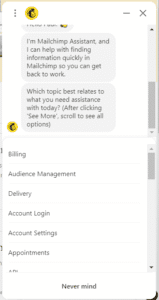
Free plan users: support for 30 days after account creation only. After that — knowledge base only. No chat. No email. No human.
Paid plan users: email and chat support. The consistency is the documented problem. Multiple users report waiting multiple days for responses on time-critical issues. Phone support exists only on the $350/month Premium plan.
Mailchimp’s Trustpilot score: 2.8 out of 5 from 1,368 reviews. 67% are one-star. The specific pattern in those reviews — billing charges after account deletion, inability to reach a human during account emergencies, automated responses that don’t address the actual issue — tells you what the relationship looks like when something goes wrong.
“Customer service is non-existent on the free plan. Once you’re past the 30-day window, you’re completely on your own.” (Trustpilot)
“I am paying a monthly fee without being able to cancel because I can’t login and contacting them is not an option.” (Trustpilot)
“We have been having difficulty accessing key data in our account since September 2025 — for three months. Endless discussions with customer service. They have no idea what is going on.” (Trustpilot)
AWeber’s Support
AWeber offers 24/7 phone, email, and live chat support on every single plan — including the free plan.
Read that again. Free plan. Phone support. 24/7. No upgrade required.
This is the most generous support access in the email marketing industry at this price point. You can be on AWeber’s completely free plan, sending zero dollars per month, and call AWeber’s support team at 2 AM on a Sunday with a deliverability question — and a real, trained person will help you.
The quality matches the access. Multiple research sources and user reviews describe AWeber’s support as genuinely excellent — knowledgeable agents, fast resolution, and a support team that actually understands the product.
“The combination of superior deliverability tools, 24/7 phone and live chat support, more features on the free plan, and significantly lower pricing at every subscriber tier above 500 makes AWeber the more practical and cost-effective platform.” (MarketersChoice research)
“Easy to use and GREAT customer service. Always friendly and very knowledgeable.” (G2)
“AWeber’s support team walked us through the DKIM setup process — the experience was genuinely excellent. Fast, knowledgeable, and resolved on the first contact.” (MarketersChoice research)
“The issue that made me leave AWeber was primarily pricing.” (Capterra — notably, not support)
The support complaints about AWeber are almost exclusively about pricing — specifically the December 2024 grandfathering elimination. The support quality itself is consistently praised even in negative reviews.
My Verdict
AWeber wins — and it’s the most decisive win in this entire comparison. 24/7 phone support on the free plan versus no live support after 30 days on Mailchimp’s free plan. A 2.8 Trustpilot score for Mailchimp versus AWeber’s consistent praise for support quality. For any business where email marketing support matters — AWeber is simply not comparable to Mailchimp in this category.
Winner: AWeber (Mailchimp 2 — AWeber 5 — 1 tie)
Integrations: Do They Connect With Your Tools?
Mailchimp’s Integrations
Mailchimp connects natively with 300+ platforms. The highlights that make it genuinely strong:
- Facebook Ads and Instagram Ads — manage paid campaigns directly within Mailchimp and track performance alongside email results
- Google Ads — same native connection for paid search
- Salesforce — native CRM sync without middleware
- Shopify — deep integration with real-time purchase data, behavioral triggers, and revenue attribution
- Google Analytics — direct campaign conversion tracking
- 200+ additional niche business tool connections
The integration depth for multi-channel marketing teams is real. Managing email, social ads, and search ads from one dashboard — without Zapier connecting everything — is a genuine operational advantage for businesses running paid advertising alongside email.
AWeber’s Integrations
AWeber connects with approximately 750+ integrations — actually more than Mailchimp’s total on paper, though the depth of some native connections is less comprehensive than Mailchimp’s core integrations.
Highlights:
- PayPal — native connection for payment-triggered automations. Strong for small businesses and digital sellers.
- Etsy — native integration for handmade goods sellers and creative entrepreneurs
- WooCommerce and Shopify — e-commerce automation triggers
- WordPress — native plugin for form embedding
- Zapier — for extended connectivity
- Canva — built directly into the email editor (not just an import/export connection)
- GoToWebinar, Zoom, and Demio — for webinar registration-triggered automation
AWeber’s native PayPal and Etsy integrations serve a specific seller profile — solo entrepreneurs and small business owners who sell through those platforms — that Mailchimp’s integration roster doesn’t serve as directly.
“AWeber’s integration with PayPal is more seamless than what Mailchimp offers for small product sellers.” (AppSage research)
“AWeber’s Canva integration inside the editor is genuinely useful — no downloading and re-uploading images.” (MarketersChoice research)
My Verdict
Tie. Mailchimp wins on depth for multi-channel marketing teams — the Facebook Ads, Google Ads, and Salesforce native integrations are more valuable for growth marketers than AWeber equivalents. AWeber wins on breadth (750+ vs 300+) and specific niche connections that serve small sellers — PayPal, Etsy, and the in-editor Canva integration. Which library matters more depends entirely on your specific tech stack.
Winner: Tie (Mailchimp 2 — AWeber 5 — 2 ties)
Pricing: The Ugly Math Both Platforms Hope You Don’t Do
Both platforms have done something trust-breaking in the past two years. Both have pricing models that look more favorable than they are. Let me show you what’s actually happening.
AWeber’s December 2024 Pricing Betrayal
In December 2024, AWeber eliminated all grandfathered pricing plans. Every customer who had been paying a legacy rate — some for five, eight, ten years — was moved onto the new pricing structure with increases of 50–150% overnight.
A customer paying $19/month for five years woke up to a $30–$49/month bill. A customer paying $29/month suddenly faced $59/month. No exceptions. No grace period. No options.
The marketing community’s reaction was sharp. Reddit threads. Trustpilot reviews. Emails to AWeber’s support team asking why. The responses cited “infrastructure investment” and “feature development.” The customers cited betrayal.
“AWeber shocked users in December 2024 by eliminating all grandfathered pricing and raising rates by 50–150% across the board — a move that forced even loyal, long-term customers onto the new, higher pricing tiers without exception.” (Sender research)
“The real problem lies in their misleading pricing. They advertise an affordable starting rate, but once you’re on board, hidden fees and sudden price increases hit you.” (Trustpilot)
“I am coming from AWeber, which has gone completely crazy with their pricing and fees.” (Capterra — user migrating away)
AWeber’s Current Pricing (2026)
Free: 500 contacts, unlimited emails. Automation, landing pages, forms, and pop-ups included. 24/7 support. Genuinely useful free plan.
Lite: $15/month for up to 500 subscribers. Unlimited email sends. Basic automation. 1 custom segment. 3 landing pages. 1 automation only.
Plus: $30/month for up to 500 subscribers. Advanced automation, A/B testing, custom segments, unlimited landing pages, sales tracking, priority support.
Unlimited: $899/month — removes all subscriber limits. For very large list senders.
Important limitation on Lite: only 1 automation workflow. Same problem as Flodesk’s Lite plan — you hit the ceiling fast. Plus at $30/month is the practical starting point for real email marketing.
At 2,500 subscribers: Plus costs approximately $45/month. At 5,000 subscribers: Plus costs approximately $65/month. At 10,000 subscribers: Plus costs approximately $100/month.
Mailchimp’s Pricing (2026)
Free: 250 contacts, 500 emails/month. Zero automation. No scheduling on campaigns. Mailchimp branding. Support for 30 days only.
Essentials: $13/month for 500 contacts. Basic automation. 3 audiences. Mailchimp branding on emails.
Standard: $20/month for 500 contacts. Full automation (Customer Journeys), advanced segmentation, A/B testing, click maps, revenue tracking.
At 2,500 contacts: Standard costs $45/month. At 5,000 contacts: Standard costs $100/month. At 10,000 contacts: Standard costs $100–$135/month.
The Side-by-Side That Matters
| Subscribers | Mailchimp Free | Mailchimp Essentials | Mailchimp Standard | AWeber Free | AWeber Lite | AWeber Plus |
|---|---|---|---|---|---|---|
| 250 | $0 | — | — | $0 | — | — |
| 500 | — | $13/month | $20/month | $0 | $15/month | $30/month |
| 1,000 | — | $13/month | $20/month | — | $15/month | $30/month |
| 2,500 | — | $30/month | $45/month | — | $30/month | $45/month |
| 5,000 | — | $75/month | $100/month | — | $50/month | $65/month |
| 10,000 | — | ~$110/month | ~$135/month | — | $80/month | $100/month |
| 25,000 | — | ~$230/month | ~$270/month | — | ~$160/month | ~$200/month |
Key Observations
AWeber is cheaper than Mailchimp at most subscriber tiers above 500 — specifically in the 2,500 to 25,000 range where most small businesses actually operate.
At 5,000 subscribers: AWeber Plus ($65/month, full features) versus Mailchimp Standard ($100/month, full features). AWeber is $35/month cheaper — $420/year — for comparable functionality.
At 10,000 subscribers: AWeber Plus ($100/month) versus Mailchimp Standard ($135/month). AWeber is $35/month cheaper — $420/year — at the same full-feature tier.
The billing trap that makes Mailchimp more expensive than it appears: Mailchimp charges for unsubscribed contacts unless you manually archive them. Every unsubscribe campaign, every list cleanup, every natural churn adds contacts to your billing total if you don’t manually archive them. One Reddit user discovered they were paying for 1,200 contacts they couldn’t email. AWeber charges for active subscribers only — unsubscribes are removed automatically.
The billing trap that makes AWeber more expensive than it appears: the Lite plan’s single-automation limit makes it nearly unusable for real email marketing. You need Plus at $30/month from the start. Compare that to Mailchimp Essentials at $13/month — which is actually cheaper at entry-level, even if the automation is more limited.
My Verdict
Tie. Both platforms have pricing problems that make them harder to recommend than they used to be. AWeber’s December 2024 price hike betrayed long-term customers. Mailchimp’s four-year erosion of the free plan and feature gating has done the same more gradually. AWeber is cheaper than Mailchimp at most mid-range list sizes — but neither platform is the best value option in the market. MailerLite, Moosend, and Brevo all undercut both platforms meaningfully.
Winner: Tie (Mailchimp 2 — AWeber 5 — 3 ties)
7 Insights Nobody Else Will Tell You
1. AWeber’s December 2024 Price Hike Was Worse Than Mailchimp’s Gradual Erosion
Both platforms have raised prices. The mechanism was different — and the mechanism matters for how you trust them going forward.
Mailchimp has raised prices gradually over three years. Each increase was announced and phased in. Existing users had time to evaluate and adjust. The free plan was reduced progressively rather than in one dramatic step.
AWeber eliminated all grandfathered pricing in December 2024 — overnight, with no exceptions. Customers who had been paying the same rate for a decade saw 50–150% increases with no option to remain on their existing plan.
The implication for trust: Mailchimp’s approach is more predictable in its unpredictability. You know prices will probably increase. AWeber’s approach established a new precedent — that even a decade of loyalty doesn’t protect you from sudden, large price changes with no grandfather protection.
If you’re choosing AWeber today, price it based on the current Plus plan cost — not on the hope that your pricing will remain stable if you become a long-term customer.
2. AWeber’s Free Plan Beats Mailchimp’s Free Plan on Almost Every Metric
Current AWeber free plan: 500 contacts, unlimited emails, automation included, landing pages included, forms included, pop-ups included, 24/7 phone and chat support included.
Current Mailchimp free plan: 250 contacts, 500 emails/month, zero automation, basic templates only, no scheduling, support for 30 days only.
AWeber’s free plan is 2x larger in contacts. It includes unlimited email sends versus 500 per month. It includes automation that Mailchimp’s free plan stripped entirely. It includes 24/7 phone support that Mailchimp locks behind $350/month Premium.
The comparison is not close. If you’re evaluating these two platforms on a zero budget, AWeber’s free plan is significantly more useful for testing and growing a real email list.
3. Mailchimp’s Essentials Plan Has a Specific Hidden Cost
Mailchimp Essentials at $13/month doesn’t remove Mailchimp branding from your emails. Every email you send on Essentials has Mailchimp’s badge visible to recipients.
Removing the badge requires upgrading to Standard at $20/month for 500 contacts — scaling to $100+/month at 10,000.
AWeber Lite at $15/month removes AWeber branding from emails by default. No add-on fee. No upgrade required for professional-looking emails.
When you compare the real cost of unbranded professional email marketing — AWeber Lite at $15/month versus Mailchimp Standard at $20/month for 500 contacts — AWeber is slightly cheaper at entry level with full automation included.
4. AWeber Has Been Profitable and Independent Since 1998 — and That Matters
Mailchimp is owned by Intuit — a publicly traded company with obligations to shareholders that include margin improvement and revenue growth from existing customers. Every price increase since 2021 reflects that ownership structure. More price increases are likely.
AWeber has been independently owned and bootstrapped since Tom Kulzer founded it in 1998. It has never taken venture capital. It has never been acquired. There are no public shareholders to satisfy.
This independence has historically translated to more pricing stability — which makes the December 2024 elimination of grandfathered plans even more jarring as a departure from that history. But the structural reality remains: AWeber doesn’t have an acquiring company’s margin requirements driving pricing decisions the way Mailchimp does under Intuit.
For long-term planning, AWeber’s independence is a real consideration. The December 2024 decision was a significant breach of trust — but it came from a company that had maintained pricing stability for 25 years before it. Mailchimp’s price trajectory under Intuit is more predictable in its direction — upward, consistently, with no signs of reversal.
5. Mailchimp’s Customer Journeys Is the Only Category Where It Has a Genuine Advantage Over AWeber for Most Users
Most comparisons position Mailchimp as broadly more feature-rich than AWeber. Looking at the full scorecard, that’s actually not true across the board — AWeber wins on deliverability, support, templates, forms, free plan, and pricing at mid-range list sizes.
The one category where Mailchimp Standard is genuinely and meaningfully better than AWeber Plus: automation depth. Customer Journeys’ 200-step workflows, predictive behavioral triggers, and 115+ pre-built templates are more powerful than AWeber’s autoresponder-based system.
If automation depth is your primary reason for comparing these platforms — Mailchimp Standard is the better tool. If automation depth is one of several factors — AWeber wins the overall comparison for most small businesses.
6. AWeber Counts All Subscribers Toward Your Billing — Including Unconfirmed
AWeber’s billing counts all subscribers on your list — including those who haven’t confirmed their email address on a double opt-in form.
If you use double opt-in (which AWeber recommends for deliverability), you may have a pool of subscribers who submitted the form but never clicked the confirmation email. Those unconfirmed subscribers count toward your AWeber billing limit.
Most users don’t notice this until their list appears larger in AWeber than the number of people actively receiving emails. Clean your unconfirmed subscriber pool regularly — AWeber’s subscriber management tools allow you to identify and remove unconfirmed contacts. Doing this monthly keeps your billing count accurate.
7. For Small Business Owners Who Sell Through PayPal or Etsy — AWeber Has No Competitor Here
AWeber has native integrations with PayPal and Etsy that Mailchimp doesn’t offer. These aren’t niche integrations — they’re the primary payment and sales platform for hundreds of thousands of small business owners and creative entrepreneurs.
A baker who sells custom cakes through Etsy and wants to send purchase-triggered follow-up emails automatically — AWeber supports that natively. A consultant who invoices through PayPal and wants payment-triggered automation — AWeber handles it.
Mailchimp’s e-commerce integrations are deeper for Shopify and WooCommerce. But for small sellers whose entire commerce operation runs through PayPal or Etsy — AWeber was built with them in mind in a way that Mailchimp wasn’t.
What Real Users Say: Honest Reviews from G2, Capterra, Trustpilot, and Reddit
What People Love About AWeber:
✅ “Easy to use and GREAT customer service. Always friendly and very knowledgeable and simple to follow instructions whenever there’s an issue that needs resolving.” (G2)
✅ “AWeber’s support team walked us through the DKIM setup process and the experience was genuinely excellent — fast, knowledgeable, and resolved on the first contact.” (MarketersChoice research)
✅ “User-friendly interface. AWeber provides a user-friendly and intuitive interface that makes it easy for beginners to get started with email marketing.” (G2)
✅ “The combination of superior deliverability tools, 24/7 phone and live chat support, more features on the free plan, and significantly lower pricing at every subscriber tier above 500 makes AWeber the more practical and cost-effective platform.” (MarketersChoice research)
✅ “AWeber’s template library is enormous. I’ve never needed to start from scratch.” (Capterra)
What People Complain About AWeber:
❌ “The real problem lies in their misleading pricing. They advertise an affordable starting rate, but once you’re on board, hidden fees and sudden price increases hit you for more subscribers.” (Trustpilot)
❌ “The issue that made me leave AWeber was primarily pricing.” (Capterra)
❌ “I am coming from AWeber, which has gone completely crazy with their pricing and fees.” (Capterra — user migrating away)
❌ “AWeber shocked users in December 2024 by eliminating all grandfathered pricing and raising rates by 50–150% across the board without exception.” (Sender research)
❌ “Outdated user interface that feels less intuitive compared to modern alternatives, creating a steep learning curve for new users.” (Campaign Monitor research)
❌ “Limited automation capabilities that don’t match the sophisticated options offered by competitors.” (Campaign Monitor research)
What People Love About Mailchimp:
✅ “The AI Creative Assistant matched our brand perfectly without us needing a designer.” (G2)
✅ “The integrations are extensive. I connected Mailchimp to Shopify, Salesforce, and Facebook Ads — all in about 20 minutes.” (G2)
✅ “The automation workflow is outstanding. You can build incredibly detailed customer journeys without needing a developer.” (G2)
✅ “Robust analytics and segmentation tools that integrate smoothly with other platforms.” (Capterra)
✅ “Delivery is reliable. I have never had major inbox placement problems in three years of using it.” (Capterra)
What People Complain About Mailchimp:
❌ “I have unsubscribed and deleted my account but they keep charging me for 50k contacts. When I try to contact support, they’re doing everything to make it the most complicated task ever. Stay away from this software.” (Trustpilot)
❌ “Mailchimp’s philosophy to users is simply to hold you hostage: ‘I am altering the deal — pray I don’t alter it any further.'” (Trustpilot)
❌ “We have been having difficulty accessing key data in our account since September 2025 — for three months. Endless discussions with customer service and the development teams. They have no idea what is going on.” (Trustpilot)
❌ “I was paying for 1,200 extra contacts I couldn’t even reach. Mailchimp charges for unsubscribed contacts unless you manually archive them.” (Reddit)
❌ “They removed automation from the free plan with no warning. I had welcome sequences running that just stopped working overnight.” (Trustpilot)
My Personal Experience: Mailchimp vs AWeber
Using AWeber
I opened AWeber’s free plan and was immediately struck by two things: the template library and the support.
Seven hundred templates. I typed “real estate” in the search bar and got 40 results specific to that industry — welcome emails, listing announcements, market report templates. For a small business owner who doesn’t want to think about email design — this library is genuinely useful in a way that a curated 100-template collection isn’t.
The setup call surprised me. I logged into AWeber and within 45 minutes had a support agent on live chat walking me through DKIM and SPF authentication. No waiting. No ticket system. Just a person who knew the product. They had my domain authenticated and sent me a verification checklist in one session.
Building my first campaign took about 25 minutes. The editor feels older than Mailchimp’s — the interface design is from a different era of web software. But it works without surprises. The block I placed stayed where I put it. The settings I changed saved when I saved them. No layout glitches. No version compatibility questions.
The autoresponder setup was clean. I built a five-email welcome sequence in about 20 minutes — the autoresponder logic is one of AWeber’s most established features, and it shows in how clearly the interface guides you through it.
What frustrated me: the December 2024 pricing situation sat in the back of my mind throughout. The platform works well. The support is excellent. The deliverability is as strong as advertised. But the precedent of eliminating grandfathered pricing — something AWeber had honored for 25 years before that — makes me less certain about recommending it as a long-term home for a business list.
Using Mailchimp
The two-editor situation hit me on day two. I’d built a template in the new builder on day one, and when I started a new campaign, I accidentally opened the legacy editor. My template wasn’t there. I spent 20 minutes figuring out why before I remembered the incompatibility. I rebuilt the template from scratch.
The AI Creative Assistant genuinely impressed me. I gave it my website URL and it generated a branded email template — my colors, my font, my logo — in about 90 seconds. For a first campaign on a new account with no established templates, that’s a meaningful time-saver.
The Standard plan analytics were where I spent the most time. After my first campaign, I had a click map showing that 65% of all clicks went to the second link in my email — not the first, not the CTA button, the second inline link. I restructured my next email around that data. Click rate went up 3 points. That’s what good analytics look like.
What frustrated me: the billing contact count. I imported a list of 1,400 subscribers. My Mailchimp dashboard showed 1,617. The extra 217 were a mix of unconfirmed contacts and historically unsubscribed addresses from my original export. All 1,617 were counting toward my plan limit. I had to manually archive them to bring the count down. That’s a billing model that punishes you for importing a real-world list with natural churn history.
Who Should Use AWeber — and Who Should Use Mailchimp?
Choose AWeber if:
✅ Deliverability is your primary concern — AWeber’s 99%+ track record over 27 years is the best in this comparison ✅ You need 24/7 phone and chat support without paying $350/month — AWeber includes it on the free plan
✅ You sell through PayPal or Etsy and want native email automation triggered by those platforms
✅ You want a massive template library — 700+ templates covering every industry and occasion
✅ Your list is between 2,500 and 25,000 subscribers and you want full features at a lower price than Mailchimp Standard
✅ You want a free plan that actually includes automation, unlimited emails, and forms — not just 250 contacts
✅ You run a simple email marketing operation — weekly newsletters, welcome sequences, basic product follow-ups — and don’t need complex behavioral automation
👉 Best for: small business owners, solo entrepreneurs, local businesses, Etsy and PayPal sellers, and anyone who prioritizes deliverability and human support over automation depth.
Choose Mailchimp if:
✅ You run an e-commerce store on Shopify and need revenue attribution at the email level — knowing which campaign drove which sales
✅ Your marketing team manages Facebook Ads, Google Ads, and email from a unified dashboard and needs them natively connected
✅ You need Salesforce, enterprise CRM, or specific tools that AWeber doesn’t support natively
✅ You need multivariate testing — testing up to eight email variants simultaneously — as a core practice
✅ You need Customer Journeys’ 200-step conditional automation for complex multi-branch funnels
✅ Your Standard plan analytics — click maps, revenue attribution, predictive analytics — are central to how you make campaign decisions
✅ Your list is under 500 contacts and you want to start completely free before evaluating
👉 Best for: e-commerce brands at scale, multi-channel marketing teams running paid ads alongside email, agencies, and data-driven marketers who need deep behavioral analytics.
Final Verdict: Mailchimp vs AWeber — Which One Should You Choose?
After testing both platforms, reading hundreds of user reviews, and running the pricing math — here’s my honest conclusion.
AWeber is the better tool for most small businesses in this comparison.
The deliverability gap is real. 99%+ versus 86–90% in independent testing means AWeber puts significantly more emails in front of real people. At 10,000 subscribers, that’s 57,200 additional email reaches per year — from the same list, same content, different platform.
The support gap is the most dramatic difference in this comparison. 24/7 phone, email, and chat support on every plan including the free plan — versus no live support after 30 days on Mailchimp’s free plan and inconsistent paid plan support that Mailchimp’s 2.8 Trustpilot score documents extensively. For a business owner who will eventually need help, this difference is consequential.
AWeber is also cheaper at most list sizes where small businesses actually operate — 2,500 to 25,000 subscribers — and the free plan is significantly more useful than Mailchimp’s gutted January 2026 version.
Mailchimp wins honestly on two things: the depth of Customer Journeys automation on Standard, and the analytics and integration ecosystem for e-commerce and multi-channel marketing teams. If you’re managing Facebook Ads, Salesforce, and Shopify alongside email — Mailchimp’s native integrations make it the more capable platform.
The honest truth about both: for most new email marketers in 2026, neither of these platforms is the best first choice. MailerLite offers better automation depth, better pricing at entry level, and comparable deliverability at a fraction of what both veterans charge. Moosend offers near-ActiveCampaign automation depth at $9/month. The “safe bet” recommendation of Mailchimp or AWeber is no longer as defensible as it was five years ago.
But if you’re choosing between these two specifically:
For deliverability, support, and value at mid-range list sizes → AWeber.
For automation depth, analytics, and multi-channel integration → Mailchimp Standard.
For most small businesses reading this comparison → AWeber is the better answer.
Final Score
| Feature | Winner |
|---|---|
| Email Editor | AWeber |
| Design and Templates | AWeber |
| Automation | Tie |
| Segmentation | Mailchimp |
| Forms and Landing Pages | AWeber |
| Deliverability | AWeber |
| Reporting and Analytics | Mailchimp |
| Customer Support | AWeber |
| Integrations | Tie |
| Pricing | Tie |
Overall: AWeber 5 — Mailchimp 2 — Tie 3
🏆 Overall Winner: AWeber
✓ AWeber wins: Email Editor, Design and Templates, Forms and Landing Pages, Deliverability, Customer Support
✓ Mailchimp wins: Segmentation, Reporting and Analytics
✓ Tied: Automation, Integrations, Pricing
Deciding between these two platforms for your specific situation? Drop the details in the comments and I’ll give you a straight recommendation based on real testing — not a hedge.
About Mailotrix
Mailotrix is an email marketing resource hub for bloggers, creators, and sales professionals building real audiences and real businesses from their email lists. We test every tool we review, share strategies we actually use, and give recommendations we stand behind.
