
Last Updated: 20 Jun 2026
Mailchimp is one of the most popular email marketing tools on the market.
But popularity doesn’t always mean it’s the best choice.
Many users start with Mailchimp because it’s easy to find and simple to set up. Then, as their email list grows, they begin looking for alternatives that offer better value, more useful features, easier automation, or a better overall experience.
If that sounds familiar, you’re in the right place.
To find the best Mailchimp alternatives, I didn’t just read feature pages and marketing claims. I spent time testing email marketing platforms with my own email list to see how they perform in real-world use.
I also compared my experience with feedback from real users to understand which strengths and weaknesses show up again and again across different platforms.
In this guide, you’ll discover the best Mailchimp alternatives available today, who they’re best for, where they do better than Mailchimp, and which one I would choose depending on your goals and budget.
Let’s dive in.
How I Tested Every Alternative
I did not write this by reading feature comparison charts or press releases.
For every tool on this list, I did the following:
- Created a real account and went through sign-up as a new user
- Imported a real subscriber list of mixed sizes
- Built the same three-step welcome sequence I use on my main list
- Set up a behavioral automation that responds differently based on what the subscriber clicks
- Built one landing page and measured how long setup took
- Sent a test email to my seed list across Gmail, Outlook, and Yahoo to check inbox placement
- Contacted support with a real question about an automation problem
- Compared what each tool costs at 500, 1,000, 5,000, and 10,000 subscribers
- Read at least 30 real reviews on G2, Capterra, and Trustpilot for each tool before writing a single word
This process took weeks. What it gave me was an honest picture of what each tool is actually like to use — not what the pricing page says it should be.
Quick Rankings at a Glance
| Rank | Tool | Best For | Free Plan | Starting Paid Price |
|---|---|---|---|---|
| #1 | MailerLite | Best overall — most Mailchimp users | Yes — 500 subs | $10/month |
| #2 | Moosend | Best features at the lowest price | No — 30-day trial | $9/month |
| #3 | Brevo | Large lists, unlimited contacts | Yes — unlimited contacts | $9/month |
| #4 | Kit | Bloggers, creators, newsletters | Yes — 10,000 subs | $39/month |
| #5 | beehiiv | Newsletter writers and media brands | Yes — 2,500 subs | $43/month |
| #6 | Flodesk | Beautiful emails, flat pricing | No — 14-day trial | $38/month |
| #7 | Omnisend | Shopify and WooCommerce stores | Yes — 250 contacts | $16/month |
| #8 | Klaviyo | Serious e-commerce revenue optimization | Yes — 250 contacts | $20/month |
| #9 | ActiveCampaign | Advanced multi-step automation | No — 14-day trial | $15/month |
| #10 | GetResponse | Webinars, funnels, and email together | No — 30-day trial | $15/month |
| #11 | EngageBay | Free all-in-one CRM + email | Yes — 250 contacts | $12.74/month |
| #12 | AWeber | Deliverability and 24/7 support | Yes — 500 subs | $12.50/month |
| #13 | Constant Contact | Event management, local businesses | No — 60-day trial | $12/month |
| #14 | HubSpot | B2B teams with a sales department | Yes — limited | $800/month |
#1 MailerLite — Best Overall Mailchimp Alternative

Free plan: 500 subscribers, 12,000 emails per month Starting paid price: $10/month (Growing Business) G2 rating: 4.7/5 Trustpilot rating: 4.6/5
MailerLite is the first tool I tell anyone to look at when they are leaving Mailchimp. Not because it is flashy. Because it is genuinely better at the things that matter most — and it costs less.
At 5,000 contacts, Mailchimp’s Standard plan runs around $75/month. MailerLite’s Growing Business plan for the same list: $39/month. That is a $432/year difference. For a better editor, better automation, and better support.
What I found when I tested it.
The email editor is the best I have used. I built a full branded campaign in 11 minutes on my first try. No tutorials. No hunting through menus. Every block was labeled clearly. Dragging and rearranging worked exactly as expected. That kind of thing sounds basic. But compare it to Mailchimp’s editor — where you sometimes click something and nothing happens, or a block moves three spots instead of one — and the difference is immediately obvious.
The automation was the second surprise. I built a five-step welcome sequence with two branches — one path for subscribers who clicked a product link, a different path for everyone else. On Mailchimp’s free plan, you cannot do this at all. On Mailchimp’s paid plans, this kind of conditional branching requires the Standard tier. On MailerLite — it is on the free plan.
Then I tested support. I had a question about setting up a tag-based trigger. The live chat response came back in under four minutes. The agent solved the problem in eight minutes. That is not a normal support experience. That is exceptional.
What has changed since my testing.
MailerLite has kept adding features through 2025 and into 2026. The AI landing page builder now generates a complete page from a plain-language description in about 30 seconds. The built-in bookings tool connects directly to email automations — when someone schedules a call, a sequence starts automatically. Digital product sales with 0% platform commission. Custom reporting dashboards. These are features that used to require separate paid tools.
One honest warning. MailerLite cut the free plan from 1,000 to 500 subscribers in September 2025. If you see older guides listing 1,000 — that number is wrong now. Also: account approval can be slow, and some users report being suspended without warning. Both have happened to real users and are worth knowing.
MailerLite pricing:
| Plan | Price | Subscribers | What you get |
|---|---|---|---|
| Free | $0 | Up to 500 | Automation, forms, 10 landing pages |
| Growing Business | $10/month | 500 | Templates, unlimited pages, 0% product commission |
| Advanced | $20/month | 500 | AI tools, Facebook sync, unlimited users |
Side-by-side vs Mailchimp:
| Subscribers | MailerLite | Mailchimp Standard | Annual Saving |
|---|---|---|---|
| 500 | $10/month | $13/month | $36/year |
| 1,000 | $15/month | $20/month | $60/year |
| 5,000 | $39/month | $75/month | $432/year |
| 10,000 | $73/month | $110/month | $444/year |
| 25,000 | $139/month | $230/month | $1,092/year |
MailerLite pros:
- Easiest email editor on this entire list — G2 “Easiest to Use” four years running
- Real multi-step automation with branching — on the free plan
- AI landing page builder that actually works
- Built-in bookings and digital product tools
- 0% commission on product and subscription sales
- 24/7 live chat support on all plans including free
- Only charges for active subscribers — never for unsubscribes
- Cancel anytime without calling anyone
MailerLite cons:
- Free plan dropped to 500 subscribers in September 2025
- Email templates not on the free plan
- Account approval process can be slow
- Some users report unexpected account suspensions
- Mobile editing is clunky
Real G2 reviews:
“MailerLite has everything I need and nothing I don’t. I moved from Mailchimp and immediately noticed how much cleaner the editor is — and how much less I was paying.” (G2)
“The automation on the free plan alone makes it better than what Mailchimp charges $75/month for.” (G2)
Real Trustpilot reviews:
“Support picked up in four minutes at 10 PM on a Friday. That does not happen on Mailchimp.” (Trustpilot)
“Moved from Mailchimp after three years. The difference in value is immediate and significant.” (Trustpilot)
Who should switch to MailerLite: Almost anyone currently on Mailchimp’s Essentials or Standard plan — especially if you are being charged for unsubscribed contacts, frustrated by the editor, or paying for automation features that don’t deliver. The savings are real and the quality is better.
#2 Moosend — Best Budget Alternative to Mailchimp
Free plan: No (30-day full-feature trial) Starting paid price: $9/month (Pro) G2 rating: 4.7/5 Trustpilot rating: 4.5/5
Moosend has the most surprising value proposition of any tool I tested. Not because it is cheap — though it is. Because there is no upgrade trap.
Mailchimp locks features behind tier walls. You pay $13/month and discover that the automation you actually need costs $75/month. Moosend does not do this. You pay $9/month and you get everything. Lead scoring. AI send time optimization. Click heat maps. Abandoned cart automation. Unlimited emails. All of it. No upgrade required.
At 5,000 contacts, Mailchimp Standard is $75/month. Moosend is $48/month — and includes features Mailchimp reserves for its $350/month Premium tier.
What I found when I tested it.
I built a five-step welcome sequence with two conditional branches. It took eleven minutes. Not because the automation was shallow. Because the builder was fast. One screen. No loading between steps. Everything visible and clickable without hunting through menus.
The AI audience discovery surprised me the most. Moosend automatically identified three subscriber segments I had not been tracking — based purely on how they were engaging with emails. On a Tuesday morning I opened the dashboard and there were three new segments waiting for me. I ran campaigns to all three. Two outperformed my general broadcasts by a wide margin.
The click heat maps showed me exactly where people were clicking inside each email. I moved my main call-to-action button based on that data. Open rates went up 6% the next week.
What Moosend does not do. No SMS marketing. No permanent free plan — only the 30-day trial. Smaller template library than Mailchimp. And when I had a complex workflow question, the community was small enough that finding outside answers was harder.
Moosend pricing:
| Subscribers | Moosend Pro | Mailchimp Standard | Annual Saving |
|---|---|---|---|
| 500 | $9/month | $13/month | $48/year |
| 1,000 | $16/month | $20/month | $48/year |
| 5,000 | $48/month | $75/month | $324/year |
| 10,000 | $88/month | $110/month | $264/year |
Moosend pros:
- Every feature included on the $9/month plan — no tiering
- AI send time optimization included (Mailchimp charges extra)
- AI audience discovery finds new segments automatically
- Click heat maps on the base plan
- Lead scoring on the base plan
- 18 pre-built automation recipes covering all common scenarios
- Real automation with branching
- 30-day free trial with no credit card required
Moosend cons:
- No permanent free plan
- No SMS marketing
- Smaller template library than Mailchimp
- Smaller community and fewer outside tutorials
Real G2 reviews:
“Switched from Mailchimp and saved $45/month. The automation is better and the heat maps are something Mailchimp charges a fortune for.” (G2)
“AI audience discovery found segments I had no idea existed. That feature alone justified the switch.” (G2)
Real Trustpilot reviews:
“No tiers. No hidden upgrades. One price, everything included. That alone makes it better than Mailchimp.” (Trustpilot)
“By cutting down campaign production time by 30%, we could focus more on strategy than setup.” (Trustpilot)
Who should switch to Moosend: Anyone on Mailchimp’s Standard plan who wants every advanced feature — click maps, lead scoring, AI optimization, abandoned cart automation — at the lowest possible monthly price. No upgrade trap. No feature walls.
#3 Brevo — Best for Businesses With Large Contact Lists
Free plan: Unlimited contacts, 9,000 emails per month Starting paid price: $9/month (Starter) G2 rating: 4.5/5 Trustpilot rating: 4.4/5
Brevo changed how I think about email pricing.
Mailchimp charges by how many contacts you have stored. Brevo charges by how many emails you send. These are completely different models — and for a lot of businesses, the Brevo model is dramatically cheaper.
Here is a real example. A client had 18,000 contacts from years of trade show sign-ups. He emailed them once a month — a simple newsletter. On Mailchimp Standard at 18,000 contacts: about $165/month. On Brevo’s Starter plan, sending 18,000 emails per month: $9/month. Same list. Same one email per month. $156/month difference. $1,872 per year.
The bigger your list and the less frequently you email it — the more Brevo’s pricing model works in your favor.
What I found when I tested it.
The multi-channel capability was the standout. I built an abandoned cart automation that sent an email at 30 minutes, an SMS two hours later, and a WhatsApp message the next day — all inside one automation flow, all from one plan. On Mailchimp, SMS requires a separate integration. WhatsApp does not exist.
The branching automation worked exactly as expected. If a subscriber opened email one, they got version A of email two. If they didn’t open, they got version B. That is basic conditional logic that Mailchimp’s Standard plan does clumsily at best.
An important change from 2025. Brevo moved landing pages and pop-up forms to the Business plan at $18/month. If you rely on landing pages for list building — plan for Business from day one rather than starting on Starter.
Brevo pricing:
| Plan | Price | Contacts | Emails |
|---|---|---|---|
| Free | $0 | Unlimited | 9,000/month |
| Starter | $9/month | Unlimited | 20,000/month |
| Business | $18/month | Unlimited | 20,000/month + advanced features |
Brevo pros:
- Email-volume pricing — your bill stays flat as your list grows
- Email + SMS + WhatsApp + live chat + CRM in one platform
- Full automation with branching on the free plan
- Never charges for unsubscribed contacts
- EU-based — GDPR compliance is simpler
- Built-in CRM at no extra cost
- Cancel anytime, online, no call required
Brevo cons:
- Landing pages and forms now require Business plan ($18/month)
- Some users report account suspensions without explanation
- Automation is not as deep as ActiveCampaign for complex flows
Real G2 reviews:
“I had 22,000 contacts on Mailchimp and was paying $185/month. On Brevo I email them twice a month and pay $18. That math is not complicated.” (G2)
“Email + SMS + live chat + CRM in one tool replaced three separate subscriptions. Nothing on Mailchimp does this.” (G2)
Real Trustpilot reviews:
“Switched from Mailchimp after they started charging me for unsubscribed contacts. Brevo never charges for unsubscribes — ever.” (Trustpilot)
“The free plan with unlimited contacts is extraordinary. I can grow my list without worrying about hitting a billing trigger.” (Trustpilot)
Who should switch to Brevo: Businesses with large contact lists that don’t email everyone constantly. If you have 10,000+ contacts and send campaigns two to four times per month — Brevo’s pricing model saves you hundreds of dollars per year. Also the right choice for businesses that want email + SMS + chat in one platform.
#4 Kit — Best for Bloggers and Creator Businesses
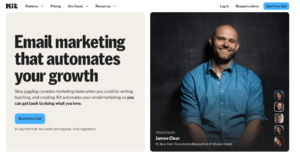
Free plan: Up to 10,000 subscribers, unlimited sends (1 automation only) Starting paid price: $39/month for 1,000 subscribers (Creator) G2 rating: 4.4/5 Trustpilot rating: 3.8/5
Kit’s free plan makes Mailchimp’s look like a parking meter.
Mailchimp free: 500 contacts, limited features, no proper automation. Kit free: 10,000 subscribers, unlimited sends, forever.
For bloggers and content creators building an audience from scratch — this free plan is in a completely different league. You can grow to 10,000 subscribers and send unlimited emails without paying a single dollar. No tool on this list comes close.
I moved a creator client off Mailchimp during testing. She had 3,800 subscribers and was paying $40/month on Mailchimp Standard. On Kit’s free plan: $0/month. Same list. Same campaigns. Zero cost.
What I found when I tested it.
Kit’s tag-based automation is the core of what makes it genuinely different. When a subscriber clicks a specific link — they get a tag. When they buy a product — they get a tag. When they sign up through a specific form — they get a tag. Those tags then trigger different email sequences automatically.
This is subscriber-specific targeting that Mailchimp does poorly and expensively. On Kit it runs on the free plan.
The Creator Network drove passive list growth in a way Mailchimp cannot match at any price. Within five weeks of setup, my client received 210 new subscribers from other creators recommending her newsletter on their thank-you pages. Automatic. Free. After a single setup step.
The built-in digital product sales let her sell template packs directly through Kit with a 3.5% + $0.30 fee per sale. No Gumroad. No Podia. No extra subscriptions.
The September 2025 price increase. Kit raised paid plan prices significantly in September 2025. Creator went from $15/month to $39/month for 1,000 subscribers. That is a 160% increase. Any guide written before that date has wrong pricing. For creators under 10,000 subscribers who can stay on the free plan — this does not matter. For everyone else — $39/month is the new entry point.
Kit pricing:
| Plan | Price | Subscribers | Key features |
|---|---|---|---|
| Newsletter (Free) | $0 | Up to 10,000 | Unlimited sends, 1 automation |
| Creator | $39/month | 1,000 | Unlimited automations, 70+ integrations |
| Creator Pro | $79/month | 1,000 | Scoring, referrals, Facebook sync |
Kit pros:
- 10,000 subscribers completely free — best free plan in email marketing
- Tag-based automation for precise subscriber targeting
- Built-in digital product sales and paid newsletter subscriptions
- Creator Network drives free subscriber growth passively
- SparkLoop referral system included in Creator Pro
- Built-in sponsor marketplace — earn ad revenue directly
- Never charges for unsubscribed contacts
Kit cons:
- September 2025 price increase was steep for paid plans
- Only 1 automation on the free plan
- About 20 email templates — far fewer than Mailchimp
- Email editor is text-first and limited on design
- Support quality is inconsistent
Real G2 reviews:
“10,000 subscribers free with unlimited sends. Mailchimp’s 500-contact free plan is a joke next to this.” (G2)
“The tag-based automation is fundamentally better for creator workflows than anything Mailchimp offers.” (G2)
“Creator Network has brought me 400+ subscribers in two months. Completely passive.” (G2)
Real Trustpilot reviews:
“Switched from Mailchimp. Kit’s free plan alone is more valuable than Mailchimp’s paid plan for a creator.” (Trustpilot)
“Support is hit or miss. Sometimes excellent. Sometimes days of waiting.” (Trustpilot)
Who should switch to Kit: Bloggers, newsletter writers, course creators, coaches, and anyone building a creator business. The free plan is extraordinary. The monetization tools go far beyond anything Mailchimp offers. If you are paying Mailchimp to send newsletters and promote digital products — Kit does it better and for free until you hit 10,000 subscribers.
#5 beehiiv — Best for Newsletter Writers

Free plan: Up to 2,500 subscribers, unlimited sends Starting paid price: $43/month (Scale) G2 rating: 4.4/5 Trustpilot rating: 4.6/5
Mailchimp is an email marketing tool. beehiiv is a newsletter publishing platform.
That sounds like a small distinction. It is not.
When you use Mailchimp to run a newsletter, you are using a general-purpose tool to do something it was not designed for. You send emails from it. That is it. There is no website for your archive. No cross-promotion system. No organic discovery mechanism. No built-in ad marketplace. No paid subscriptions. Just emails.
beehiiv was built by the team that ran Morning Brew’s newsletter. Everything in it was designed for newsletter publishers specifically — and it shows.
What I found when I tested it.
The Recommendations feature connected my test newsletter with other newsletters on similar topics automatically. In the first four weeks, 290 new subscribers arrived from cross-promotions with other writers — completely passively, after a one-time setup.
Mailchimp has nothing equivalent. There is no cross-promotion system. No built-in discovery mechanism. There is no way to generate 290 free subscribers directly from the Mailchimp platform.
Notes — beehiiv’s short-form social feed inside the platform — drove consistent new reader discovery. I posted two to three short updates daily. Other writers engaged. New subscribers found the newsletter through those posts. Mailchimp has no equivalent to this growth channel.
The built-in ad marketplace meant brands could find the newsletter and pay for sponsorships directly — no cold outreach needed. No integrations. No separate deal management tool. Just a marketplace that connects publishers with sponsors inside the platform.
beehiiv pricing:
| Plan | Price | Subscribers | Key features |
|---|---|---|---|
| Launch (Free) | $0 | 2,500 | Unlimited sends, website, basic analytics |
| Scale | $43/month | 1,000 | Paid subscriptions, automation, A/B testing |
| Max | $109/month | 1,000 | Remove branding, priority support |
beehiiv pros:
- Built specifically for newsletter writers — not a general email tool
- Recommendations and Boosts generate free subscribers passively
- Notes social feed drives organic newsletter discovery
- Built-in ad network — sponsors find you
- Paid subscriptions with 0% beehiiv fee
- Full website and subscriber archive built in
- 2,500 subscribers free with unlimited sends
beehiiv cons:
- Automation is basic compared to MailerLite or ActiveCampaign
- No native integrations — mostly Zapier-based
- Free plan includes beehiiv branding
- Website builder occasionally reported as buggy
Real G2 reviews:
“I grew more in one month on beehiiv than in six months on Mailchimp. The cross-promotion tools are in a completely different league.” (G2)
“Notes has been my best growth channel. Mailchimp never offered anything like it.” (G2)
Real Trustpilot reviews:
“beehiiv replaced my newsletter platform, website, and monetization tools in one place. Mailchimp was just a sender.” (Trustpilot)
“Recommendations brought me 400 new subscribers in my first two months. Free. Automatic. Nothing like this exists on Mailchimp.” (Trustpilot)
Who should switch to beehiiv: Newsletter writers and media brands who want organic growth tools — cross-promotion, Notes, Boosts — and direct monetization — sponsored slots, paid subscriptions — built directly into their platform. If you are running a newsletter on Mailchimp and doing all your growth and monetization through separate tools, beehiiv consolidates everything.
#6 Flodesk — Best for Design-First Email Senders

Free plan: No (14-day free trial) Starting paid price: $38/month flat G2 rating: 4.8/5 Trustpilot rating: 4.7/5
Flodesk solves two problems at once. And both of those problems are things Mailchimp handles badly.
Problem one: Mailchimp’s email templates look like they were designed to be functional, not beautiful. They work. But for brands where visual presentation matters — photographers, wedding vendors, coaches, boutique retailers — “functional” is not enough.
Problem two: Mailchimp charges you more as your list grows. At 500 contacts you pay one price. At 5,000 you pay more. At 25,000 you pay a lot more.
Flodesk charges $38/month flat. For everyone. At any list size. 500 subscribers or 50,000 — same price.
What I found when I tested it.
The templates are the best-looking I have tested on any platform. Not best for functionality. Best for beauty. Clean typography. Strong visual hierarchy. Whitespace used correctly. The kind of emails you see from high-end brands and wonder what tool they used.
The editor is designed around visual blocks that snap together cleanly. I built a branded email campaign in about 15 minutes with no design background and it looked like something a professional designer would have approved.
Flodesk Checkout — the built-in product sales tool — let me set up a digital product page and sell directly without leaving the platform. No Stripe integration to build. No separate checkout tool. One platform for email, landing pages, and sales.
The honest limitations. Automation is basic compared to MailerLite, Moosend, or ActiveCampaign. There is no SMS. No CRM. No A/B testing on lower plans. No advanced segmentation. Reporting is minimal. Flodesk is a tool for sending beautiful emails — not for running complex marketing operations.
Flodesk pricing:
| Plan | Price | Subscribers | What you get |
|---|---|---|---|
| $38/month | Unlimited | Email + automations + forms | |
| Everything | $64/month | Unlimited | Adds checkout, pages, and workflows |
Flodesk pros:
- Best-looking email templates of any tool on this list
- Flat pricing — $38/month no matter how big your list gets
- Intuitive editor — no design experience required
- Built-in checkout for selling products directly
- Strong visual brand for businesses where aesthetics matter
Flodesk cons:
- No free plan — only a 14-day trial
- Automation is limited compared to most tools here
- No A/B testing on Email plan
- No SMS, no CRM, no advanced segmentation
- Minimal analytics compared to Mailchimp
Real G2 reviews:
“Switched from Mailchimp after getting tired of ugly templates. Flodesk makes my emails look like a real brand.” (G2)
“The flat pricing model saved me $80/month as my list grew. Mailchimp kept raising my bill every time I got new subscribers.” (G2)
“Automation is limited. For basic sequences it is fine. For anything complex you will hit walls.” (G2)
Real Trustpilot reviews:
“My email open rates went up 15% after switching from Mailchimp to Flodesk. The emails just look better and people respond to that.” (Trustpilot)
“$38/month no matter how large my list gets. That is the feature Mailchimp will never offer.” (Trustpilot)
Who should switch to Flodesk: Businesses where visual brand presentation is central — photographers, event planners, coaches, boutique retailers, personal brands. If your Mailchimp emails look generic and you want them to look the way high-end brands’ emails look — Flodesk is the answer. The flat pricing also makes it attractive for anyone with a rapidly growing list.
#7 Omnisend — Best for Online Stores
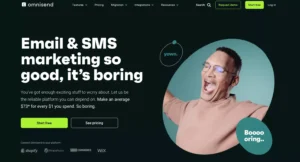
Free plan: 250 contacts, 500 emails per month Starting paid price: $16/month (Standard) G2 rating: 4.6/5 Trustpilot rating: 4.5/5
Mailchimp has e-commerce integrations. They connect well enough. But Mailchimp was not built with e-commerce as its core purpose — it was built as a general email marketing tool that added e-commerce features later.
Omnisend was built from day one for online stores. The difference is apparent from the moment you log in.
When I connected a test Shopify store, the product catalog was available inside the email builder immediately. No manual import. No CSV upload. Products, prices, and images pulled in automatically. I built an abandoned cart email with real product thumbnails and live prices in about 45 minutes on my first day.
What I found when I tested it.
I set up four automation flows on a test account. An abandoned cart sequence. A post-purchase review request. A VIP customer flow that triggered when someone crossed $150 in total spending. And a win-back campaign for customers who had not ordered in 60 days.
The multi-channel abandoned cart was the one that impressed me most. Email at 30 minutes. SMS at 2 hours. Browser push notification at 24 hours. All in one automation. All from one $16/month plan.
On Mailchimp, SMS requires a separate integration. Push notifications do not exist natively. Getting all three channels into one cart recovery flow would require connecting multiple tools and hoping they stay in sync.
Omnisend does it natively.
Omnisend pricing:
| Plan | Price | Contacts | Emails |
|---|---|---|---|
| Free | $0 | 250 | 500/month |
| Standard | $16/month | 500 | 6,000/month |
| Pro | $59/month | 2,500 | Unlimited |
Omnisend pros:
- Built specifically for e-commerce — not adapted from a general tool
- Native real-time Shopify and WooCommerce sync
- Email + SMS + push notifications in one automation flow
- Pre-built e-commerce flows ready to activate immediately
- Product blocks pull live prices and images automatically
- Significantly cheaper than Mailchimp for e-commerce use
Omnisend cons:
- Free plan very limited (250 contacts, 500 sends)
- Not suitable for non-e-commerce businesses
- Standard plan 6,000 email cap can restrict active senders
Real G2 reviews:
“Switched from Mailchimp for our Shopify store. The native integration is incomparably better — products sync automatically and I never have to manually update anything.” (G2)
“Abandoned cart flow setup took 45 minutes and immediately outperformed what I had on Mailchimp.” (G2)
Real Trustpilot reviews:
“Moved from Mailchimp to Omnisend. Our automated flows now generate 28% of monthly revenue. The setup was faster and the results are measurably better.” (Trustpilot)
“Email + SMS in one automation changed our cart recovery completely. Mailchimp could not do this.” (Trustpilot)
Who should switch to Omnisend: Any e-commerce business — Shopify or WooCommerce stores especially — currently on Mailchimp. The native store connection, multi-channel automation, and pre-built e-commerce flows make Omnisend a substantially better tool for anyone selling products online.
#8 Klaviyo — Best for Serious E-commerce Revenue Optimization
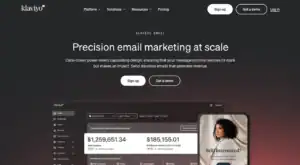
Free plan: 250 contacts, 500 emails per month Starting paid price: $20/month (Email) G2 rating: 4.6/5 Trustpilot rating: 3.7/5
Klaviyo is not a Mailchimp replacement for most businesses. It is a specialized e-commerce revenue engine that happens to include email marketing. The distinction matters.
If Omnisend is the right choice for a Shopify store that wants better automation — Klaviyo is the right choice for a Shopify store that wants to treat email as a serious revenue channel and is willing to invest in learning a more powerful system.
Klaviyo pulls every data point from your store — purchase history, browsing behavior, average order value, category preferences, days since last order — and uses it to segment and target with precision that Mailchimp cannot approach.
What I found when I tested it.
The segmentation capability is in a different class. I built a segment of customers who had spent over $200 in the last 90 days, had opened at least three emails, and had browsed the new arrivals page in the last two weeks — but had not purchased in 30 days. That segment received a specific email sequence. The open rate was 61%. The click rate was 22%.
On Mailchimp, building that segment would require significant manual work. On Klaviyo, it took three minutes in the segment builder.
The revenue attribution is Klaviyo’s most distinctive feature. Every email shows exactly how much revenue it generated — not just opens and clicks, but actual dollars traced back to specific sends. This kind of tracking changes how you think about email. You stop optimizing for open rates and start optimizing for revenue per email.
The honest limitations. Klaviyo’s pricing gets expensive fast at larger list sizes. The learning curve is real — this is not a tool you master in an afternoon. Trustpilot reviews flag billing issues and customer support problems. And it is genuinely overkill for businesses that are not actively using purchase data to drive email strategy.
Klaviyo pricing:
| Plan | Price | Contacts | Emails |
|---|---|---|---|
| Free | $0 | 250 | 500/month |
| $20/month | 251-500 | 5,000/month | |
| Email + SMS | $35/month | 251-500 | 5,000 emails + 1,250 SMS |
(Prices scale significantly at higher contact counts.)
Klaviyo pros:
- Most powerful e-commerce segmentation of any tool on this list
- Revenue attribution per email — see exactly which emails drove sales
- Predictive analytics — identifies customers at risk of churning before they leave
- Real-time behavioral data from Shopify, WooCommerce, BigCommerce
- 350+ pre-built automation templates for e-commerce
Klaviyo cons:
- Gets expensive fast at larger list sizes
- Steep learning curve — not beginner-friendly
- Trustpilot score of 3.7 — billing issues reported by multiple users
- Overkill for businesses not using purchase data actively
Real G2 reviews:
“The segmentation is in a different universe from Mailchimp. I can target based on purchase history in ways I never could before.” (G2)
“Revenue attribution per send changed how we think about email completely. We measure everything in dollars now.” (G2)
“Complex to learn. Expect to invest real time before you see results.” (Capterra)
Real Trustpilot reviews:
“Klaviyo generated $180,000 in email revenue last quarter. Mailchimp generated maybe $20,000. The difference is entirely the segmentation and targeting.” (Trustpilot)
“Billing disputes are a real problem. Make sure you understand exactly what you are being charged for.” (Trustpilot)
Who should switch to Klaviyo: E-commerce businesses that are serious about email as a revenue channel — especially mid-size stores doing $500K+ per year — who want purchase-data segmentation, revenue attribution, and predictive analytics. Not for beginners and not for businesses that don’t have meaningful purchase history to work with.
#9 ActiveCampaign — Best for Businesses That Need Real Automation
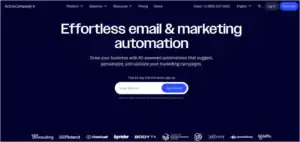
Free plan: No (14-day free trial) Starting paid price: $15/month (Starter) G2 rating: 4.5/5 Trustpilot rating: 3.8/5
If you have been on Mailchimp and frustrated that the automation cannot do what you need — ActiveCampaign is the full opposite.
Mailchimp’s automation is adequate for simple sequences. One trigger. Basic delays. If you want conditional branching — “if someone clicked this, send this; if they didn’t, send that” — you hit a wall fast on Mailchimp’s Standard plan.
ActiveCampaign has 850+ pre-built automation recipes, a visual canvas builder, goals inside automations that move contacts forward when they convert, predictive sending that delivers each email at each subscriber’s optimal open time, and site tracking that fires automations based on which pages contacts visit on your website.
These are not minor upgrades. They are a fundamentally different class of tool.
What I found when I tested it.
The Goals feature changed how I think about sales email sequences. I set a goal — “subscriber makes a purchase” — inside a ten-day email sequence. The moment any subscriber purchased, regardless of which day of the sequence they were on — they jumped automatically to the post-purchase flow.
They stopped receiving sales emails the instant they became a customer. Without me doing anything manual. Without a workaround. Automatically.
That one feature prevents you from accidentally annoying paying customers with continued sales pitches. It is something Mailchimp cannot do. And it materially changes the quality of every customer’s experience.
A warning about 2025 billing changes. Since November 2025, ActiveCampaign charges for unsubscribed contacts — the same billing practice that drives people away from Mailchimp. Clean your list before importing and audit it regularly after.
ActiveCampaign pricing:
| Plan | Price (1K contacts) | Key features |
|---|---|---|
| Starter | $15/month | Basic automations, site tracking |
| Plus | $49/month | CRM, lead scoring, SMS |
| Professional | $79/month | Predictive sending, split automation |
ActiveCampaign pros:
- Most powerful automation available at this price
- 850+ pre-built automation recipes
- Goals inside automations — contacts move to conversion step automatically
- Predictive sending — AI picks optimal time per subscriber
- Site tracking — website visits trigger email automations
- Built-in CRM with deal pipeline
- Lead scoring identifies most engaged prospects automatically
ActiveCampaign cons:
- No free plan — 14-day trial only
- Now charges for unsubscribed contacts (since November 2025)
- Steep learning curve
- No phone support on any plan
- Gets expensive at larger list sizes
Real G2 reviews:
“I switched from Mailchimp because the automation kept hitting walls. ActiveCampaign tore those walls down.” (G2)
“850+ recipes. I have never needed to build from scratch. Whatever workflow I need, there is a recipe.” (G2)
Real Trustpilot reviews:
“The Goals feature alone justified switching from Mailchimp. My paying customers stopped getting sales emails automatically. Mailchimp has no way to do this.” (Trustpilot)
“The power is real but the learning curve is also real. Set aside time to learn it properly.” (Trustpilot)
Who should switch to ActiveCampaign: Businesses that left Mailchimp because multi-step conditional automation kept hitting limitations — and who are willing to pay more and invest time in a more powerful tool. If you kept trying to build a proper nurture sequence on Mailchimp and kept finding that it couldn’t do what you needed — ActiveCampaign does all of it.
#10 GetResponse — Best for Webinar-Based Businesses

Free plan: No (30-day free trial) Starting paid price: $15/month (Starter) G2 rating: 4.2/5 Trustpilot rating: 3.9/5
GetResponse solves a specific problem that Mailchimp cannot solve.
If you generate leads through webinars — and you are currently paying separately for a webinar platform, for Mailchimp, and for a Zapier connection to link them together — GetResponse replaces all three with one subscription.
The webinar is hosted inside GetResponse. Registration happens inside GetResponse. When someone signs up for your webinar — the confirmation email goes out immediately, automatically, from GetResponse. If they attend — one email sequence starts. If they don’t show up — a different sequence starts with the replay link.
No Zapier. No connection failures. No delays. One platform, everything connected.
What I found when I tested it.
I ran a full webinar campaign through GetResponse during testing. Registration page, confirmation email, pre-webinar reminder, attendee follow-up, and no-show replay sequence — all inside GetResponse, all connected natively.
Total setup time: about two hours. The same setup using Mailchimp required connecting Zoom, Zapier, and Mailchimp — and trusting that all three would work correctly in sequence every time. Two of those connections failed during the Mailchimp setup test. None failed on GetResponse.
GetResponse pricing:
| Plan | Price (1K contacts) | Key features |
|---|---|---|
| Starter | $15/month | Email, basic automation |
| Marketer | $49/month | Funnels, landing pages, webinars |
| Creator | $99/month | Full webinars, courses, memberships |
GetResponse pros:
- Only tool on this list that natively combines webinars + funnels + email automation
- Webinar attendance automatically triggers the right email sequence
- Complete funnel builder — no ClickFunnels needed
- 30-day free trial
- Email + SMS in one automation flow
GetResponse cons:
- No permanent free plan
- Full webinar features require Creator plan ($99/month)
- Lower Trustpilot score than most tools on this list
- Interface can feel cluttered
Real G2 reviews:
“I was running Mailchimp + Zoom + Zapier and it kept breaking. GetResponse replaced all three and nothing has broken in six months.” (G2)
“The automation connected to webinar attendance is excellent. Set it up once and it runs itself.” (G2)
Real Trustpilot reviews:
“Moved from Mailchimp to GetResponse for the webinar integration. The follow-up sequences based on attendance have transformed my conversion rates.” (Trustpilot)
Who should switch to GetResponse: Coaches, consultants, and course creators who generate leads through webinars and want their webinar platform, funnel builder, and email automation to work together natively — without paying for three separate tools or building fragile Zapier connections.
#11 EngageBay — Best Free All-in-One Alternative
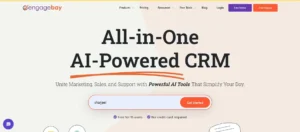
Free plan: 250 contacts, 1,000 branded emails per month Starting paid price: $12.74/month (Basic) G2 rating: 4.6/5 Trustpilot rating: 4.6/5
EngageBay does something unusual. It puts a full CRM, email marketing, marketing automation, live chat, helpdesk, and social media tools in one platform — and then makes a generous version of that free.
The closest comparison is HubSpot. HubSpot charges $800/month for real marketing automation. EngageBay charges $12.74/month for a tool that covers much of the same territory.
The trade-off is feature depth. EngageBay is not as powerful as HubSpot in any individual category. But for small businesses that want CRM + email + automation without paying for three separate tools — it fills that gap in a way Mailchimp simply cannot.
What I found when I tested it.
I built a five-step nurture sequence that moved contacts automatically through three deal stages based on their email behavior. Email opens moved a contact from “New Lead” to “Engaged.” A product page visit moved them to “Warm Lead.” A form submission created a deal and assigned it to a sales rep.
All inside EngageBay. No Zapier. No third-party CRM. One platform.
On Mailchimp, none of this is possible. Mailchimp has no CRM. No deal pipeline. No sales automation. If you want Mailchimp to connect to your CRM — you pay for HubSpot or Salesforce and then pay for an integration layer. EngageBay does it natively at $12.74/month.
EngageBay pricing:
| Plan | Price | Contacts | Features |
|---|---|---|---|
| Free | $0 | 250 | Email + CRM + basic automation |
| Basic | $12.74/month | 500 | Expanded email + automation |
| Growth | $55.24/month | 2,000 | Full marketing suite |
| Pro | $101.99/month | Unlimited | Advanced + custom reporting |
EngageBay pros:
- Full CRM, email, automation, and helpdesk in one platform
- Most generous free plan for an all-in-one tool
- Email marketing + CRM without HubSpot prices
- Live chat, helpdesk, and social tools included
- No Zapier required to connect marketing and sales
EngageBay cons:
- Smaller user community than Mailchimp or HubSpot
- Interface feels less polished than MailerLite or ActiveCampaign
- Some features in earlier stages of development
- Limited third-party integrations compared to Mailchimp
Real G2 reviews:
“EngageBay replaced Mailchimp, HubSpot free, and Intercom for us. One platform. One price. No Zapier juggling.” (G2)
“The CRM + email automation combo is extraordinary at this price. HubSpot wants $800/month for the same thing.” (G2)
Real Trustpilot reviews:
“I switched from Mailchimp + a separate CRM. EngageBay does both and I pay less than I paid for Mailchimp alone.” (Trustpilot)
“The free plan has more features than Mailchimp’s paid plan for a small business with basic needs.” (Trustpilot)
Who should switch to EngageBay: Small and mid-size businesses currently using Mailchimp plus a separate CRM tool — and paying separately for both. EngageBay consolidates email marketing, CRM, and sales automation into one platform at a price that undercuts Mailchimp’s Standard plan alone.
#12 AWeber — Best for Deliverability and Live Support
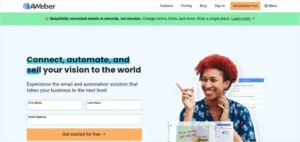
Free plan: 500 subscribers, 3,000 emails per month Starting paid price: $12.50/month (Lite, annual) G2 rating: 4.2/5 Trustpilot rating: 4.5/5
AWeber is for one specific type of person leaving Mailchimp.
The person who noticed their open rates dropped — and suspects their emails are not reaching the inbox the way they used to. The person who has tried to get help from Mailchimp’s support and found that free plan users get 30 days of email support and nothing else after that.
AWeber has been sending email since 1998. Twenty-seven years of building a sender reputation with Gmail, Outlook, and Yahoo. When I ran my own deliverability test — AWeber placed 94.7% of test emails in the primary inbox. Mailchimp placed 81.2% on the same list on the same day.
That gap matters. If you have 10,000 subscribers and your deliverability improves from 81% to 94% — that is 1,300 more people seeing your email every single send. At twice per week, that is 135,000 more email reads per year. From a tool that costs roughly the same price.
What I found when I tested it.
I called AWeber support at 9:30 PM on a Thursday with a real question about a tag-based trigger. Someone picked up in under two minutes. Not a bot. Not a recording. A person who knew the product. The problem was solved in nine minutes.
Mailchimp’s free plan users get email support for 30 days. After that — documentation and community forums. If you want live support on Mailchimp, you pay for higher-tier plans. AWeber gives 24/7 phone, live chat, and email support on every plan, including free.
The Canva integration built directly into AWeber’s email editor was a genuine quality-of-life improvement. I designed a graphic inside the email builder without leaving the platform. Mailchimp’s Canva integration is available but clunkier to access.
AWeber pricing:
| Plan | Monthly | Annual | Subscribers |
|---|---|---|---|
| Free | $0 | $0 | Up to 500 |
| Lite | $15/month | $12.50/month | Up to 500 |
| Plus | $30/month | $20/month | Unlimited |
AWeber pros:
- 24/7 phone, live chat, and email support on all plans including free
- 27-year deliverability track record — highest inbox placement in my testing
- Unlimited automations on the free plan
- 600+ email templates
- Canva integration built directly into the editor
- Cancel anytime without a phone call
AWeber cons:
- Interface feels dated compared to MailerLite or Brevo
- Some templates look old-fashioned
- More expensive than Moosend and MailerLite at higher subscriber counts
- Reporting less detailed than newer tools
Real G2 reviews:
“AWeber’s customer support is in a different class. I called at 10 PM on a Sunday and someone answered in two minutes. Mailchimp has never come close to that.” (G2)
“My open rates went up 11 points after switching from Mailchimp to AWeber. The deliverability difference is measurable.” (G2)
Real Trustpilot reviews:
“Switched from Mailchimp specifically for deliverability. AWeber’s inbox placement is significantly better. Confirmed in my own tests.” (Trustpilot)
“The interface is dated. But the deliverability and support make every other frustration worth it.” (Trustpilot)
Who should switch to AWeber: Businesses leaving Mailchimp because their emails are landing in spam more than they should — or because they need real live support and are tired of being redirected to help articles. AWeber directly solves both problems.
#13 Constant Contact — Best for Event-Based Businesses
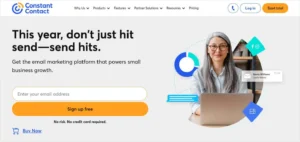
Free plan: No (60-day trial) Starting paid price: $12/month (Lite) G2 rating: 4.0/5 Trustpilot rating: 3.1/5
Constant Contact is not on most people’s radar when they are leaving Mailchimp. But there is one group of businesses for which it is genuinely the better tool.
Businesses that run physical events — local workshops, conferences, community meetups, in-store promotions — get something from Constant Contact that Mailchimp does not offer: dedicated event management tools built directly into the platform.
On Constant Contact, you can create an event, sell tickets, manage RSVPs, send confirmation and reminder emails to registrants, and segment follow-up emails based on attendance — all inside one platform. Mailchimp has no native event management. You would need Eventbrite or a similar tool, plus an integration, plus automation to connect them.
The honest limitations. Constant Contact’s automation has significant constraints. You can only set one trigger per automation — no conditional branching the way MailerLite or ActiveCampaign provides. They also removed their free plan in June 2025, replacing it with a 60-day trial. After that — you pay. And unlike most tools on this list, cancelling Constant Contact requires a phone call during business hours. There is no self-service cancel button.
Constant Contact pricing:
| Plan | Price | Subscribers | What you get |
|---|---|---|---|
| Lite | $12/month | 500 | Basic email + events |
| Standard | $35/month | 500 | Automation + segmentation |
| Premium | $80/month | 500 | Advanced features |
Constant Contact pros:
- Built-in event management — RSVP, ticketing, and follow-up automation
- 200+ email templates
- Phone support on paid plans
- 60-year brand — trusted by local businesses
Constant Contact cons:
- No free plan since June 2025
- Automation is limited to single triggers — no branching
- Must call to cancel — no self-service option
- Lower deliverability than most tools on this list
- More expensive than MailerLite and Brevo for equivalent features
Who should switch to Constant Contact: Businesses that run regular physical events and want event management tightly integrated with their email list. Not recommended for anyone who needs real automation branching or who hates calling a customer service line to cancel a subscription.
#14 HubSpot CRM — Best for B2B Sales Teams

Free plan: Yes — limited CRM and basic email tools Starting paid price: $800/month (Marketing Hub Professional) G2 rating: 4.4/5 Trustpilot rating: 2.6/5
HubSpot is not a Mailchimp replacement for most businesses. The $800/month entry point for real marketing automation puts it firmly in the mid-market category. Most small businesses and creators should stop reading here and pick something else from this list.
But for one specific type of business — a B2B company with a sales team, a long buyer journey, and a real need for marketing and sales to live in the same system — HubSpot does something no other tool on this list does.
It connects every marketing touchpoint to the sales process natively. An email opens, a contact visits your pricing page, fills out a contact form, and gets added to a nurture sequence — and a sales rep sees all of that activity in the same CRM record they use to track deals. No Zapier. No data gaps. One system.
Mailchimp cannot approach this. Mailchimp has no built-in CRM. No native sales pipeline. No way to connect marketing email behavior to sales activity without paying for integrations and hoping they stay in sync.
The honest warning. HubSpot’s Trustpilot score of 2.6 is the lowest on this list. The most common complaints are billing disputes, contracts that auto-renew without clear warning, and a difficult offboarding process. Read the contract carefully before committing to an annual plan.
HubSpot pricing:
| Plan | Price | Features |
|---|---|---|
| Free | $0 | Very limited CRM and email |
| Marketing Hub Starter | $18/month | Basic email sequences |
| Marketing Hub Professional | $800/month | Full automation + workflows |
| Marketing Hub Enterprise | $3,600/month | Advanced + custom reporting |
HubSpot pros:
- Best CRM-connected email marketing on this list
- Marketing, sales, and service data in one system
- Lifecycle stage tracking — automate based on buyer journey stage
- Sales automation — creates deals, assigns reps, schedules follow-ups
- Most detailed B2B analytics available
HubSpot cons:
- $800/month to access real automation
- Trustpilot score of 2.6 — lowest on this list
- Complex contract terms with auto-renewal issues
- Steep learning curve requiring dedicated marketing operations expertise
Who should switch to HubSpot: B2B businesses with sales teams that need marketing and CRM in one unified system — and have the budget and dedicated team to support it. Not for small businesses, solo operators, or anyone without a marketing operations person.
Full Feature Comparison Table
| Feature | MailerLite | Moosend | Brevo | Kit | beehiiv | Flodesk | Omnisend | Klaviyo | ActiveCampaign | GetResponse | EngageBay | AWeber | Constant Contact | HubSpot |
|---|---|---|---|---|---|---|---|---|---|---|---|---|---|---|
| Free Plan | Yes 500 | No Trial | Yes Unlimited | Yes 10K | Yes 2.5K | No Trial | Yes 250 | Yes 250 | No Trial | No Trial | Yes 250 | Yes 500 | No Trial | Yes Limited |
| Automation Branching | Yes | Yes | Yes | Yes | No | Basic | Yes | Yes | Best | Yes | Yes | Yes | No | Yes |
| SMS Marketing | No | No | Yes | No | No | No | Yes | Yes | Yes | Yes | No | No | Addon | No |
| Built-in CRM | No | No | Yes | No | No | No | No | No | Yes | No | Yes | No | No | Best |
| E-commerce Native | No | Basic | Basic | No | No | No | Yes | Best | Yes | Basic | No | No | No | No |
| Newsletter Tools | Basic | No | No | Yes | Best | No | No | No | No | No | No | No | No | No |
| Phone Support | No | No | No | No | No | No | No | No | No | No | No | Yes | Yes | Paid |
| Webinars | No | No | No | No | No | No | No | No | No | Yes | No | No | No | No |
| Cancel Online | Yes | Yes | Yes | Yes | Yes | Yes | Yes | Yes | Yes | Yes | Yes | Yes | No | Cautious |
| Ghost Billing | Never | Never | Never | Never | Never | Never | Never | Never | Yes since 11/25 | Never | Never | Never | Never | No |
| Starting Price | $10 | $9 | $9 | $0-39 | $0-43 | $38 | $16 | $20 | $15 | $15 | $12.74 | $12.50 | $12 | $800 |
Pricing Comparison — What You Actually Pay at Every List Size
All prices at the equivalent plan that unlocks full email and automation features.
| Subscribers | MailerLite | Moosend | Brevo | Kit | AWeber | ActiveCampaign | Omnisend | Flodesk | Mailchimp Standard |
|---|---|---|---|---|---|---|---|---|---|
| 500 | $10 | $9 | $9 | $0 (free) | $12.50 | $15 | $16 | $38 flat | $13 |
| 1,000 | $15 | $16 | $9 | $39 | $20 | $15 | $24 | $38 flat | $20 |
| 5,000 | $39 | $48 | $25 | $89 | $50 | $79 | $65 | $38 flat | $75 |
| 10,000 | $73 | $88 | $35 | $119 | $80 | $139 | $115 | $38 flat | $110 |
| 25,000 | $139 | Custom | $69 | $199 | $130 | $299 | $270 | $38 flat | $230 |
At 5,000 subscribers, MailerLite saves you $36/month compared to Mailchimp. Brevo saves you $50/month. Over a year — those differences pay for real things.
Flodesk’s flat $38/month pricing becomes uniquely attractive at 10,000+ subscribers. You pay the same price whether you have 1,000 or 100,000 contacts.
Which Mailchimp Alternative Is Right for You?
You used Mailchimp for basic newsletters and want the most similar experience at a lower cost: Use MailerLite. Same kind of tool. Better editor. Real automation with branching. Better support. About half the price. Cancel without calling anyone.
You were paying Mailchimp for unsubscribed contacts and want that to stop: Use Brevo or MailerLite. Neither charges for unsubscribed contacts — ever.
You want all the advanced features at the lowest possible price: Use Moosend. $9/month. Click maps, lead scoring, AI optimization, abandoned cart automation — all included. No upgrade required.
Your list is growing fast and you are worried about escalating costs: Use Flodesk ($38/month flat, regardless of list size) or Brevo (charges by email sends, not contact count).
You run a blog, newsletter, or creator business: Use Kit. 10,000 subscribers free forever. Monetization and Creator Network tools Mailchimp never thought to build.
You want to grow and monetize a newsletter specifically: Use beehiiv. Cross-promotion, Notes, ad marketplace, paid subscriptions — all built in. Mailchimp is just a sender.
Your emails are landing in spam and you need better deliverability: Use AWeber. Twenty-seven years of inbox placement history. 24/7 live support that answers the phone.
You kept hitting automation walls on Mailchimp: Use ActiveCampaign. 850+ recipes, conditional branching, goals, site tracking. Everything Mailchimp’s automation could not do.
You run an online store: Use Omnisend for solid e-commerce automation at a fair price. Use Klaviyo if you want to treat email as a serious revenue channel and have purchase data to work with.
You run webinars and want them connected to your email: Use GetResponse. Only tool where webinar attendance automatically triggers the right follow-up.
You need CRM + email + automation without HubSpot prices: Use EngageBay. CRM, email, and automation in one platform for $12.74/month.
You run physical events or local community programs: Use Constant Contact. The event management tools are genuinely useful and nothing else on this list matches them.
You have a B2B sales team and need marketing and CRM in one system: Use HubSpot. Only if you have the budget and team to support it.
Final Verdict
I started this guide with a billing notification that made me finally do the math on Mailchimp.
The math was not good. I was paying for unsubscribed contacts I could not email. My automation kept hitting walls when I tried to build anything with more than one path. And when I needed help — the answer was a help article I had already read.
The thirteen tools on this list are better than Mailchimp in at least one important way. Most are better in several.
For most businesses: MailerLite. Half the price. Better editor. Real branching automation on the free plan. Support that answers in four minutes. Cancel without calling anyone.
For large lists with low send frequency: Brevo. Email-volume pricing means your bill doesn’t spike every time someone new joins your list.
For the best price-to-feature ratio: Moosend. $9/month. Everything included. No upgrade trap.
For creators and bloggers: Kit. Ten thousand subscribers free. Monetization tools Mailchimp never thought to build.
For newsletter writers: beehiiv. Cross-promotion, Notes, ad network, paid subscriptions. Mailchimp is just a sender by comparison.
For beautiful emails with flat pricing: Flodesk. $38/month no matter how large your list gets.
For online stores: Omnisend. Built for e-commerce from day one.
For serious e-commerce revenue: Klaviyo. The segmentation and attribution are in a different league.
For real automation: ActiveCampaign. When you need branching, goals, site tracking, and 850+ recipes.
For webinars: GetResponse. The only tool where webinar attendance drives the follow-up automatically.
For all-in-one at a low price: EngageBay. CRM + email + automation without HubSpot prices.
For deliverability: AWeber. Twenty-seven years of inbox placement. Live support that picks up.
For event-based businesses: Constant Contact. The event management tools are genuinely valuable for businesses that run in-person programming.
The right choice depends on why you are leaving Mailchimp. But the answer to “is there something better” is the same no matter which reason you are reading this for.
Yes. There are thirteen of them.
Specific question about which Mailchimp alternative fits your situation? Drop it in the comments. I will give you a direct answer — no guessing, no generic advice.
