

Last Updated: 23 Aug 2026
I used both Mailerlite vs Kit for months on a real email list. Not a test account with three fake sign-ups — real newsletters, real automations, and real “why didn’t this send” moments late at night.
Here’s the thing most posts about these two tools don’t say out loud: neither one is new or fancy anymore. MailerLite has been around since 2010. Kit (it used to be called ConvertKit) started in 2013 and changed its name in 2024. Both have lasted this long by staying simple instead of trying to do everything. That’s mostly good news for you. It also means both of them will feel a little behind at times, next to newer, more complex tools.
If you’re reading this, you’re most likely a blogger, a creator, or a small business owner — not a big online store running huge automated sales flows. Keep that in mind, because the “winner” changes depending on which one you are.
Short on Time? Read This First
MailerLite is cheaper and looks better out of the box. If you want a low-cost tool with a nice drag-and-drop editor for pretty emails, and maybe a simple website too, MailerLite is the easier pick.
Kit is built to help you make money from your list. If you plan to sell an ebook, a course, or a paid newsletter, Kit’s tools for that are simply better.
Neither tool is great at deep, complex automation. If your business needs long automated flows with lots of “if this, then that” branches, both tools will start to feel too basic at some point.
MailerLite vs Kit: What You Should Know Before Signing Up
MailerLite: Check the plan limits before falling in love with it
MailerLite’s free plan is useful, but it isn’t unlimited.
The current free plan is for up to 250 subscribers and includes limits on things like landing pages, forms, automations, and digital products. Paid plans unlock much higher limits, including AI writing features and more landing pages and forms.
So if you’re choosing MailerLite because you saw “free”, look at what you’ll actually need six months from now.
Kit: The free plan is unusually generous — but there’s a catch
Kit’s current Newsletter Plan allows up to 10,000 active subscribers for free, which is probably the biggest thing you should know before signing up.
But it’s aimed specifically at creators.
You get one basic Visual Automation and one Email Sequence on the free plan. If you need unlimited automations, more advanced rules, or more sophisticated workflows, you’ll need a paid plan.
And there’s another thing people often overlook:
Kit is strict about subscriber permission.
If you’re importing an old list, Kit requires you to have permission to email those people. Knowing someone personally or having them in your contacts isn’t enough.
My advice: Don’t choose based on the monthly price alone.
Choose MailerLite if you want design flexibility, websites, forms, landing pages, AI tools, and a broader marketing toolkit.
Choose Kit if you’re building an audience-first creator business where newsletters, subscribers, recommendations, and monetization are the center of everything.
How I Tested Both Tools
I paid for both tools and moved part of a real list between them over several months. I sent real weekly emails and built the same “welcome new subscriber” automation on each one. On top of my own use, I also read through what real users say on G2, Capterra, Reddit, and Trustpilot, because my one list is just one story — thousands of reviews tell you if what I saw is normal or just bad luck.
MailerLite vs Kit: Which One Is Easier to Use?
MailerLite: Feels familiar right away
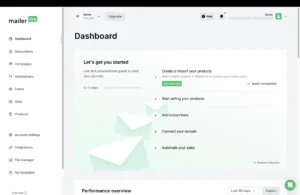
MailerLite groups people into lists, and its editor works the way most people expect — you drag a block, drop it where you want, done. There isn’t much to learn because it doesn’t try to be clever.
People on Capterra and G2 often say MailerLite was the first email tool where they didn’t need to watch a video first. That matches what happened when I set up my own welcome email on MailerLite — it just made sense.
Kit: Easy at first, then one tricky part
Kit’s screen is clean and simple. Sending an email, adding a sign-up form, adding a subscriber — all of that is quick to figure out.
The one part that slows people down is tags. Instead of putting people into lists, Kit tags them and uses rules to sort them. This is more flexible once you get it, but the first week can feel confusing. I’ve seen the same thing on Reddit — people moving from list-based tools describe a real “wait, now I get it” moment before it clicks.
Winner: MailerLite — for being easy from day one. Kit’s system is worth learning, but it does take longer to learn.
MailerLite vs Kit: Email Builder
MailerLite: A flexible drag-and-drop editor
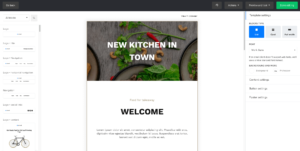
MailerLite gives you a user-friendly drag-and-drop email editor that makes it easy to create visually polished emails without touching code.
You can add images, buttons, videos, social icons, countdown timers, and other content blocks to customize your emails. The editor gives you plenty of flexibility, whether you’re creating a simple newsletter or a branded marketing campaign.
Kit: Simple and text-focused
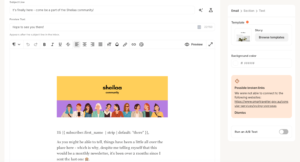
Kit takes a much simpler approach to email creation. Its editor is built primarily for creating clean, text-focused emails rather than highly designed newsletters.
This is a great fit for creators, bloggers, and newsletter writers who want their emails to feel more like personal messages. However, if you want advanced design elements and more visual customization, Kit’s editor can feel limiting.
Winner: MailerLite — Its drag-and-drop editor gives you significantly more flexibility and creative control over your email design.
MailerLite vs Kit: Email Templates
MailerLite: 90+ ready-made templates
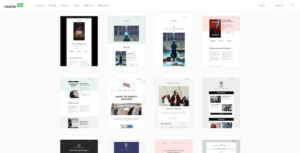
MailerLite gives you 90+ ready-made email templates that you can customize to match your brand and campaign.
You can choose from different layouts and designs, then edit the content, colors, images, fonts, and other elements using the drag-and-drop editor. MailerLite also includes a built-in photo library, making it easier to create visually appealing emails without searching for images elsewhere.
Kit: Around 20 simple templates
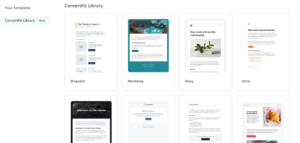
Kit offers a much smaller selection of templates, with around 20 options available.
But that’s intentional. Kit focuses on simple, mostly text-based emails rather than heavily designed newsletters. Its templates are a good fit if you want your emails to feel personal and keep the focus on your message.
If you want a wide variety of professionally designed templates, though, Kit’s selection may feel limited compared with MailerLite.
Winner: MailerLite — With a much larger template library and more visually diverse designs, MailerLite is the better choice for marketers who want more starting points and creative options.
MailerLite vs Kit: Automation, Told Straight
Here’s something most reviews don’t say clearly enough: neither tool is a serious pick if you need deep, complex automation.
MailerLite: Good for the basics, limited after that

MailerLite’s automation builder handles the easy stuff well — welcome emails, simple follow-ups, cart reminders for online stores. People who’ve tested it a lot say it starts to feel limited once you want many steps with lots of branching choices. You’ll hit that wall sooner than you would with bigger tools like ActiveCampaign.
Kit: Takes longer to learn, but built for creator goals

Kit’s automations run entirely on tags and rules. Once you understand them, you can build smart flows — like tagging someone the moment they click one link, then sending them down a totally different path. It takes more time to set up than MailerLite’s, but for creator goals (free gift → helpful emails → offer), it works well.
Winner: Tie, with a slight edge to Kit for creators selling something. If you just need a welcome email and a cart reminder, MailerLite gets you there faster. If you need to react to what people click and guide them toward a sale, Kit’s setup was built for that.
💡 If deep automation is a must-have for your business — not a nice extra — both tools will let you down eventually. That’s the point to look at something bigger like ActiveCampaign or Klaviyo, instead of trying to push either of these past what they’re built for.
MailerLite vs Kit: Registration Forms
MailerLite: Easy, with more control
MailerLite makes form creation pretty painless. You can build signup forms and pop-ups, customize their design, and connect them with your groups and automations.
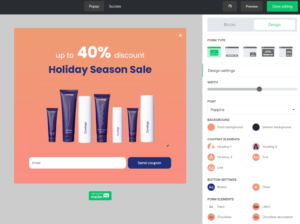
You also get practical options like double opt-in, which helps keep fake or mistyped addresses out of your list. You can even test forms using email aliases such as name+1@example.com without creating completely new inboxes.
The biggest advantage is flexibility.
You can make the form look more like part of your website instead of just dropping a generic signup box onto it.
Kit: Faster, but more creator-focused
Kit keeps the process simple. Choose Inline, Modal, Slide-in, or Sticky Bar, pick a template, customize it, and publish.

It also has a useful double opt-in system, which is enabled by default.
The problem is customization.
Kit is great when you want a signup form online quickly. But if you’re obsessive about how every element looks, MailerLite gives you more room to play.
Winner: MailerLite — Kit is easier for basic creator forms, but MailerLite gives you more control.
MailerLite vs Kit: Landing Page Builder
MailerLite: More like a real marketing builder
MailerLite gives you a drag-and-drop landing page builder, templates, AI-assisted page creation, and plenty of content blocks. You can also run A/B tests on landing pages, which is a big advantage if you’re serious about conversions.
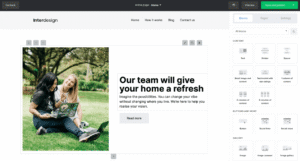
The AI option is particularly nice if you don’t want to start with a blank page. Tell it what you’re building and it can generate a starting point that you can edit afterward.
Kit: Much simpler — and that’s sometimes a good thing
Kit’s landing page builder is designed around getting a page live quickly.

Pick a template, customize it, and publish. You don’t even need a website because Kit hosts the page for you. You can also connect your own domain if you want a more professional URL.
The downside is that Kit isn’t trying to be a full-blown landing page builder.
If you’re creating a simple newsletter signup or lead magnet page, that’s fine.
If you’re building a serious sales funnel, MailerLite gives you more room to work.
Winner: MailerLite — Kit wins for simplicity; MailerLite wins for flexibility and conversion-focused features.
MailerLite vs Kit: Which Has Better Email Deliverability?
If deliverability is your biggest concern, both MailerLite and Kit are capable email marketing platforms, but historical independent testing gives Kit an interesting edge.
MailerLite: Strong deliverability with a solid track record
MailerLite has generally performed well in independent deliverability testing, although its results have fluctuated between testing rounds.
In EmailToolTester’s January 2024 test, MailerLite achieved an 89.8% overall deliverability rate. It also reached 97% of Gmail inboxes in that testing round. Across its five most recent tests at the time, MailerLite had an average deliverability rate of 94.41%.
MailerLite also provides important deliverability features such as authentication support, bounce suppression, spam complaint handling, and guidance for maintaining sender reputation.
Kit: Historically excellent deliverability
Kit has also shown strong deliverability performance in independent testing.
In the EmailToolTester test mentioned above, Kit’s 92.10% deliverability rate was significantly higher than MailerLite’s 77.64%. When adjusted for the relative importance of major mailbox providers, Kit’s score increased to 94.4%, compared with 84.7% for MailerLite.
Kit also supports modern email authentication through verified sending domains, including SPF, DKIM, and DMARC, and provides bounce support and guidance for maintaining sender reputation.
However, there’s an important caveat: deliverability isn’t a fixed number that you can permanently assign to an email platform. Results change over time, and your own sender reputation, domain authentication, list quality, engagement, email content, and sending practices can have a major impact on whether your emails reach the inbox.
So, which has better deliverability?
Winner: Kit — based on the available historical independent test data.
Kit has the stronger result in the direct historical deliverability test I found, scoring 92.10% vs MailerLite’s 77.64%. However, MailerLite’s more recent published testing history also shows strong performance, including an 89.8% result in January 2024 and a 94.41% average across its previous five testing rounds. So I wouldn’t choose Kit solely because of one old test.
My take: If deliverability is your #1 priority, Kit gets the slight edge based on the available independent testing evidence. But for most users, the difference between MailerLite and Kit is likely to be less important than how well you authenticate your domain, maintain your list, and manage subscriber engagement.
MailerLite vs Kit: Connecting Other Apps
MailerLite connects to over 100 other apps and tools, including Shopify, WooCommerce, Stripe, Zapier, and even Claude and ChatGPT.
Kit connects to more than 70 tools directly, plus more through Zapier, and its Stripe-powered selling tools are built right into the platform.
Winner: MailerLite — for having more direct connections, though both cover the basics most people need (Shopify, Stripe, Zapier).
MailerLite vs Kit: Reports and Numbers
MailerLite: Solid basics, nothing deep
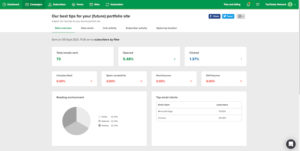
You get opens, clicks, unsubscribes, device type, and sales tracking if you connect Shopify or WooCommerce. It’s clear and easy to read, but there’s no deep scoring of subscribers or advanced prediction tools.
Kit: Even more basic
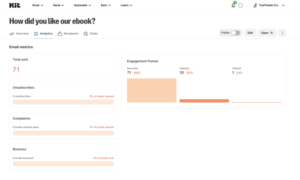
Kit’s reports cover click rates, open rates, and unsubscribes — and you often have to check each email one at a time, since there’s no single dashboard showing everything at once.
Winner: MailerLite — it’s not amazing, but it gives you more at a glance than Kit does.
MailerLite vs Kit: Spam Testing
MailerLite: Test emails, but not a real spam checker
MailerLite lets you send test emails to yourself and test entire automation workflows before sending them to your list.
But here’s the important part:
A MailerLite test email is not a spam-score test.
MailerLite actually warns that test emails can land in spam because of the [TEST] label. For a more realistic deliverability check, it recommends duplicating the campaign and sending it as a normal email to yourself. It also recommends authenticating your domain.
Kit: Pretty much the same story
Kit lets you preview emails and send yourself test emails, but it doesn’t give you a built-in tool that says something like:
“Your spam score is 7/10. Fix these three things.”
So don’t choose either platform expecting a full spam-testing suite.
Winner: Tie — neither gives you serious built-in spam testing. For proper inbox-placement testing, you’ll need a separate tool.
MailerLite vs Kit: Getting Help When Something Breaks
MailerLite: Fast help, but a scary downside
MailerLite offers 24/7 live chat and email support on its top plan, and many users say the support team is quick and genuinely helpful.
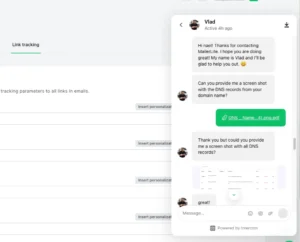
Here’s the part most comparison posts skip: a good number of reviews on Trustpilot and G2 describe MailerLite suspending accounts without warning — sometimes right after importing a list — with little to no way to appeal the decision. It doesn’t happen to everyone, but it shows up often enough in reviews that it’s worth knowing before you move your whole list over. Always keep a backup export of your list, just in case.
Kit: Slower, but steadier

Kit offers live chat and email support, and its top Creator Pro plan gets priority replies. It’s not available at every hour on lower plans, and replies can take longer than MailerLite’s. On the plus side, reviewers don’t report the same sudden-suspension pattern that shows up with MailerLite.
Winner: MailerLite for speed, Kit for peace of mind. If fast help matters most, MailerLite tends to win. If you’d rather avoid the risk of a surprise account lock, Kit is the steadier choice.
MailerLite vs Kit: Monetization Options
MailerLite: Sell products without leaving the platform
MailerLite lets you sell digital products, bookings, and paid newsletters alongside your email marketing. You can build the landing page, collect the subscriber, send the emails, and sell the product from the same ecosystem.

That’s useful if you’re selling ebooks, courses, services, or other digital products.
But some monetization features are tied to paid plans, so don’t assume everything is available on the free plan.
Kit: This is one of its biggest strengths
Kit is heavily built around the creator-business model.
You can sell digital products and subscriptions, and its new Newsletter Plan gives creators up to 10,000 subscribers for free, along with unlimited landing pages, forms, email sends, digital products, and subscriptions.

That’s a seriously generous free plan.
The catch is that the free plan includes a Kit-managed Recommendation slot, with earnings from that slot going to Kit. And once you outgrow the free plan, you’ll need to move to a paid plan for more advanced automation and features.
Winner: Kit — especially if you’re a creator, newsletter writer, or someone planning to make money directly from an audience.
MailerLite vs Kit: AI Features
MailerLite: AI is built into the editor
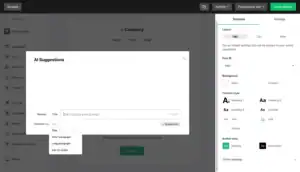
MailerLite’s AI isn’t just a separate chatbot. Its AI writing assistant can help write or rewrite email, form, and landing page copy, while its AI tools can also generate subject lines and images.
There’s another useful addition: MailerLite’s MCP server lets AI tools like ChatGPT and Claude work with your account. You can ask AI to analyze campaigns, manage subscribers, create drafts, or work with your data.
The downside is that some of the built-in AI features depend on your plan.
Kit: Less built-in, more AI-powered
Kit’s AI approach is different.
Its MCP integration gives AI assistants access to 65+ tools that can work with your Kit account. AI can find subscribers, manage tags, analyze reports, draft broadcasts, edit subject lines, and even create or edit landing pages.
That’s powerful.
But if you just want a button that says “write this email for me,” MailerLite feels more straightforward.
Winner: MailerLite — for everyday built-in AI. Kit gets the edge if you want AI to actually manage parts of your email-marketing workflow.
MailerLite vs Kit: The Full Honest Pricing Picture
MailerLite: Cheaper, but with two catches
MailerLite’s paid plans start around $12/month and go up to around $25/month, based on how many people are on your list. It stays cheaper than Kit at almost every list size once you’re paying.
Catch one: the free plan used to allow 1,000 people. In September 2025, MailerLite quietly dropped that down to 250. If your list has grown since then, you’ll hit the paywall sooner than you expected.
Catch two: MailerLite’s refund policy is strict. In most cases, once you’ve paid, you won’t get that money back — even if you cancel right after being charged by mistake. Read this before you pick the yearly plan.
Kit: Free plan is huge, paid plans cost more
Kit’s free plan covers 10,000 people — that’s the most generous free plan of any tool in this space. But once you need automation or tags, you’ll need to pay, and Kit’s paid plans start at $39/month, jumping to $79/month on the top tier. Prices also climb fast: by 5,000 subscribers, the base plan can cost close to double what it costs at 1,000.
One thing in Kit’s favor: it offers a real 30-day refund, no questions asked, on every paid plan. That’s a much softer landing than MailerLite’s policy if the tool turns out to be the wrong fit.
MailerLite vs Kit Pricing Comparison
| Subscribers | MailerLite Power | Kit Pro | Monthly Savings with MailerLite |
|---|---|---|---|
| Up to 500 | $25/month | $79/month | $54 |
| Up to 1,000 | $39/month | $79/month | $40 |
| Up to 5,000 | $69/month | $139/month | $70 |
| Up to 10,000 | $129/month | $189/month | $60 |
| Up to 25,000 | $239/month | $279/month | $40 |
Winner: MailerLite for ongoing cost, Kit for a safer trial and a bigger free plan.
What Real Users Are Actually Saying
People who use MailerLite often say the same good thing: it’s simple, and their support team is fast and friendly. The most common complaint isn’t a feature — it’s trust. Several reviewers describe their account getting suspended with little warning and no real way to appeal, sometimes even with a clean, permission-based list. Others point out there’s no proper mobile app for writing or editing emails on a phone — you’re stuck using a website that isn’t built for small screens.
People who use Kit tend to praise the tagging system once they’ve learned it, and many mention Kit’s help with getting paid directly from their list. The most common complaint, especially since Kit’s 2025 price jump, is the cost — going from a free plan that covers 10,000 people straight to a $39-a-month bill the moment you need real automation feels like a steep jump, and it shows up a lot in comments on Reddit.
My Honest Take After Testing Both
If I’m being straight with you: MailerLite feels like the friendlier, cheaper, better-looking tool — until you read enough reviews about sudden account suspensions to feel a little nervous about relying on it for something important. Kit feels slower and pricier, but steadier, and it’s the only one of the two that’s actually built to help you make money, not just send newsletters.
Neither tool nails everything. That’s fine. You don’t need a tool that does everything — you need the one that’s right for what you’re actually doing.
Before You Commit to Either Platform
Pick MailerLite if:
- You want the cheapest good option once you’re past the free plan
- You care about how your emails look and want real design choices
- You also want a simple website or landing page without buying a separate tool
- You’re fine keeping a backup of your list, just in case
Pick Kit if:
- You plan to sell something — a course, an ebook, a paid newsletter — sooner or later
- You want the biggest possible free plan before spending any money
- You don’t mind a short learning curve for a system (tags) that pays off later
- You’d rather have a real refund option if the tool isn’t right for you
If you’re still stuck: ask yourself if you’re building an audience, or building a business around that audience. MailerLite is the better tool for the first one. Kit is the better tool for the second — you’ll just pay a bit more to get there.
Frequently Asked Questions
Is MailerLite or Kit cheaper? MailerLite is cheaper once you’re on a paid plan, starting at $12/month versus Kit’s $39/month. But Kit’s free plan covers far more people (10,000 versus MailerLite’s 250), so if you’re not paying yet, Kit gives you more for free.
Which one is easier for a total beginner? MailerLite. Its list-based setup and drag-and-drop editor match what most people already expect from an email tool. Kit’s tag system is powerful but takes longer to learn.
Can I make money directly through either tool? Yes, but Kit is built around this idea from the start, with digital product sales, paid newsletters, and a creator network for growing your list through other newsletters. MailerLite lets you sell through Stripe too, but it feels like an add-on rather than the main point.
Which tool has better customer support? MailerLite’s support tends to be faster to respond. But some users report sudden account suspensions with little warning, which is worth knowing. Kit’s support is slower but reviewers don’t report the same suspension pattern.
Does either tool have a good refund policy? Kit does — a real 30-day, no-questions-asked refund on paid plans. MailerLite generally does not refund payments once they’re made, so it’s worth trying the free trial fully before committing to a paid year.
Is there a good mobile app for either tool? Neither has a strong dedicated mobile app for writing and editing emails. If you often work from your phone, this is a real limit on both platforms, not just one.
Which one should creators selling online courses choose? Kit, in most cases. Its tagging, automation, and built-in selling tools were designed with that exact goal in mind, while MailerLite’s selling features feel more basic in comparison.
