

Last Updated: 17 May 2026
Kit has the most generous free plan in email marketing. 10,000 subscribers, unlimited emails, unlimited landing pages — all for $0. That part is genuinely impressive.
But the moment you need more than one automation — which most serious creators do within their first few months — you jump to $39/month. That’s a big leap. And if you want the advanced features like A/B testing, the referral system, and Facebook audience sync? That’s $79/month.
Here’s the thing nobody tells you upfront: Kit’s pricing looks simple on the surface but the details matter a lot. Especially the September 2025 price increase that nearly doubled the cost for many creators — and the way your bill can jump automatically when your list crosses a new threshold.
This is the complete, honest guide to Kit pricing in 2026. Every plan. Every cost. Every hidden detail.
Let’s get into it 👇
Kit Pricing at a Glance
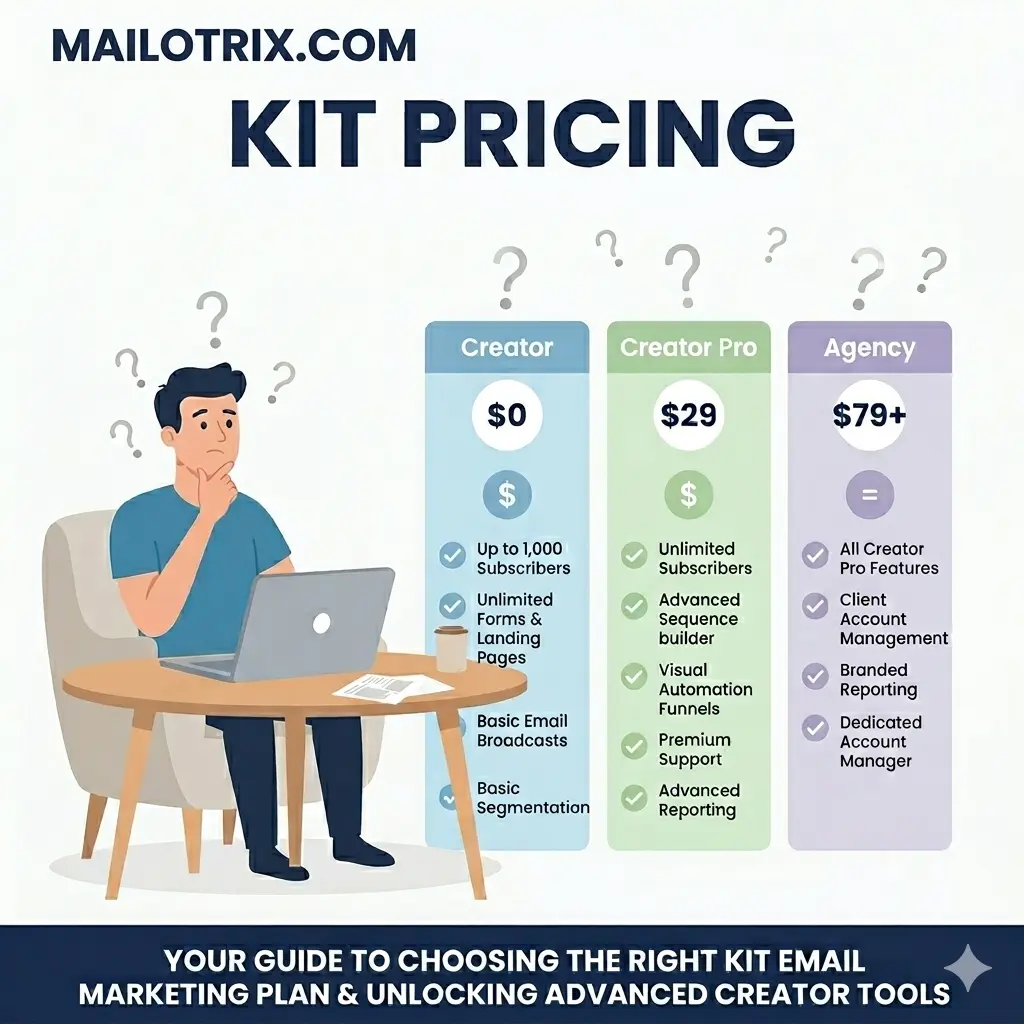
Kit has three plans. Here’s the simple version before we go deep:
| Plan | Monthly Price | Annual Price | Subscribers |
|---|---|---|---|
| Newsletter (Free) | $0 | $0 | Up to 10,000 |
| Creator | $39/month | $33/month | Based on list size |
| Creator Pro | $79/month | $66/month | Based on list size |
Two things to know upfront:
First — unlike Mailchimp, Kit only charges you for confirmed, active subscribers. Unsubscribed contacts and hard bounces do not count toward your limit. You never pay for people who already left your list.
Second — Kit’s pricing is entirely based on subscriber count. The more people on your list, the more you pay. There are no caps on how many emails you can send — all plans include unlimited email sends.
The Newsletter Plan: What Kit’s Free Plan Actually Gives You
The Most Generous Free Plan in Email Marketing
Kit’s free Newsletter plan is the best free plan in email marketing right now — and it’s not even close. While Mailchimp gives you 250 contacts and MailerLite gives you 500, Kit gives you 10,000 subscribers completely free with no time limit.
That’s enough room to build a serious early-stage newsletter before spending a single dollar.
What the Newsletter Plan Includes:
- Up to 10,000 subscribers
- Unlimited email sends — no monthly cap
- Unlimited landing pages — all 53 templates included
- Unlimited forms — all 9 form templates included
- Email templates — basic set included
- Tags and segmentation — organize your audience from day one
- Basic email reporting — open rates, click rates, unsubscribes
- Sell digital products — ebooks, templates, PDFs, and more
- Paid newsletter subscriptions — charge subscribers monthly or yearly
- Tip jar — accept one-time payments from your audience
- Creator Profile — your public page showing all your newsletters and products
- Creator Network — get recommended by other newsletters to grow your list
- Email support — available but not 24/7
What the Newsletter Plan Does NOT Include:
- ❌ More than 1 automation — the single biggest limitation of the free plan
- ❌ More than 1 email sequence
- ❌ Visual automation builder — you get a simplified version only
- ❌ Advanced segmentation features
- ❌ A/B testing
- ❌ Remove Kit branding from forms and emails
- ❌ Live chat support
- ❌ Integrations with outside tools (locked to Creator plan)
- ❌ Third-party integrations (Shopify, Teachable, etc.)
- ❌ Subscriber scoring
- ❌ Facebook Custom Audiences sync
- ❌ Newsletter referral system
- ❌ Advanced reporting
The Free Plan’s Biggest Wall
The one-automation limit is the wall that most creators hit first. One automation means you can set up one triggered email flow — like a basic welcome email. The moment you want a welcome series AND a product launch sequence AND a re-engagement campaign running at the same time, you need to upgrade.
Most creators hit this wall within 3 to 6 months of taking email marketing seriously.
The Other Free Plan Catch
On the free plan, Kit shows its own branding on your forms and emails — and requires you to have the Recommendations feature turned on. This means Kit’s recommended newsletters appear on your thank-you page after someone signs up.
This is how Kit monetizes the free plan. It’s not the worst thing in the world — Kit is upfront about it — but it does mean you’re effectively promoting other creators to your fresh subscribers.
“Kit’s free plan is one of the most generous in email marketing. It lets you validate whether the platform fits your workflow before paying anything.” (AeroLeads)
“The free plan is fantastic for growing your list and getting your newsletter started. If you’re a creator who’s just starting email marketing and has under 10,000 subscribers, you can use Kit’s free plan at no cost.” (EmailVendorSelection)
“The main limitations are only 1 automation and 1 sequence — upgrading to Creator unlocks unlimited automations.” (PassiveKit)
Is the Free Plan Actually Worth Using?
Yes — but only if you understand its limits. For creators who are just starting out, don’t yet need complex automation, and are happy having Kit branding on their forms, the free plan is extraordinary value. You can legitimately build a 10,000-subscriber newsletter for free.
But if you want to run multiple automated sequences, connect your email list to Shopify or Teachable, or remove Kit branding — you need to upgrade.
The Creator Plan: What Most Creators Actually Need
What the Creator Plan Is
The Creator plan is Kit’s core paid plan. It removes the limitations of the free plan and unlocks the full automation and integration toolkit that makes Kit genuinely powerful for creators.
What Creator Includes (Everything in Free Plus):
- Unlimited automations — the single biggest reason to upgrade
- Unlimited email sequences — build as many drip series as you need
- Visual automation builder — map out your full subscriber journey on one screen
- Remove Kit branding from all forms, emails, and landing pages
- 70+ integrations — Shopify, WooCommerce, Teachable, Thinkific, Podia, Kajabi, Zapier, and more
- Live chat and email support — available on all Creator plans
- 2 user seats — you plus one team member
- Free migration from your current email tool — Kit’s team handles the import
- A/B testing — test subject lines and email content to improve results
- Advanced automation triggers — quiz answers, purchase events, integration events
- Subscriber tagging based on link clicks — automatically tag people based on what they click inside emails
- Creator Network — paid recommendations (earn money for recommending others)
- Full digital product and subscription monetization
What Creator Does NOT Include:
- ❌ Advanced A/B testing across 5+ subject line variations
- ❌ Subscriber scoring and engagement reporting
- ❌ Newsletter referral system (SparkLoop integration)
- ❌ Facebook Custom Audiences sync
- ❌ Deliverability reporting
- ❌ Advanced insights dashboard
- ❌ Collaborative editing for teams
- ❌ Unlimited users (only 2 seats)
- ❌ Priority support
Creator Pricing by Subscriber Count (Monthly Billing):
| Subscribers | Monthly Price |
|---|---|
| 1,000 | $39/month |
| 3,000 | $59/month |
| 5,000 | $89/month |
| 8,000 | $109/month |
| 10,000 | $119/month |
| 15,000 | $149/month |
| 20,000 | $169/month |
| 25,000 | $199/month |
| 35,000 | $259/month |
| 50,000 | $319/month |
| 75,000 | $379/month |
| 100,000 | $519/month |
Creator Pricing by Subscriber Count (Annual Billing — save ~16%):
| Subscribers | Annual Price (per month) | Annual Total |
|---|---|---|
| 1,000 | $33/month | $396/year |
| 3,000 | $50/month | $600/year |
| 5,000 | $75/month | $900/year |
| 10,000 | $100/month | $1,200/year |
| 25,000 | $167/month | $2,004/year |
| 50,000 | $268/month | $3,216/year |
Who Should Choose the Creator Plan?
The Creator plan is the right choice for most creators who have outgrown the free plan. Specifically, choose Creator if:
- You need more than one automation running at the same time
- You want to connect Kit to Shopify, Teachable, or other outside tools
- You want Kit branding removed from your forms and emails
- You have a team member who needs their own login
- You want proper A/B testing to improve your open rates
- You’re running product launches or lead magnet sequences
“Creator at $33/month (annual) is the plan most solopreneurs should start with. It removes all the meaningful limitations of the free plan and gives you the full automation toolkit.” (PassiveKit)
“The Creator plan unlocks all of Kit’s core email marketing and list growth features. You get everything in the free plan, plus unlimited email sequences and visual automation workflows. This is a huge step up for anyone serious about email marketing.” (EmailVendorSelection)
The Creator Pro Plan: When Does It Make Sense to Upgrade?
What the Creator Pro Plan Is
Creator Pro is Kit’s advanced plan for creators who have turned their newsletter into a real business and need deeper tools — specifically for growing their list faster, understanding their audience better, and managing a team.
What Creator Pro Includes (Everything in Creator Plus):
- Newsletter referral system — a free SparkLoop plan worth $99/month, letting you reward subscribers who refer others. SparkLoop is the most powerful newsletter referral tool available and it’s included at no extra cost
- Subscriber engagement scoring — Kit automatically tracks how engaged each subscriber is and gives them a score. Use this to find your VIPs, identify cold subscribers, and target your best leads
- Advanced A/B testing — test up to 5 different subject lines or email content variations at the same time (Creator only lets you test 2)
- Facebook Custom Audiences sync — automatically sync your Kit subscriber segments to Facebook so you can run targeted ads to your email list without manual exports
- Deliverability reporting — see which email providers (Gmail, Outlook, Yahoo) are delivering your emails well and which ones are having problems. Identify why emails might be going to the Promotions tab
- Advanced insights dashboard — track revenue across your full marketing funnel. See which emails, automations, and products drive the most income
- Collaborative editing — multiple team members can edit the same email at the same time
- Unlimited user seats — add as many team members as you need
- Priority support — faster response times than Creator plan users
What Creator Pro Does NOT Include:
- ❌ Phone support — not available at any Kit tier
- ❌ Multi-channel marketing (no SMS, no WhatsApp)
- ❌ Built-in CRM with deals and pipeline
Creator Pro Pricing by Subscriber Count (Monthly Billing):
| Subscribers | Monthly Price |
|---|---|
| 1,000 | $79/month |
| 3,000 | $108/month |
| 5,000 | $148/month |
| 8,000 | $188/month |
| 10,000 | $199/month |
| 15,000 | $249/month |
| 20,000 | $299/month |
| 25,000 | $349/month |
| 50,000 | $599/month |
Creator Pro Pricing by Subscriber Count (Annual Billing — save ~16%):
| Subscribers | Annual Price (per month) | Annual Total |
|---|---|---|
| 1,000 | $66/month | $792/year |
| 3,000 | $91/month | $1,092/year |
| 5,000 | $124/month | $1,488/year |
| 10,000 | $167/month | $2,004/year |
| 25,000 | $293/month | $3,516/year |
When Does Creator Pro Make Sense?
Creator Pro is worth it in specific situations. Don’t upgrade just because you want “the best plan” — upgrade because you specifically need what it offers.
Upgrade to Creator Pro if:
- You want the newsletter referral system — if you’re serious about growing through word-of-mouth, SparkLoop alone (worth $99/month) justifies the upgrade
- You need subscriber scoring — identifying your most engaged audience is very useful for sponsor pitches and VIP offers
- You want deliverability reporting — if you’re having inbox placement issues and need to diagnose why
- You manage a team — unlimited seats vs Creator’s 2 seats is the tipping point for content teams
- You want Facebook ad retargeting to your email list without manual exports
- Your newsletter generates enough revenue that advanced funnel tracking (insights dashboard) will help you optimize what’s working
Don’t upgrade to Creator Pro if:
- You just want more automations — Creator already gives you unlimited automations
- You’re just starting out — the free plan or Creator covers everything you need early on
- You don’t run Facebook ads and aren’t focused on referral growth
- You’re a solo creator with no team and a straightforward newsletter
“Creator Pro at $66/month is only worth it if you need the subscriber referral system, engagement scoring, or advanced A/B testing.” (PassiveKit)
“The newsletter referral system alone — a free SparkLoop plan worth $99/month — can generate dozens of new subscribers per month from your existing audience, typically covering the price difference within 60–90 days.” (AeroLeads)
“There’s not a huge difference between the two paid plans apart from the significant difference in price. The additional features you’ll get with Creator Pro are: Facebook custom audiences, subscriber scoring, newsletter referral system, advanced reporting, and unlimited user accounts.” (EmailTooltester)
Full Pricing Tables by Subscriber Count
Here’s the complete side-by-side view of what you’d pay on each plan as your list grows:
Monthly Billing:
| Subscribers | Newsletter (Free) | Creator | Creator Pro |
|---|---|---|---|
| Up to 1,000 | $0 | $39/month | $79/month |
| 3,000 | — | $59/month | $108/month |
| 5,000 | — | $89/month | $148/month |
| 8,000 | — | $109/month | $188/month |
| 10,000 | — | $119/month | $199/month |
| 15,000 | — | $149/month | $249/month |
| 25,000 | — | $199/month | $349/month |
| 50,000 | — | $319/month | $599/month |
| 100,000 | — | $519/month | Custom |
Annual Billing (save ~16%):
| Subscribers | Creator | Creator Pro |
|---|---|---|
| 1,000 | $33/month ($396/year) | $66/month ($792/year) |
| 3,000 | $50/month ($600/year) | $91/month ($1,092/year) |
| 5,000 | $75/month ($900/year) | $124/month ($1,488/year) |
| 10,000 | $100/month ($1,200/year) | $167/month ($2,004/year) |
| 25,000 | $167/month ($2,004/year) | $293/month ($3,516/year) |
| 50,000 | $268/month ($3,216/year) | Custom |
What’s Included on Each Plan (and What’s Not)
Always Included — All Plans:
- Unlimited email sends
- Unlimited landing pages and forms (53 landing page templates, 9 form templates)
- Email templates
- Tags and basic segmentation
- Basic email reporting
- Sell digital products, paid subscriptions, and tip jars
- Creator Profile (your public page)
- Creator Network access (free recommendations)
Only on Creator and Above:
- Unlimited automations and sequences
- Visual automation builder
- Remove Kit branding from forms and emails
- 70+ integrations (Shopify, Teachable, Zapier, etc.)
- Live chat and email support
- A/B testing (2 variations)
- 2 user seats
- Free migration from another email tool
- Paid Creator Network recommendations (earn money)
Only on Creator Pro:
- Newsletter referral system (SparkLoop — worth $99/month)
- Subscriber engagement scoring
- Advanced A/B testing (up to 5 variations)
- Facebook Custom Audiences sync
- Deliverability reporting
- Advanced insights dashboard
- Collaborative email editing
- Unlimited user seats
- Priority support
Feature Comparison: Newsletter vs Creator vs Creator Pro
Here’s the plain-English breakdown of which plan handles each feature:
Automation
Newsletter: 1 automation, 1 sequence only. Creator: Unlimited automations and sequences with the full visual builder. Creator Pro: Same as Creator.
Integrations
Newsletter: No third-party integrations. Creator: 70+ integrations — Shopify, WooCommerce, Teachable, Thinkific, Podia, Kajabi, WordPress, Zapier, and more. Creator Pro: Same as Creator.
A/B Testing
Newsletter: No A/B testing. Creator: Basic A/B testing — test 2 subject line or content variations. Creator Pro: Advanced A/B testing — test up to 5 variations simultaneously.
Support
Newsletter: Email support only (not 24/7). Creator: Live chat and email support. Creator Pro: Priority live chat and email support — faster response times.
Team Access
Newsletter: 1 user only. Creator: 2 user seats. Creator Pro: Unlimited user seats with collaborative editing.
List Growth Tools
Newsletter: Creator Network (free recommendations only). Creator: Creator Network including paid recommendations — earn money by featuring others. Creator Pro: All of Creator plus the SparkLoop referral system to reward subscribers who bring new subscribers.
Analytics
Newsletter: Basic open and click rate reports. Creator: Standard campaign and automation reports. Creator Pro: Advanced insights dashboard, subscriber scoring, and deliverability reporting by email provider.
Branding
Newsletter: Kit branding on all forms and emails — cannot be removed. Creator: Kit branding fully removed. Creator Pro: Kit branding fully removed.
Billing Options: Monthly vs Annual — How Much Do You Save?
Monthly Billing
Pay month to month with no commitment. Cancel any time. Your plan ends at the next billing date — no immediate cutoff.
Best for: People who want flexibility while testing paid features or aren’t sure about their long-term list growth.
Annual Billing
Pay for 12 months upfront and get approximately 16% off — which works out to roughly 2 free months per year.
Important: If you cancel an annual plan midway through, you do not get a refund for the unused months. The 30-day money-back guarantee applies at the start — but if you’re beyond 30 days in and cancel early, that’s money you don’t get back.
Best for: Anyone who knows they’ll use Kit for at least a year and wants to lock in the lower rate.
Annual savings examples:
| Plan | Monthly Cost | Annual Cost (per month) | Annual Saving |
|---|---|---|---|
| Creator (1,000 subs) | $39 | $33 | $72/year |
| Creator (5,000 subs) | $89 | $75 | $168/year |
| Creator (10,000 subs) | $119 | $100 | $228/year |
| Creator Pro (1,000 subs) | $79 | $66 | $156/year |
| Creator Pro (5,000 subs) | $148 | $124 | $288/year |
| Creator Pro (10,000 subs) | $199 | $167 | $384/year |
14-Day Free Trial and 30-Day Money-Back Guarantee
Kit offers a 14-day free trial on paid plans — no credit card required. You get full access to the plan’s features during the trial.
After the trial, Kit also offers a 30-day money-back guarantee on all paid plans. If you sign up and decide within 30 days that Kit isn’t right for you, Kit cancels your account and refunds you immediately — the refund typically shows up in your account within 3 to 5 business days.
This makes trying Kit genuinely risk-free in the first month.
The September 2025 Price Increase — What Changed and Why It Matters
This section matters a lot — because if you’ve read an older Kit pricing guide, the numbers you saw are no longer accurate.
What Happened
In September 2025, Kit raised prices significantly across all paid plans. This was the most controversial thing Kit has done in recent years, and it directly affected thousands of existing subscribers.
Before and After the Price Increase:
| Plan | Before (per month, 1K subs) | After (per month, 1K subs) | Increase |
|---|---|---|---|
| Creator | $15/month | $39/month | +160% |
| Creator Pro | $29/month | $79/month | +172% |
At 5,000 subscribers:
| Plan | Before | After | Increase |
|---|---|---|---|
| Creator | $49/month | $89/month | +82% |
| Creator Pro | $79/month | $148/month | +87% |
At 10,000 subscribers:
| Plan | Before | After | Increase |
|---|---|---|---|
| Creator | $79/month | $119/month | +51% |
| Creator Pro | $111/month | $199/month | +79% |
How Kit Justified the Increase
Kit stated the price increase reflected the significant new features added to the platform — the App Store, the Creator Network, Kitlytics AI analytics, the SparkLoop acquisition, and expanded monetization tools.
Many existing users accepted this explanation. Many did not.
“Kit raised prices significantly in September 2025 — the old Creator plan at $15/month no longer exists.” (PassiveKit)
“At 10,000 subscribers, you’re paying nearly 50% more than before. At higher tiers, the impact is even more dramatic.” (Sender)
“Kit raised prices by 35% in September 2025. Now I’m paying $39 for 1,000 subscribers.” (G2)
“The cost. I don’t use all of the features but I feel like I’m paying for them all.” (G2)
“The free plan is great to start with, but once you begin scaling, it can get a bit pricey compared to other tools.” (G2)
What This Means for You
If you’re comparing Kit to tools like MailerLite, Brevo, or Moosend — make sure you’re using the current Kit prices, not the pre-September 2025 ones. Any comparison article written before that date has outdated numbers that make Kit look significantly cheaper than it actually is.
Kit’s Transaction Fees — What You Pay on Product Sales
Kit has built-in tools for selling digital products, paid newsletter subscriptions, and tip jars. This is one of Kit’s real strengths compared to most email tools.
But there are fees — and they work differently than you might expect.
How Kit’s Transaction Fees Work
Kit charges a combined fee that covers both Kit’s cut and the payment processing fee:
- Transaction fee: 3.5% + $0.30 per sale
This is an all-in fee. Stripe’s processing fee is included inside the 3.5% + $0.30. You don’t pay Kit’s fee on top of Stripe’s fee separately.
To be precise: Kit’s own platform fee is only 0.6% of the transaction. The rest (2.9% + $0.30) goes to Stripe for payment processing. But from your perspective, the total you pay is 3.5% + $0.30 per sale.
What This Means for Your Earnings
| Product Price | Kit Fee | You Keep |
|---|---|---|
| $9/month subscription | $0.62/month | $8.38/month |
| $27 ebook | $1.25 | $25.75 |
| $97 course | $3.70 | $93.30 |
| $297 course | $10.70 | $286.30 |
| $497 coaching | $17.69 | $479.31 |
At higher product prices, the fee percentage feels more comfortable. On lower-priced products — like a $9/month newsletter — the per-transaction $0.30 flat fee matters more.
Comparing Kit’s Fees to Other Tools
- MailerLite: 0% commission from MailerLite. Stripe’s standard 2.9% + $0.30 only.
- Brevo: No built-in digital product sales — uses Stripe integration only.
- Substack: 10% platform fee — far higher than Kit.
- Gumroad: 10% fee on free plan, reducing to 0% on paid plans.
Kit’s 0.6% platform fee (plus Stripe’s processing) is very fair compared to platforms like Substack. But MailerLite technically has 0% commission, making it slightly cheaper for digital product sales.
Hidden Costs: What You Pay Extra For
Unlike Mailchimp, Kit doesn’t have many sneaky hidden costs. But there are a few things worth knowing before you sign up.
The SparkLoop Referral System — Only on Creator Pro
SparkLoop — Kit’s newsletter referral tool — is normally $99/month as a standalone product. On Creator Pro, it’s included at no extra cost.
But you only get it on Creator Pro. If you’re on the Creator plan and want a subscriber referral program, you’d need to pay separately for SparkLoop or use a different referral tool. This is one of the strongest reasons to consider Creator Pro if referral growth is important to you.
Integrations — Only on Creator Plan and Above
The free Newsletter plan has zero third-party integrations. If you want to connect Kit to Shopify, Teachable, Thinkific, Kajabi, Zapier, or any other tool — you need at least the Creator plan at $39/month.
This is a real limitation that catches free plan users off guard when they try to connect their course platform or online store.
Custom Domain
Setting up a custom sending domain — so your emails come from you@yourdomain.com — requires owning a domain and accessing your DNS settings. The domain itself costs money through your registrar. Kit doesn’t charge for the connection, but you do need to own a domain.
No SMS, No WhatsApp, No Live Chat
Kit is email only. If you also want SMS marketing, WhatsApp marketing, or a live chat widget on your website, you need separate tools for each. Unlike Brevo, none of these channels are included in Kit at any price point.
Team Seats
The free plan only includes 1 user seat. Creator includes 2 seats. Creator Pro includes unlimited seats. If you have a content team of 3 or more people who need their own logins, you need Creator Pro — there’s no way to add extra seats à la carte on the Creator plan.
Kit vs Competitors: How the Pricing Actually Compares
Here’s an honest side-by-side of Kit vs the tools most creators consider as alternatives:
At 1,000 Subscribers:
| Tool | Plan | Monthly Price | Automations | Free Plan |
|---|---|---|---|---|
| Kit | Newsletter (Free) | $0 | 1 only | ✅ Up to 10,000 subs |
| Kit | Creator | $39/month | Unlimited | — |
| MailerLite | Growing Business | $15/month | Full | 500 subs |
| Brevo | Business | $18/month | Full | Unlimited contacts |
| Moosend | Pro | $16/month | Full | Trial only |
| beehiiv | Scale | $43/month | Basic | 2,500 subs |
At 5,000 Subscribers:
| Tool | Plan | Monthly Price | Notes |
|---|---|---|---|
| Kit | Creator | $89/month | Best creator monetization |
| MailerLite | Growing Business | $39/month | Cheaper, good templates |
| Brevo | Business | $25/month | Email-volume pricing, far cheaper |
| Moosend | Pro | $48/month | Good e-commerce automation |
| beehiiv | Scale | $89/month | Similar price, strong newsletter tools |
At 10,000 Subscribers:
| Tool | Plan | Monthly Price | Notes |
|---|---|---|---|
| Kit | Creator | $119/month | Powerful creator tools |
| MailerLite | Growing Business | $73/month | Saves $552/year vs Kit |
| Brevo | Business | $35/month | Saves $1,008/year vs Kit |
| Moosend | Pro | $88/month | Saves $372/year vs Kit |
The Honest Comparison
Kit is more expensive than MailerLite, Brevo, and Moosend at every list size. But Kit has features those tools don’t have — specifically the Creator Network, the SparkLoop referral system (on Pro), built-in digital product sales with 0.6% platform fee, and the most powerful tag-based automation for creator workflows.
The question is whether those creator-specific features justify the premium. For creators who actively use them — yes, they can. For creators who just want to send a newsletter and aren’t selling products or growing through referrals — the premium is harder to justify.
One Major Advantage Over Mailchimp
Kit’s free plan gives you 10,000 subscribers. Mailchimp’s free plan gives you 250 contacts with no automation. If you’re comparing Kit to Mailchimp, Kit wins on the free plan by an enormous margin.
What Happens When You Go Over Your Subscriber Limit?
On the Free Plan
If your confirmed subscriber count goes over 10,000 on the free plan, Kit will prompt you to upgrade to a paid plan. Your account doesn’t get locked immediately — but you won’t be able to send campaigns until you either upgrade or remove subscribers to get back under 10,000.
On Paid Plans
If your subscriber count crosses into the next pricing tier — say from 4,999 to 5,000 — Kit automatically upgrades you to the next tier and charges your card for the new price.
You receive an email notification when this happens. But the charge is automatic — you don’t have to approve it manually.
For example: you’re on Creator at the 3,000-subscriber tier ($59/month). You run a successful lead magnet campaign and your list jumps to 3,100 subscribers. Kit moves you to the 5,000-subscriber tier ($89/month) automatically.
If You Want to Downgrade
If your list shrinks — because you cleaned inactive subscribers or had a wave of unsubscribes — you can downgrade to a lower tier. But you cannot do this inside your account dashboard. You have to email Kit support and ask them to downgrade your plan manually.
This is a real friction point. If you actively clean your list (which you should do regularly for deliverability), getting your bill reduced requires contacting support each time — not just a click in your dashboard.
“If you go over the subscriber limit of your plan, Kit automatically upgrades you to the next tier. All plans (even the free plan) include a library of landing page templates.” (EmailTooltester)
“If you reduce your subscribers, you’ll have to email them to downgrade.” (Mailmeteor)
Kit Does NOT Charge for Unsubscribers
Unlike Mailchimp, Kit only counts confirmed, active subscribers. Hard bounces and unsubscribed contacts do not eat into your billing limit.
This is a significant advantage over Mailchimp and means your Kit bill reflects your actual active audience — not the graveyard of everyone who ever touched your list.
Is Kit Worth the Price?
Here’s the honest breakdown.
Kit is worth the price if:
- You actively sell digital products, courses, or paid newsletter subscriptions — Kit’s built-in commerce tools save you from needing Gumroad, Podia, or a separate checkout platform
- You use the Creator Network for list growth — getting recommended by other creators is a real, free subscriber source
- You upgrade to Creator Pro and use the SparkLoop referral system — at $99/month standalone, getting it free inside your Pro plan is a genuine deal
- You need the most powerful tag-based automation for creator-specific workflows — Kit’s automation is the best in the creator email space
- You’re on the free plan with under 10,000 subscribers — 10,000 subscribers for $0 is extraordinary value
Kit is NOT worth the price if:
- You just want to send a basic newsletter and don’t plan to sell anything — MailerLite gives you the same email features for $15/month vs Kit’s $39/month
- You need beautiful email design — Kit has about 20 templates and a limited editor. MailerLite has 100+ templates and a smoother editor for the same audience type
- You need SMS, WhatsApp, or CRM tools included — Brevo covers all of those for $18-$25/month
- You’re scaling a large list and don’t use creator-specific features — the cost gets very high at 25,000+ subscribers
- You need more than 2 users on the Creator plan — you’d need Creator Pro at $79/month just to add a third team member
“Kit is more expensive than 75% of email marketing tools in our database. The subscriber management and commerce features are genuinely well-designed for selling digital products. The main concern is how quickly costs scale with your list size.” (ThatMarketingBuddy)
“Kit makes the most sense for creators who sell digital products directly through their email marketing and need tight integration between their newsletter, landing pages, and product delivery.” (ThatMarketingBuddy)
“As soon as you want features on the Creator or Creator Pro plan, such as more than one automated email sequence, it can get expensive. If you’re not a Creator or want to just pay for email features without the extra fluff, Kit may not be the best solution.” (Mailmeteor)
Final Verdict: Which Kit Plan Should You Choose?
Choose the Newsletter (Free) Plan if:
- You have fewer than 10,000 subscribers and are just getting started
- You only need one automation — a basic welcome email or simple trigger is enough for now
- You’re okay with Kit branding on your forms and emails while you’re starting out
- You want to test the platform before committing any money
- You want to start selling digital products immediately — yes, the free plan supports this
Do not stay on the free plan if you need multiple automations running simultaneously. One automation is not enough for any creator running a real email marketing strategy.
Choose the Creator Plan if:
- You need unlimited automations and sequences — this is the most common upgrade reason
- You want to connect Kit to Shopify, Teachable, Kajabi, or any other tool
- You want Kit branding removed from all your forms and emails
- You need proper A/B testing to improve open rates
- You have one team member who also needs account access
- You want live chat support when you have questions
For most creators who have outgrown the free plan — Creator is the right choice. It gives you everything you need to run a serious creator email business.
Choose Creator Pro if:
- You specifically want the SparkLoop referral system to grow through word-of-mouth — getting $99/month worth of referral software included is the strongest argument for Pro
- You need subscriber scoring to identify your VIPs and cold subscribers
- You want deliverability reporting to diagnose inbox placement issues
- You run Facebook ads and want your email segments to sync automatically
- You have a team of 3 or more who all need separate logins
- You’re earning meaningful revenue from your newsletter and want the advanced funnel insights dashboard to see exactly what’s driving that income
Consider an alternative if:
- You want the same email features at a much lower price → MailerLite at $15/month for 1,000 subscribers vs Kit’s $39/month
- You need multi-channel marketing (email + SMS + WhatsApp + CRM) in one tool → Brevo at $18-$25/month
- You want a strong newsletter-focused platform with built-in growth tools and a better website/blog builder → beehiiv is worth comparing at similar price points
- You’re on a very tight budget and just need to send newsletters → Brevo or MailerLite will cost you significantly less
Have questions about which Kit plan is right for your creator business? Drop them in the comments below and I’ll help you work out the numbers.
