I still remember when I first got serious about email marketing — two names kept popping up everywhere: Mailchimp and AWeber.
Both have been around for ages, both promise to “simplify” email marketing, and both are trusted by thousands of creators, bloggers, and businesses.
Over the past few weeks, I tested both tools in real campaigns — from building lists and sending newsletters to setting up automations and tracking performance. I wanted to see which one truly makes email marketing easier (and more profitable) in 2025.
Let’s find out which email tool deserves your time (and money).
We keep things simple — we only review tools we actually use.
At Mailotrix, we believe you can’t judge an email marketing tool by its features page. So we test every tool ourselves — running real campaigns, breaking automations, checking deliverability, and seeing how it performs in day-to-day use.
We also dig through real user reviews to understand what others are experiencing, compare it with our own results, and then share a straightforward, unbiased verdict you can trust.
If you want to see exactly how we test tools, read our full process here.
Short on Time? Here’s My Quick Verdict for Mailchimp vs AWeber
After testing both tools in real campaigns, here’s the honest takeaway:
AWeber is simpler, faster, and easier to use — perfect for creators or small businesses who want a no-fuss email tool.
Mailchimp, on the other hand, offers more powerful analytics, AI features, and automation depth — but it’s costlier and harder to navigate.
Mailchimp vs AWeber – Quick Comparison
| Feature | Mailchimp | AWeber | Winner |
|---|
| Email Builder | Polished but sometimes clunky | Smoother drag-and-drop | 🏆 AWeber |
| Templates & Design | 137+ templates, decent variety | Cleaner and easier to customize | 🏆 AWeber |
| Automation | Powerful but complex | Simpler workflows | 🏆 Mailchimp |
| Forms & List Management | Messy list system | Easier segmentation | 🏆 AWeber |
| Analytics & Reporting | In-depth, ecommerce tracking | Basic stats only | 🏆 Mailchimp |
| AI Features | Smart recommendations, predictive tools | Simple AI writer | 🏆 Mailchimp |
| Pricing | Costlier, limited free plan | Slightly more affordable | 🏆 AWeber |
| Support | Decent help docs and chat Try Mailchimp For free | Faster, more personal support Try Aweber For free | 🏆 AWeber |
🧾 Final Score:
✅ Score: Mailchimp 5️⃣ – AWeber 8️⃣
✅ Winner: AWeber — simpler to use, better support, and slightly more budget-friendly.
If you want powerful analytics and advanced AI, go Mailchimp.
But for most small businesses and creators, AWeber delivers better value overall.
Email Editor
Mailchimp
I started with Mailchimp because it’s the most popular tool out there.
Setting up my first campaign wasn’t tough, but some options were oddly hidden — like adding my own HTML design under “Code Your Own.”
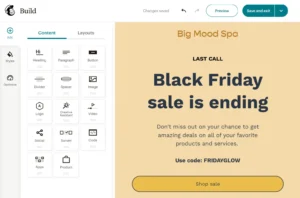
Mailchimp offers around 80+ templates, though many feel a bit outdated. You can switch templates mid-edit, which helps, and the new AI builder is handy for pulling brand colors from your website. Still, it needs manual tweaking to look right.
The interface keeps changing, and not always for the better — I often found myself hunting for options instead of designing.
AWeber
AWeber’s drag-and-drop builder feels cleaner and faster from the start.
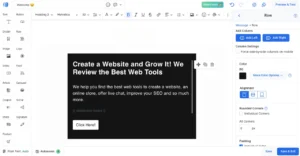
It gives you over 700 responsive templates, all customizable. You can tweak colors, add logos, and pull free stock photos from Unsplash. Its Canva integration also makes creating visuals effortless.
For power users, Markdown support helps format text quickly, saving time on longer emails.
My Verdict
Mailchimp is fine for beginners, but AWeber offers a smoother, more flexible editing experience overall.
That said, if we’re being honest — MailerLite still has the easiest email editor than both of them.
✅ Score: Mailchimp 0️⃣ – AWeber 1️⃣
Templates & Design Flexibility
Mailchimp
Mailchimp gives you a solid library of around 225 templates, all mobile-responsive and neatly sorted by category.
I liked how easy it was to tweak layouts, save designs, and reuse them later — a big time-saver when you send campaigns regularly. You can even upload your own HTML if you want full design control.
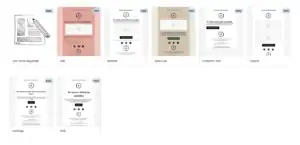
But here’s the catch — if you’re on the free plan, you only get 8 basic templates, and honestly, they don’t look great. They feel more like placeholders than polished email layouts.
AWeber
AWeber takes things to another level with over 600 templates across 17 categories. That’s a lot of variety for different campaign styles — from product launches to newsletters.
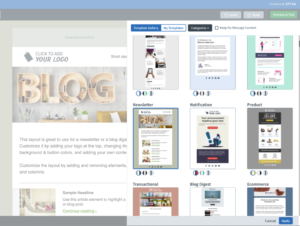
Most of them look decent, though a few feel a bit dated. Still, the real gem here is AWeber’s Smart Designer.
You just paste in your website URL, and it automatically builds a matching email template using your site’s colors, fonts, and style. Within seconds, you’ve got a design that feels like your brand — no manual setup needed.
It’s also handy if you want to turn a blog post or landing page into a quick newsletter. Just one click, and you’re halfway there.
My Verdict
Mailchimp offers quality templates but limits creativity on the free plan. AWeber wins here with sheer variety and its Smart Designer feature.
Still, if we’re talking pure design simplicity, MailerLite remains the king of clean, modern templates.
✅ Score: Mailchimp 0️⃣ – AWeber 2️⃣
Email Automation
Mailchimp
When I tested Mailchimp, I was impressed by how many automation options it offers.
You can trigger emails based on abandoned carts, link clicks, signups, or subscriber actions, and it even includes 70+ pre-built workflows to save time.
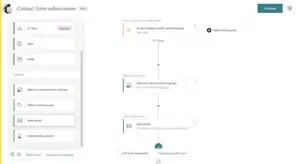
The downside? None of these are available on the free plan, and once you upgrade, the editor can feel a bit overwhelming with all its triggers and options.
AWeber
AWeber’s automation (called Campaigns) is simpler.
You can start automations based on tags or signups, and set actions like sending a message or applying a tag. It’s easy to use but limited — especially on the Free or Lite plan.
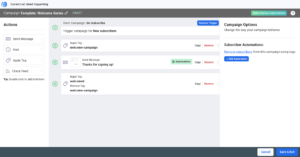
For more advanced workflows, you need to import them from AWeber’s marketplace, which feels like extra effort.
My Verdict
Mailchimp offers more power, while AWeber is easier but basic.
But if you want to experience the real power of email automation, you should definitely check out ActiveCampaign or ConvertKit — they’re on another level.
✅ Score: Mailchimp 1️⃣ – AWeber 2️⃣
List Management & Segmentation
Mailchimp
One of the biggest issues I ran into with Mailchimp was how it handles lists — or “audiences,” as they call them.
Each audience is completely separate, which means you can’t send a campaign to subscribers across multiple lists at once. Even worse, if the same contact exists on more than one list, Mailchimp charges you twice.
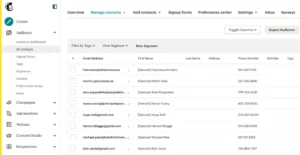
You do get tools like tags, groups, and segments, which help organize your contacts. Segments filter people based on data or activity, while tags are custom labels you add manually.
But having both tags and groups can get confusing — they work almost the same way.
AWeber
AWeber gives you decent control over your subscribers through automation and tagging.
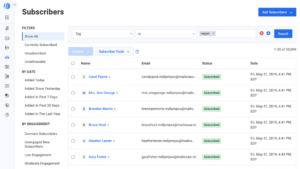
You can set rules to unsubscribe someone from one list when they join another, or apply tags based on signups, link clicks, or email opens. It’s simple and works fine for basic audience management.
The downside? On the Lite plan, you can only create 3 segments, which is quite limiting if you want deeper targeting or multiple campaigns.
My Verdict
Mailchimp’s list system feels messy, while AWeber’s segmentation is easier but limited.
If you want smooth, flexible, and truly user-friendly segmentation, MailerLite has better List Management feature.
✅ Score: Mailchimp 1️⃣ – AWeber 3️⃣
Registration Forms
Mailchimp
Building forms in Mailchimp gave me mixed feelings. On the surface, it seems powerful — you get embedded forms, pop-ups, and even full landing pages. But the setup isn’t as smooth as it should be.

The biggest issue? Mailchimp uses three different form builders, and that just overcomplicates things. The pop-up builder is drag-and-drop, which is nice, but the others feel old and clunky. I also noticed that not all forms look great on mobile, which can seriously hurt user experience.
AWeber
AWeber keeps it simple but effective. You can choose from pop-up, in-line, and lightbox forms — all easy to customize.
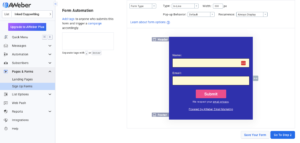
I liked that you can add tags automatically when someone signs up and integrate forms with tools like WordPress, Facebook, Wix, and PayPal. Plus, you can place them directly on AWeber landing pages, which makes the whole process seamless.
My Verdict
Mailchimp gives you more options, but AWeber’s form builder is easier to use and more consistent — especially if you just want to create clean, functional signup forms without the confusion.
✅ Score: Mailchimp 1️⃣ – AWeber 4️⃣
Landing Page Builder
Mailchimp
Mailchimp’s landing page builder is clean and beginner-friendly. You can drag and drop elements, tweak designs, and even sell products directly from your landing page — a big plus if you’re running quick campaigns or product launches.
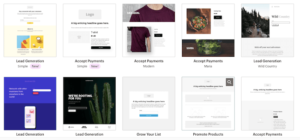
However, there’s a catch. Mailchimp only offers 10 templates, which feels quite limited compared to most competitors. While customization is smooth, you might quickly run out of design options if you want more variety or niche layouts. Still, for simple and fast page creation, Mailchimp does a decent job.
AWeber
AWeber gives you far more flexibility with over 160 templates that cover a wide range of industries. Yes, some of them look a bit outdated, but there are enough solid designs to make your pages look professional.
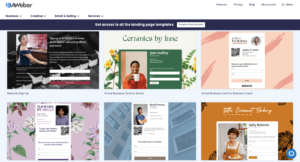
The drag-and-drop editor is easy to use, though it could be a little more advanced for experienced marketers.
One thing I really liked was how you can tag subscribers directly from your forms — a neat touch that makes automation effortless. You can also enhance your landing pages with images, videos, and product blocks, and even use the Smart Content feature to pull content from external URLs like Facebook posts, Google Maps, or Shopify products.
AWeber also lets you connect your own domain or publish directly on WordPress, which adds a professional touch.
My Verdict
Mailchimp is simpler, but AWeber clearly wins here with more templates, better integrations, and smarter automation features built right into the landing page experience.
✅ Score: Mailchimp 1️⃣ – AWeber 5️⃣
Reporting
Mailchimp
Tracking performance in Mailchimp is smooth and visually clear. You get detailed reports covering open rates, clicks, bounces, and even eCommerce conversions if you’re selling online.
One feature I found useful is the geolocation report, which shows where your subscribers are engaging from.
Mailchimp also integrates seamlessly with Google Analytics, so you can track post-click activity right on your website.
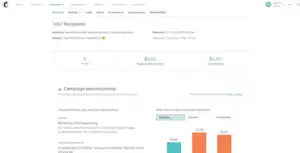
On top of that, their social reports let you see how your emails perform across different channels and even break down engagement by email provider (like Gmail vs Yahoo). Everything feels organized and easy to digest — both for beginners and advanced marketers.
AWeber
AWeber provides all the essentials too — open rates, click rates, bounces, and geo-tracking — plus some handy eCommerce data if you’re running sales campaigns. The only letdown is presentation. The reports look a bit dated, and finding specific metrics can take a few extra clicks.
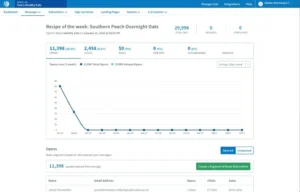
Still, all the core data is there, so you can measure your campaign’s performance effectively.
My Verdict
Both tools do a solid job with analytics, but Mailchimp’s reports are cleaner, more visual, and simply easier to navigate. AWeber gives you all the data, but Mailchimp makes understanding it faster.
✅ Score: Mailchimp 2️⃣ – AWeber 5️⃣
Deliverability
Deliverability isn’t just about getting your email into the inbox — it’s about protecting your sender reputation with the right setup. This includes SPF, DKIM, and DMARC authentication, smart bounce handling, proper IP warmup, and visibility into spam complaints.
In past deliverability tests, Mailchimp consistently outperformed AWeber, ranking among the top providers, while AWeber often lagged behind. However, with updated testing methods, the gap has narrowed — and this time, AWeber shows some solid improvements.
Mailchimp
Mailchimp does a great job handling complaints and IP warmup, and it provides clear guidance when setting up authentication. The problem is, it doesn’t enforce SPF or DKIM before sending, which can hurt your sender reputation in the long run. It also lacks a dedicated deliverability dashboard and built-in list cleaning, which means you’ll need to handle those manually.
AWeber
AWeber takes deliverability more seriously on the technical side. It enforces SPF, DKIM, and DMARC, automatically suppresses complaints and bounces, and filters out low-quality signups to protect your list. While it also lacks a deliverability dashboard, you do get support from their deliverability team, which is a nice touch for troubleshooting.
My Verdict
While Mailchimp performs better in inbox placement tests, AWeber wins here for its stronger authentication policies and better tools for protecting your sender reputation long-term.
✅ Score: Mailchimp 2️⃣ – AWeber 6️⃣
Support
Mailchimp
Mailchimp provides email support and a detailed knowledge base filled with tutorials and guides. The downside? Live chat is only available during business hours, and if you’re on the free plan, support disappears completely after your first month.
When I did reach their team, the responses were helpful but sometimes a little slow. For most basic questions, though, their help articles do a great job of walking you through things step by step.
AWeber
AWeber’s support team stands out for being fast, friendly, and available 7 days a week. You can reach them via email, live chat, or even phone, which is something most platforms don’t offer anymore. Their knowledge base is solid too, though it can take a bit of digging to find exactly what you need.
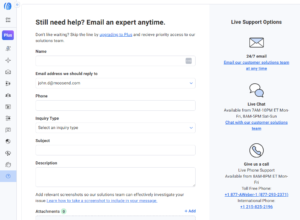
If you’re ever stuck, contacting them directly is the quickest way to get things sorted.
My Verdict
Both tools offer good help, but AWeber wins for real-time, human support, while Mailchimp’s knowledge base remains easier to explore for quick fixes.
✅ Score: Mailchimp 3️⃣ – AWeber 7️⃣
Spam & Design Testing
Mailchimp
Mailchimp makes it easy to check how your emails appear across different inboxes with its Inbox Preview tool. It’s handy for spotting layout issues before you hit send. The catch? It’s not free — you’ll need to buy tokens (around $3 for 25 previews) unless you’re on a higher plan.
Surprisingly, Mailchimp still doesn’t include spam testing, which would’ve been a great addition for catching deliverability issues early.
AWeber
AWeber falls short here. There’s no spam testing or proper inbox preview tool available. You can send test emails to yourself, but that’s about it. For marketers running multiple campaigns, this lack of testing tools can be a bit frustrating.
My Verdict
Neither tool is perfect, but Mailchimp wins by default — at least it gives you a way to preview your emails before sending, even if it’s a paid feature.
Mailchimp 4️⃣ – AWeber 7️⃣
AI Features
Mailchimp
Mailchimp takes a more advanced approach to AI. It uses behavior-based automation triggers — like when someone abandons a cart or completes a purchase — to help you send smarter, more personalized campaigns. Its AI subject line helper is also quite handy, offering suggestions that can boost open rates without much guesswork.
On top of that, Mailchimp’s analytics are powered by AI, giving you revenue-based A/B testing and deeper performance insights to optimize future campaigns. It’s built for those who want data-driven decisions and smarter automation — not just writing help.
AWeber
AWeber’s AI features are simpler but still useful. You get an AI writing assistant built directly into the email editor, which helps you craft your content faster and more naturally. Its automation tools are basic — like autoresponders and simple workflows — but they’re available even on the free plan, which is a big plus for beginners.
Rather than focusing on predictive analytics or behavior-based triggers, AWeber’s AI is designed to make content creation faster and easier.
My Verdict
If you want advanced, data-driven automation and insights, Mailchimp clearly leads. But if your focus is on simple, AI-powered content creation without the complexity, AWeber keeps things refreshingly easy.
Mailchimp 5️⃣– AWeber 7️⃣
Pricing
Mailchimp
Mailchimp used to be famous for its generous free plan — but that’s history now.
You can only reach 500 subscribers and send 1,000 emails per month, and you don’t get access to key features like automations or scheduling.
And yes, it gets expensive fast.
For example:
5,000 subscribers → $75/month
10,000 subscribers → $110/month
One unique advantage is Mailchimp’s Pay-as-you-go plan — you can send 5,000 emails for $150 or 10,000 for $200. It’s flexible for small businesses that don’t email often, but keep in mind: Mailchimp now charges for all contacts, including unsubscribed ones. That means your bill can climb quickly if your list isn’t clean.
AWeber
AWeber’s pricing is simpler — but not exactly cheap.
It starts at $15/month for 500 subscribers, which already feels steep considering what’s included.
Here’s how it scales:
5,000 subscribers → $60/month
10,000 subscribers → $100/month
50,000 subscribers → $375/month
There’s no pay-as-you-go option, and its free plan is also capped at 500 subscribers. Still, AWeber comes out slightly more affordable than Mailchimp as your list grows.
| Subscribers / Plan | AWeber | Mailchimp (Essentials) |
|---|
| Free plan | 500 contacts & 3,000 emails/month | 500 contacts & 2,500 emails/month |
| 5,000 subscribers | $60 | $75 |
| 10,000 subscribers | $100 | $110 |
| 50,000 subscribers | $375 | $385 |
My Verdict
We’re not huge fans of either tool’s pricing — both are pricier compared to budget-friendly options like MailerLite.
That said, AWeber wins by a thin margin for being just a bit more affordable overall.
✅ Score: Mailchimp 5️⃣ – AWeber 8️⃣
Who Should Use Mailchimp — and Who Should Use AWeber?
By now, you know Mailchimp brings stronger analytics, advanced automation, and a cleaner reporting interface — while AWeber focuses on ease of use, flexible design tools, and reliable deliverability. But who’s the right fit for each? Let’s break it down.
Choose Mailchimp if…
You want a powerful all-in-one marketing platform with advanced automation triggers.
You rely on deep analytics and A/B testing to optimize campaigns.
You prefer modern templates and clean, visual reports.
You need tight eCommerce integrations for tracking sales and conversions.
You don’t mind paying a little extra for smarter data insights.
👉 Best for businesses and marketers who want advanced features, automation depth, and detailed reporting.
Choose AWeber if…
You prefer a simple, beginner-friendly platform that’s easy to set up and run.
You want more design options — 700+ templates and drag-and-drop customization.
You value strong deliverability and hands-on support (available 7 days a week).
You like having an AI writing assistant built right into the email editor.
You need reliable automation without the steep learning curve.
👉 Best for small businesses and creators who prioritize deliverability, simplicity, and dependable customer support.
✅ Mailchimp vs AWeber — Which One Should You Choose?
After testing both Mailchimp and AWeber with real campaigns, automations, and landing pages — here’s my honest takeaway:
👉 Mailchimp is the more advanced, data-driven tool overall.
It gives you smarter automation triggers, cleaner reports, and stronger analytics — perfect if you want to track ROI, A/B test campaigns, and optimize based on performance. Its interface feels modern, and once you get past the learning curve, it’s a powerhouse for growing businesses. while you can also Explore some more Mailchimp Alternatives.
You can learn using Mailchimp by using this tutorial.
That said, AWeber isn’t far behind.
If you value simplicity, reliable deliverability, and hands-on support, AWeber makes email marketing feel effortless. Its 700+ templates, built-in AI writing assistant, and straightforward workflows make it a great choice for beginners or small teams.
Here’s the truth from someone who’s actually used both:
If you want advanced automation, better analytics, and a modern marketing experience…
→ Go with Mailchimp.
If you want a simple, dependable tool that focuses on deliverability, ease of use, and great support…
→ AWeber will serve you really well.
But if you’re serious about scaling your marketing with smarter automation, data insights, and long-term flexibility…
👉 Start with Mailchimp. It gives you more power to grow — without outgrowing your platform.