When I started comparing email marketing tools, two names kept popping up over and over again — Mailchimp and Kit.
On the other side, Kit looked refreshingly focused. Instead of trying to be everything for everyone, it was built with creators in mind — bloggers, YouTubers, coaches, and course builders who want simplicity and automation without the clutter.
But here’s the challenge: I didn’t want to get stuck with a tool that was either too bloated and overwhelming for everyday use, or too limited to grow with me as my audience scaled.
That’s why I decided to put both tools to the test.
I sent out campaigns, built automation workflows, tried designing landing pages, and compared how smooth (or frustrating) it was to actually get things done.
This isn’t just a surface-level review. It’s a hands-on look at Mailchimp vs Kit — so you can see which one truly fits your business and your stage of growth.
So, let’s dive in and see how Mailchimp and Kit stack up.
We also dig through real user reviews to understand what others are experiencing, compare it with our own results, and then share a straightforward, unbiased verdict you can trust.
I’ve tested both Kit and Mailchimp across email editors, design, automation, forms, pricing, and more. If you don’t want to go through the full breakdown, here’s the fast version in my own words:
If you’re a creator who wants to grow with simple tools, earn directly from your list, and save money, Kit is the better long-term choice.
But if you run an ecommerce business and need advanced design, deep analytics, and massive integrations, Mailchimp still holds the edge.
When I tried both tools, my main goal was simple — I wanted to see how easy it is to sit down, write an email, and send it. Both say they are “easy to use,” but when I started testing, I noticed a big difference between them.
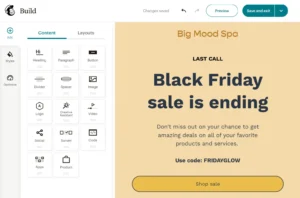
I started with Mailchimp because it’s the tool everyone talks about. At first, the editor looked nice, but soon I felt like I was clicking too much just to find simple settings.
For example, when I wanted to use my own HTML design, I had to dig around in the “Code Your Own” section. If I was a beginner, I’d probably get lost there.
Mailchimp gives more than 80 templates, but honestly, many of them felt outdated. One thing I did like — you can switch templates while editing.
That saved me once when I realized my first choice didn’t look right. I also tried Mailchimp’s AI builder. It pulled my website colors and fonts, which was cool,
but I still had to edit a lot before the email looked how I wanted. Instead of saving me time, it felt like extra work.
Another thing that frustrated me was Mailchimp’s constant updates. They keep changing the look of the editor, but those changes don’t always make it easier.
Sometimes I felt like I was spending more time searching for buttons than actually writing my email.
Kit’s editor works in a very different way. Before you can even start writing, you have to choose your sender details and pick your subscribers. Honestly,
I didn’t like that, because sometimes I just want to focus on writing first, and Kit doesn’t allow that.
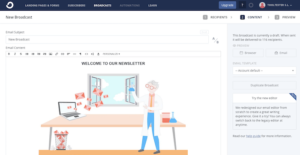
Once I got into the editor, it was very simple — but only because there aren’t many options. There’s no drag-and-drop like Mailchimp. Most emails are plain text with basic tools like bold, italic, font color, or adding images.
I personally enjoy writing simple emails, but it also felt a bit too limited. And the missing undo button annoyed me. If I made a mistake, I had to fix it all over again.
After using both, I’d say Mailchimp is better for people who want more design control, and Kit is better for those who just want to send simple emails without overthinking. Both are easy in their own way, so I’d call this round a tie.
The templates looked modern and professional. I could quickly swap images, change colors, and adjust fonts. Honestly, I felt like I had full control — I could experiment and make each email look exactly how I wanted.
It saved me a lot of time and gave me confidence that my emails would look good to my subscribers.
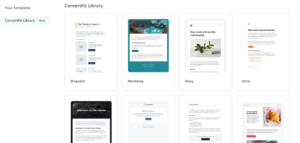
Kit is much simpler. They only give 3 options — text only, classic, and modern. You can format text and add images in classic and modern, but overall, these are plain-text emails.
If you were expecting a big library of ready-made, visual templates, you’d be disappointed.
That said, Kit focuses on simplicity for a reason. Their research shows that plain-text emails often perform better.
And if you look at newsletters from Seth Godin or Brian Dean, you’ll see the point — simple emails can work really well. I get why Kit does it, but for me, I like having more flexibility to make emails look polished when I want.
I understand Kit’s philosophy, but I personally prefer having more options to play with. Mailchimp clearly wins this round because it gives more templates, more freedom, and more control over how your emails look.
At the heart of Kit’s system is Sequences, which lets you build a series of emails — for example, a welcome or onboarding sequence.
What I liked is that I could create and edit emails right while building the sequence, without jumping to another section. It made the workflow feel seamless.
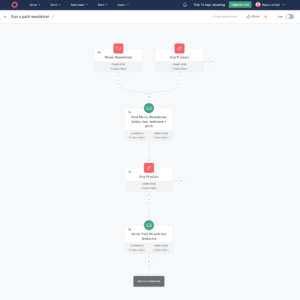
The Visual Automations editor lets you define how someone enters a sequence — like signing up through a form, making a purchase, or being assigned a tag.
You can add steps based on actions, conditions, or events, and even attach multiple sequences to a single automation. On top of that, Kit has universal automation rules, letting you add/remove tags or subscribe contacts to sequences/forms when they perform certain actions.

It’s a lot of options, which can feel overwhelming at first, but once you understand that everything in Kit is tag-driven, it starts to make sense.
Mailchimp also has automations and a visual editor, though it took them some time to get this updated. One thing they do better than Kit is offer more types of automated campaigns — for example, you can trigger emails based on webpage visits.
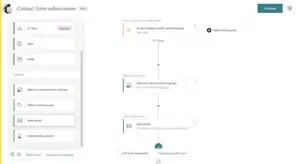
The downside: Mailchimp no longer offers any automations on its free plan — especially after retiring the Classic Automation Builder on June 1, 2025. All users were forced to move to the newer Customer Journey Builder, which is more visual but fully locked behind paid plans.
Kit still lets free users build one visual automation, which is limited but at least gives beginners a starting point.
Once you’re on paid plans, both tools handle basic automations well, but Mailchimp’s free users are completely left out after the update.
My Verdict on Automation
Honestly, I didn’t see a huge difference between Kit and Mailchimp here. Both let you set up smart workflows and sequences, but each has small limitations on the free plan. I’d give one point to each.
Winner for Automation: Tie (3–3)
Registration Forms
Forms are one of the most important features in any email marketing tool — they literally help you grow your email list.
I really liked how Kit has improved their forms. They moved away from the old way where you had to add fields via code — now everything can be done in their, which is a huge time-saver for me.
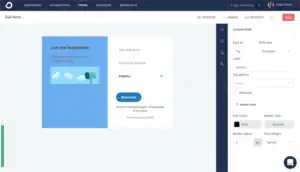
Adding dropdowns or checkboxes as tags was simple, and they synced perfectly with their contact management system. This feature honestly made me feel like Kit really thought about the user experience.
I also liked that you can choose how the form appears — embedded, pop-up, or slide-in — and tweak colors, images, or even add custom CSS.
One small but useful thing: Kit can hide forms from returning visitors, so people don’t sign up twice. That little detail really helped me avoid clutter in my list.
Mailchimp gives you similar options — you can build embedded or pop-up forms and choose which list the sign-ups go to. But I have to admit, I got a bit confused using Mailchimp.
Different editors pop up depending on the form type or whether you start from “Campaigns” or “Lists.” I felt like I was constantly switching between editors, which slowed me down.
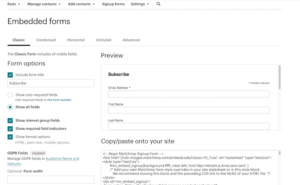
The Form Builder itself is fine — drag-and-drop fields, edit values, and tweak colors and fonts. But the embedded form editor looks different from the pop-up editor, which is modern and nice. I kept thinking, “Why can’t all editors be like this?” It just felt unnecessarily complicated.
My Verdict on Forms
Overall, I found Kit much easier to work with. Setting up a simple form was fast, and everything made sense in one editor. Mailchimp gives more options, but the multiple editors made the process confusing.
Winner for Registration Forms: Kit (4–3)
Landing Pages
Landing pages are another key feature in email marketing tools — they let you capture leads and grow your email list without needing a separate website.
I really liked Kit’s landing page builder. It’s simple and clean, and everything is in one place. I could quickly choose a template, add my text, images, and buttons, and have a page ready in minutes.

What I liked the most was how easy it was to link forms and sequences directly — I didn’t have to jump between sections or worry about connecting things manually.
The templates are limited compared to Mailchimp, but I actually liked that. It kept me focused on creating a page that converted, instead of spending time trying to make it look fancy.
One little frustration: the design customization isn’t super flexible, so I couldn’t move sections around as freely as I sometimes wanted. Still, for simple and effective landing pages, it worked perfectly for me.
Mailchimp’s landing page builder gives more templates and options, which is great if you want a polished, highly designed page. I liked the variety, and the drag-and-drop editor let me move things around freely.
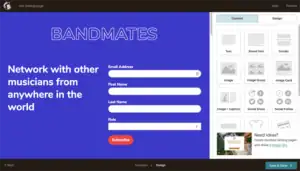
But here’s the thing — all that choice made me overthink every decision. I spent more time experimenting with layouts than actually getting my page live. Also, connecting forms and automation wasn’t as smooth as Kit — I had to double-check everything to make sure subscribers would enter the right sequence.
My Verdict on Landing Pages
If you want speed and simplicity, Kit wins for me. It helped me set up pages fast without getting distracted. Mailchimp is powerful and flexible, but sometimes that flexibility becomes a distraction.
Winner for Landing Pages: Kit (5–3)
Spam & Design Testing
This one’s a quick round — any guesses who comes out on top? I’ll give you a hint.
Mailchimp is definitely the design-conscious email provider. I loved that it offers desktop and mobile previews, so I could see exactly how my email would look on any device. The Inbox Preview feature is super handy — it lets you check how emails display across different email clients. On monthly plans, you even get 25 tokens to test this.
There’s also a Push to Mobile app to see emails on your phone, and a link checker that highlights missing links. Mailchimp doesn’t offer official spam testing, but with all these features, I felt confident my emails would look good and function properly before sending.
Kit takes a different approach. Their philosophy is all about simple, text-based emails, so there’s almost no spam or design testing. You only get a basic preview tool to see emails as individual subscribers would. That’s fine if you like keeping things simple, but I found it limiting — I couldn’t double-check the design or links as thoroughly as I could with Mailchimp.
My Verdict on Spam & Design Testing
Honestly, this one is a no-brainer for me. Mailchimp clearly wins here because it gives you the tools to preview, test, and make sure your emails look perfect.
Winner for Spam & Design Testing: Both (6–4)
Reporting and analytics
Reporting is a key feature in any email marketing tool — it helps you see how your emails are doing and make smarter decisions for the future.
Kit’s reporting is very basic, and honestly, it frustrated me sometimes. There’s no main reports section — you have to open each email or sequence to see the stats.
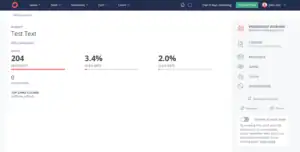
You only get open rates, click rates, unsubscribes, and links clicked. That’s it. I really missed things like bounce rates, location data, or click heat maps. Another thing that annoyed me: you can’t rename emails for internal use.
If you send the same email to different audiences, it’s hard to tell them apart. I felt like I was missing tools that could really help improve my campaigns.
Mailchimp, on the other hand, gives you a lot more reports. Besides the basic stats, you get hourly performance, social stats, opens by location, click maps, performance by domain, and even ecommerce sales.
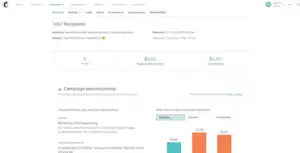
I also liked that you can compare your campaigns to industry averages, see bounce rates, and track complaints. This made me feel confident I could understand every part of my email campaigns and make better decisions for the next one.
My Verdict on Reporting
If you just want basic numbers, Kit works. But if you want detailed insights to improve your email strategy, Mailchimp is clearly better.
Winner for Reporting: Mailchimp (6–5) 🏆
Deliverability
This is where things got interesting — because all the fancy features in the world don’t matter if your emails end up in spam.
When I first started sending campaigns, I was paranoid about deliverability. I’d heard horror stories about people’s emails just disappearing into the void, so I paid close attention to how both platforms handled this.
My experience with Kit:
Before I could even send my first email, Kit made me go through a manual account review. It took about 24 hours, which felt slow at the time, but I get why they do it — keeps spammers off their servers, which protects everyone’s sender reputation.
Once I was approved, Kit walked me through setting up SPF and DKIM authentication for my custom domain. I’m not super technical, but their setup guide was clear enough that I got it done in about 15 minutes.
They also have a built-in email verifier tool that checks if addresses are valid before you send. I ran my list through it and caught about 12 bad emails — saved me from potential bounces right there.
After sending a few campaigns, I checked my stats: consistently hitting 94-95% deliverability. Most emails landed in the primary inbox (I tested with my own Gmail and Outlook accounts). The ones that didn’t were usually going to Promotions tab in Gmail, which is pretty normal.
Kit also has a deliverability team you can contact if you run into issues. I didn’t need them, but it was nice knowing they were there.
My experience with Mailchimp:
Mailchimp also covers the basics — authentication, bounce tracking, all that. They have this AI system called Omnivore that automatically scans your list when you upload it and blocks risky addresses.
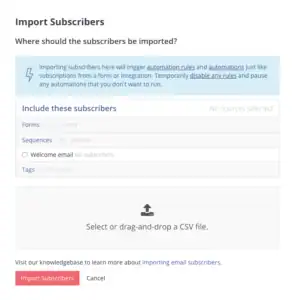
The thing is, it all happens behind the scenes. I uploaded my list, and Omnivore flagged a few emails, but I couldn’t see exactly why or manually review them. It just… blocked them. Worked fine, but I like having more visibility into what’s happening.
Mailchimp claims a 99%+ delivery rate, which sounds amazing. But when I dug into the fine print and checked third-party tests, that number means emails reached any mailbox — including spam folders and Gmail’s Promotions tab. The actual inbox placement is closer to 77-81% according to independent tests I found.
When I sent my test campaigns through Mailchimp, I noticed more of them landed in Promotions or even spam compared to Kit. Not a huge difference, but noticeable.
One thing Mailchimp has that I liked: a Deliverability Health dashboard buried under Analytics → Reports → Email Health. It shows how your campaigns perform compared to others in your industry. That’s useful data, though I wish it was easier to find.
What’s Changed in 2026:
Both platforms now require you to set up a custom sending domain with DMARC authentication if you’re sending more than 5,000 emails per day to Gmail or Yahoo addresses. This became mandatory in early 2024 because Google and Yahoo cracked down on bulk senders.
My Verdict on Deliverability:
Kit gave me better inbox placement, more transparency with the email verifier tool, and made me feel more in control of my sender reputation. Mailchimp works fine for basic needs, but if I’m serious about making sure my emails actually reach people’s primary inbox, I trust Kit more.
Integrations & Extras
Integrations are important because they let you connect your email tool to other apps you use every day. Both Kit and Mailchimp do this well, but one goes a little further.
Kit has around 90 integrations with popular tools like Wix, WordPress, Shopify, and Stripe. They also work with Zapier, so you can connect even more apps.
I liked that it covered the basics, but I was surprised that it doesn’t connect to any major CRMs. For an email tool, that felt like a big missing piece.
Mailchimp is on another level. There are so many integrations I lost count — over 180! Every big CRM, ecommerce platform, website builder, lead capture tool, and social app is included.
I felt confident that I could connect almost any tool I use without extra work.
My Verdict on Integrations & Extras
Kit is good for everyday apps, but Mailchimp wins this round. With more than double the integrations, it makes connecting your tools really easy.
Winner for Integrations & Extras: Mailchimp (7–6) 🏆
Monetization Features
Now let’s talk about making money with your emails. This is especially important if you’re a blogger or content creator.
Kit has some neat ways to help you earn money. You can sell products directly through your email list and manage everything in one place. It’s great for digital products, though it’s not as advanced as a full ecommerce platform.
I also really liked the tip jar feature. You can accept small donations from your readers directly through your newsletters or website.
It’s a simple way to make a little extra cash while giving value to your audience. You can also offer paid subscriptions for your newsletters, though there are transaction fees starting at 3.5% + $0.30. Even with fees, this feature opens up new ways to earn.
One feature I personally love is the Creator Network. It lets you connect with other creators, share newsletters, and grow your audience together.
Plus, on the Creator Pro Plan, you can set up a referral program so your subscribers can help promote your content. These options really make Kit stand out if you want to make money from your email list.
Mailchimp also has ways to sell products, mainly for ecommerce. You can build a store and use landing pages to show off products from your connected store.
But when it comes to paid newsletter subscriptions, Mailchimp doesn’t have a built-in option. You’d need to use another service, which is extra work.
My Verdict on Monetization
If your goal is to make money from your newsletters, Kit is clearly better. It gives you multiple tools to earn, while Mailchimp feels more geared toward ecommerce stores than individual creators.
Winner for Monetization: Mailchimp (8–6) 🏆
Support
Good support can make or break an email marketing tool, and I’ve had some real experiences with both Kit and Mailchimp.
I ran into a problem once when my automation sequence wasn’t triggering correctly. I clicked the chat button in kit (which you can find on any screen) and got connected quickly.
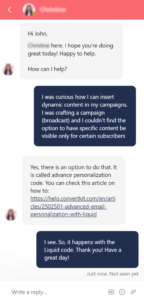
The support agent walked me through the issue step by step and even suggested a small fix I wouldn’t have thought of. It felt personal, and I left the chat knowing my sequence would work properly.
Honestly, I loved how fast and easy it was to reach them — no hunting through menus or guides.
Mailchimp was a bit more frustrating. One time I had trouble connecting my landing page form to my email list. I tried finding help in their knowledge base first,
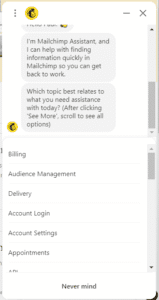
but it was confusing — different guides showed different steps depending on where I started.
When I finally got to chat support, the agent was helpful, but it took a while to respond because chat is only available during business hours. By the time I got the answer, I had wasted a lot of time trying to figure things out myself.
My Verdict on Support
If you want fast, easy-to-reach help, Kit wins hands down. Mailchimp has detailed guides, but the support experience felt slower and more complicated. I honestly felt like Kit had my back every time I ran into an issue.
Winner for Support:Kit (9–6)
Prices
Now let’s talk about pricing — something that hit me hard when I was deciding between these two.
I started testing both platforms around the same time, and honestly? The pricing differences became obvious pretty quickly.
When I check for Mailchimp’s free plan in early 2026, I was surprised to see it only gave me 250 contacts and 500 monthly sends. I remember thinking, “Wait, didn’t this used to be more generous?” Turns out it was — they’d slashed it from 500 contacts just a few months earlier.
At 250 contacts, I could barely test a proper email sequence before hitting the wall. I added my initial test list of about 180 people, sent two welcome emails… and boom, I’d already used 360 of my 500 monthly sends. That’s when I realized this “free plan” was really just a trial in disguise.
And here’s something that frustrated me: Mailchimp counts unsubscribed and unconfirmed contacts toward your limit. So even people who never verified their email or clicked “unsubscribe” months ago? Still taking up space in your 250-contact quota. I had to manually go in and archive about 30 dead emails just to free up room. That felt ridiculous.
When I switched over to test Kit, the free plan was way more breathing room — 10,000 subscribers with unlimited sends. I thought, “Finally, I can actually grow without stressing about limits.”
But then I hit the fine print: to get that 10,000-subscriber limit, I had to join the Kit Creator Network and show one of their recommended newsletters in my emails. Basically, Kit gets to put a promo slot in my content, and any earnings from that slot go to them, not me.
If you don’t want that? You’re capped at around 1,000 subscribers on the free plan instead.
I decided to try the Creator Network version anyway (because 10k beats 250, obviously). The recommended newsletter shows up at the bottom of your emails — not super intrusive, but it’s there. For me, it was worth the trade-off since I was just starting out and needed room to grow.
The other limitation? One automation only on the free plan. I wanted to build a welcome series AND a re-engagement flow, but nope — had to pick one. That felt limiting, but still better than Mailchimp’s zero automations on free.
Once I needed more features, I had to upgrade. Kit’s paid Creator plan now starts at $39/month (it used to be $29 before September 2025). I won’t lie — that price jump stung a bit. But when I compared it to what I’d pay on Mailchimp for the same number of subscribers, Kit was still cheaper overall.
Here’s what the pricing looked like when I actually checked both dashboards:
| Subscribers | Kit | Mailchimp |
|---|
| Free plan | Up to 10,000* / unlimited emails | Up to 250 / 500 emails |
| 5,000 | $89 | $75 |
| 10,000 | $139 | $110 |
| 50,000 | $379 | $385 |
**Requires Kit Creator Network participation with one Recommendations slot
My honest take? If you’re just starting out and want room to grow without constantly worrying about hitting caps, Kit’s free plan is the better deal — even with the Creator Network strings attached. Mailchimp’s 250-contact limit is just too restrictive unless you’re literally running a tiny side project.
If budget is super tight and you want something even cheaper long-term, I’d say check out MailerLite — I tested it briefly and it felt like a good middle ground. But between Kit and Mailchimp? Kit won on price for me.
Winner for Price: Kit (10–6)
AI Features: Mailchimp vs Kit
When it comes to AI, Mailchimp is clearly ahead — but Kit has a few helpful tools for creators who prefer simplicity.
Kit’s AI Features (formerly ConvertKit)
Kit keeps things lightweight and creator-focused. Its AI tools are built to help you write faster, not to manage complex data or predictive insights.
What Kit Offers:
AI Writing Assistant (inside broadcasts & sequences)
Helps you generate email drafts, rewrite text for clarity or tone, summarize long content, and brainstorm subject lines.
Main Focus: Speed and creativity.
It’s designed to help creators publish consistently without getting stuck or overwhelmed.
Overall, Kit’s AI is great if you want a minimal, distraction-free editor with quick writing assistance — but that’s where it stops.
Mailchimp’s AI Features
Mailchimp, powered by Intuit’s AI ecosystem, goes far beyond basic content generation. It includes advanced, data-driven AI across design, analytics, and performance optimization.
What Mailchimp Offers:
Intuit Assist (Beta)
Gives data-backed recommendations on how to improve engagement and optimize campaigns.
AI Subject Line Generator (Live)
Uses industry benchmarks + engagement data to suggest higher-performing subject lines.
AI Creative Assistant (Live)
Automatically builds on-brand layouts based on your logo, colors, and assets.
Predictive Analytics (Live)
Identifies users who are “likely to purchase,” predicts churn, and suggests the best send times.
Content Optimizer
Analyzes your email copy in real time and suggests improvements based on email marketing best practices.
Verdict: Mailchimp Wins
Kit’s AI is helpful for writing, but Mailchimp delivers deeper, smarter, data-driven AI across your entire marketing workflow — from design to predictions to performance insights.
If you want quick writing help, Kit works.
If you want a full AI engine powering your campaigns, Mailchimp is the clear winner.
Kit vs Mailchimp – Final thoughts
Both Kit and Mailchimp are good email marketing tools, but they work a little differently. Mailchimp has lots of templates, reports, and ways to connect with other tools, but it can feel a bit complicated and expensive. that’s why if you want to check out some more Mailchimp Alternatives I listed here.
You can learn using Mailchimp check here.
Kit is simpler and easier to use. I really liked how fast I could make emails, forms, and landing pages. The tools for making money and growing my list also made things easier without confusing me with too many options.
For most creators and small businesses, Kit is the better choice — it’s simple, works well, and helps you get things done without extra hassle.
Overall Winner: Kit 🏆
- Mailchimp vs Constant Contact
- Klaviyo vs Mailchimp
- Mailchimp vs AWeber
- ActiveCampaign vs Mailchimp
- GetResponse vs Mailchimp
- Mailerlite vs Klaviyo
- MailerLite vs Constant Contact
- MailerLite vs Kit (ConvertKit)
- MailerLite vs Mailchimp
- Flodesk vs Mailchimp
- MailerLite vs Klaviyo
- Brevo vs Mailchimp