

Last Updated: 02 Jul 2026
I have tested both Kit vs Mailchimp with a real email list.
Not a quick demo. Not a surface-level feature tour. Real campaigns, real automations, and real money on the line every single month.
And I am going to be completely honest with you in this comparison — because most posts about these two tools are not.
They either praise Mailchimp for its brand recognition without telling you what it has become since the Intuit acquisition, or they hype up Kit without mentioning the steep price increase that happened in late 2025 and the real gaps that frustrate long-term users.
Both tools have serious problems. Both tools also do certain things genuinely well.
My goal in this post is simple: to help you figure out which one is actually right for you — or whether neither one is.
Short on Time? Read Kit vs Mailchimp quick summary
The biggest difference between these two platforms:
Mailchimp used to be the best entry point for email marketing. In 2026, it is a shadow of what it was.
Kit is the better tool for creators — but the September 2025 price increase made it hard to recommend without a caveat.
| If You Want… | Choose |
|---|---|
| Polished, visual email templates for branded campaigns | Mailchimp |
| Deep Shopify and WooCommerce ecommerce integrations | Mailchimp |
| SMS and social ads in one platform | Mailchimp |
| A free plan up to 10,000 subscribers | Kit |
| Built-in paid newsletters and digital product selling | Kit |
| Tag-based automation for creator funnels | Kit |
| A creator network to grow your list through cross-promotion | Kit |
| Honest, predictable billing with no ghost contacts | Kit |
Who Should Choose Mailchimp?
Mailchimp still makes sense if you run an ecommerce store on Shopify or WooCommerce and need deep product-level automation — abandoned cart flows, purchase-triggered sequences, and product recommendations baked into your emails. It also works for businesses that need SMS and social ads in the same platform as email.
If you are a team with multiple users who needs 300+ native integrations and advanced predictive analytics — Mailchimp can still earn its price at that level.
Who Should Choose Kit?
Kit is the better choice for creators — bloggers, podcasters, course sellers, and newsletter operators who want to grow an audience and make money from it directly. The free plan is genuinely the best in the industry. The monetization tools are better than anything Mailchimp has built. And the Creator Network for cross-promotion is something no competitor has replicated.
But if you are budget-conscious and not yet using Kit’s paid newsletter, digital product, or automation features to their full potential — you are paying a significant premium that is harder to justify after the 2025 price hike.
The Honest Warning About Both Tools
Mailchimp charges for every contact in your account — including people who unsubscribed two years ago. Unless you manually archive them, you keep paying. Third-party analyses estimate that 20 to 40 percent of the average Mailchimp list is dead weight inflating the bill.
Kit raised its prices by more than 100 percent in September 2025. The Creator plan went from around $15 a month to $33 to $39 a month depending on the source and timing. That is a massive jump for a tool that is already more expensive than most competitors.
My Final Take
Neither of these tools is my top recommendation for most people reading this.
If you want to know what I would actually choose, read to the end of this post.
What I Tested and How
I signed up for both platforms using a real email list.
I built automations, created campaigns, used the editors, dug into the template libraries, and tested the reporting on both sides. I also went through hundreds of verified reviews on G2, Capterra, and Trustpilot — specifically looking for the complaints that show up in long-term reviews, not just the honeymoon-phase feedback.
Here is what I found.
Ease of Use
Mailchimp: Getting harder to use every year
Mailchimp was once known for being simple. That era is over.
Since Intuit acquired the platform in 2021, the interface has gotten more complex with every update. The 2025 and 2026 updates added new features — a “Create” button, AI tools, new form types — but they also buried older features in submenus and created a confusing dual-editor situation where the legacy builder and the new builder run side by side. Multiple Capterra reviewers describe finding it disorienting to navigate, especially when switching between campaign types.
A UK designer on Capterra in 2025 said it plainly: “It became way too complicated and very non-intuitive.”
The four-layer audience management system — audiences, groups, segments, and tags — confuses new users consistently. I have seen experienced marketers set it up wrong on the first try and end up with duplicate contacts they did not realize were inflating their bill.
This is not a minor usability complaint. It is a structural problem that Mailchimp has not fixed despite years of feedback.
Kit: Simple but with a learning curve hiding inside
Kit’s interface is clean and minimal. Getting started is fast. For a creator who just wants to write emails and send them to a list — Kit feels like the right tool immediately.
But Kit’s simplicity is somewhat surface-level. Once you try to build anything beyond a basic welcome sequence, you run into the tag-based logic that powers everything under the hood. Tags are powerful. But they require you to think about your audience differently than any list-based tool does. Multiple G2 reviewers mention needing several sessions before the tag logic clicked.
There is also no traditional dashboard overview. You cannot look at one screen and see your list growth trend, recent campaign performance, and upcoming automations all at once. You have to navigate between sections to piece together what is happening with your account.
Kit is intuitive for basic tasks. It gets more complex the deeper you go — just in a different way than Mailchimp.
Winner: Kit for the early experience. But neither tool is truly simple once you need advanced features.
Email Builder
Mailchimp: A good editor with too many cooks in the kitchen
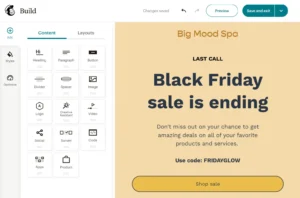
Mailchimp’s drag-and-drop editor is genuinely capable. You can build polished, visual emails with image blocks, multi-column layouts, branded colors and fonts, and conditional content that shows different things to different segments inside the same email.
The AI Brand Kit is useful — paste your website URL and Mailchimp applies your colors, logo, and fonts to templates automatically. The Shutterstock image library is built in. The editing sidebar pulls all content options into one place.
But there is a real problem: Mailchimp is running two editors simultaneously. The classic builder still exists alongside the new one. Some templates only work in one. Some features exist in one but not the other. Users coming in fresh have reported spending an embarrassing amount of time figuring out which builder they are even in.
A G2 reviewer in 2025 described creating newsletters as “frustrating” because of built-in padding settings that are nearly impossible to adjust. Small thing — but annoying when you are trying to match a specific layout.
Kit: Plain text by design, and that is not always a compliment
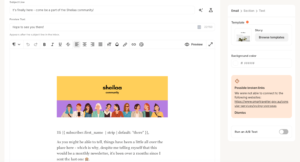
Kit’s email builder is not a drag-and-drop editor. It is a simple writing interface with three template styles: text-only, classic, and modern.
Kit makes this a feature, not a limitation. Their argument is that plain, personal emails perform better for creator audiences — and the data often supports that for newsletters and content-driven sends.
But there are real situations where this philosophy becomes a wall. Product launches that need image grids. Seasonal promotions with branded banners. Any email where visual design is part of the message. In those situations, Kit’s editor actively limits what you can build.
A G2 reviewer who manages email for a direct-to-consumer brand tried Kit for three months and switched back purely because they could not build the emails their brand required. Kit was not broken. It was just the wrong tool for visual-first marketing.
Winner: Mailchimp for visual flexibility — despite the dual-editor frustration. Kit if plain-text creator emails are your entire strategy.
Template Library
The template library is what saves you time week after week. And this is one of the clearest differences between the two platforms.
Mailchimp: 100+ templates, but with a catch

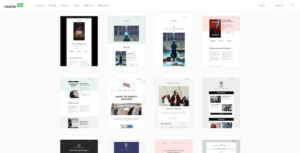
Mailchimp gives you over 100 email templates across 14 layout styles. The variety is real — newsletters, promotions, product announcements, event invitations, re-engagement emails, and more. The designs are polished and cover more use cases than most competitors.
But here is the catch that most reviews skip over: some of Mailchimp’s classic templates are not mobile-responsive. The newer ones are fine. But the older designs — which are still in the library — can display broken on mobile if you pick them without knowing this.
Free plan users also get access to only a handful of basic templates. The full library is locked behind paid plans — which is a significant bait-and-switch for anyone who signs up free to test the design quality.
Kit: Around 15 to 20 templates, all plain-text focused
Kit gives you roughly 15 to 20 templates. Every single one is built around the same minimal, text-first philosophy.
There is no template for a Black Friday promotion with image sections. No multi-column newsletter design. No product launch layout. The library is intentionally stripped back.
For a blogger sending a weekly essay, that is fine. For anyone running visual campaigns or seasonal promotions — you are rebuilding from scratch every single time.
A Capterra reviewer who sells courses and a paid newsletter said they eventually hired a designer to build custom HTML templates because nothing in Kit’s library worked for product launches. That is an extra cost on top of an already-expensive platform.
Winner: Mailchimp — 100+ across 14 layouts vs 15 to 20 plain-text options. Not close if visual variety matters to you at all.
Automation
Automation is where the real difference between these two tools lives — and it is not what most people expect.
Mailchimp: Powerful on paper, brutally gated in practice
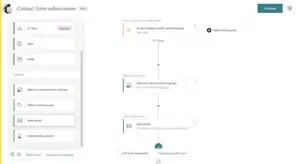
Mailchimp’s Customer Journeys builder is capable. You get 102 pre-built journey templates — welcome sequences, lead nurturing, abandoned cart, post-purchase, re-engagement, and more. The visual editor supports conditional branching, time delays, and behavioral triggers including website visits and social media signals.
For ecommerce, this is Mailchimp’s strongest argument. Abandoned cart flows that pull in specific product names, post-purchase sequences triggered by what someone bought, revenue tracking per campaign — these are genuinely valuable for online store owners.
But here is the brutal reality of Mailchimp’s automation in 2026: almost none of it is accessible without the Standard plan.
In mid-2025, Mailchimp deprecated its classic automation builder and moved everything to Customer Journeys — which requires Standard at $20 a month minimum. Free plan users get zero automation. Essentials users get single-step basic automations only. No multi-step sequences, no conditional logic, no behavioral triggers.
The result: people sign up for the cheaper plans expecting real automation and get almost nothing. Mailchimp has quietly turned “automation” into a Standard-tier feature that costs at least $20 a month before subscriber-based pricing even starts.
An IT professional on G2 in August 2025 said: “Some of the most useful features, such as advanced automation, A/B testing, and multichannel campaigns, are only available in higher-tier plans.” That is a diplomatic way of saying you have to pay significantly more to get what you actually came for.
Kit: Best-in-class for creator funnels, honest limitations for everything else
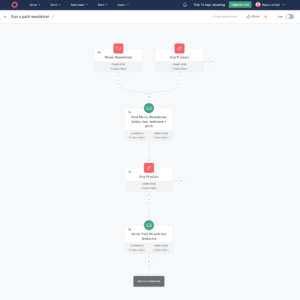
Kit’s visual automation builder is the best in the creator space. The tag-based system lets you build sequences that react to exactly what subscribers do — not just when they joined, but what they clicked, what they bought, what topic they engaged with.
You get 28 pre-built automation templates built specifically for creator workflows — product launches, course delivery, subscriber nurturing, podcast promotion. I built a full product launch sequence in Kit and the whole thing ran cleanly once I understood the tag logic.
The honest limitations: Kit’s automation does not go deep on ecommerce. If you want abandoned cart flows tied to specific product values, post-purchase sequences triggered by what someone bought, or product recommendation emails — Kit’s Shopify and WooCommerce integrations are too shallow for that level of complexity.
And on the free plan, you get one automation and one sequence. That is genuinely limiting if you want to run a welcome series and a re-engagement campaign simultaneously. To do both, you need the Creator plan at $39 a month.
Winner: Kit for creator funnels. Mailchimp for ecommerce automation — but only on Standard and above, which adds meaningful cost.
Segmentation & List Management
Mailchimp: Four layers of confusion and a billing trap inside
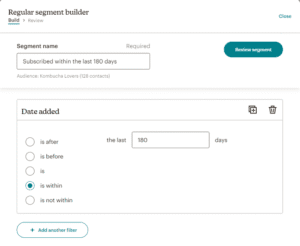
Mailchimp gives you audiences, groups, segments, and tags — four different systems for organizing the same contacts.
The problem is not that these systems exist. The problem is how they interact with billing.
If you have two audiences and the same person is in both, Mailchimp counts them as two contacts. Same person, two charges. Mailchimp’s own documentation confirms this: “Mailchimp treats each audience in your account as a completely separate entity, so duplicate subscribed contacts are included in your total subscriber count.”
It also charges for unsubscribed contacts, non-subscribed contacts, and cleaned contacts. The only way to remove them from your bill is to manually archive them. Third-party pricing analyses estimate that the average Mailchimp account has 20 to 40 percent contact bloat from dead contacts the user never cleaned up.
In real terms, a business that thinks it has 5,000 active subscribers might be billed for 6,500 or 7,000 contacts. That is not a minor rounding error. That is hundreds of dollars a year for contacts you cannot email.
The segmentation capability itself — behavioral targeting, predictive demographics, purchase history filtering — is genuinely powerful on Standard and above. But the structural billing problems make the list management experience feel adversarial in a way that no platform should.
Kit: One pool, tags, clean billing
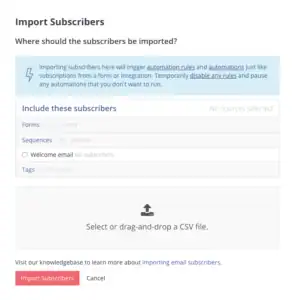
Kit does not use lists. Everyone is in one pool. Tags describe who they are and what they have done.
No duplicate contacts. No separate audiences creating billing confusion. No risk of paying for the same person twice. Kit charges for unique active subscribers only — and if someone unsubscribes, they drop off your count automatically.
The tag-based segmentation is more flexible for creator workflows. You can build conditions like “has tag Course Buyer AND does not have tag Module Complete” and trigger specific sequences from that exact combination. That kind of subscriber-level precision is harder to build cleanly in Mailchimp’s multi-layer system.
On Creator Pro, subscriber engagement scoring automatically identifies your most and least active contacts — useful for list hygiene without manual work.
The one honest limitation: Kit’s segmentation has fewer advanced conditions than Mailchimp’s Standard tier. If you need predictive demographic data or behavioral analytics tied to purchase history across an ecommerce store — Mailchimp goes deeper.
Winner: Kit for clean billing and straightforward management. Mailchimp for segmentation depth — but the billing structure makes its list management genuinely problematic.
Forms & Landing Pages
Mailchimp: Three builders, one confusing experience
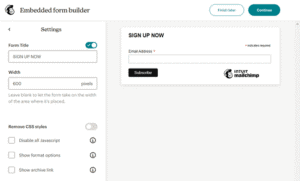
Mailchimp has three separate form builders. They do not share the same interface. They work differently from each other. And several long-term users have reported giving up on the built-in builders entirely and using third-party tools instead.
The landing page builder is solid and available on all plans. But usage limits apply on lower tiers, and the form-to-automation connection requires the Standard plan to be truly useful.
For ecommerce, Mailchimp’s forms can trigger product-specific automations — someone submits a form related to a product category and immediately enters a relevant sequence. That level of connection between form submission and automation logic is something Kit cannot match for physical product businesses.
Kit: Unlimited pages and forms on everything, including free
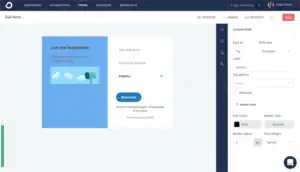
Kit gives you unlimited landing pages and forms on every plan — including the free one. The templates are clean and conversion-focused. You can embed forms on external sites or use Kit-hosted pages with custom domains.
What makes Kit’s pages genuinely different is monetization built directly in. You can sell digital products, charge for paid newsletter access, and accept tips from the landing page itself — without any third-party tool. The page is not just a lead capture form. It is a checkout.
Free plan users also get 30 premium landing page templates included. That is more generous than Mailchimp’s free offering in almost every way.
A Capterra reviewer who runs a paid newsletter replaced their Gumroad checkout page and their separate landing page tool with Kit’s built-in pages. One less subscription, one less thing to manage.
Winner: Kit for creators. Unlimited pages on all plans, built-in monetization, clean templates. Mailchimp only if you need forms tied to ecommerce-specific automation logic.
Integrations
Mailchimp: 300+ integrations — one of the few things it still leads on
Mailchimp connects to over 300 apps natively. Shopify, WooCommerce, Salesforce, HubSpot, BigCommerce, Stripe, Calendly, Typeform — the list is comprehensive. Most software companies have built a Mailchimp integration as a standard because the platform has been around since 2001.
For businesses with existing stacks that need an email tool to plug into everything cleanly — Mailchimp is still the safer bet here. Its API is more mature and better documented than Kit’s.
Kit: 70+ integrations, focused on creator tools
Kit connects to 70+ apps natively. The library is smaller but curated for creators — Teachable, Gumroad, Shopify, Thrivecart, Podia, Kajabi are all there. Zapier and Make expand the options significantly for non-native connections.
One important detail: Facebook Custom Audiences is locked to Creator Pro at $79 a month. If social retargeting is part of your strategy, that is a plan-level decision you need to make upfront.
Winner: Mailchimp — 300+ vs 70+ is a real gap for anyone with a complex tech stack.
Multi-Channel Marketing
Mailchimp: Email, SMS, and social — all with caveats
Mailchimp has SMS in 12 countries as an add-on. Facebook and Instagram ad management is available from inside the platform. Google remarketing ads and organic social posting to Facebook and Instagram are also there.
On paper, that multi-channel breadth is impressive and genuinely useful for local businesses and small retailers.
In practice, SMS is an add-on cost on top of the already-rising base plan price. The social tools have received mixed reviews — some Capterra users describe them as functional but not as good as dedicated social tools. And the mobile app does not let you create or send campaigns at all — only check statistics.
That last point is more frustrating than it sounds. If you need to make a quick change to a campaign on your phone before it sends, you cannot. You need a desktop.
Kit: Email plus a growth network — not multi-channel in the traditional sense
Kit is primarily email. No SMS. No native social posting.
What it has instead is the Creator Network — a cross-promotion system where subscribing to your list triggers a recommendation of other Kit newsletters, and your subscribers get recommended to other creators’ audiences. Multiple G2 reviewers describe it as the single most impactful list growth tool they have used without paying for ads.
On Creator Pro, you also get a newsletter referral system that rewards subscribers for bringing in new ones.
For a business that needs SMS and social ads — Kit is not the answer. For a creator whose growth strategy is audience-to-audience word of mouth — Kit’s tools are more valuable than any multi-channel feature Mailchimp has.
Winner: Mailchimp for traditional multi-channel reach. Kit if cross-promotion and referral growth is your actual strategy.
Reporting & Analytics
Mailchimp: Strong reports, degraded by a platform that fights you on the way there
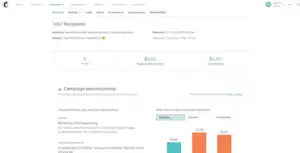
Mailchimp’s reporting is genuinely good. Opens, clicks, unsubscribes, revenue per campaign, email client breakdowns (Gmail vs Apple Mail vs Outlook), social media reporting, Google Analytics integration, and predictive analytics on Standard and above.
For ecommerce, the revenue attribution is valuable. You can see exactly which campaigns drove sales and what the return was per send.
The problems are the same ones that run through this entire review. The best reporting features — multivariate testing, comparative reporting, advanced analytics — are locked behind Premium at $350 a month. On Standard and below, you get solid but not exceptional data. And the interface complexity means actually finding and interpreting the data takes more navigation than it should.
A Trustpilot reviewer in early 2026 had a support issue so bad they could not log in to cancel their account. They were paying a monthly fee for a platform they could not access. That is the kind of support failure that affects real people at real cost.
Kit: The weakest category on the platform — honest and documented
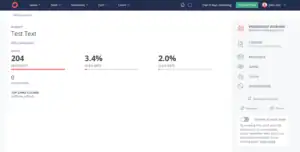
Kit’s reporting is the most consistent long-term complaint from its own users. On the Creator plan, you get open rates, click rates, and unsubscribes per email. There is no overall dashboard showing trends across all campaigns. No revenue attribution. No heatmaps. No email client breakdown.
Kit launched Subscriber Signals and Kitlytics — an AI layer that analyzes performance and gives tips. Useful additions. But they are built on top of thin data, not a replacement for real analytics.
Advanced reporting, A/B testing, and engagement scoring are locked to Creator Pro at $79 a month. One EmailTooltester reviewer noted that you cannot even export a list of email openers or clickers as a CSV — a basic feature that most tools have had for years.
Multiple long-term Kit users describe tracking their own metrics in separate spreadsheets because the platform does not give them what they need to make informed decisions.
Winner: Mailchimp — better reporting at every plan level. Kit’s analytics are enough for a newsletter writer who just wants to know what opened. They are not enough for anyone optimizing seriously.
Pricing: The Full Honest Picture
Mailchimp: A pricing strategy designed to extract maximum revenue
Let me be direct about what has happened to Mailchimp’s pricing since Intuit acquired it for $12 billion in 2021.
The free plan has been cut repeatedly. It went from 2,000 contacts in 2022, to 500 in 2023, to 250 contacts and 500 sends in February 2026. Automation was stripped from the free plan entirely by mid-2025. At 250 contacts with no automation and no scheduling, the free plan is essentially a product demo — not a usable tool.
Prices on paid plans have risen 15 to 30 percent year-over-year since the acquisition, according to multiple pricing analysis sources. The platform lost 17.8 percent of its active web domains between March and July 2025 — a concrete signal of how many businesses have decided it is no longer worth it.
The billing structure is the real problem. Mailchimp charges for every contact in your account — subscribed, unsubscribed, non-subscribed, and cleaned contacts that bounced. The only contacts not counted are ones you manually archive. For a list that has been running for a couple of years, 20 to 40 percent of your billed contacts are typically people you can no longer email.
A business paying for 5,000 contacts on Mailchimp Standard — $100 a month — might only have 3,500 active subscribers. They are spending $100 a month to reach 3,500 people. That math gets worse as the list ages.
Standard plan costs at common list sizes:
- 500 contacts: $20 a month
- 1,500 contacts: $45 a month
- 5,000 contacts: $100 a month
- 10,000 contacts: $155 a month
- 25,000 contacts: $270 a month
Kit: A useful free plan destroyed by a brutal price hike
Kit’s free Newsletter plan is the most generous in the industry — up to 10,000 subscribers, unlimited sends, landing pages, forms, and the ability to sell digital products. For a creator starting from zero, this is genuinely impressive.
The paid Creator plan is where the September 2025 price increase stings.
The Creator plan went from approximately $15 a month to somewhere between $33 and $39 a month for 1,000 subscribers — depending on which source and timing you reference. Some sources cite it as more than a 100 percent increase. That is a massive jump that pushed a significant number of smaller creators off the platform or onto alternative tools.
At $39 a month for 1,000 subscribers, Kit costs more than two and a half times what MailerLite costs for the same list size. It costs more than Mailchimp’s Standard plan entry price. That premium is hard to justify unless you are actively using Kit’s monetization tools, the Creator Network, and the automation depth daily.
Kit does have cleaner billing — unique active subscribers only, no ghost contacts. That is a genuine advantage over Mailchimp. But at the current price level, it is one advantage among several concerns.
Creator plan costs at common list sizes:
- 1,000 subscribers: $39 a month
- 3,000 subscribers: $59 a month
- 5,000 subscribers: $89 a month
- 10,000 subscribers: $116 a month
- 25,000 subscribers: $199 a month
Side-by-Side:
| List Size | Mailchimp Standard | Kit Creator |
|---|---|---|
| 500 contacts | $20 a month | Free |
| 1,500 contacts | $45 a month | $39 a month |
| 5,000 contacts | $100 a month | $89 a month |
| 10,000 contacts | $155 a month | $116 a month |
| 25,000 contacts | $270 a month | $199 a month |
Kit is cheaper at scale. But factor in Mailchimp’s ghost contact billing and the real cost gap is wider than the table suggests.
Customer Support
Mailchimp: Support that gets worse the less you pay
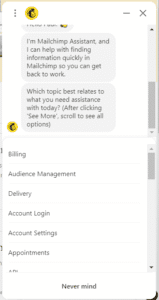
Free plan users get 30 days of support after signup — then nothing. Essentials and Standard users get email and chat during limited hours. Phone support is Premium only at $350 a month.
A Trustpilot reviewer in January 2026 described being unable to log in to their account to cancel, unable to reach support, and continuing to be charged monthly for a platform they could not access. Mailchimp’s response on that Trustpilot thread was a form reply suggesting standard troubleshooting steps.
On Reddit’s email marketing forum, multiple threads describe support response times that stretch to days on Standard, and solutions that feel scripted rather than actually solving the problem. One commenter said: “Since the acquisition by Intuit, they’re basically just letting it die on the vine.”
Kit: Generally good, with a specific problem around account approval
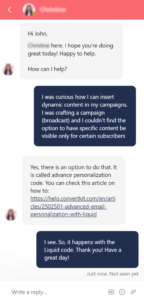
Kit’s support on Creator and above is genuinely responsive. Multiple Capterra reviewers mention fast, helpful responses. Kit also offers free concierge migration on paid plans — they handle importing subscribers and rebuilding landing pages when you switch.
But Kit has a specific support problem that shows up consistently in Trustpilot reviews: new account approvals.
Kit manually reviews new accounts before allowing full access. For legitimate creators, this is usually fine. But multiple users report being approved, signing up for paid plans, and then having their accounts suspended days later with no clear explanation — and no path to appeal. One Trustpilot reviewer describes signing workers up to help set up the account, being told it “is not the right fit,” and being charged for time wasted with no recourse.
A separate Trustpilot reviewer described the platform “going to hell in mid-2025” with technical problems, slow loading, and support that felt entirely AI-automated with no real human follow-through.
The support experience on Kit is better than Mailchimp’s overall — but it is not without real failure points.
Winner: Kit on paid plans — faster responses and free migration. Neither platform treats free or entry-level users particularly well.
Monetization
Mailchimp: Does not have it — and that is a real gap
There is no native digital product selling. No paid newsletter subscriptions. No tip jar. No referral reward system.
To make money directly from your Mailchimp list, you need Gumroad, Teachable, Payhip, or another external platform. That is another monthly subscription, another tool to manage, and another piece of infrastructure between you and your audience.
Kit: Built for creator commerce from the ground up
Paid newsletters, digital products, tip jars, coaching packages, and course sales — all handled natively inside Kit. No extra platforms required. No Kit transaction fees on paid plans beyond standard Stripe processing.
The Creator Network ties into this directly. Subscribers who come in through cross-promotion from other creators are already conditioned to pay for creator content. It is not just a list growth tool. It is a monetization pipeline.
A Capterra reviewer who sells a paid weekly newsletter and an online course said Kit let them cancel Gumroad, a separate newsletter paywall tool, and a standalone landing page builder — three separate subscriptions replaced by one Kit plan.
Winner: Kit — Mailchimp is simply not a monetization platform. If selling through your list is part of your business, Kit wins this by default.
What Real Users Are Actually Saying
I went through hundreds of reviews. Here is what patterns actually appear in long-term, verified reviews — not just the early positive ones.
On Mailchimp’s decline:
The pattern in Mailchimp’s 2025 and 2026 reviews is different from even two years ago. Older reviews talk about a useful, affordable platform. Recent reviews talk about price increases that caught them off guard, features disappearing behind higher plan tiers, and support that does not help. One Capterra reviewer who had used Mailchimp for over two years said the pricing “made some jumps over the years that was a little frustrating” — a polite way of describing what the data shows is a consistent pattern of extraction since the Intuit acquisition.
One Trustpilot user put it more directly: they described Mailchimp threatening them with loss of all their data if they did not continue paying. That kind of review sentiment — not just “it is expensive” but “it feels adversarial” — shows up in enough Mailchimp reviews to be a pattern, not an outlier.
On Kit’s price increase:
The September 2025 price increase is the most commonly cited negative in recent Kit reviews. One G2 reviewer who describes the platform positively still notes that pricing gets “a bit pricey compared to other tools” as their list grows. A small business owner on MailCon described the large price increases as “difficult” as a solo operator. The frustration is not that Kit is bad — it is that the value-to-price ratio shifted significantly in one move.
On Kit’s account approval process:
This shows up enough to warrant direct mention. Multiple Trustpilot and MailCon reviews describe accounts being approved, paid plans activated, and then the account suspended with no clear reason and no useful support response. For a platform marketed to solo creators who cannot afford downtime — this is a meaningful risk.
On what both tools do genuinely well:
Mailchimp’s template editor and ecommerce integrations get real praise from store owners. Kit’s Creator Network and automation depth get real praise from newsletter operators and course sellers. These are not invented advantages — they are where each tool is actually better than most competitors.
My Honest Take After Testing Both
I am not going to tell you that either of these tools is the obvious right choice for most people — because neither is.
Mailchimp had its moment. It used to be the best free entry point in email marketing. It used to be genuinely affordable for small businesses. Since Intuit acquired it, the free plan has been gutted four times, prices have risen every year, automation was moved behind a paywall, and the platform has gotten more complex while delivering less per dollar to smaller users. The people still on Mailchimp are largely there out of inertia or because they run ecommerce stores that genuinely need its Shopify integration depth.
Kit is a genuinely good platform that made a confusing decision in late 2025. The September price increase more than doubled the cost for many users. At $39 a month for 1,000 subscribers, it is harder to recommend without knowing that you are going to actively use the monetization tools, the Creator Network, and the automation depth. If you are just sending newsletters and your list is small — you are significantly overpaying.
For most small businesses, bloggers, and newsletter operators — I would look at alternatives before committing to either of these.
Wait – Before You Decide, Read This
If you have been reading this post and thinking “these both sound expensive and complicated” — you are right.
There is a third option that most comparison posts do not mention: Moosend.
I want to be honest about why I am bringing it up here.
Moosend does not have the Creator Network. It does not have Kit’s digital product selling. It is not the right choice for creators who want to build a monetized audience with all those features baked in.
But if what you actually need is a capable email platform with real automation, good templates, solid deliverability, and billing that does not punish you for growing — Moosend does 90 percent of what Mailchimp does at roughly 45 to 50 percent of the price.
Here is what Moosend gives you:
Full automation is included on all paid plans — no Standard-tier gate like Mailchimp. The Pro plan starts at $9 a month for 500 subscribers and scales without hiding features behind higher tiers. Unlimited email sends are included at every contact level. The automation builder has 32 triggers and 18 pre-built automation recipes covering welcome sequences, abandoned cart, re-engagement, and more. Landing pages and subscription forms are included.
Moosend only charges for unique email addresses — no ghost contacts inflating your bill, no duplicate billing across lists. One user who switched from Mailchimp reported their bill dropping from $270 a month to $79 a month for the same list size — with more features, not fewer.
Moosend pricing at common list sizes:
- 500 subscribers: $9 a month
- 2,000 subscribers: $24 a month
- 10,000 subscribers: $64 a month
- 25,000 subscribers: $160 a month
Compare that to Mailchimp Standard: $20, $45, $155, and $270 at the same list sizes. The difference at 25,000 subscribers is $110 a month — $1,320 a year for the same core functionality.
What Moosend does not have:
No free plan — only a 30-day free trial. The interface is functional but feels dated compared to Mailchimp or Kit. The template library is smaller. The Shopify integration is through Zapier only, not native. And Moosend was acquired by Constant Contact in 2025 — after previously being acquired by Sitecore. The ownership history is not ideal, and the long-term roadmap is genuinely uncertain.
Those are real concerns. Worth knowing before you commit.
But if you are a small business owner or a newsletter operator who does not need Kit’s creator-specific tools and does not want to pay Mailchimp prices for features being slowly moved behind higher tiers — Moosend is worth a serious look.
The 30-day free trial with full Pro features means you can test everything before spending a dollar.
Frequently Asked Questions
Is Kit better than Mailchimp?
For creators — yes, in most ways. Kit’s automation, monetization tools, Creator Network, and billing model are all better designed for people building content businesses. Mailchimp is still the better choice for ecommerce businesses that need deep Shopify integration, SMS, and predictive analytics. But for most newsletter operators and bloggers, Kit is the stronger platform — if the price is justified by how you use it.
Did Mailchimp get worse after Intuit bought it?
Yes — measurably. The free plan went from 2,000 contacts in 2022 to 250 contacts in 2026. Automation was removed from the free plan entirely in mid-2025. Prices have risen 15 to 30 percent year-over-year since the acquisition. The platform lost 17.8 percent of its active web domains in just four months during 2025. These are not opinions — they are documented changes.
Did Kit raise its prices?
Yes. In September 2025, Kit raised Creator plan prices by more than 100 percent at the 1,000-subscriber tier — from around $15 a month to $33 to $39 a month. It is the biggest complaint in recent Kit reviews.
Does Mailchimp charge for unsubscribed contacts?
Yes. Mailchimp bills for subscribed, unsubscribed, non-subscribed, and cleaned contacts. The only way to remove them is to manually archive them. Third-party analysis estimates 20 to 40 percent of the average Mailchimp list is dead contacts still being billed.
What is a better alternative to Mailchimp?
For most small businesses: MailerLite or Moosend. Both offer more features at lower prices with cleaner billing. For creators: Kit, despite the price increase, still has tools Mailchimp does not — paid newsletters, digital products, and the Creator Network.
Does Kit have a free plan?
Yes. The free Newsletter plan supports up to 10,000 subscribers with unlimited email sends. Limitations include one automation, one sequence, no third-party integrations, and Kit branding on emails and forms. It is the most generous free plan in the industry by subscriber count.
