


Last Updated: 09 May 2026
MailerLite Review 2026: Is It Really Worth It? My Honest Take After Testing Everything
Vinayak Sharma | Email marketing tool, MailerLite
Last Updated: May 9, 2026
Over 1 million businesses use MailerLite every single month.
That’s a big number. But numbers don’t tell you whether a tool is actually good — or just good at marketing itself.
So I did what I always do. I signed up. I tested everything. I built campaigns, set up automations, designed landing pages, dug into the reports, tested deliverability, and reached out to support with real questions.
I also spent hours reading through hundreds of real user reviews on G2, Capterra, and Trustpilot. The good ones and the bad ones. Because the truth about any tool lives in both.
Here’s my full, honest review of MailerLite in 2026 — every single feature, no fluff.
Let’s get into it 👇
Who Is MailerLite For?
Before we get into the details, it helps to know who MailerLite was built for.
MailerLite is best for:
- Bloggers and content creators who want to grow and engage an email list
- Small businesses that need reliable email marketing without paying a fortune
- E-commerce stores that want to connect their shop to their email tool
- Non-profits and course creators who need professional tools on a tight budget
- Beginners who want powerful features without a steep learning curve
MailerLite is probably NOT the best choice for:
- Large enterprises that need deep CRM integration and multi-channel automation
- Businesses that need SMS, WhatsApp, or live chat built in
- Teams that need complex, 200-step customer journey automation
- Companies that need phone support at every tier
Quick Verdict: Is MailerLite Worth It?
Yes — for most small businesses and creators, MailerLite is one of the best email marketing tools you can get in 2026.
It’s clean. It’s affordable. It’s easy to use. It has more features than most tools at this price point. And its customer support is genuinely one of the best in the industry.
It’s not perfect. The free plan got cut. Some advanced features are locked behind higher plans. And the account approval process can be frustrating for new users.
But overall? MailerLite delivers serious value — especially if you’re just getting started or running a growing small business.
Overall Rating: 4.4 / 5
Getting Started: How Easy Is the Setup?
Signing Up for MailerLite
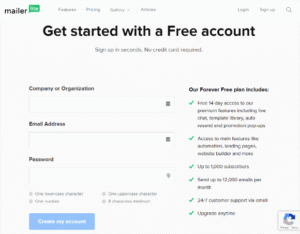
Signing up takes about two minutes. You fill in your name, email, company name, and password. Then you verify your email. Then MailerLite asks you a few questions about your business — your website, how you collect subscribers, and what kind of emails you plan to send.
After that, your account goes through a manual approval process. This is where things can slow down.
MailerLite reviews every new account before letting you send campaigns. The idea is to keep spammers off the platform and protect deliverability for everyone. In practice, it usually takes a few hours. But some users report waiting much longer — especially if their profile is incomplete or their contact list looks unusual.
“The account setup process was time-consuming and the help pages don’t match the new interface.” (G2)
“MailerLite’s strict approval process can be inconvenient for users who want to start right away.” (G2 summary)
To speed up approval: make sure your website is live, fill in every part of your profile, and don’t upload a purchased or cold contact list. Clean list + complete profile = faster approval.
Navigating the Dashboard
Once approved, the dashboard is clean and well-organized. The left-side menu shows everything clearly — Campaigns, Automations, Subscribers, Forms, Sites, and more. Nothing is buried. Nothing is confusing.
Even as a first-time user, I was able to find every feature within a few minutes of opening the app.
“Everything feels well organized, which significantly reduces the learning curve.” (Gartner Peer Insights)
“It’s easy to use. Most things I can do by feel without needing to watch a tutorial.” (Capterra)
Setup Rating: 4.2 / 5
Email Editor: Is It Actually Easy to Use?
MailerLite’s Three Editor Options
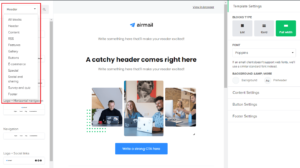
MailerLite gives you three ways to build emails:
- Drag-and-drop editor — the main editor. Move blocks anywhere, add images, buttons, countdown timers, product listings, GIFs, video previews, and more. No coding needed
- Rich-text editor — a plain writing mode for simple, text-based newsletters
- Custom HTML editor — full code control for developers (Advanced plan only)
Most people will use the drag-and-drop editor. And it’s genuinely one of the best in the email marketing world.
How the Drag-and-Drop Editor Works
When I opened the editor for the first time, everything made sense right away. The content blocks are on the left. Your email canvas is on the right. You drag a block over, click to edit it, and keep going.
What you can add:
- Text blocks with full formatting control
- Images with a built-in editor (crop, resize, adjust without leaving MailerLite)
- Buttons with custom colors, sizes, and links
- Countdown timers (great for limited-time offers)
- Product listings connected to your e-commerce store
- Video thumbnails that auto-generate from YouTube links
- GIFs from the built-in Giphy library
- Social share and follow buttons
- Dividers, spacers, and custom HTML blocks
- Dynamic content blocks that show different content to different segments
The Brand Library
One feature that saves a lot of time is the Brand Library. You enter your logo, brand colors, and fonts once. After that, every template and email automatically uses your brand style. You never have to manually re-apply colors or fonts again.
“The drag-and-drop editor was my favorite feature. Even a complete beginner can create a newsletter that looked professional in fifteen minutes.” (Capterra)
“Since I started using MailerLite I’ve been amazed at how much it simplifies marketing tasks that used to take hours.” (G2)
“I love the simplicity yet broad functionality of MailerLite. The editor is clean and it just works.” (G2)
“I’ve been using MailerLite for over 5 years across multiple brands and agencies. The drag-and-drop editor makes building newsletters fast and hassle-free, even when managing campaigns for several brands at once.” (G2)
One complaint that came up consistently:
“The editor is very challenging to work with on mobile. The overlays make editing really difficult on a small screen.” (Capterra)
Email Editor Rating: 4.5 / 5
Design & Templates: How Good Do Your Emails Look?
MailerLite’s Template Library
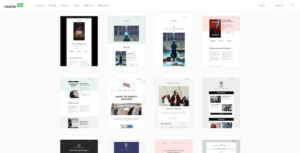
MailerLite gives you 100+ email templates on paid plans. They’re modern, clean, and professional-looking. They cover:
- Newsletters
- Promotional emails
- Product announcements
- Welcome emails
- Event invitations
- Seasonal campaigns
- Re-engagement emails
All templates are fully mobile-responsive — they automatically adjust to look right on phones and tablets. And every template is tested across major email clients like Gmail, Outlook, and Apple Mail.
One important note: the free plan does not include email templates. On the free plan, you start from a blank canvas. This is one of the most common complaints from free plan users.
Template Customization
Every template is fully customizable through the drag-and-drop editor. You change colors, swap images, edit text, add or remove blocks — all without touching code.
The Brand Library makes customization faster. Set your brand style once and every template automatically updates to match.
“Beautiful templates, easy to use. Even as a non-tech person I could create something professional-looking.” (Trustpilot)
“The templates are modern and intuitive. I can always find something close to what I need and customize it quickly.” (Capterra)
Some users wished for more variety:
“Limited selection of templates compared to some competitors — can restrict design options.” (G2 summary)
“I sometimes wish there were more niche-specific template options.” (Capterra)
Design & Templates Rating: 4.2 / 5
Email Automation: Can It Run Your Marketing on Autopilot?
MailerLite’s Visual Automation Builder
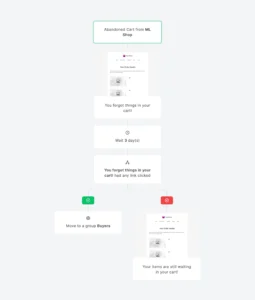
MailerLite has a clean visual automation builder that lets you see your whole email flow on one screen. You add steps, delays, conditions, and actions on a drag-and-drop canvas. In July 2025, MailerLite added full drag-and-drop inside the automation builder — so rearranging steps is even faster now.
What Can Trigger an Automation
You can start an automation when:
- Someone joins a group
- Someone fills out a form or pop-up
- Someone clicks a specific link in one of your emails
- A date or anniversary arrives (like a birthday or subscription anniversary)
- A custom field in someone’s profile changes
- Someone completes a purchase (e-commerce trigger)
- Someone joins or leaves a segment
- Someone books an appointment through MailerLite’s Bookings feature (added March 2026)
On the Advanced plan, you get multiple triggers in one automation — meaning one workflow can start from several different events without needing to build separate flows for each one.
What You Can Do Inside an Automation
- Send an email
- Add a time delay
- Split the flow based on conditions (if someone opened the email, go one way; if not, go another)
- Update a subscriber’s custom field
- Add or remove someone from a group
- Send a webhook to an outside tool
- Run A/B tests on individual automation emails
Automation Limits to Know
- The number of automation steps is capped at 100 per automation across all plans (including Advanced)
- You can only move a contact between groups five times inside a single automation to prevent loops
- Multiple triggers are only available on the Advanced plan — on Growing Business, each automation has one trigger
“Email automation has been invaluable for scheduling sends based on my subscribers’ behavior.” (G2)
“I love that I can schedule campaigns, automate delivery, integrate other tools, and see analytics easily.” (Capterra)
“MailerLite simplifies automation tasks that used to take hours. I can build a flow in minutes.” (G2)
Some users with complex needs hit limits:
“Limited advanced customization. Automation can feel basic for very complex use cases.” (Capterra)
“On the cheaper plans, automation is much more limited compared to the more expensive plans.” (Software Advice)
“Some advanced automations are not as flexible as in more robust platforms like ActiveCampaign.” (G2)
Automation Rating: 4.2 / 5
Segmentation & List Management: Can You Target the Right People?
How MailerLite Organizes Contacts
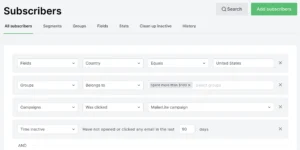
MailerLite uses two main tools to organize your subscribers:
- Groups — manual lists you create and assign people to. For example: “Customers,” “Free subscribers,” “Newsletter readers”
- Segments — automatic lists that update based on rules you set. For example: everyone who opened the last three emails AND lives in the US
You can import contacts from a CSV file, copy-paste them, or connect an integration to sync automatically. During import, MailerLite automatically removes duplicate email addresses and role-based addresses (like info@ or admin@) to keep your list clean.
What You Can Segment On
You can build segments based on:
- Whether someone opened or clicked a specific email
- Which group they belong to
- Custom fields you’ve set up (like location, industry, or purchase date)
- How long they’ve been subscribed
- Engagement score — MailerLite rates each subscriber as Active, Unconfirmed, Unsubscribed, Bounced, or Junk
- Which form they signed up through
- E-commerce data — what they bought, how much they spent
Subscriber Interest Management
MailerLite lets subscribers choose their own interests when they sign up using interest groups. You present checkboxes on the sign-up form and people tick what they want to hear about. This auto-segments your audience from day one without any extra work.
“It’s easy to create segments and target specific subscriber groups. This level of targeting has been game-changing for our open rates.” (Capterra)
“MailerLite is easy to use and straightforward to implement, even for small teams.” (G2)
Some users wanted deeper behavioral targeting:
“Segmentation options could be more flexible for complex targeting needs.” (G2)
“I’d love more advanced behavioral segmentation — like tracking website visits across multiple sessions.” (Capterra)
Segmentation Rating: 4.1 / 5
Forms & Landing Pages: Can You Grow Your List With It?
Form Types Available
MailerLite gives you four types of forms to capture email addresses:
- Embedded forms — paste into your blog or website
- Pop-up forms — appear on top of your page content
- Slide-in forms — slide in from the bottom corner
- Promotional pop-ups — highlight a specific offer or discount
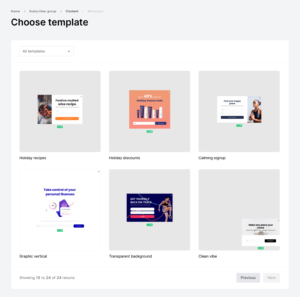
You can control exactly when pop-ups appear:
- After a specific amount of time on the page
- After scrolling a certain percentage down the page
- When someone is about to leave (exit intent)
- After clicking a specific button or link
All forms are GDPR-compliant with double opt-in and consent checkboxes built in.
The Landing Page Builder
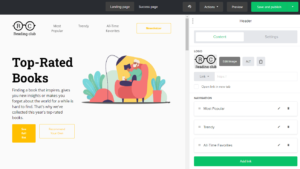
MailerLite’s landing page builder is a full drag-and-drop experience. You can build complete landing pages with:
- Custom layouts and sections
- Images, videos, buttons, and countdown timers
- Testimonial blocks and FAQ sections
- Stripe-connected payment buttons to sell directly from a landing page
- SEO settings (title, description, custom URL) so your pages can rank on Google
The AI Landing Page Builder
One of the most impressive additions is the AI landing page builder. You type a short description of what you want — like “a landing page for a free ebook about email marketing for beginners” — and MailerLite’s AI builds the whole page in about 30 seconds. You then customize it to match your brand.
In July 2025, MailerLite added full mobile editing control for landing pages — meaning you can now control exactly how each section looks on phones and tablets separately from the desktop version.
A/B Testing for Landing Pages
You can A/B test two versions of the same landing page to see which one gets more sign-ups. This is something most tools charge extra for — MailerLite includes it on paid plans.
Important Limit to Know
The free plan gives you up to 10 landing pages. Paid plans give you unlimited pages.
“MailerLite’s landing page builder is one of the most customizable I’ve used, with beautiful templates and the option to let AI build the page for you.” (Zapier comparison)
“I can create branded landing pages quickly without any design experience.” (G2)
“The forms and landing pages work really well. Easy to set up and effective.” (Capterra)
Some users noted issues:
“The forms aren’t always as responsive as claimed. Sometimes you need to tinker with them after publishing.” (Capterra)
“The account setup process was time-consuming and help pages don’t match the new interface.” (G2)
Forms & Landing Pages Rating: 4.4 / 5
Website & Blog Builder: Does It Replace Your Website Tool?
MailerLite’s Built-in Website Builder
MailerLite includes a full website and blog builder — something most email tools don’t offer. You can build a complete website with multiple pages, a blog, and a custom domain — all without needing WordPress or any separate website tool.
The website builder uses the same drag-and-drop editor as the landing page builder. You can add pages, link them together, and publish everything on your own custom domain.
What you can build:
- Home page
- About page
- Blog with multiple posts
- Newsletter sign-up pages
- Product pages (connected to MailerLite’s e-commerce features)
- Podcast or content archive pages
Blog Features
The blog builder lets you write and publish posts directly inside MailerLite. You can add categories, tags, featured images, and SEO settings. Published blog posts can be automatically converted into email newsletters — so your latest post goes straight to your subscribers without rewriting anything.
“I didn’t need a separate website anymore. MailerLite gave me everything in one place — newsletter, website, blog, and sign-up forms.” (G2)
“The website builder is a great bonus. It saved me from paying for a separate hosting platform.” (Capterra)
Some users found the website builder basic compared to dedicated tools:
“The website builder works for simple sites but it’s not as powerful as WordPress or Webflow for complex setups.” (G2)
“Great for a simple website but limited if you need advanced custom functionality.” (Capterra)
Website & Blog Builder Rating: 4.0 / 5
A/B Testing & Multivariate Testing: Can You Find What Works?
A/B Testing in MailerLite
A/B testing means sending two versions of the same email to see which one performs better. You can test:
- Subject lines — find what wording gets more opens
- Email content — test two different body versions
- From name — see if your name vs your brand name gets better results
- Send time — find when your audience is most likely to open
You set what percentage of your list gets each version and how long the test runs. After the test period, MailerLite automatically sends the winning version to the rest of your list.
Multivariate Testing
This is where MailerLite really stands out. Multivariate testing lets you test more than two versions at the same time — for example, testing four different subject lines in one campaign. This is a feature most tools reserve for enterprise plans, and MailerLite includes it on paid plans.
A/B Testing for Landing Pages and Automations
A/B testing is not just for campaigns. You can also:
- A/B test two landing page designs to see which gets more sign-ups
- A/B test individual emails inside automation workflows
“The A/B testing feature is excellent. I can test subject lines easily and the automatic winner sending saves time.” (G2)
“Multivariate testing at this price is rare. Most tools charge enterprise prices for this.” (Capterra)
A/B Testing Rating: 4.5 / 5
Deliverability: Will Your Emails Actually Land in the Inbox?
Deliverability means: does your email actually reach someone’s main inbox — or does it end up in spam or get blocked?
How MailerLite Protects Deliverability
MailerLite has won multiple independent deliverability tests and consistently ranks near the top of the industry. Here’s what the platform does to protect your sender reputation:
- Full SPF, DKIM, and DMARC setup — MailerLite’s clever authentication setup detects your DNS provider automatically and walks you through the whole process in about two minutes
- Automatic removal of hard bounces, unsubscribes, and spam complaints
- Clean list import — MailerLite removes duplicate and role-based email addresses on import
- Strict account approval — every new account is manually reviewed to keep spammers off the platform
- Smart Sending — automatically optimizes your send time based on when subscribers in each time zone are most likely to open
- Deliver by Timezone — sends your campaign to each subscriber at the right local time, not all at once
- Dedicated IP addresses available for Enterprise-level senders
What Independent Tests Say
MailerLite has been awarded the “Best Email Marketing Tool for Ease of Use” badge every year from 2023 to 2026. In independent deliverability testing, MailerLite consistently hits inbox placement rates in the 88–95% range — putting it among the top performers in its category.
One Major Deliverability Warning
The strict account approval process is a double-edged sword. It protects everyone’s deliverability — but it can also get your account suspended without warning if your list looks unusual or your open rates drop below expected levels.
“I’ve been using MailerLite for years and find it very reliable. The emails consistently reach my audience.” (Capterra)
“MailerLite increased our open rates by at least 50% after we switched from another platform.” (MailerLite case study)
“High email deliverability — that’s one of the main reasons I recommend Brevo.” (Capterra)
But account suspension complaints are real:
“MailerLite suspended our account without any proper reason just 30 days after we paid for a yearly subscription.” (Trustpilot)
“My campaigns were suspended even though the open rate was between 25–41%. The algorithm is overly sensitive.” (Capterra)
“60% of reviews mentioning account approval were negative — users reported unexpected suspensions.” (Omnisend analysis)
Deliverability Rating: 4.3 / 5
Reporting & Analytics: Does It Help You Make Better Decisions?
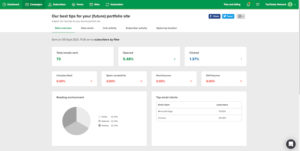
What MailerLite Tracks
MailerLite gives you a solid reporting dashboard that covers:
- Open rates — what percentage of people opened your email
- Click rates — what percentage of people clicked a link
- Click maps — a visual heat map showing exactly where people clicked inside your email
- Bounce rates — hard bounces and soft bounces tracked separately
- Unsubscribes — who left and when
- Spam complaints — how many people marked your email as spam
- Revenue tracking — how much money each campaign generated (when connected to your store)
- Subscriber growth charts — see how fast your list is growing over time
- Domain-level opens — how your email performed across Gmail, Outlook, Yahoo, and others
- Device data — how many people opened on phone vs desktop
- Location data — where in the world your subscribers are
Custom Reports
In April 2026, MailerLite added Custom Reports — a new feature that lets you build your own reporting dashboard by selecting the metrics you care about. This is a big upgrade from the static dashboard most tools give you.
A/B Test Reporting
Every A/B test gives you a clear winner/loser breakdown — showing open rates, click rates, and the winning version side by side. Easy to understand and act on.
What’s Missing
MailerLite’s reporting is solid but not the deepest in the industry. Compared to tools like Mailchimp or ActiveCampaign, you miss out on:
- Predictive analytics (who is likely to buy or leave)
- Full revenue attribution across multi-step customer journeys
- Website behavior tracking across multiple sessions
“I love that I can see my analytics easily. The reporting gives me everything I need to improve my campaigns.” (Capterra)
“Reports on clicks, opens, and revenue, plus A/B and multivariate testing — genuinely useful.” (G2)
“The click map is one of the best analytics features in MailerLite. It shows me exactly what’s getting attention.” (G2)
Some users wanted more:
“Reporting is another area that could be stronger — the dashboards aren’t as visual or flexible as some other platforms.” (G2)
“I’d love more flexibility in filtering and additional reporting options.” (G2)
Reporting & Analytics Rating: 4.1 / 5
E-commerce Features: Can You Sell Directly From MailerLite?
MailerLite’s E-commerce Integrations
MailerLite connects directly with:
- Shopify — sync products, customers, and orders. Trigger emails automatically when someone buys, abandons their cart, or views a specific product
- WooCommerce — same deep connection as Shopify but for WordPress-based stores
- BigCommerce — connect your store and sync data both ways
- Stripe — sell directly from landing pages without needing a separate store
When your store is connected, MailerLite can:
- Automatically add customers to your email list at purchase
- Trigger a post-purchase email sequence immediately after a sale
- Send abandoned cart recovery emails when someone leaves your site without buying
- Segment customers by what they bought, how much they spent, and how often they purchase
Product Blocks in Emails
You can add live product blocks inside your emails — pulling product images, names, prices, and buy buttons directly from your connected store. No manual copy-pasting of product details.
Revenue Tracking
When your store is connected, MailerLite tracks revenue at the campaign level. You can see exactly how much money each email generated — not just how many people clicked.
“The Shopify integration is seamless. I can send targeted emails based on purchase history and it all works beautifully.” (G2)
“The e-commerce features in MailerLite are underrated. Abandoned cart emails alone more than pay for the subscription.” (Capterra)
Some users found limits with non-major platforms:
“Works great with Shopify and WooCommerce but connecting a less common platform requires Zapier.” (G2)
E-commerce Features Rating: 4.3 / 5
Monetization: Can You Make Money With Your Email List?
Paid Newsletter Subscriptions

MailerLite lets you charge your subscribers a monthly or yearly fee to access premium content. You set the price. You keep 100% of the revenue — MailerLite takes 0% commission. The only fee is Stripe’s standard processing fee (2.9% + $0.30).
Subscribers get access to premium email content that free subscribers don’t see. You can set different content for free and paid readers inside the same email using content blocks.
Digital Products
In June 2025, MailerLite launched a full digital products feature. You can now:
- Upload and sell ebooks, templates, presets, courses, and other digital files
- Create a custom checkout page with your branding
- Automate post-purchase delivery emails
- Manage everything from inside MailerLite — no Gumroad, no Podia, no extra tools
Again — 0% commission from MailerLite. You keep everything except Stripe’s processing fee.
Bookings (Added March 2026)
MailerLite now includes a Bookings feature — a built-in appointment scheduler. You can offer 1-on-1 or group sessions, connect your Google or Outlook calendar, accept payments, and automatically trigger email sequences the moment someone books.
This is a genuinely big deal for coaches, consultants, and service providers. It replaces tools like Calendly and TidyCal — inside your email platform.
“Sell paid newsletters and digital products with 0% commissions. MailerLite takes nothing — only Stripe’s fee applies.” (G2 product page)
“The digital products feature removed the need for a whole separate platform. I now sell my templates directly from MailerLite.” (Capterra)
“Bookings is a game-changer for my coaching business. One platform for everything now.” (Trustpilot)
Monetization Rating: 4.5 / 5
AI Features: Is the AI Actually Useful?
MailerLite has added several AI features over the past year — and unlike many tools that add AI just to say they have it, these actually save real time.
AI Writing Assistant
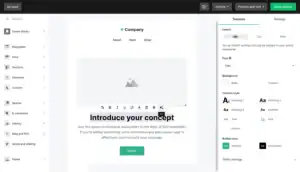
Available on the Advanced plan, the AI writing assistant can:
- Write full email subject lines based on your campaign topic
- Generate complete email body copy from a short prompt
- Rewrite or improve sections of an existing draft
- Suggest content improvements based on your audience
AI Landing Page Builder
Type a description of what you want and the AI builds a complete landing page — with copy, layout, and sections — in about 30 seconds. You then edit it to match your brand.
AI Image Generator
Available on Advanced plan — generate custom images for your emails and landing pages without leaving MailerLite.
MCP Integration (July 2025)
MailerLite became one of the first email tools to support MCP (Model Context Protocol) — which lets you connect external AI tools like Claude directly to MailerLite. This means you can use AI assistants to draft campaigns, set up automations, and manage your account through natural conversation.
“The AI subject line generator is surprisingly good. It’s saved me a lot of time on campaigns.” (G2)
“The AI page builder built a complete landing page in under a minute. I spent 10 minutes editing it and it was done.” (Capterra)
One honest limitation:
“AI tools are locked behind the Advanced plan. On Growing Business you don’t get them.” (Multiple reviews)
AI Features Rating: 4.2 / 5
Transactional Emails: Does It Handle the Technical Stuff?
Transactional emails are the automated, one-to-one emails your app or website sends — like order confirmations, password resets, shipping notifications, and receipts.
MailerSend
MailerLite does not include transactional email inside the main MailerLite platform. Instead, they offer a separate product called MailerSend — a dedicated transactional email service.
MailerSend has its own free plan (up to 3,000 transactional emails per month free) and connects with your website or app through API or SMTP. It’s built for developers who need reliable delivery for automated, triggered messages.
MailerSend and MailerLite are separate products but built by the same team and designed to work together.
If you run a blog or newsletter and don’t have a web app, you probably don’t need transactional emails. But if you run an e-commerce store or SaaS product, MailerSend is worth looking at as a companion to your MailerLite account.
“I primarily use Brevo for transactional emails through WordPress — but MailerSend does the same thing just as well.” (Capterra)
“MailerSend is excellent for transactional email. Clean API, fast delivery, good documentation.” (G2)
Transactional Email Rating: 4.0 / 5 (via MailerSend)
Integrations: Does It Connect With Your Other Tools?
What MailerLite Connects With
MailerLite connects with 175+ tools natively, including:
- Online stores: Shopify, WooCommerce, BigCommerce, Squarespace Commerce, Magento
- Website builders: WordPress, Wix, Webflow, Squarespace
- Payments: Stripe, PayPal
- CRM tools: HubSpot, Salesforce, Pipedrive
- Course platforms: Teachable, Podia, Thinkific
- Social media: Facebook, Instagram (lead ads sync)
- Analytics: Google Analytics
- Design: Canva
- Scheduling: Calendly, Acuity (plus MailerLite’s own Bookings)
- Zapier and Make — connect to 5,000+ additional tools that aren’t natively supported
API and Developer Tools
MailerLite has a well-documented REST API for developers who want to build custom integrations. You can use the API to:
- Add or update subscribers programmatically
- Trigger automation flows from your own app
- Pull campaign stats into your own reports
- Manage groups and segments automatically
MCP Support
As mentioned in the AI section, MailerLite added MCP support in July 2025 — letting you control MailerLite through external AI tools. This opens up a whole new way to interact with the platform through natural language rather than clicking through menus.
“MailerLite integrates easily with the websites we host on Hostinger as well as many other tools in our stack.” (G2)
“The Shopify integration is seamless. Everything syncs automatically without any manual work.” (Capterra)
Some users felt the integration list could be bigger:
“The integrations list is smaller compared to bigger platforms like ActiveCampaign or Mailchimp.” (G2)
“Works great for the main tools but some niche platforms require Zapier as a workaround.” (Capterra)
Integrations Rating: 4.1 / 5
Mobile App: Can You Manage Campaigns on Your Phone?
MailerLite has a mobile app for both iOS and Android.
What You Can Do in the App
- View real-time campaign stats — open rates, click rates, subscriber growth
- See a list of all your campaigns and their performance
- Check automation activity
- View subscriber counts and recent sign-ups
- Get push notifications when a campaign goes out or when you hit a milestone
What You Can’t Do in the App
The mobile app is more of a reporting and monitoring tool than a full campaign builder. You cannot:
- Build or edit emails in the app
- Set up new automations
- Create landing pages or forms
For full campaign building, you need to be on a desktop or laptop.
“The mobile app is great for checking how a campaign is doing while I’m away from my desk.” (G2)
“I wish I could build and edit emails in the mobile app. Right now it’s just a stats viewer.” (Capterra)
Mobile App Rating: 3.7 / 5
Team Collaboration & Multi-user Access: Can Your Team Work Together?
How MailerLite Handles Team Access
MailerLite allows multiple users on paid plans. The number of seats depends on your plan:
- Growing Business plan: 3 user seats
- Advanced plan: Unlimited users
You can assign different roles and permissions to team members — so a copywriter can write emails without being able to change billing settings, for example.
Multi-account Management
If you manage email marketing for multiple clients or brands, MailerLite lets you manage multiple accounts from one login. This is very useful for agencies and freelancers who work across several clients.
“I manage campaigns for several brands at once. MailerLite makes it easy to switch between accounts without logging out.” (G2)
“The team access features are solid. Different permissions for different roles saves a lot of confusion.” (Capterra)
One common complaint:
“On the cheaper plans, automation is more complex and requires more work — more advanced features are locked to expensive plans.” (Software Advice)
“I want to be able to add users without paying for an upgrade. The Growing Business plan’s 3-seat limit is tight for small teams.” (Capterra)
Team Collaboration Rating: 4.0 / 5
GDPR & Compliance: Is It Safe to Use in Your Country?
Where MailerLite Stores Data
MailerLite is based in Vilnius, Lithuania — which is part of the European Union. All data is stored within the EU and covered by EU data protection laws including GDPR.
What GDPR Tools MailerLite Provides
- Double opt-in — subscribers must confirm their email before they’re added to your list
- Consent checkboxes on sign-up forms — clearly ask for permission
- Unsubscribe management — every email has a legally required unsubscribe link
- Data Processing Addendum (DPA) — MailerLite provides a signed DPA that outlines exactly how they handle your data
- Right to be forgotten — you can permanently delete a subscriber’s data from MailerLite on request
- Preference center — subscribers can manage what emails they receive without fully unsubscribing
CAN-SPAM Compliance
For US-based senders, MailerLite automatically includes the required physical address and unsubscribe mechanism in every email.
One Limitation
Some users noted that the preference center cannot be customized in languages other than English — which can be a problem for businesses with non-English speaking audiences.
“MailerLite makes GDPR compliance very easy. Double opt-in is simple to set up and everything is documented.” (Capterra)
“The GDPR tools are comprehensive. I feel confident that our EU subscriber data is handled correctly.” (G2)
One complaint:
“Some features like the preferences center can’t be fully customized in other languages.” (Capterra)
GDPR & Compliance Rating: 4.4 / 5
Customer Support: Who Helps You When Things Go Wrong?
What MailerLite Offers
- Free plan: 24/7 email support
- Growing Business plan: 24/7 live chat + email support
- Advanced plan: Priority live chat + email support
- Enterprise: Dedicated account manager + priority support
MailerLite also has a comprehensive knowledge base with step-by-step articles, video tutorials, and written guides covering every feature.
What Makes MailerLite’s Support Stand Out
Across G2, Capterra, Trustpilot, and Gartner Peer Insights — MailerLite’s customer support is one of the most consistently praised things about the platform. Users describe the team as fast, patient, friendly, and actually knowledgeable — not just reading from a script.
And unlike most tools, MailerLite offers 24/7 support even on the free plan — email only, but still available at any hour.
“All the support staff at MailerLite are so helpful and patient. I can’t speak highly enough about them. When you need personal support and not just an AI bot, they are ready to help within minutes.” (Trustpilot)
“I had deleted an entire subscriber group by accident. I was terrified I’d lost them forever. Support found a way for me to reconstruct it with very little trouble.” (Trustpilot)
“Every time I’ve reached out to customer support I get detailed and helpful responses. Fastest support I’ve had from any email tool.” (Capterra)
“Being a complete non-tech person — the chat support is a major feature that drew me to MailerLite. The team is incredibly knowledgeable.” (G2)
“I had trouble upgrading my account. I wrote to customer service and heard back within a few hours with detailed, step-by-step instructions.” (Trustpilot)
The main complaints are about account approval, not the support team itself:
“The account setup process was extremely time-consuming. Help pages and tutorials don’t match the new interface.” (G2)
“MailerLite suspended our account without any proper reason just 30 days after we paid for a yearly subscription.” (Trustpilot)
Customer Support Rating: 4.5 / 5
Pricing: What Does It Actually Cost?
Free Plan — Forever Free
- Up to 500 subscribers (reduced from 1,000 in September 2025)
- 12,000 emails per month
- 1 user seat
- Drag-and-drop editor ✅
- Automation builder ✅
- Sign-up forms and pop-ups ✅
- Up to 10 landing pages ✅
- Website builder ✅
- 24/7 email support ✅
- ⚠️ No email templates
- ⚠️ No A/B testing
- ⚠️ No live chat support
- ⚠️ MailerLite branding in email footer
Growing Business Plan
| Subscribers | Price per Month |
|---|---|
| 500 | $10 |
| 1,000 | $15 |
| 2,500 | $25 |
| 5,000 | $39 |
| 10,000 | $73 |
| 15,000 | $99 |
| 25,000 | $139 |
| 50,000 | $219 |
Includes: Unlimited emails, unlimited landing pages, 100+ email templates, A/B testing, 24/7 live chat support, sell digital products with 0% commission, 3 user seats.
Advanced Plan
| Subscribers | Price per Month |
|---|---|
| 500 | $20 |
| 1,000 | $30 |
| 2,500 | $45 |
| 5,000 | $60 |
| 10,000 | $110 |
| 25,000 | $180 |
| 50,000 | $270 |
Includes: Everything in Growing Business, PLUS multiple automation triggers, unlimited users, custom HTML editor, Facebook integration, AI writing assistant, priority support, promotion pop-ups.
Annual Billing Discount: Save 15% on bi-annual billing or 20–30% on annual billing.
Enterprise Plan: Custom pricing for 100,000+ subscribers. Includes dedicated account manager, custom onboarding, and advanced features.
Is the Pricing Worth It?
For what you get — unlimited emails, landing pages, automation, digital product sales, and 0% commission — the Growing Business plan at $10/month for 500 subscribers is one of the best deals in email marketing.
The September 2025 free plan reduction (from 1,000 to 500 subscribers) was a step back. And some users are frustrated that templates and A/B testing require an upgrade. But compared to tools like Mailchimp or Kit at the same list size, MailerLite is still significantly cheaper.
“MailerLite is affordable and does everything I need. Easy to design, great templates, step-by-step support.” (Trustpilot)
“Even before I was paying for it, the free version was great.” (Capterra)
“I find this to be well worth the money I pay. Seriously — the GIF gallery, the landing page tools, the automation — it’s a steal.” (Capterra)
Some users were frustrated by the free plan reduction:
“They halved the free plan subscriber limit in 2025. Going from 1,000 to 500 is a significant step backwards for small creators.” (Multiple reviews)
Pricing Rating: 4.4 / 5
You can view my full Mailerlite Pricing guide here.
What Real Users Say: Honest Reviews from G2, Capterra, and Trustpilot
I spent hours reading through real reviews so you don’t have to. Here’s exactly what people are saying.
What People Love About MailerLite:
✅ “All the support staff at MailerLite are so helpful and patient. When you need personal support and not just an AI bot, they are ready to help within minutes.” (Trustpilot)
✅ “Since I started using MailerLite I’ve been amazed at how much it simplifies marketing tasks that used to take hours.” (G2)
✅ “I love that I can schedule campaigns, automate delivery, integrate other tools, and see analytics easily.” (Capterra)
✅ “The drag-and-drop editor was my favorite feature. Even a beginner can create something professional in fifteen minutes.” (G2)
✅ “I’ve been using MailerLite for over 5 years across multiple brands and agencies. Fast and hassle-free every time.” (G2)
✅ “Seriously — from the GIF gallery to the landing page tools, I find this to be well worth the money.” (Capterra)
✅ “MailerLite is great and affordable for getting emails out for our non-profit. Easy to use and very reliable.” (G2)
✅ “I like the simplicity yet broad functionality. Customer support is fast, knowledgeable, and patient.” (G2)
✅ “The website builder, digital products, Bookings — MailerLite keeps adding things that remove the need for extra tools.” (Capterra)
✅ “MailerLite increased our open rates by at least 50% after we switched from another platform.” (MailerLite case study)
What People Complain About MailerLite:
❌ “The editor is very challenging to work with on mobile. The overlays make editing really difficult on a small screen.” (Capterra)
❌ “MailerLite suspended our account without any proper reason just 30 days after we paid for a yearly subscription.” (Trustpilot)
❌ “Limited advanced customization. Automation can feel basic for very complex use cases.” (Capterra)
❌ “The free plan was reduced from 1,000 to 500 subscribers in September 2025. That was a big step back.” (Multiple reviews)
❌ “The account setup process was extremely time-consuming and help pages don’t match the new interface.” (G2)
❌ “Some features like the email preferences center can’t be customized in other languages.” (Capterra)
❌ “On cheaper plans, automation is much more limited. You really feel the limits until you upgrade.” (Software Advice)
❌ “Limited selection of templates compared to some competitors.” (G2)
MailerLite Pros and Cons
Pros:
✅ One of the easiest email tools to learn and use — even for complete beginners
✅ Very affordable — significantly cheaper than Mailchimp or Kit at every list size
✅ Automation included on the free plan
✅ Unlimited emails on all paid plans — no monthly send caps
✅ Beautiful, clean email editor that works fast
✅ Built-in website, blog, and landing page builder — all in one platform
✅ Sell digital products, paid newsletters, and bookings with 0% commission
✅ A/B testing AND multivariate testing included on paid plans
✅ Brand Library saves time across every campaign
✅ MCP support for AI-powered campaign management
✅ Some of the best and most consistent customer support in the industry
✅ GDPR-compliant with all the tools you need
✅ Custom reports added in April 2026
✅ 175+ integrations including all the major platforms
Cons:
❌ Free plan reduced to 500 subscribers in September 2025
❌ Email templates not available on the free plan
❌ Account approval process can be slow and sometimes unfair
❌ Account suspensions happen without warning — an ongoing frustration for some users
❌ Mobile app is limited — great for stats but can’t build campaigns
❌ Automation hits a depth ceiling — not suitable for very complex multi-path journeys
❌ AI features locked behind the Advanced plan
❌ Multiple automation triggers locked behind the Advanced plan
❌ Not ideal for businesses that need SMS, WhatsApp, or live chat built in
❌ Preferences center can’t be customized in non-English languages
❌ No built-in phone support at any tier
Final Verdict: Should You Use MailerLite?
After testing every single feature, reading hundreds of real reviews, and comparing it against every other major email tool — here’s my honest answer:
Yes. MailerLite is one of the best email marketing tools available in 2026 — especially for small businesses, bloggers, creators, and anyone who wants powerful features without a complicated tool or a huge monthly bill.
It wins on ease of use. It wins on price. It wins on customer support. It wins on the sheer number of features packed into one affordable platform — email, automations, landing pages, website builder, digital product sales, bookings, and more.
The free plan reduction hurt. The account suspension problem is real. And the automation depth hits a ceiling if you need very complex multi-step journeys.
But for the vast majority of businesses reading this? MailerLite gives you everything you need to grow your email list, engage your audience, and make money from it — without paying a fortune or spending weeks learning a complicated tool.
Who should use MailerLite:
- Small businesses and startups wanting the best value in email marketing
- Bloggers and creators selling digital products with 0% commission
- Coaches and consultants who can now use Bookings to replace Calendly
- E-commerce stores that want email + product blocks + abandoned cart in one place
- Anyone switching from Mailchimp who wants the same features at half the price
Who should look elsewhere:
- Businesses that need SMS, WhatsApp, and live chat built into their email tool (look at Brevo)
- Creators who need advanced tag-based automation and a massive free plan (look at Kit)
- Large enterprises that need deep CRM integration and 200-step customer journeys (look at ActiveCampaign)
Feature Ratings Summary
| Feature | Rating |
|---|---|
| Getting Started & Setup | 4.2 / 5 |
| Email Editor | 4.5 / 5 |
| Design & Templates | 4.2 / 5 |
| Email Automation | 4.2 / 5 |
| Segmentation & List Management | 4.1 / 5 |
| Forms & Landing Pages | 4.4 / 5 |
| Website & Blog Builder | 4.0 / 5 |
| A/B & Multivariate Testing | 4.5 / 5 |
| Deliverability | 4.3 / 5 |
| Reporting & Analytics | 4.1 / 5 |
| E-commerce Features | 4.3 / 5 |
| Monetization | 4.5 / 5 |
| AI Features | 4.2 / 5 |
| Transactional Emails | 4.0 / 5 |
| Integrations | 4.1 / 5 |
| Mobile App | 3.7 / 5 |
| Team Collaboration | 4.0 / 5 |
| GDPR & Compliance | 4.4 / 5 |
| Customer Support | 4.5 / 5 |
| Pricing | 4.4 / 5 |
Overall Rating: 4.4 / 5 ⭐
🏆 Verdict: Highly Recommended — especially for small businesses, creators, and anyone switching from Mailchimp.
Ready to try MailerLite for yourself? Their free plan lets you get started right now — no credit card needed. You get the drag-and-drop editor, automation builder, website builder, forms, pop-ups, and up to 10 landing pages completely free.
And if you want the full experience, the Growing Business plan starts at just $10/month for 500 subscribers — with unlimited emails, 100+ templates, 24/7 live chat, digital product sales at 0% commission, and A/B testing included.
Have questions about MailerLite? Drop them in the comments below and I’ll answer from personal experience.
