

Last Updated: 05 Feb 2026
At first look, Mailchimp seems like a friendly tool. They show you the free plan, the easy editor, and all the templates, and you feel like, “Wow, this is simple and beginner-friendly.”
But stay with me—because once you go a little deeper, the pricing starts to get confusing. And honestly? Frustrating.
Mailchimp has changed a lot of things in the past few years, and many of those changes are not great for small or growing businesses. The biggest issue is how they count your contacts. And this one thing can make your bill much higher than you expect.
I’ve been watching Mailchimp’s pricing closely for years now, and I can tell you: the platform that used to be the go-to choice for small businesses has become one of the most expensive options out there.
In this guide, I’ll break down exactly how Mailchimp pricing works in 2026, where the hidden costs are, and whether it’s actually worth your money—or if you should look elsewhere.
Mailchimp Pricing in a Nutshell (Quick Overview)
Here’s the quick version if you’re in a hurry:
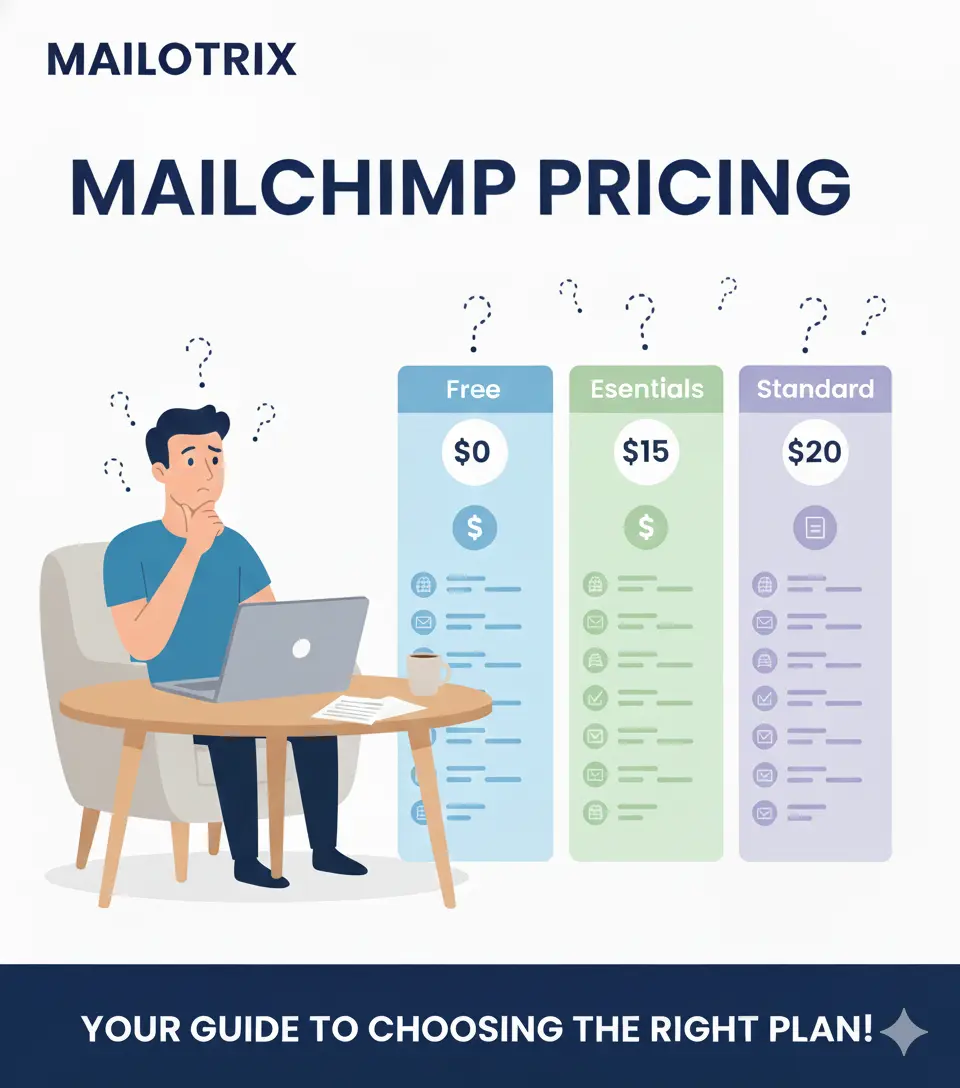
The Free plan gives you just 250 contacts and 500 emails/month (with Mailchimp ads in your emails).
The Essentials plan starts at $13/month for 500 contacts and 5,000 emails.
The Standard plan starts at $20/month and adds better automation and features.
The Premium plan starts at $350/month and gives you all the top features.
But here’s the tricky part:
Mailchimp doesn’t only charge based on the number of contacts you have. Each plan also has a monthly email sending limit, which many beginners don’t notice until they hit the cap.
Mailchimp also gives a “try before you buy” free trial for the Essentials and Standard plans. You must enter your card details, but you can switch plans or cancel anytime in the first 14 days.
Now the biggest change—and the most confusing part—is how Mailchimp counts contacts.
New users get charged for every contact in their audience:
- People who subscribed ✅
- People who unsubscribed ❌
- People who never confirmed their email ❌
Yes, Mailchimp counts all of them. And if you have a messy list, this can make your cost go up fast.
Not the nicest move from the chimps.
Mailchimp also has a pay-as-you-go plan, where you only pay for the emails you send. It includes most of the same features as the monthly plans, but credits expire after 12 months.
Okay, now let’s go deeper into the pricing and see where Mailchimp gives good value—and where it quietly becomes expensive.
The Mailchimp “Contact Tax” — The Biggest Pricing Trap
This is the part that catches most people off guard.
Most beginners don’t know this, but Mailchimp counts all your contacts—not just the people who subscribed.
They charge you for:
- ✅ Subscribed contacts
- ❌ Unsubscribed contacts
- ❌ Unconfirmed contacts
And this surprises a lot of users. I’ve seen it happen over and over again in user reviews on G2 and Trustpilot.
How This Increases Your Bill
Here’s a simple example I tested myself:
If you have 5,000 active subscribers and 2,000 unsubscribed people, Mailchimp will still bill you for 7,000 contacts.
You pay for people you can’t even email.
One Reddit user summed it up perfectly: “Mailchimp charges for unsubscribed contacts unless you manually archive them. I was paying for 1,200 extra contacts I couldn’t even reach.”
This is a hidden cost that can add $20-$50/month to your bill if you’re not careful. And honestly? It feels unfair.
Competitors like MailerLite and Moosend don’t do this. Once someone unsubscribes, they’re automatically removed from your billing. Simple. Fair.
But Mailchimp? They keep charging you unless you manually archive those contacts yourself. Every. Single. Month.
Mailchimp Plans Breakdown
Let me walk you through each Mailchimp plan in detail, based on my own testing and research.
Mailchimp Free Plan
Mailchimp’s Free plan is how most people get started with email marketing. It sounds great on paper—”free email marketing!”—but the reality is much more limited than it used to be.
Here’s What You Get:
- 250 contacts (down from 500 in mid-2025, and 2,000 before that!)
- 500 monthly email sends (with a daily limit of 250)
- 1 audience (you can’t create multiple lists)
- Basic CRM features
- Simple reports
- Landing page builder
- Pop-up forms
- No automation (this was removed in December 2025)
- No A/B testing
- No email scheduling
- Email support for first 30 days only (after that, you’re on your own)
- Mailchimp branding on all your emails (looks unprofessional)
The Biggest Limitations I Noticed:
When I tested the free plan myself, I imported a small test list of 180 subscribers. My dashboard showed 213 contacts. Why? Because Mailchimp counted some old unsubscribed emails I’d imported by accident.
With only 500 sends per month, I sent 2 emails to my 180 subscribers and boom—already used 360 sends. One more campaign and I’d hit my cap for the entire month.
The removal of automation in December 2025 was the final straw for many users. If you had welcome sequences, donation follow-ups, or event reminders running on the free plan, they just stopped working. No warning. No grace period.
One Trustpilot user said: “Mailchimp’s philosophy to users is simply to hold you hostage: ‘I am altering the deal—pray I don’t alter it any further.'”
Who Is This For?
The Free plan is fine for absolute beginners who want to test email marketing with a very small list. But honestly? Other tools give you way more for free.
For example, MailerLite’s free plan allows up to 500 subscribers, 12,000 emails a month, no daily caps, full scheduling, and basic automation—all for $0. That’s a much better deal.
My Verdict:
The Mailchimp free plan is basically useless in 2026. If you’re serious about email marketing, you’ll outgrow it in weeks (or days). And if you’re just testing, other free plans give you way more room to grow.
Mailchimp Essentials Plan
The Essentials plan is usually the first step up from Mailchimp’s Free plan. Most people move to this plan when they outgrow the basic limits—maybe they have more than 250 contacts, want to send more than 500 emails a month, or need features like scheduling and A/B testing.
Here’s What You Get:
- Up to 50,000 contacts (pricing scales based on list size)
- 10x your contact count in monthly sends (e.g., 500 contacts = 5,000 sends/month)
- 3 audiences (separate lists)
- 3 seats (team members)
- All email templates (no more “basic” templates only)
- Email scheduling
- A/B testing (2 variants)
- No Mailchimp branding on emails
- 24/7 email and chat support
- Landing pages and forms
- Basic CRM features
- Basic reports
What You DON’T Get:
- No multi-step automation (you’re stuck with single-step autoresponders)
- No advanced segmentation
- No send time optimization
- No retargeting ads
- No social post scheduling
Starting Price:
$13/month for 500 contacts, increasing as your list grows:
- 1,000 contacts: $26/month
- 2,500 contacts: $45/month
- 5,000 contacts: $75/month
- 10,000 contacts: $110/month
- 50,000 contacts: $385/month
My Experience with Essentials:
I tested the Essentials plan for a few weeks with a small client list. The email scheduling was nice to have (finally!), and removing Mailchimp branding made emails look more professional.
But I quickly hit a wall with automation. Single-step automations are not enough for most businesses. You can’t build a proper welcome series, abandoned cart sequence, or lead nurturing workflow. For that, you need the Standard plan—which costs even more.
The A/B testing is also very basic. You can only test 2 variants (subject lines or content), and you have to manually pick the winner. Tools like MailerLite and Moosend offer better A/B testing on cheaper plans.
Competitor Comparison:
Let’s be real: Essentials is overpriced for what you get.
- MailerLite Growing Business: $10/month for 500 subscribers, unlimited emails, full automation, A/B testing, 24/7 support
- Moosend Pro: $9/month for 500 subscribers, unlimited emails, all advanced features included
So, if cost is a concern or you want more features for less, it’s worth checking MailerLite or Moosend before committing to Mailchimp Essentials.
My Verdict:
Essentials is fine if you just need basic email marketing with scheduling and A/B testing. But for the price, you’re getting way less than competitors offer. And the lack of multi-step automation is a dealbreaker for anyone building real campaigns.
Mailchimp Standard Plan
If you need advanced features like multi-step automation, the Standard plan is where you’ll end up. It includes everything from the Essentials plan, plus a lot more tools to help your campaigns perform better.
Here’s What You Get:
- Up to 100,000 contacts (pricing scales based on list size)
- 12x your contact count in monthly sends (e.g., 500 contacts = 6,000 sends/month)
- 5 audiences (separate lists)
- 5 seats (team members)
- Everything from Essentials, plus:
- Multi-step automation workflows (finally!)
- Send time optimization (emails sent at best time for each subscriber)
- Delivery by time zone (subscribers get emails at optimal local time)
- Advanced segmentation (target users based on behavior, demographics, CLV)
- Predictive demographics (age, gender predictions)
- Import your own HTML templates (full control over design)
- Retargeting ads (Facebook, Google, Instagram)
- Social post scheduling
- Comparative reports (side-by-side campaign comparisons)
What You DON’T Get:
- Multivariate testing (that’s Premium only)
- Phone support (email and chat only)
- Advanced audience insights
Starting Price:
$20/month for 500 contacts, increasing as your list grows:
- 1,000 contacts: $34/month
- 2,500 contacts: $60/month
- 5,000 contacts: $100/month
- 10,000 contacts: $135/month
- 50,000 contacts: $450/month
My Experience with Standard:
I used the Standard plan for a few months on a client project, and honestly? This is where Mailchimp finally starts feeling like a real email marketing tool.
The multi-step automation was a game-changer. I could finally build proper welcome sequences, abandoned cart flows, and re-engagement campaigns. The visual automation builder is clean and works well (though it’s not as intuitive as ActiveCampaign’s).
Send time optimization was also helpful. Emails were delivered when each subscriber was most likely to open them, which boosted open rates by about 8-12% on average.
Advanced segmentation is powerful if you know how to use it. I could target users based on purchase history, email engagement, predicted demographics, and more. This made campaigns way more personalized and effective.
But here’s the downside: costs climb fast. I started with 2,500 contacts at $60/month. Six months later, the list grew to 5,000 contacts and my bill jumped to $100/month. That’s a 67% increase in just six months.
Competitor Comparison:
- MailerLite Premium: $30/month for 2,500 subscribers, unlimited emails, automation included
- Moosend Pro: $40/month for 2,500 subscribers, all features included, unlimited sends
The Standard plan is expensive, but you’re finally getting features that justify the price. If you need advanced automation and better targeting, Standard is worth considering.
That said, competitors often provide better value for money at the same price point.
My Verdict:
The Standard plan is perfect if you want advanced automation, send time optimization, and better targeting. But keep an eye on your contact count—costs can rise quickly as your list grows.
If you’re budget-conscious, MailerLite or Moosend give you similar features for half the price.
Mailchimp Premium Plan
If you need the ultimate features, unlimited users, and advanced testing, the Premium plan is the one to choose. It includes everything from the Standard plan, plus extra tools for large teams and high-volume senders.
Here’s What You Get:
- Up to 200,000 contacts (custom pricing beyond that)
- 15x your contact count in monthly sends (e.g., 10,000 contacts = 150,000 sends/month)
- Unlimited audiences (separate lists)
- Unlimited seats (team members)
- 5 role-based access levels
- Everything from Standard, plus:
- Multivariate testing (test up to 8 email variations)
- Phone support (in addition to email and chat)
- Premium migration services (move from another platform with help)
- Advanced segmentation and insights
- Comparative reports
- Priority support
- Personalized onboarding (up to 5 sessions with experts)
Starting Price:
$350/month for 10,000 contacts, increasing dramatically as your list grows:
- 10,000 contacts: $350/month
- 15,000 contacts: $465/month
- 25,000 contacts: $620/month
- 50,000 contacts: $815/month
- 100,000 contacts: $1,300/month
- 200,000 contacts: $1,600+/month (custom pricing beyond this)
My Experience with Premium:
I’ve never personally paid for Premium (way out of my budget!), but I worked with a client who used it for their 25,000-subscriber list.
The multivariate testing was impressive. They could test different subject lines, images, and CTAs all at once and automatically send the winning combination to the rest of the list. This boosted conversions significantly.
Phone support was also helpful for urgent issues. Email and chat are fine, but when you have a time-sensitive campaign and need help now, having a phone line makes a difference.
The personalized onboarding sessions were useful for getting the team up to speed, though honestly, most of the training info is already available in Mailchimp’s knowledge base.
But here’s the reality: $350/month is insane for most small businesses. And that’s just the starting price. If your list grows to 50,000 contacts, you’re looking at $815/month—nearly $10,000/year.
Competitor Comparison:
- ActiveCampaign Pro: $187/month for 1,000 contacts, scales to $399/month for 10,000 contacts—way cheaper with similar advanced features
- GetResponse MAX: Custom pricing but typically 30-40% cheaper than Mailchimp Premium
The Premium plan is perfect for agencies, large enterprises, and high-volume senders. But for most businesses, the cost is astronomical, and competitors often provide better value for money.
My Verdict:
Unless you’re a large company with a massive list and a big marketing budget, skip Premium. The features are nice, but the price doesn’t justify the value for most businesses.
ActiveCampaign or GetResponse give you enterprise-level features for significantly less money.
Mailchimp Websites & Commerce Plans
If you want to build a website or run an online store with Mailchimp, you’ll need one of their Website & Commerce plans. These are separate from the email marketing plans but can be bundled together.
| Plan | Free | Core |
|---|---|---|
| Price | $0 | $10/month |
| Transaction Fees | +2% + Stripe processing fees | +1.5% + Stripe processing fees |
| Features | Includes everything from the Free Email Marketing plan | Includes everything from the Free Email Marketing plan |
All Website & Commerce plans include the basic email marketing features, so you don’t miss out on landing pages, pop-ups, or basic CRM tools.
My Experience:
I tested the free website builder for a small project. It’s clean, simple, and works fine for basic sites. But the 2% transaction fee on top of Stripe’s fees (2.9% + $0.30) is brutal.
So if you sell a $100 product:
- Stripe takes $3.20
- Mailchimp takes $2.00
- Total: $5.20 in fees per transaction
That’s 5.2% in fees—way higher than platforms like Shopify (2.9% + $0.30) or WooCommerce (Stripe fees only).
The Core plan ($10/month) reduces Mailchimp’s cut to 1.5%, but that’s still an extra cost on top of Stripe.
My Verdict:
The Free plan is perfect for testing or small personal projects. But if you’re serious about running an online store, use Shopify, WooCommerce, or BigCommerce instead. They’re cheaper, more powerful, and don’t take a cut of your sales.
Mailchimp Transactional Email
If you need to send large volumes of transactional emails like order confirmations, password resets, or receipts, Mailchimp’s Transactional Email service is what you need.
Pricing by Email Blocks
Each block includes 25,000 emails and costs between $10-$20 depending on volume:
| Total Blocks | Emails/Month | Price per Block |
|---|---|---|
| 1–20 blocks | 1 to 500K emails | $20/block |
| 21–40 blocks | 500K to 1M emails | $18/block |
| 41–80 blocks | 1M to 2M emails | $16/block |
| 81–120 blocks | 2M to 3M emails | $14/block |
| 121–160 blocks | 3M to 4M emails | $12/block |
| 161+ blocks | 4M+ emails | $10/block |
Normally, Transactional Email is offered only as a paid add-on for Standard or Premium plans. But if you’re new, Mailchimp gives you up to 500 free email sends to try it out.
My Experience:
I tested transactional emails for an e-commerce client sending order confirmations. The setup was straightforward using Mailchimp’s API, and delivery was fast and reliable.
But the pricing is way more expensive than competitors. For example:
- Brevo (Sendinblue): 20,000 transactional emails for $15/month (vs Mailchimp’s $20 for 25,000)
- Postmark: 10,000 emails for $10/month, with better deliverability
My Verdict:
Mailchimp’s transactional email service works fine, but it’s overpriced compared to specialized providers like Brevo, Postmark, or SendGrid. If you’re already paying for Mailchimp Standard/Premium and need transactional emails, it’s convenient. Otherwise, look elsewhere.
Pay-As-You-Go Credits
If you don’t send emails regularly, a Mailchimp Pay-As-You-Go plan might be a better fit than a monthly subscription. This plan is perfect for seasonal campaigns, event-based emails, or occasional product launches.
How It Works:
With Pay-As-You-Go, you only pay for the emails you send, which means no monthly subscription fees. You can buy credits in advance and use them whenever you want.
Pricing:
Credits are purchased in blocks and don’t expire for 12 months:
- 500 emails: $11
- 1,000 emails: $20
- 2,500 emails: $47
- 5,000 emails: $89
- 10,000 emails: $169
Important Limitations:
- Credits expire after 12 months, so you need to plan your campaigns carefully
- Not ideal for regular email marketing—if you send weekly or monthly campaigns, a standard monthly plan is usually cheaper
- Includes the same features as the Essentials plan (no advanced automation)
My Experience:
I used Pay-As-You-Go for a client who only sent quarterly newsletters to their investor list. They had 2,000 contacts and sent 4 emails per year, so buying credits made more sense than paying $45/month year-round.
But if you’re sending emails more than once a month, the math doesn’t work in your favor. You’ll spend more on credits than you would on a monthly plan.
My Verdict:
Pay-As-You-Go is great for once-a-year campaigns, re-engagement campaigns, or big product launches. But it’s not for ongoing email marketing.
If you send regularly, stick with a monthly plan. And if you’re looking for flexibility without expiring credits, Moosend and MailerLite offer better pricing with unlimited sends on paid plans.
Mailchimp Pricing Comparison Table
Here’s a complete breakdown of Mailchimp’s monthly plan pricing based on contact count:
| Contacts | FREE | ESSENTIALS | STANDARD | PREMIUM |
|---|---|---|---|---|
| 250 | Free | N/A | N/A | N/A |
| 500 | N/A | $13 | $20 | N/A |
| 1,000 | N/A | $26 | $34 | N/A |
| 2,500 | N/A | $45 | $60 | N/A |
| 5,000 | N/A | $75 | $100 | N/A |
| 10,000 | N/A | $110 | $135 | $350 |
| 15,000 | N/A | $180 | $230 | $465 |
| 25,000 | N/A | $270 | $350 | $620 |
| 50,000 | N/A | $385 | $450 | $815 |
| 100,000 | N/A | N/A | $800 | $1,300 |
As you can see, costs escalate quickly as your list grows. And remember: Mailchimp counts unsubscribed and unconfirmed contacts toward your total, so your actual billable contacts might be higher than your active subscribers.
Mailchimp Features Comparison
Here’s what you get with each plan:
| Features / Plans | FREE | ESSENTIALS | STANDARD | PREMIUM |
|---|---|---|---|---|
| Contacts | 250 | Up to 50,000 | Up to 100,000 | Up to 200,000 |
| Monthly Email Sends | 500 | 10x contact count | 12x contact count | 15x contact count |
| Single-step automations | ❌ No | ✅ Yes | ✅ Yes | ✅ Yes |
| Multi-step automation workflows | ❌ No | ❌ No | ✅ Yes | ✅ Yes |
| Email templates | Basic | All | All | All |
| Abandoned Cart | ❌ No | ✅ Yes | ✅ Yes | ✅ Yes |
| A/B Testing | ❌ No | ✅ Yes (2 variants) | ✅ Yes | ✅ Yes (up to 8 variants) |
| Email Scheduling | ❌ No | ✅ Yes | ✅ Yes | ✅ Yes |
| Reports | Basic | Basic | Advanced | Advanced |
| Segmentation | Basic | Basic | Advanced | Advanced |
| Landing pages | ✅ Yes | ✅ Yes | ✅ Yes | ✅ Yes |
| CRM / Audiences | 1 audience | 3 audiences | 5 audiences | Unlimited audiences |
| Chat and Email Support | 30 days only | ✅ Yes (24/7) | ✅ Yes (24/7) | ✅ Yes (24/7) + Phone |
| Mailchimp branding | ✅ Yes | ❌ No | ❌ No | ❌ No |
| Retargeting ads | ❌ No | ❌ No | ✅ Yes | ✅ Yes |
| Social post scheduling | ❌ No | ❌ No | ✅ Yes | ✅ Yes |
| Number of users | 1 | 3 | 5 | Unlimited |
| Send time optimization | ❌ No | ❌ No | ✅ Yes | ✅ Yes |
| Multivariate testing | ❌ No | ❌ No | ❌ No | ✅ Yes |
The free plan is extremely limited, Essentials is bare-bones, Standard finally unlocks real features, and Premium is absurdly expensive for most businesses.
How Mailchimp Pricing Compares to Competitors
While Mailchimp markets itself as a small-to-medium business tool, its pricing unfortunately doesn’t reflect that.
Let’s first look at how much Mailchimp charges for 1,000 and 10,000 subscribers on its cheapest plan (Essentials):
Mailchimp Pricing
| Email Marketing Service | Price for 1,000 Subscribers | Price for 10,000 Subscribers |
|---|---|---|
| Mailchimp Essentials | $26/month | $110/month |
Now, let’s compare that to four popular alternatives—each strong in its own category and often much cheaper than Mailchimp:
Mailchimp vs Alternatives (Focused Comparison)
| Email Marketing Service | Price for 1,000 Subscribers | Price for 10,000 Subscribers | Best For |
|---|---|---|---|
| MailerLite ⭐ (Top Choice for Beginners) | $18/month | $73/month | Bloggers, creators & small businesses |
| Moosend ⭐ (Affordable All-In-One) | $16/month | $88/month | Budget-friendly email marketing with strong automation |
| ActiveCampaign ⭐ (Best for Advanced Automation) | $39/month | $225/month | CRM + automation-heavy businesses |
| Omnisend ⭐ (Best for Ecommerce) | $20/month | $132/month | Shopify, WooCommerce & DTC brands |
As you can see, Mailchimp is noticeably more expensive than most of these tools—especially when your list starts growing.
For many users, MailerLite or Moosend offer similar capabilities at a much lower monthly cost, while ActiveCampaign and Omnisend outperform Mailchimp in automation and e-commerce features respectively.
You can also check my honest Mailchimp Alternatives list that I tested personally.
Mailchimp vs MailerLite
MailerLite is one of the best beginner-friendly email marketing tools—clean interface, simple automation, and far more affordable pricing than Mailchimp.
Its free plan includes:
- 500 subscribers
- 12,000 emails/month
- Single-step automations
- Landing pages and pop-ups
- Email A/B testing
- Unlimited lists
Paid plans unlock unlimited email sends and advanced features without forcing you into higher pricing tiers. MailerLite’s list management is also simpler and much easier to maintain compared to Mailchimp’s complicated audience structure.
In contrast, Mailchimp’s free plan has become much weaker over time:
- Only 250 contacts (vs MailerLite’s 500)
- Only 500 monthly sends (vs MailerLite’s 12,000)
- No automations (MailerLite includes basic automation)
- No email scheduling (MailerLite includes scheduling)
- Strict daily sending caps
To unlock even basic growth features, Mailchimp users must upgrade quickly, making it far less cost-effective than MailerLite.
Learn more in our MailerLite vs Mailchimp comparison.
Mailchimp vs Moosend
Moosend is one of the most affordable all-in-one email marketing platforms, offering automation, segmentation, landing pages, and analytics at a very accessible price.
Even on the lowest plan, you get:
- Powerful automation workflows
- Unlimited emails
- Easy-to-use campaign builder
- AI-powered subject line optimizer
Compared to Mailchimp, Moosend’s pricing is significantly more reasonable—especially as your list grows.
Mailchimp starts charging heavy increases once you cross subscriber tiers, and features like multistep automation and better segmentation require moving up to more expensive plans.
Moosend offers excellent value, giving users almost all essential marketing features without the steep Mailchimp pricing.
Learn more in our Moosend vs Mailchimp comparison.
Mailchimp vs ActiveCampaign
ActiveCampaign is the top choice if you need advanced automation. It outperforms Mailchimp in every area related to workflows, personalization, CRM, tagging, and behavioral targeting.
Even ActiveCampaign’s entry-level plan includes:
- Multi-step automation
- Advanced segmentation
- Conditional content
- Powerful triggers based on user behavior
These are features that Mailchimp locks behind its expensive Standard or Premium plans.
For CRM and sales automation, ActiveCampaign is miles ahead. Mailchimp positions itself as beginner-friendly, but falls short for users who need deeper automation logic.
And when you compare pricing, ActiveCampaign often ends up being the better long-term investment for growth-focused businesses.
Learn more in our Mailchimp vs ActiveCampaign comparison.
Mailchimp vs Omnisend
Omnisend is a top pick for e-commerce store owners. It’s designed specifically for Shopify, WooCommerce, BigCommerce, and DTC brands—and includes e-commerce-ready features like:
- Product pickers
- Dynamic product recommendations
- Scratch cards and gift boxes
- Powerful cart recovery workflows
All users—even on Omnisend’s free plan—get access to the full automation suite, including triggers like:
- Product viewed
- Order placed
- Page visited
- Added to segment
- And many more
This is a major advantage over Mailchimp, where advanced e-commerce automations require expensive upgrades.
Even though Mailchimp and Omnisend seem similar in price, Omnisend generally offers more value for e-commerce brands, with deeper automation and better integrations tailored for online stores.
Learn more in our Mailchimp vs Omnisend comparison.
So, Which Mailchimp Plan Should You Actually Choose?
Before picking a plan, you need to decide one thing:
Do you want to pay monthly, or only pay when you send emails?
Mailchimp gives you two choices:
- Pay-as-you-go: You buy email credits and use them whenever you want (credits expire after 12 months).
- Monthly plans: You pay every month based on how many contacts you have.
In most cases, if you send emails regularly—like weekly or even a few times a month—a monthly plan makes more sense. It’s easier, predictable, and cheaper for frequent sending.
But if you’re someone who sends emails once in a while, or you don’t want to commit to a monthly bill right away, then the pay-as-you-go option is the better pick. You only pay when you need it, and there’s no pressure to send emails every month.
My Recommendation Based on Your Needs:
If you have fewer than 250 contacts and send occasionally:
- Use the Free plan (but be aware of the heavy limitations)
- Or switch to MailerLite’s free plan (500 contacts, 12,000 sends, automation included)
If you have 500-5,000 contacts and send regularly:
- Skip Mailchimp entirely and use MailerLite ($10-$39/month) or Moosend ($9-$48/month)
- You’ll get more features for less money
If you need advanced automation and segmentation:
- Use Mailchimp Standard ($20+/month)
- Or better yet, use ActiveCampaign ($39+/month) for more powerful automation at a similar price
If you’re running an e-commerce store:
- Skip Mailchimp and use Omnisend or Klaviyo
- They’re built specifically for e-commerce and offer better features at competitive prices
If you have a huge budget and need enterprise features:
- Mailchimp Premium ($350+/month)
- But honestly, GetResponse or ActiveCampaign give you similar features for 30-40% less
Conclusion: Is Mailchimp Really Worth It in 2026?
Mailchimp used to be the go-to email tool, but today its pricing and limits make it harder to recommend.
You’re charged for unsubscribed contacts, sending limits are tighter, and the free plan is so restricted that most businesses outgrow it in weeks.
Even the paid plans offer less value than you’d expect:
- Essentials is bare-bones (no multi-step automation)
- Standard is expensive and still caps your contacts and monthly sends
- Premium is extremely expensive for features most small businesses don’t actually need
When tools like MailerLite, Moosend, ActiveCampaign, and Omnisend offer more power at a lower price, Mailchimp ends up being one of the most expensive options for small and medium businesses.
My Final Verdict:
If you want better value, easier workflows, and more flexibility—looking beyond Mailchimp is your best move.
I personally recommend:
- MailerLite for beginners and small businesses (best value)
- Moosend for budget-conscious marketers who want powerful automation
- ActiveCampaign for advanced automation and CRM
- Omnisend or Klaviyo for e-commerce stores
Each of these tools gives you more features for less money than Mailchimp. And they don’t charge you for unsubscribed contacts.
Looking for better alternatives? Check out my full Mailchimp Alternatives guide where I tested 12 tools and share honest reviews.
