


Last Updated: 09 Dec 2025
I’ll be honest — I’ve been a big fan of MailerLite from the beginning. It’s simple, beginner-friendly, and perfect for small and medium businesses. But the truth is, nothing in this world is 100% perfect. Every tool has strengths and weaknesses, and MailerLite is no different.
Yes, it’s one of the best options for beginners… but it does fall behind in a few important areas like advanced automations, deeper reporting, and — the biggest one — the free plan.
MailerLite recently changed its free plan limits. You now get only 500 subscribers and 1,000 emails per month, which is a major downgrade compared to before.
So if these limits or missing features are holding you back, it’s the right time to look at the best MailerLite alternatives.
What We Look for in MailerLite Alternatives
When comparing MailerLite alternatives, these are the key things that actually matter:
Pricing & Value – Fair pricing, a good free plan, and affordable upgrades as you grow.
Ease of Use – Clean dashboard, quick setup, and beginner-friendly tools.
Templates & Editor – Modern designs, easy customization, and fully mobile-ready.
Deliverability – Strong inbox placement and reliable sending speed.
Automation – Simple workflows, pre-built sequences, and advanced triggers for growth.
Segmentation – Smart targeting, personalization options, and flexible tagging.
Integrations – Works smoothly with ecommerce platforms, CMS tools, CRMs, and ad tools.
Analytics – Clear reports, revenue tracking, and A/B testing to see what works.
Support – Fast, helpful, and available whenever you need help.
Extras – Useful add-ons like landing pages, SMS, CRM tools, or AI features.
MailerLite alternatives for Beginners

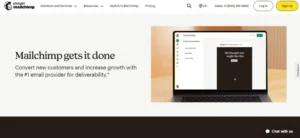
Mailchimp – Legacy Email Marketing Giant (With Tradeoffs)
✅ Pros
• Large template library and strong email design options
• Well-known brand — many integrations and tools already support Mailchimp
• Good for simple newsletters and small marketing campaigns
• Solid analytics on paid plans (opens, clicks, basic segmentation)
• Easy to get started quickly
❌ Cons
• Free plan limits are tight — fewer features on free and lower-paid tiers
• As your list grows, pricing becomes costly compared to newer tools
• Advanced automation and segmentation only on higher tiers
• Can feel bloated and overwhelming if you just want a simple tool
• Not always ideal for creators or small businesses wanting flexibility
Key Features at a Glance
✅ Large set of email templates and design flexibility
✅ Email editor (drag-and-drop + design tools)
✅ Basic analytics (opens, clicks, segments)
✅ Audience management & contact import/export
✅ Integrations with many third-party tools & services
✅ Basic automation workflows (on paid tiers)
My Experience with Mailchimp
When I considered Mailchimp as an alternative to MailerLite, what stood out was its design power and sheer flexibility. If you care about polished, design-rich emails and want a broad set of features, Mailchimp gives you a lot of room to experiment and grow.
But if you’re a small blogger or creator, that flexibility can become a downside — Mailchimp feels heavy, sometimes confusing, and often more than you really need. I found that for simple newsletters or modest email lists, the free or lower plans felt restrictive. As soon as your list grew, the cost and complexity went up quickly.
Automation and segmentation (which many users need as they grow) were only available in higher tiers — something that limits Mailchimp’s appeal for small-to-medium businesses on a budget.
Overall, Mailchimp remains a strong, feature-rich option. But for creators or small businesses who want simplicity, affordability, and no-nonsense tools, newer alternatives often give a smoother ride.
Pricing
Mailchimp’s free plan gives you 500 contacts and 1,000 emails per month. It’s enough to test the platform, but the features are very limited. You only get basic email templates, simple reports, and one audience.
There’s also a daily sending cap, and your emails will show Mailchimp branding. Automation, A/B testing, advanced segmentation, and most pro features are locked behind paid plans, so you’ll outgrow the free plan quickly if you send regular campaigns or want to set up workflows.
Mailchimp offers a free plan with limited features. As your subscriber list and needs grow — in design, automation, or segmentation — you’ll need to upgrade, which can quickly become expensive compared to lightweight alternatives.
Mailchimp Pricing
| Plan Price | Subscribers | Monthly Email Sends | Notes |
|---|---|---|---|
| $0 | 500 | 1,000 Emails | Free plan with limited features |
| $45 | 2,500 | 25,000 Emails | Essentials plan (first-year discounts available) |
| $110 | 10,000 | 100,000 Emails | Essentials plan (first-year discounts available) |
| $230 | 20,000 | 200,000 Emails | Essentials plan (first-year discounts available) |
| $300 | 30,000 | 300,000 Emails | Essentials plan (first-year discounts available) |
Mailerlite Alternatives for Advance Features
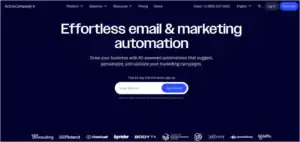
ActiveCampaign – The Automation Powerhouse
✅ Pros
- Super powerful automation & workflows, perfect for ecommerce or complex campaigns
- Excellent list management with tags, custom fields, and lead scoring
- Built-in CRM for deals, pipelines, and tracking
- Flexible email templates and decent design options
- Useful analytics and deliverability tools
❌ Cons
- A bit of a learning curve at first
- Costs climb quickly as your list grows or you add advanced features
- Templates are solid but not “wow” level
- Some premium features only available on higher plans
Key Features at a Glance
✅ Advanced automation & behavior-based workflows
✅ Granular segmentation & tagging
✅ Built-in CRM (lead scoring, deals, tracking)
✅ Clean email templates & design flexibility
✅ Analytics & deliverability insights
✅ Integrations and landing/form builders
✅ Unlimited contacts (paid plans)
My Experience with ActiveCampaign
When I first started using ActiveCampaign, it felt like stepping into a serious marketing tool. If all you want is a simple newsletter, this platform will feel like too much. But the moment you start trying behavior-based sequences, abandoned cart workflows, deep segmentation, and customer tracking — you realize why so many advanced marketers swear by it.
I especially liked how clean and organized list management feels. Tags, custom fields, segment filters, and even lead scoring make it super easy to understand who your best subscribers are. Compared to Mailchimp, the automation builder felt far more powerful and flexible, even though it takes a bit of patience to learn.
The email templates are decent — not the most modern, but clean enough for professional campaigns. What really stands out is how everything connects: automations, CRM, deals, and analytics work together to guide your subscriber’s journey.
The only downside for me was the pricing. As your list grows or you need deeper automation, the cost goes up pretty fast. If you’re someone who only sends a monthly newsletter, you might feel like you’re paying for tools you don’t need. But if you’re serious about conversions, funnels, and automation-led marketing, it’s totally worth it.
Overall, ActiveCampaign is built for people who want smarter marketing — not just pretty newsletters.
Pricing
ActiveCampaign doesn’t offer a free plan, but the paid plans start fairly with core features like templates, basic automation, segmentation, and email editor. As you upgrade, you unlock more advanced automation, CRM pipelines, predictive actions, and priority support. The cost increases with features, not just subscriber count, which is good if you’re using it as a full marketing automation system instead of a simple email tool.
| Price | Subscribers | Email Sends | Plan Details |
|---|---|---|---|
| $19 | 1,000 Subscribers | 10,000 Emails | Starter plan. Includes 5 actions per automation. |
| $49 | 2,500 Subscribers | 25,000 Emails | Starter plan. Includes 5 actions per automation. |
| $99 | 5,000 Subscribers | 50,000 Emails | Starter plan. Includes 5 actions per automation. |
| $189 | 10,000 Subscribers | 100,000 Emails | Starter plan. Includes 5 actions per automation. |
| $489 | 25,000 Subscribers | 250,000 Emails | Plus plan. Includes unlimited automation actions, landing pages, and generative AI features. |
GetResponse – The All-in-One Marketing Suite
✅ Pros
Everything under one roof — email, landing pages, funnels, webinars, CRM
Strong automation builder with behavior-based triggers
Clean, modern interface that beginners can learn quickly
Free plan is generous for small lists
Solid analytics for tracking performance
Built-in website builder and funnel builder
❌ Cons
Pricing increases quickly as your subscriber list grows
Automation and CRM features take some learning
Template variety isn’t as large as competitors
Webinars and advanced automation locked behind higher tiers
Key Features at a Glance
✅ Email newsletters, autoresponders & sequences
✅ Automation workflows (behavior-based)
✅ Landing page builder & funnel builder
✅ Built-in CRM for segmentation and pipelines
✅ Webinars (unique feature vs competitors)
✅ Analytics with click maps, opens, and conversions
✅ Integrations, websites, signup forms, and ecommerce features
My Experience with GetResponse
When I first tried GetResponse, the biggest thing that stood out was how it felt like a complete marketing system, not just an email tool. Instead of juggling separate tools for landing pages, funnels, and webinars, everything was already built in — and connected. That alone made my campaigns feel more organized and easier to manage.
The automation builder is surprisingly powerful. It’s visual, smooth, and lets you build sequences based on behavior, tags, actions, and conditions. Once I set up my first funnel, it genuinely felt like my emails were running on autopilot while I focused on other work.
I also liked the clean, modern interface. The landing page builder is simple to use, and the email editor feels polished — maybe not as design-heavy as some tools, but definitely reliable.
The only challenge I faced was pricing. The free plan is great for testing, but once your list grows or you want advanced tools like webinars or CRM, the cost jumps. It’s not overpriced — just something to plan for as your audience expands.
Overall, GetResponse is perfect if you want one tool that handles everything: emails, pages, funnels, automation, and webinars. It eliminates the need to subscribe to 3–4 different platforms, and that alone makes it a strong Mailerlite alternative.
Pricing
GetResponse’s free plan works well for beginners with small lists. Paid plans unlock automation, funnels, CRM, and webinars as your business grows.
GetResponse Pricing
| Price | Subscribers | Email Sends | Plan Details |
|---|---|---|---|
| $0 | 500 Subscribers | 2,500 Emails/month | Free plan with newsletters, landing pages, and basic features. |
| $19 | 1,000 Subscribers | Unlimited Emails | Email Marketing plan with autoresponders and basic automation. |
| $39 | 2,500 Subscribers | Unlimited Emails | Email Marketing plan with more advanced tools. |
| $59 | 5,000 Subscribers | Unlimited Emails | Email Marketing plan with automation builder and segmentation. |
| $79 | 10,000 Subscribers | Unlimited Emails | Email Marketing plan with full features as your list grows. |
Mailerlite Alternative for Newsletter
beehiiv – Newsletter Growth Engine for Creators

✅ Pros
Built specifically for creators who want to grow and monetize
Unlimited email sends on all plans — even free
Built-in ad network makes monetizing effortless
No-code website builder for quick, professional pages
Strong analytics to understand what’s working
❌ Cons
Fewer integrations than traditional email tools
Advanced features require some learning
Paid plans get expensive for small creators
Key Features at a Glance
✅ Unlimited email sends
✅ Automation workflows for personalized sequences
✅ Built-in ad network for instant monetization
✅ No-code website builder
✅ Creator-focused growth tools
✅ Clean analytics dashboard
My Experience with beehiiv
When I first tried beehiiv, the biggest thing I noticed was how creator-first everything feels. Unlike typical email platforms that try to serve every type of marketer, beehiiv is clearly built for one purpose — helping newsletter creators grow fast and monetize easily.
Unlimited email sends was a huge relief. I could email my audience whenever I wanted without worrying about limits or paying extra. And the built-in ad network? Honestly, that’s one of the smartest features any email tool has introduced. Monetization becomes effortless, especially for smaller newsletters that aren’t ready for sponsorship deals yet.
The website builder is clean, modern, and extremely simple to use. I could create a professional-looking homepage in minutes without touching any code. Analytics are also super clear — giving instant insights into open rates, engagement, and growth trends.
The downsides? The integrations list is shorter than platforms like Mailchimp or ConvertKit, and some of the growth tools take a bit of learning. And yes, the paid plans can feel pricey if you’re just starting out. But once you settle in, beehiiv genuinely feels like a platform built to make your newsletter succeed.
Overall, beehiiv is perfect for creators who want growth, monetization, and simplicity — without the technical headaches.
Pricing
The free plan includes unlimited email sends, website builder access, and basic monetization tools. Paid plans unlock advanced features like automations, custom domains, and enhanced ad network options. It’s not the cheapest, but for creators serious about newsletter growth, the value is strong.
| Price | Subscribers | Email Sends | Plan Details |
|---|---|---|---|
| $0 | Up to 2,500 Subscribers | Unlimited Emails | Free plan with website builder, basic segmentation, and access to monetization tools. |
| $42 | Up to 10,000 Subscribers | Unlimited Emails | Grow plan with automation, custom domains, audience polls, and premium analytics. |
| $84 | Up to 100,000 Subscribers | Unlimited Emails | Scale plan with advanced automations, boosts, ad network upgrades, and priority features. |
| Custom | 100,000+ Subscribers | Unlimited Emails | Enterprise plan for large creators with migration support and premium features. |
Flodesk – Beautiful Emails with Flat-Rate Pricing

✅ Pros
Drag-and-drop editor that makes stunning emails with zero coding
Flat-rate pricing — simple and predictable every month
Unlimited email sends, even on the free plan
Easy automation workflows for nurturing your audience
Gorgeous templates that need almost no editing
❌ Cons
Missing some of the advanced features bigger tools offer
Fewer integrations, which can limit complex setups
Flat-rate price can feel high if your list is small
Key Features at a Glance
Drag-and-drop email builder
Simple automation workflows
Landing page builder
Beautiful email + landing page templates
Analytics to measure performance
Unlimited email sends
My Experience with Flodesk
When I started using Flodesk, the first thing I noticed was how beautiful everything looked. The email editor is extremely clean, and building an email is literally just dragging and dropping. No stress, no code, no messy design tweaks.
The templates were a big win for me. They already look polished, so I barely had to touch anything to make my emails look “premium.” The flat-rate pricing was another plus — I never had to worry about subscriber-based price jumps. Unlimited sends also meant full freedom to email whenever I wanted.
That said, Flodesk is not built for power users. The automations are basic, and if you need deep integrations or advanced CRM-style workflows, you’ll probably feel restricted. It’s perfect for simple, beautiful newsletters — not for complex funnels.
Overall, it’s a clean, visually-driven tool that’s great for creators who want beautiful emails without headaches. But if you’re running advanced campaigns, you might outgrow it.
Pricing
Flodesk uses a flat monthly fee that includes unlimited email sends, the email builder, templates, workflows, and landing pages. It’s simple and predictable, but if your list is tiny, the price can feel a bit high compared to subscriber-based tools.
Choosing the Right Mailerlite Alternatives for Your Needs
At the end of the day, there’s no perfect email tool — only the one that fits your goals, your workflows, and your stage of growth.
If you’re a creator who wants simplicity, ease of use, and better automation without feeling overwhelmed, Kit and Moosend are fantastic picks. They’re clean, beginner-friendly, and still give you powerful automation without the complexity of big platforms.
If you want a widely-used, feature-heavy classic that has been around forever, ActiveCampaign is the smarter choice. It’s built for serious marketers who want deep automation, segmentation, and CRM-level control.
For creators who want growth, monetization, and unlimited sending, beehiiv is still a strong contender.
If you want beautiful, simple emails with flat-rate pricing, Flodesk gets the job done.
And if you prefer an all-in-one marketing suite with funnels, webinars, and automation, GetResponse feels like a complete package.
All these tools have strengths — the key is choosing one that fits how you work today, and how you plan to grow tomorrow.
At the end of the day, the tool is just the engine.
Your content, consistency, and strategy are what actually drive results.
