


Last Updated: 25 Jun 2026
There’s a review on G2 that stopped me cold when I was researching this post.
“From recipients: no spam complaints, no abusive response, normal engagement. From MailerLite: no warnings, no alerts, no indication of any problem. Later, when preparing to send the next batch of 500 emails, our account was terminated for an alleged Terms of Service violation. No prior warning. No opportunity to correct anything. It does not matter if you used only a small part of the service. YOU WILL NOT GET A REFUND.”
Then I found another. And another. And another.
According to Capterra’s own analysis, 60% of the 88 reviews specifically mentioning MailerLite’s account approval process were negative. Users described difficulties with approval, unexpected suspensions, and the inability to manage multiple accounts. Most of them reported the same pattern: no warning, no explanation they could act on, and no path to recovering their account or their money.
That’s the thing about MailerLite that nobody’s comparison post will tell you directly.
MailerLite is genuinely one of the best email marketing tools for beginners and small businesses. The interface is clean. The automation works well. The pricing is lower than Mailchimp for the same features. The deliverability on clean, engaged lists is solid.
But there is a specific type of business that will hit a wall with MailerLite — and hit it hard. Growing businesses that push list size. Businesses that run aggressive campaigns. Businesses that need reliable support when something breaks. Businesses that import contacts from sources MailerLite’s algorithm doesn’t trust. Any of these can result in a sudden account termination with no warning and no recourse.
And that’s before we get to the September 2025 free plan cut (1,000 subscribers down to 500), the automation features locked behind the $20/month Advanced plan, or the zero support policy after 30 days for free users.
If you’ve been on MailerLite and things are going great — this post might not be for you yet. But if you’re running into limitations, if you’ve been terminated or flagged, if you’ve hit the ceiling on automation depth, or if you’re just wondering whether something better exists — this is the guide I wish I’d had.
I tested eight alternatives. I read hundreds of real user reviews. I ran the pricing math at every list size that matters.
Here’s everything I found — straight, honest, no padding.
Let’s go 👇
Why Most MailerLite Alternatives Posts Get It Wrong
Search “MailerLite alternatives” and you’ll find a familiar pattern. Eight tools. Bullet points of features. A table with checkmarks. Recommendations that say “it depends on your use case” without telling you what the use case actually is.
Most of these posts exist to rank for a search term. They’re written by people who spent 20 minutes looking at pricing pages and called it research. They don’t mention the account termination problem. They don’t mention the cumulative billing quirk that counts deleted subscribers toward your monthly limit. They don’t tell you which features are locked behind the Advanced plan that most MailerLite marketing shows as standard.
At Mailotrix, I test every tool I write about. Real campaigns. Real automations. Real contact imports. Real support tickets. Then I read through every significant user review I can find — the ones that describe specific problems, not just star ratings.
This guide is built from that work. You’ll get the things no other alternatives post publishes — and you’ll leave knowing exactly which tool to try first.
The Quick Verdict Table: All 8 Alternatives at a Glance
| Tool | Best For | Free Plan | Starting Paid | Automation | Support | Overall |
|---|---|---|---|---|---|---|
| Brevo | Large lists, multi-channel, budget | ✅ Unlimited contacts | $9/month | Good | Mixed | ⭐⭐⭐⭐ |
| Kit | Creators, newsletter writers | ✅ 10,000 subscribers | $25/month | Creator-focused | Good | ⭐⭐⭐⭐⭐ |
| Moosend | Budget power users, automation | ✅ 30-day trial | $9/month | Very good | Good | ⭐⭐⭐⭐⭐ |
| ActiveCampaign | Advanced automation, CRM | ❌ 14-day trial | $19/month | Best in class | Inconsistent | ⭐⭐⭐⭐ |
| Omnisend | E-commerce brands | ✅ 250 contacts | $16/month | E-com focused | Good | ⭐⭐⭐⭐ |
| Klaviyo | Data-driven e-commerce | ✅ 250 contacts | $20/month | Best for e-com | Good | ⭐⭐⭐⭐⭐ |
| GetResponse | Webinars, courses, funnels | ✅ 500 contacts | $15/month | Solid + funnels | Good | ⭐⭐⭐⭐ |
| Mailchimp | Integration-heavy businesses | ✅ 250 contacts | $13/month | Standard | Weak | ⭐⭐⭐ |
Alternative #1: Brevo — Best for Large Lists and Multi-Channel Marketing
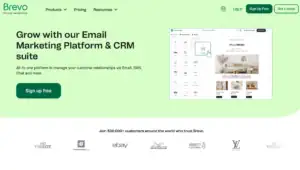
If MailerLite’s growing cost at scale is your main complaint, Brevo is the most financially logical move you can make. Their send-volume pricing model is fundamentally different from every other platform in this comparison — and it can save serious money for the right business.
What Brevo Gets Right
Brevo charges based on how many emails you send — not how many contacts you store. Store unlimited contacts on every plan, including the free tier. Pay based on sending volume.
For businesses with large lists that email infrequently, this is transformative. A business with 20,000 contacts that sends two campaigns per month pays:
MailerLite Advanced: approximately $109/month (20,000 subs). Brevo Business: approximately $25–$49/month (depending on monthly email volume).
Same list. Same send frequency. Less than half the cost. That gap is why so many MailerLite users with larger, less-frequently-emailed lists end up at Brevo.
Brevo is also the most multi-channel platform in this comparison. Email marketing, SMS, WhatsApp messaging, live chat, a built-in CRM, and transactional email — all in one account. MailerLite splits transactional email into a completely separate product (MailerSend) with separate billing. Brevo handles it all under one roof.
The automation builder is visual and logical — build workflows on a drag-and-drop canvas with triggers, conditions, and actions. The most common sequences (welcome series, abandoned cart, birthday emails, re-engagement) come pre-built. You activate and customize rather than build from scratch.
Brevo’s Pricing (2026)
Free: Unlimited contacts. 300 emails/day (9,000/month). Automation included. No credit card required.
Starter: $9/month — 5,000 emails/month. No branding. Basic reporting.
Business: $18/month — 5,000 emails/month. Full automation, A/B testing, advanced segmentation, multi-user.
At 20,000 contacts sending two campaigns per month (40,000 emails): Brevo Business at approximately $35/month. MailerLite Advanced for the same list: $109/month.
Where Brevo Falls Short
Deliverability is the most consistent complaint. Users across G2, Capterra, and Reddit report higher-than-expected spam folder rates and unexplained account suspensions. MailerLite’s inbox placement testing is stronger than Brevo’s in most independent comparisons.
Customer support on lower tiers is slow. Tickets can go unanswered for two to three days during time-sensitive campaign issues. If reliable fast support matters — Brevo isn’t the answer.
The automation, while solid for standard sequences, caps out for complex multi-branch conditional logic. Users who need ActiveCampaign-level workflow depth will outgrow it quickly.
What Real Users Say About Brevo
✅ “Brevo is much cheaper than MailerLite for my list size and the multi-channel setup — email, SMS, and CRM — under one account is genuinely useful.” (G2)
✅ “The whole system got redesigned and revamped, making it fresh and easy to use. For the price, there’s honestly nothing that comes close.” (EmailVendorSelection)
✅ “I love that I can schedule campaigns, automate message delivery, integrate with my other tools, and see analytics easily.” (Capterra)
❌ “Limited advanced customisation — automation can feel basic for very complex use cases, not ideal for enterprise-level workflows.” (Capterra)
❌ “Account suspensions and high bounce rates have been issues. Contact management can feel overly complex for basic use cases.” (Capterra)
❌ “Support on lower tiers is slow. Tickets going unanswered for days on time-critical issues.” (Reddit)
My Verdict on Brevo
Brevo is the right MailerLite alternative when list size is growing faster than budget allows and sending frequency is moderate. The send-volume pricing model solves the exact scaling problem MailerLite creates. The multi-channel setup eliminates the MailerSend/MailerLite split. Just verify deliverability closely in month one and accept that support is slower than what MailerLite offers on paid plans.
👉 Try Brevo Free (Unlimited contacts, no credit card)
Alternative #2: Kit (formerly ConvertKit) — Best for Creators and Newsletter Writers

Kit built one of the most talked-about free plans in email marketing: 10,000 subscribers, unlimited emails, no credit card. At a time when MailerLite is cutting its free plan to 500 subscribers, Kit is going the other direction.
What Kit Gets Right
The free plan is the single biggest reason people switch from MailerLite to Kit. Ten thousand subscribers free — versus MailerLite’s 500. For most bloggers, newsletter writers, and content creators, this means never paying for email marketing until your list has real momentum.
But Kit’s value goes well beyond the free plan ceiling. The platform was built specifically for the creator economy — and the features reflect that focus.
The Creator Network — A discovery marketplace connecting Kit users for mutual subscriber growth. You recommend other creators’ newsletters to your subscribers. They recommend yours. This feature has driven hundreds of new subscribers per month for active participants. No other platform in this guide offers anything like it.
Paid newsletters — Charge subscribers directly for premium email content through Stripe. Kit handles payments, subscriber management, and delivery in one system.
Digital product sales — Sell PDF guides, templates, and digital downloads without a third-party platform.
Kit’s deliverability is one of the highest in the industry — consistently above 99% in platform reports, and real-world open rates for engaged creator lists regularly reach 35–55%. The plain-text-first approach to email design builds more personal-feeling relationships than template-heavy HTML.
Kit’s Pricing (2026)
Newsletter: Free up to 10,000 subscribers. Broadcasts, paid newsletter, basic forms. No automation sequences.
Creator: $25/month for 1,000 subscribers. Full automations, sequences, third-party integrations.
Creator Pro: $50/month for 1,000 subscribers. Facebook Custom Audiences, priority support, advanced reporting.
At 5,000 subscribers, Creator costs $50/month compared to MailerLite Advanced at $59/month. Similar price, but Kit includes the Creator Network growth engine, paid newsletter capabilities, and digital product sales that MailerLite doesn’t offer.
Where Kit Falls Short
The design flexibility is intentionally minimal. Kit produces plain-text-style emails. If you need highly designed, template-driven HTML emails — Kit is wrong for your use case. This is a deliberate product decision, not a bug.
The free plan doesn’t include automation sequences. You can broadcast to your list but can’t build automated welcome or behavioral flows without upgrading to Creator at $25/month.
What Real Users Say About Kit
✅ “I was paying MailerLite for automation features I barely understood. Kit’s creator focus made everything click immediately — and the Creator Network grew my list 400 subscribers in the first month.” (G2)
✅ “The free plan up to 10,000 subscribers is unlike anything else out there. I moved from MailerLite free and immediately stopped worrying about my subscriber count.” (Reddit)
✅ “Kit is easier to use than most alternatives, with simpler registration forms, cleaner contact management, and novel monetization features like paid subscriptions and collaborations that MailerLite doesn’t offer.” (EmailTooltester)
❌ “Design flexibility is too limited. I need more control over how my emails look without having to write HTML.” (Capterra)
❌ “Once you need automation, you’re paying $25/month per 1,000 subscribers — which scales quickly for fast-growing lists.” (G2)
❌ “The lack of templates on the free plan and the minimal design options on paid plans frustrate users who care about visual branding.” (Campaign Monitor Research)
My Verdict on Kit
If you’re a creator, blogger, newsletter writer, podcaster, or anyone building an audience through content — Kit is designed more specifically for your use case than MailerLite is. The 10,000-subscriber free plan alone makes the switch worth evaluating. The Creator Network is a growth tool MailerLite simply doesn’t have an equivalent for. If your business is content-first and relationship-first — Kit fits better.
👉 Try Kit Free (Up to 10,000 subscribers)
Alternative #3: Moosend — Best for Automation Depth on a Budget
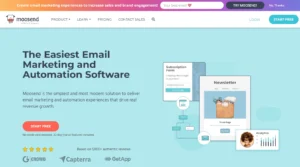
Moosend is the most underrated tool in email marketing. I keep saying this in every alternatives post I write — because it’s consistently true and consistently overlooked.
Here’s the core argument: Moosend gives you the automation depth of a platform twice its price. And it doesn’t hide the good features behind an expensive tier.
What Moosend Gets Right
Moosend’s automation builder is available in full on their entry-level $9/month plan. Not the standard automation. The full automation — multiple triggers, if/else conditional branching, behavioral triggers, lead scoring, and real-time segmentation. All of it. Day one. No Advanced plan required.
Compare that to MailerLite, where multiple automation triggers require the $20/month Advanced plan. Moosend gives you those capabilities at $9/month for 500 contacts. That’s a meaningful difference.
What Moosend’s automation includes that requires MailerLite’s more expensive Advanced plan:
- Multiple automation triggers (start workflows from multiple entry points)
- If/else conditional logic with branching paths
- Behavioral triggers based on email opens, clicks, website visits, and purchase events
- Lead scoring that updates automatically based on subscriber behavior
- Real-time segmentation that rebuilds dynamically as contact data changes
- AI-powered product recommendation blocks — personalized per subscriber
The heatmaps are also worth calling out. Moosend includes campaign click heatmaps on every paid plan — a visual overlay of exactly which links got clicked and how often. MailerLite includes click maps on their platform, but Moosend’s implementation is available at a lower price point and includes more granular data.
Moosend’s Pricing (2026)
Free trial: 30 days, full feature access. No credit card required.
Pro: $9/month for 500 contacts. Unlimited emails, full automation, landing pages, forms, and heatmaps.
At 5,000 contacts: Pro costs approximately $48/month. MailerLite Advanced for the same list costs $59/month — and Moosend includes deeper automation at the lower price.
Where Moosend Falls Short
The native integration library is smaller than MailerLite’s. Moosend covers Shopify, WooCommerce, WordPress, Salesforce, and core platforms — but requires Zapier for anything beyond. If your business runs on a specific tool that isn’t natively supported, verify before committing.
The email template library is functional but limited in variety. About 70+ templates cover the core use cases — newsletters, promotions, onboarding — but the visual quality doesn’t match Klaviyo or Flodesk. For businesses where email design is a major brand investment, the template selection will feel constrained.
Account suspension is not unheard of on Moosend either — though less frequently reported than MailerLite. Clean lists remain essential before importing to any platform.
What Real Users Say About Moosend
✅ “Moosend delivers affordable automation and personalization without unnecessary complexity. The visual workflow builder lets you set up campaigns with triggers, filters, and actions tailored to your audience.” (The Retail Exec)
✅ “Consistently earns high user ratings for delivering a professional feature set at below-average pricing. Automation workflows are capable. The drag-and-drop builder is fast and modern.” (Mailercloud Research)
✅ “I switched from MailerLite because I needed multiple automation triggers without paying double. Moosend gives me everything I was trying to unlock in MailerLite Advanced for half the price.” (G2)
❌ “Integration options are more limited than larger platforms. Support can be slower outside business hours.” (Mailercloud Research)
❌ “The template selection is functional but not inspiring — I end up customizing heavily from scratch.” (Capterra)
❌ “No free plan after the trial ends — you either pay or leave, unlike MailerLite where you can stay on a limited free tier.” (G2)
My Verdict on Moosend
Moosend is the best MailerLite alternative for users who hit MailerLite’s automation wall. If you’ve been upgrading to Advanced for multi-trigger workflows and feeling like you’re paying for a feature that should be standard — Moosend makes that frustration disappear. Full automation at entry-level pricing, with heatmaps included. The most underrated switch you can make.
👉 Try Moosend Free for 30 Days (No credit card)
Alternative #4: ActiveCampaign — Best for Advanced Automation Power Users
MailerLite and ActiveCampaign sit at opposite ends of the automation spectrum. MailerLite makes email marketing accessible and clean. ActiveCampaign makes it powerful and complex. If you’ve outgrown what MailerLite can do — even at the Advanced plan level — ActiveCampaign is the next logical tool.
What ActiveCampaign Gets Right
The automation builder — called Customer Journeys — is the most powerful in this entire comparison. Up to 200 steps per workflow. Conditional branching with if/else logic at every node. Triggers based on email behavior, website visits, purchase history, CRM pipeline changes, and predicted churn risk. Predictive sending that finds each subscriber’s best time to receive emails.
115+ pre-built automation templates cover welcome sequences, abandoned cart, post-purchase, birthday, lead scoring, sales pipeline advancement, and complex multi-channel customer journeys. Where MailerLite gives you an automation builder with basic templates, ActiveCampaign gives you an entire automation architecture.
The built-in CRM is a genuine differentiator. Deal pipelines, contact scoring, sales task automation, and email sequences triggered by pipeline stage changes — all in one platform. MailerLite has no CRM. For businesses where sales and marketing overlap, this is the core argument for ActiveCampaign.
The Honest Caveat
ActiveCampaign has its own pricing problems in 2026.
Their Starter plan ($19/month) limits automations to 5 actions — making it nearly useless for any real workflow. The Plus plan at $49/month for 1,000 contacts is the minimum viable configuration.
In November 2025, ActiveCampaign changed their billing policy. New accounts now pay for all contacts — including unsubscribed, bounced, and unconfirmed. MailerLite only charges for active subscribers. ActiveCampaign’s new billing model is more expensive than MailerLite’s for lists with natural churn.
Multiple users have also reported sudden price increases of 2–3x with no warning. If pricing predictability is why you’re leaving MailerLite, research ActiveCampaign’s billing history carefully before committing.
ActiveCampaign’s Pricing (2026)
No free plan — 14-day trial only.
Starter: $19/month for 1,000 contacts. 5-action automation cap — essentially a trial feature.
Plus: $49/month for 1,000 contacts. Full automation, visual Customer Journeys, landing pages, A/B testing.
At 5,000 contacts: Plus costs approximately $79/month versus MailerLite Advanced at $59/month. You’re paying more — but getting significantly more automation depth.
What Real Users Say About ActiveCampaign
✅ “The automation workflow is outstanding. You can build incredibly detailed customer journeys without needing a developer.” (G2)
✅ “Excellent sales and marketing automation capabilities. CRM software including deal pipelines is included. Very good email deliverability.” (EmailTooltester)
✅ “I left MailerLite because I needed conditional branching that actually worked across 15+ steps. ActiveCampaign was the only tool that could do what I needed.” (Capterra)
❌ “The Starter plan’s 5-action automation cap makes it nearly useless for real workflows. Start on Plus.” (Prospeo Research)
❌ “Price increases came with no warning. Bill went from $X to 2-3x without plan changes.” (Reddit)
❌ “Accounts created after November 2025 are billed for unsubscribed and bounced contacts — the opposite of how MailerLite handles billing.” (EmailTooltester)
My Verdict on ActiveCampaign
ActiveCampaign is the right MailerLite alternative when you’ve genuinely hit the ceiling on automation complexity and need multi-branch behavioral logic that MailerLite’s Advanced plan cannot provide. Go directly to the Plus plan — Starter is not worth your time. And go in understanding you’re trading MailerLite’s pricing simplicity for ActiveCampaign’s power — and its own billing unpredictability.
👉 Try ActiveCampaign Free for 14 Days
Alternative #5: Omnisend — Best for E-commerce Businesses

MailerLite works for e-commerce. But it was not built for e-commerce. Omnisend was. That difference shows in every single feature — and it shows most clearly in revenue-per-email metrics for online stores.
What Omnisend Gets Right
Omnisend’s entire platform is designed around one outcome: helping online stores make more money from email. Every feature, every pre-built flow, every segmentation option exists to drive revenue.
The pre-built automation library is purpose-built for e-commerce recovery and retention:
- Abandoned cart sequences activatable in under 10 minutes — including email, follow-up with discount, and optional SMS reminder
- Browse abandonment flows — trigger follow-ups based on which products a visitor viewed
- Post-purchase sequences — thank-you emails, review requests, cross-sell recommendations
- Win-back campaigns — triggered automatically when a customer hasn’t purchased in X days
- Back-in-stock alerts — notify subscribers when a specific product becomes available again
MailerLite has some of these through their Shopify and WooCommerce integrations. But building them requires manual workflow construction. Omnisend pre-builds them and you customize. The time difference matters enormously for a store owner without dedicated marketing staff.
The three-channel approach — email, SMS, and web push notifications in one workflow — means your abandoned cart flow can send an email, wait two hours, send an SMS, and push a browser notification, all from one automation canvas. MailerLite treats SMS as a separate add-on with separate management.
Billing is based on “reachable contacts” — actively subscribed people who can receive marketing. Unsubscribed contacts don’t count toward your billing. This is the same subscriber-only approach MailerLite uses — so you don’t lose that benefit when switching.
Omnisend’s Pricing (2026)
Free: 250 contacts, 500 emails/month, 60 SMS credits. Full feature access.
Standard: $16/month for 500 contacts. 6,000 emails/month. Full automation, segmentation, and reporting.
Pro: $59/month for 2,500 contacts. Unlimited emails, unlimited web push, advanced reporting.
At 5,000 contacts, Omnisend Standard runs approximately $60/month — similar to MailerLite Advanced. But the e-commerce-specific automation depth is meaningfully better for stores, and SMS is included without a separate add-on.
Where Omnisend Falls Short
Omnisend is for e-commerce businesses. If you’re not selling products online — a service business, a nonprofit, a blogger, a B2B company — Omnisend’s platform orientation will frustrate you constantly. The features are designed for shopping behavior. Non-e-commerce users pay for tools they’ll never use.
Some advanced features like product reviews are Shopify-only. WooCommerce and BigCommerce stores don’t have access to the full feature set.
What Real Users Say About Omnisend
✅ “I moved from MailerLite to Omnisend because I needed abandoned cart automation that actually worked natively with my Shopify store. MailerLite’s Shopify integration couldn’t do what I needed without Zapier workarounds.” (G2)
✅ “Ecommerce-specific automation out of the box. I activated a pre-built abandoned cart sequence in under ten minutes. MailerLite required me to build the same flow manually.” (Sender Research)
✅ “Email plus SMS plus web push in one workflow — and cheaper than managing each separately. The ROI from the abandoned cart sequence alone justified the switch.” (Capterra)
❌ “If you’re not an ecommerce store, this tool is overkill. MailerLite is a better general-purpose tool for non-retail businesses.” (Hostinger Research)
❌ “Product reviews and some advanced features are Shopify-only. WooCommerce stores don’t get the full benefit.” (Campaign Monitor Research)
❌ “The free plan caps at 250 contacts — smaller than MailerLite’s free tier.” (G2)
My Verdict on Omnisend
If you run an online store, the switch from MailerLite to Omnisend is straightforward. Better e-commerce automation, native SMS without a separate setup, and billing that doesn’t count inactive contacts. The pre-built abandoned cart flow alone typically generates enough additional revenue to pay for the platform several times over.
👉 Try Omnisend Free (250 contacts, full feature access)
Alternative #6: Klaviyo — Best for Data-Driven E-commerce Growth

Omnisend covers most e-commerce needs at a fair price. Klaviyo is what you graduate to when you need e-commerce intelligence at a level that treats your customer data as a strategic asset — not just a list to email.
What Klaviyo Gets Right
The real-time customer data platform at Klaviyo’s core is its defining advantage. Every action a subscriber takes — browsing a product page, abandoning a cart, making a purchase, browsing again three days later — is captured and available for segmentation and automation in real time. Not daily batch syncs. Real time.
This means you can build a segment right now of: “customers who bought running shoes in the last 90 days, viewed the new trail shoe collection twice this week, have a lifetime value above $400, and haven’t purchased in 45 days.” Email them specifically about the trail shoes. The conversion rate on a segment like that against a general campaign is not comparable — it’s a different category of result.
Predictive analytics is the feature MailerLite has no equivalent for. Klaviyo’s AI forecasts each subscriber’s customer lifetime value, churn risk, and next purchase date. You’re targeting people based on what they’re likely to do — not just what they’ve done.
Revenue attribution at the email level shows you exactly how much each campaign, each flow, and each individual email generated in sales. MailerLite shows you opens and clicks. Klaviyo shows you dollars.
Klaviyo’s Pricing (2026)
Free: 250 contacts, 500 emails/month. Full feature access.
Email: Starts at $20/month for 500 contacts. Scales with contact count.
At 5,000 contacts: Klaviyo Email costs approximately $100/month — higher than MailerLite Advanced at $59/month. The premium is justified when you can see that email marketing is directly attributing to measurable revenue with specific numbers attached.
Where Klaviyo Falls Short
Klaviyo is for e-commerce. For everyone else — service businesses, B2B, nonprofits, creators — the platform’s orientation doesn’t fit and the price doesn’t justify it.
Pricing scales steeply at high contact counts. At 50,000 contacts, you’re looking at $700+/month.
Learning curve is significant. Two to four weeks to feel fully capable with complex flows independently.
What Real Users Say About Klaviyo
✅ “Klaviyo offers incredibly strong personalization and segmentation. I can create highly targeted emails with dynamic content and custom properties without running into limitations.” (Capterra)
✅ “The flows are very powerful and everything is so easy to use once you learn it. They keep releasing updates which makes it good value.” (Capterra)
✅ “Revenue attribution alone justified the move from MailerLite. Now I know exactly which emails are making money.” (G2)
❌ “Pricing based on total profiles, even inactive ones, makes list management more expensive as lists grow.” (Capterra)
❌ “Costs have climbed and smaller brands may find the advanced features underused compared to cheaper tools.” (Sender Research)
❌ “The learning curve is real. Don’t expect to be up and running on day one.” (G2)
My Verdict on Klaviyo
Klaviyo is the right MailerLite alternative when your e-commerce business has reached the point where MailerLite’s basic e-commerce integrations aren’t giving you enough visibility into what’s driving revenue. The revenue attribution, predictive analytics, and real-time segmentation are in a category of their own. Pay the premium knowing you’ll be able to measure exactly what it earns back.
👉 Try Klaviyo Free (250 contacts)
Alternative #7: GetResponse — Best for Webinars and Course Creators

GetResponse is the tool that MailerLite users building education businesses, online courses, or webinar-based funnels should evaluate first. Because the one feature that separates GetResponse from every other platform in this guide — native webinar hosting — changes the ROI calculation entirely.
What GetResponse Gets Right
Most businesses that run webinars use a separate tool (Zoom, Demio, WebinarJam) on top of their email platform. GetResponse eliminates that cost by hosting webinars natively — up to 1,000 attendees, with recording, replay gating, and automatic follow-up sequence triggers based on attendance behavior.
When someone registers for your webinar through a GetResponse landing page, attends, and triggers a post-webinar email sequence that segments attendees from non-attendees — you’ve built a complete webinar marketing system inside one platform. MailerLite can’t do this without Zapier workarounds connecting multiple third-party tools.
The visual conversion funnel builder maps the complete subscriber journey from landing page through opt-in, confirmation, webinar, and post-event offer. You see drop-off at every stage. You test different pages. You route subscribers into different sequences based on funnel behavior.
GetResponse also includes click heatmaps, A/B testing, and unlimited email sends on paid plans — features that MailerLite reserves for its Advanced plan or includes only partially on lower tiers.
GetResponse’s Pricing (2026)
Free: 500 contacts, 2,500 emails/month. Basic features and autoresponders.
Email Marketing: $15/month for 1,000 contacts. Autoresponders, basic automation, landing pages.
Marketing Automation: $49/month for 1,000 contacts. Full automation, webinars (100 attendees), scoring.
At 5,000 contacts, Marketing Automation costs approximately $79/month. MailerLite Advanced is $59/month. You pay $20/month more and get native webinar hosting plus conversion funnel tools that MailerLite simply doesn’t offer.
Where GetResponse Falls Short
Deliverability is the most consistent criticism. Independent testing places GetResponse at average inbox placement compared to MailerLite (which performs better on this metric). If inbox rate is your top concern — GetResponse is not the strongest choice.
The interface, while functional, feels less modern than MailerLite’s clean design. New users often report a steeper learning curve than expected.
What Real Users Say About GetResponse
✅ “GetResponse stands out for powerful automation, landing page builder, course creator, and webinar tools. In most cases, it offers more than MailerLite or Mailchimp.” (EmailTooltester)
✅ “The built-in webinar software is unique to GetResponse among email platforms. For event planners and course creators, it saves $50–$200/month in separate webinar tool costs.” (EmailTooltester)
✅ “More advanced automation workflows, built-in webinar functionality, and conversion funnel software — the feature depth at this price is genuinely impressive.” (EmailTooltester)
❌ “GetResponse’s deliverability could be better. Bi-annual tests show average scores compared to stronger competitors like MailerLite.” (EmailTooltester)
❌ “The interface hasn’t fully modernized. The learning curve is steeper than expected for the price.” (G2)
❌ “Paid plan prices increased since we started using it. Moving to Brevo was ultimately the better financial decision for our use case.” (EmailTooltester)
My Verdict on GetResponse
GetResponse is the right MailerLite alternative for any business whose model centers on webinars, online courses, or funnel-based marketing. The webinar tool alone saves enough in third-party costs to justify the premium over MailerLite. If webinars aren’t part of your business — MailerLite’s cleaner interface and better deliverability make it the stronger choice for standard email use cases.
👉 Try GetResponse Free (500 contacts)
Alternative #8: Mailchimp — Best for Integration-Heavy Businesses
Mailchimp is not an obvious choice for someone leaving MailerLite. MailerLite is cheaper at most list sizes, has better deliverability, and doesn’t charge for unsubscribed contacts. Mailchimp charges for inactive contacts unless manually archived and has a free plan that’s now inferior to MailerLite’s.
But there is one specific scenario where Mailchimp wins over MailerLite — and it comes down to integrations.
What Mailchimp Gets Right
Mailchimp has 300+ native integrations. MailerLite has a smaller library that requires Zapier for many common tools. If your business runs on a complex tech stack — multiple CRMs, ad platforms, custom data sources, specific e-commerce tools, industry-specific software — Mailchimp’s integration library is meaningfully more likely to cover your stack natively.
The native Facebook Ads and Google Ads integration within Mailchimp is particularly notable. You can create and manage paid ad campaigns directly from Mailchimp and track their performance alongside email results — all in one dashboard. MailerLite requires the Advanced plan for Facebook Custom Audiences and has no Google Ads integration at all.
The AI Creative Assistant is genuinely useful. Give it your website URL and it generates email designs that match your brand colors, fonts, and logo automatically. MailerLite doesn’t have an equivalent AI design tool at the same level.
Where Mailchimp Falls Short
Mailchimp charges for unsubscribed contacts unless you manually archive them. MailerLite charges for active contacts only. For businesses with high list turnover, this billing difference significantly advantages MailerLite.
Mailchimp’s free plan is now 250 contacts with 500 emails/month and no automation. MailerLite’s free plan is 500 contacts with 12,000 emails/month and automation included. On every free plan metric, MailerLite wins.
Mailchimp’s Trustpilot score is 2.8 from 1,345 reviews — significantly lower than MailerLite’s. Billing disputes, cancellation difficulty, and unresponsive support on lower tiers are the most consistent patterns.
What Real Users Say About Mailchimp
✅ “The integrations are extensive. I connected Mailchimp to Shopify, Salesforce, and Facebook Ads — all in about 20 minutes.” (G2)
✅ “The AI Creative Assistant matched our brand perfectly without us needing a designer.” (G2)
✅ “Delivery is reliable. I have never had major inbox placement problems in three years.” (Capterra)
❌ “My Mailchimp costs shot up as my list grew. It hurt.” (Capterra)
❌ “I didn’t realize I was being charged for unsubscribed contacts. That cost me nearly $40 extra per month.” (Reddit)
❌ “Customer service is non-existent on the free plan after 30 days. Billing disputes are a nightmare.” (Trustpilot)
My Verdict on Mailchimp
Mailchimp is a sideways move from MailerLite — not an upgrade. The only scenario where the switch makes sense is if your business runs on a specific tech stack that MailerLite doesn’t support natively and Mailchimp does. For any other reason — deliverability, pricing, support quality, or billing fairness — MailerLite is the better platform. This recommendation exists specifically for integration-dependent businesses with no other option.
👉 Try Mailchimp Free (250 contacts)
What Real Users Say: The Unfiltered Version
Here’s what real users consistently say about MailerLite — and about what they found after switching.
Why People Leave MailerLite:
❌ “From recipients: no spam complaints, no abusive response, normal engagement. From MailerLite: no warnings, no alerts. Later, when preparing to send the next batch, our account was terminated. No prior warning. No opportunity to correct anything. YOU WILL NOT GET A REFUND.” (G2)
❌ “According to Capterra, 60% of reviews mentioning MailerLite’s account approval process were negative — difficulties with approval, unexpected suspensions, challenges managing multiple accounts.” (Omnisend Research)
❌ “Users report email issues with MailerLite including subscriber deletions and poor deliverability leading to spam problems.” (G2 Summary)
❌ “The automations are filled with bugs and jittery ghost images on the drag and drop.” (G2)
❌ “I left for a couple months. Came back in October. The automations had bugs I hadn’t seen before.” (G2)
❌ “I didn’t love that I had to manually create segments and sometimes my emails landed in the promotions category.” (G2)
What People Love After Switching:
✅ Brevo: “Same list size, same sending frequency — my bill dropped from $109/month to $35/month after switching to Brevo’s send-volume pricing. The multi-channel setup under one account is the bonus I didn’t expect.” (Reddit)
✅ Kit: “The free plan at 10,000 subscribers is unlike anything else. I moved from MailerLite free and immediately stopped worrying about my subscriber count.” (Reddit)
✅ Moosend: “I switched because I needed multiple automation triggers without paying for MailerLite Advanced. Moosend gives me everything at entry-level pricing.” (G2)
✅ ActiveCampaign: “MailerLite’s automation is fine until it isn’t. When you need real conditional logic across complex customer journeys — ActiveCampaign is the only tool that matches what I had in my head.” (Capterra)
✅ Omnisend: “The abandoned cart sequence alone generated more revenue in week one than the monthly cost of the platform. MailerLite couldn’t replicate this without significant Zapier workarounds.” (G2)
The Hidden Costs Nobody Warns You About When Switching from MailerLite
The Deliverability Dip From Import
MailerLite’s compliance system is more aggressive than most platforms. When you export from MailerLite and import to a new platform, your sending reputation doesn’t transfer. Every platform needs a warm-up period.
The specific MailerLite migration risk: your list has been on a platform with strict hygiene enforcement. Ironically, this means your list may actually be cleaner than most. But don’t assume — run it through a verification tool before importing. Bounce rates above 2–3% on import can trigger compliance flags on almost every platform, not just MailerLite.
The Automation Rebuild
Your MailerLite automations don’t transfer. Every workflow needs to be rebuilt in the new platform. Before canceling your MailerLite account:
Document every active automation in detail — trigger, conditions, steps, wait times, and tag applications. Screenshot every workflow. Export the documentation. Build all new workflows in the new platform before canceling MailerLite. Test them with real contacts before going live.
The 30-Day Parallel Run
Run both platforms simultaneously for one full billing cycle after migration. Keep MailerLite active while you verify everything works in the new system. This costs one extra month but prevents the disaster of canceling prematurely and losing access to historical data.
The Zapier Math
If MailerLite’s integrations covered your tech stack and your new platform doesn’t cover all the same connections — Zapier fills the gap at $20–$49/month. Add this to the total cost comparison before declaring a switch financially beneficial.
The Contact Billing Model Change
MailerLite charges for active subscribers only. Unsubscribed and bounced contacts are excluded automatically. If you switch to a platform that charges for all stored contacts (Mailchimp, or ActiveCampaign for new accounts) — your new bill will include people you’re not emailing. Archive unsubscribed contacts before importing to any platform with all-contact billing.
Which MailerLite Alternative Is Right for You?
Four questions. Straight answers.
Question 1: Are you a creator, blogger, newsletter writer, or content-first business?
Yes → Kit is built for you. The 10,000-subscriber free plan eliminates cost until your list has real momentum. The Creator Network is a list-growth tool that no other platform offers.
No → Move to Question 2.
Question 2: Do you sell products online?
Yes, and you need e-commerce intelligence and revenue attribution → Klaviyo. No equivalent.
Yes, and you want e-commerce automation at a fair price → Omnisend. Better e-commerce depth than MailerLite at a comparable price.
No → Move to Question 3.
Question 3: Do you have a large list (15,000+ contacts) that you email infrequently (1–3 times per month)?
Yes → Brevo. Send-volume pricing will save you meaningful money every month versus MailerLite’s contact-based pricing.
No → Move to Question 4.
Question 4: What’s your main constraint?
I need deeper automation without paying double → Moosend. Full multi-trigger automation at entry-level pricing. The feature you’re paying MailerLite Advanced for — available on Moosend’s $9/month plan.
I need complex conditional automation and a built-in CRM → ActiveCampaign. The power-user choice.
I host webinars or run a course business → GetResponse. Native webinar hosting changes the ROI math.
My tech stack requires integrations MailerLite doesn’t support → Mailchimp. Only choose this if integration coverage is your specific, documented reason.
Quick Reference:
✅ Brevo → Large lists, multi-channel needs, moderate send frequency
✅ Kit → Creators, bloggers, newsletter writers, solopreneurs
✅ Moosend → Businesses that need advanced automation without the Advanced plan premium
✅ ActiveCampaign → Power users who need CRM + complex automation logic
✅ Omnisend → E-commerce businesses that want email + SMS in one workflow
✅ Klaviyo → E-commerce brands ready to invest in revenue intelligence
✅ GetResponse → Course creators, webinar hosts, funnel-based businesses
✅ Mailchimp → Businesses with specific integration dependencies MailerLite doesn’t cover
The Real Reasons People Leave MailerLite — Not the Watered-Down Version
Most alternatives posts mention “limited automation” and “fewer integrations” as the main MailerLite complaints. That’s true but incomplete. Here’s the full story.
The Account Termination Problem Is Real and Widespread
This is the most serious issue with MailerLite — and the one that will surprise people who’ve only had good experiences with the platform.
MailerLite has stricter account monitoring than almost any other major email marketing platform. They actively scan campaigns for content they consider risky, monitor import patterns for signs of list purchasing, and flag accounts that show unusual sending behavior. When their system flags an account, the response is often immediate termination — with no warning, no opportunity to explain, and in most cases no refund for unused subscription time.
The problem isn’t that MailerLite has standards. The problem is how they enforce them. Users who have done nothing wrong — clean lists, engaged subscribers, normal campaign content — have had accounts terminated because the algorithm made an incorrect call. And the appeal process, when it exists, is slow and often goes nowhere.
The 60% negative review rate on account approval experiences isn’t a fringe complaint. It’s a pattern that affects a meaningful percentage of MailerLite users and has gotten worse as their user base has grown.
If your business depends on email marketing and cannot afford to have access cut off without notice — this is the risk you take with MailerLite that most reviews won’t tell you about.
The Free Plan Was Cut in Half in September 2025
MailerLite’s free plan used to allow 1,000 subscribers. On September 23, 2025, they cut it to 500.
This isn’t a small change. For anyone building a list from scratch — bloggers, coaches, small business owners who use email as a slow-build relationship tool — 500 subscribers is a number you can reach in a few months of normal list growth. Once you hit it, sending locks. Automations stop. And you either upgrade or delete subscribers to get under the limit.
What makes this sting more: the free plan also doesn’t include newsletter templates. You start from a blank canvas every time you create an email. No templates until you’re on a paid plan. And support ends after 30 days — meaning the users who most need help (the beginners on the free plan) get the least of it.
Multi-Trigger Automation Requires the $20/Month Advanced Plan
This is the feature gate that catches the most users off guard.
MailerLite marketing shows automation as a standard feature across all plans. And the basic automation is available broadly. But if you need:
- Multiple automation triggers (starting a workflow from more than one entry point)
- Pre-built automation templates
- Advanced segmentation with multiple conditions
- Custom HTML email editor
- Facebook Custom Audiences sync
- AI writing assistant
- Promotion pop-ups
All of that requires the Advanced plan. Not the $10/month Growing Business plan. The $20/month Advanced plan. That’s a 100% price jump for features most intermediate email marketers consider standard.
Support Disappears After 30 Days on the Free Plan
MailerLite’s free plan includes email support for the first 30 days. After that — knowledge base only. No chat. No email tickets. No human to contact when something breaks.
For someone just starting their email marketing journey — the people who most need support — this is genuinely problematic. The knowledge base is well-built. But it doesn’t answer every question. And when your automation stops working or your account gets flagged, a knowledge base article isn’t going to help you.
The Integration Library Is Smaller Than Most Alternatives
MailerLite integrates natively with Shopify, WooCommerce, WordPress, Stripe, and a handful of other platforms. For anything beyond that, you need Zapier — which is a paid third-party service that adds $20–$49/month to your total costs.
Mailchimp has 300+ native integrations. ActiveCampaign has 900+. If your business runs on a multi-platform stack, MailerLite’s native integration library will force Zapier workarounds that alternatives cover natively.
Transactional Email Is a Completely Separate Product With Separate Billing
MailerSend — MailerLite’s transactional email product — is not included in any MailerLite marketing plan. It’s a separate product with a separate login, separate billing, and a separate free tier.
If your business needs transactional email (order confirmations, password resets, shipping notifications), you’re running two separate accounts and managing two separate billing relationships. Most alternatives include transactional email natively or as an add-on within the same account. MailerLite treats it as a completely distinct product.
7 Insights You Won’t Find in Any Other MailerLite Alternatives Post
1. The Cumulative Billing Trap Nobody Explains
MailerLite charges based on “active subscribers” — people who are subscribed and can receive emails. Unsubscribed and bounced contacts don’t count toward your bill. That’s good.
But here’s the part nobody explains clearly: MailerLite uses cumulative counting within each billing cycle.
This means any subscriber who was active at any point during your billing month counts toward your limit — even if you deleted them before the month ended. If you import 200 contacts on the 5th of the month, clean 150 of them on the 7th, and your billing date is the 10th — those 150 deleted contacts still counted during that cycle.
For businesses that regularly clean their lists mid-cycle, do re-engagement purges, or import and segment large batches, this cumulative counting can push you into a higher pricing tier unexpectedly. Your subscriber count resets once a month on your billing anniversary. Everything between resets counts — even deletions.
Most competitors count active subscribers at billing time only. MailerLite counts the peak active during the cycle.
2. The 60% Negative Approval Rate Is Not an Outlier
This bears repeating with specifics. Capterra analyzed 88 reviews specifically mentioning MailerLite’s account approval process. Sixty percent were negative. The complaints break into three categories:
Account rejection during signup — particularly for industries MailerLite considers higher-risk (finance, supplements, MLM-adjacent, health claims, certain affiliate marketing content).
Post-approval termination with no warning — accounts that passed signup review but were later flagged and terminated during active campaigns.
Multi-account management restrictions — agencies and marketers who manage multiple client accounts face repeated approval friction on each new account.
If you work in any category that MailerLite’s algorithm might flag, this risk is higher than the platform’s marketing will suggest. Research your specific industry against MailerLite’s acceptable use policy before building your entire email system on their infrastructure.
3. The “No Templates on Free” Problem Is Worse Than It Sounds
MailerLite’s free plan doesn’t include email newsletter templates. This sounds like a minor feature restriction until you actually try to build a professional-looking email from a blank canvas.
Creating a good-looking email from scratch requires either design skills or significant time experimenting with the block editor. Most beginners — exactly who the free plan is designed for — don’t have either. The result is emails that look unprofessional and perform worse, which creates a false impression that email marketing isn’t working for them.
The alternatives in this guide that offer templates on free plans: Brevo, Kit, Moosend (30-day trial with all features), and Mailchimp (templates included on the free plan despite its other limitations). If templates matter to you at the free tier — MailerLite currently doesn’t offer them.
4. The True Cost of MailerLite Advanced vs Alternatives at 5,000 Subscribers
Most pricing comparisons only show entry-level prices. Here’s what you actually pay at 5,000 subscribers — where many small businesses sit:
MailerLite Growing Business: $32/month (5,000 subs, no multi-trigger automations, no Facebook Audiences, no custom HTML) MailerLite Advanced: $59/month (5,000 subs, full feature set) Brevo Business: ~$18–$25/month (unlimited contacts, volume-based pricing, full features) Moosend Pro: $48/month (5,000 subs, full automation depth including multi-trigger) ActiveCampaign Plus: $79/month (5,000 subs, best-in-class automation + CRM) Kit Creator: $50/month (5,000 subs, full automation, Creator Network) GetResponse Marketing Automation: $49/month (5,000 subs, full automation + webinars)
MailerLite Advanced at $59/month for 5,000 subscribers is not obviously cheap compared to full-featured alternatives. It’s competitive. But the pricing advantage that makes MailerLite stand out at 1,000–2,000 subscribers narrows significantly at 5,000 and above.
5. MailerLite’s Deliverability Has a Specific Hidden Risk
MailerLite’s overall deliverability is solid — testing at approximately 95.2% inbox placement in independent tests. But there’s a specific scenario where this falls apart: importing an older or unverified list.
MailerLite’s compliance system is more aggressive than most platforms at detecting what it considers low-quality imports. High bounce rates on an import can trigger an account review or termination before you even send a second campaign. Low engagement rates in the first few campaigns can trigger a similar response.
This matters most for businesses switching from another platform. Your old list from Mailchimp or ActiveCampaign may have accumulated some dead addresses over time. What those platforms tolerate — a 3–4% bounce rate on an older list — MailerLite may flag as a Terms of Service issue.
Clean your list through a verification tool before importing to MailerLite. This advice applies to every platform switch — but with MailerLite it’s more critical than anywhere else because the consequence of getting it wrong is account termination, not just a warning.
6. The Support Tier Structure Penalizes the Users Who Need Help Most
Free plan users get support for 30 days. After that — knowledge base only. Growing Business plan users get 24/7 email and chat support. Advanced plan users get priority 24/7 support.
The pattern: the least experienced users (free plan beginners) get the least support. The most experienced users (Advanced plan subscribers who have been using email marketing for years) get the most support. This is the exact inverse of what would actually help people succeed.
When evaluating MailerLite as an entry point for a new email marketing operation, factor in this support structure honestly. You will need help in months two through six as you build automations, troubleshoot deliverability, and navigate the platform’s approval system. During those months, free plan users are on their own.
7. The Automation Gap Between Growing Business and Advanced Is Bigger Than the Price Gap
MailerLite’s two paid plans are $10/month (Growing Business) and $20/month (Advanced) for 500 subscribers. A 100% price increase. Here’s what you actually get for double the money:
Multiple automation triggers — You can start workflows from more than one entry point simultaneously. On Growing Business, each workflow has a single trigger.
Pre-built automation templates — Advanced includes ready-to-use workflow templates. Growing Business starts from a blank automation canvas.
Promotion pop-ups — Only on Advanced. These are the highest-converting list-building tools MailerLite offers.
Facebook Custom Audiences sync — Directly push segments to Meta for retargeting campaigns. Only on Advanced.
AI writing assistant — Content generation and subject line suggestions. Only on Advanced.
Custom HTML editor — Build fully coded email templates. Only on Advanced.
If you need any of these six features — and most intermediate marketers eventually do — you can’t stay on Growing Business. The jump to Advanced at double the base price is mandatory. When evaluating MailerLite’s pricing, calculate the Advanced plan cost from the start if your marketing plans involve any of these capabilities.
Final Verdict: The Best MailerLite Alternative for Most People
After testing all eight platforms, reading hundreds of reviews, and running the pricing math at every meaningful list size — here’s my honest answer.
For the majority of people who have outgrown MailerLite or hit its specific failure modes — the right alternative depends directly on which limitation you hit.
If you were terminated without warning or are afraid of it happening — the termination risk is lower on Brevo, Moosend, GetResponse, and Kit. These platforms are less aggressive in their compliance enforcement than MailerLite.
If you need deeper automation without doubling your plan cost — Moosend is the most underrated switch in email marketing. Full multi-trigger automation at $9/month. No Advanced plan required. The feature you’ve been paying extra for at MailerLite comes standard here.
If you’re a creator or newsletter writer who’s tired of watching the free plan subscriber ceiling — Kit’s 10,000-subscriber free plan is simply the right answer. Nothing else in this guide matches it for content-first businesses.
If your list is large and growing but you email it moderately — Brevo’s send-volume pricing makes the cost comparison unfair. You’re paying for contact storage. They charge for emails sent. The math wins.
If you run an e-commerce store and want to stop leaving abandoned cart revenue on the table — Omnisend or Klaviyo. Which one depends on how sophisticated your revenue intelligence needs to be.
There is no single tool that is better than MailerLite for everyone. MailerLite is genuinely good at what it does — clean interface, solid automation, fair pricing for active-subscriber-only billing, strong deliverability on clean lists.
But for the specific scenarios where MailerLite breaks — account termination risk, advanced automation locked behind Advanced plan, limited integrations, the 500-subscriber free plan ceiling — the alternatives above solve those problems directly.
Pick the one that matches your actual constraint. Test it before canceling MailerLite. Migrate slowly. And clean your list first — every time, on every platform.
Final Comparison Summary
| Tool | Our Rating | Best For |
|---|---|---|
| Kit | ⭐⭐⭐⭐⭐ | Creators, newsletter writers |
| Moosend | ⭐⭐⭐⭐⭐ | Advanced automation on a budget |
| Klaviyo | ⭐⭐⭐⭐⭐ | Data-driven e-commerce |
| Brevo | ⭐⭐⭐⭐ | Large lists, multi-channel, budget-conscious |
| Omnisend | ⭐⭐⭐⭐ | E-commerce at a fair price |
| ActiveCampaign | ⭐⭐⭐⭐ | Power users, CRM + automation |
| GetResponse | ⭐⭐⭐⭐ | Webinars, courses, funnels |
| Mailchimp | ⭐⭐⭐ | Integration-specific use cases only |
🏆 Best for Creators: Kit
🏆 Best for Automation on a Budget: Moosend
🏆 Best for E-commerce: Klaviyo or Omnisend
🏆 Best for Large Lists: Brevo
Leaving MailerLite or considering it? Drop your specific situation in the comments below and I’ll give you a direct recommendation based on what I actually found testing these platforms.
